Tool · Field service / Dynamics 365 · Microsoft · Oct 2026
Dynamics 365 Field Service AI review (Oct 2026): Copilot for work orders, scheduling, and technicians
Microsoft Dynamics 365 Field Service runs work orders, scheduling, and the technician mobile app on the Microsoft cloud. Its generative AI is Copilot in Dynamics 365 Field Service — on-demand work-order summaries, natural-language questions about jobs and assets, suggested work-order field updates on mobile, inspection templates drafted from PDFs or images, and optional agents that burn Copilot Credits through Microsoft Copilot Studio. This page is about using those drafts while a service manager still owns anything that goes to a customer. Each section has a Try this.
What this Dynamics 365 Field Service page covers
This page is for a service manager, dispatcher, or field ops lead on Dynamics 365 Field Service, or weighing it against Salesforce Field Service (Salesforce Field Service AI) or trade FSM tools like ServiceTitan AI. It covers Copilot on the Field Service web and mobile apps — not Microsoft 365 Copilot or a general Microsoft 365 seat.
Microsoft’s Field Service product page and Copilot overview (read 12 October 2026) describe natural-language questions, work-order summaries, AI-powered work-order updates on mobile (preview), inspection template creation from PDFs or images, form-fill assistance, agent supervision via an agent feed, and custom agents built in Copilot Studio. The pricing page publishes per-user list prices and separates Copilot assistance on the base plan from agents that require Copilot Credits.
Ground rules: an AI-drafted work-order summary is checked against the form before a tech rolls; a service manager approves every Copilot-drafted customer message before it leaves Outlook or email; agents that create or change work are supervised in the agent feed; and no customer personal data goes into a general chat tool. Facts below come from Microsoft’s own pages as read on 12 October 2026; Microsoft’s and Forrester’s ROI statistics are not repeated here.
Major features (with how someone uses them)
Examples at a glance: each feature has a concrete example from a real job plus a short Try this you can run this week.
1. Summarize one open work order (primary)
What it is: Copilot can generate an on-demand work-order summary so a dispatcher or tech sees status, priority, related activities, and suggested next actions without reading every note. Microsoft’s docs also list natural-language questions about data already in Field Service. The summary only knows what is on the record — missing asset tags and incomplete symptom lines are the usual gaps.
Check every asset and symptom line against the work-order form before the tech rolls. Anything the summary invents that isn’t on the form comes out.
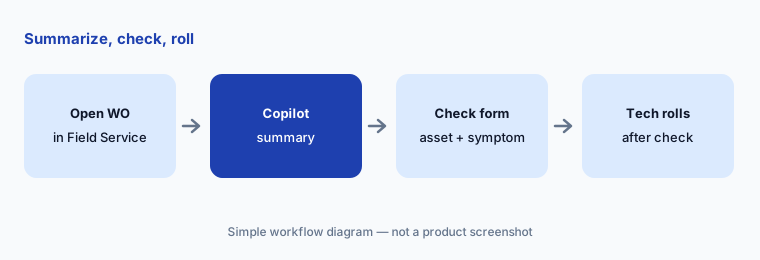
Primary workflow:
Ask Copilot for a summary of one open work order. Check every asset and symptom line against the form before the tech rolls.
2. Mobile work-order updates (preview)
What it is: On the Field Service mobile app, Copilot can take natural language (text or speech) and suggest updates to work-order fields — booking status, times, tasks, and line items — so the tech spends less time typing. Microsoft labels this AI-powered work-order update as preview. Suggested fields are not saved until someone accepts them.
Have the tech or dispatcher accept each suggested field one by one. A wrong status or part line becomes tomorrow’s invoice fight.
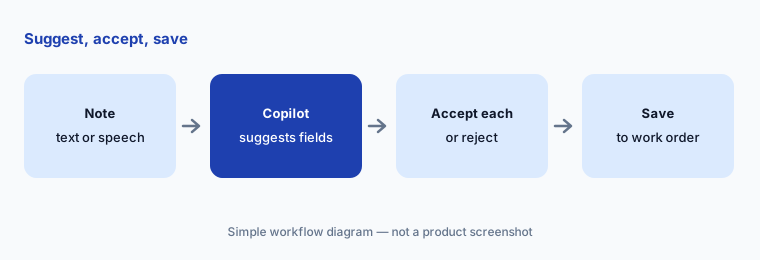
Accept field by field:
On one closed test job, let Copilot suggest the booking status and time from a short note. Accept or reject each suggested field before saving.
3. Inspection templates from PDFs or images
What it is: Copilot can turn uploaded PDFs or images into draft inspection templates you edit, publish, and add to work orders. That is useful when OEM checklists live as scanned manuals — but a draft that invents a torque value or skips a safety step is dangerous until a planner rewrites it.
Have the reliability or service planner delete every step that does not match how your site actually inspects that asset.
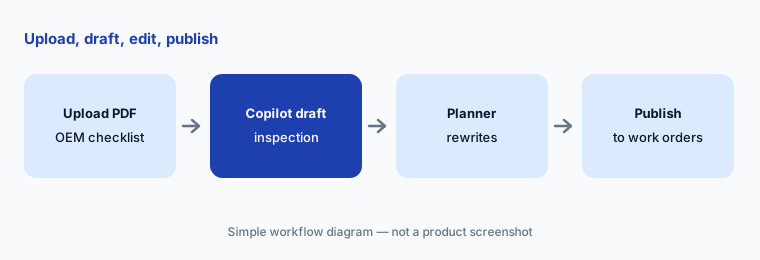
Rewrite before publish:
Upload one short OEM checklist PDF and let Copilot draft an inspection template. Have the planner delete or rewrite every step that does not match your site.
4. Customer message drafts in Outlook
What it is: Microsoft’s Field Service page describes using Copilot to generate a customer response in Outlook that summarizes key details and next steps. That is a draft email, not a sent commitment. Prices, arrival windows, and warranty language are the usual places drafts invent.
A named service manager reads every Copilot-drafted customer message before send. If a price or arrival window is not on the approved work order, it comes out.
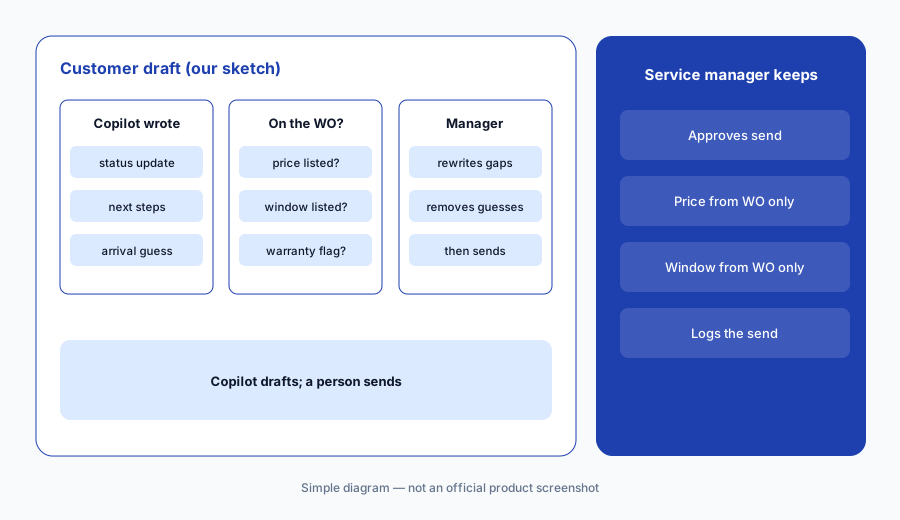
Manager sends:
Let Copilot draft one customer update from an open work order. Have the service manager remove any price or arrival window that is not on the form, then send.
5. Agents and Copilot Credits
What it is: Microsoft separates AI assistance from Copilot on Field Service (work-order creation and updates, scheduling, summarization per the pricing footnote) from agents that require Copilot Credits — prebuilt Field Service agents and custom agents built in Microsoft Copilot Studio. Credits are sold as prepaid Commit Units or pay-as-you-go on an Azure subscription. The agent feed is where a person reviews, validates, and completes agent-generated tasks.
Write which agent actions a person must approve before anything reaches a customer or changes a schedule.
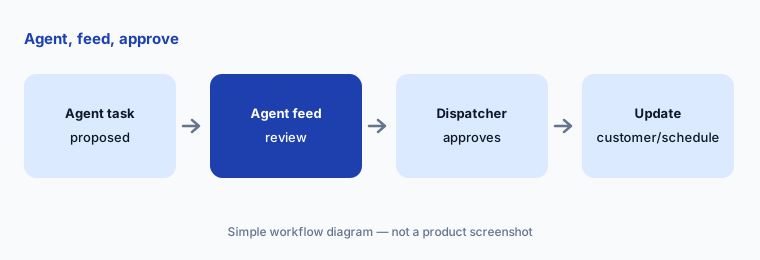
Supervise the feed:
For one week, route every agent-generated task through the agent feed. Have a named dispatcher approve anything that moves a customer appointment.
6. Published list prices and who approves
What it is: Microsoft’s Field Service pricing page (read 12 Oct 2026) lists Dynamics 365 Field Service at $105 per user per month paid yearly, Field Service Contractor at $50 per user per month paid yearly, and Resource Scheduling Optimization at $30 per resource per month paid yearly. Copilot assistance for summaries and related jobs is called out on the plan; agents are priced through Copilot Credits, not a single public per-agent dollar amount on that page.
Put base seats, RSO, and an estimated Copilot Credit budget on one sheet, and name the service manager who approves customer-facing Copilot output.
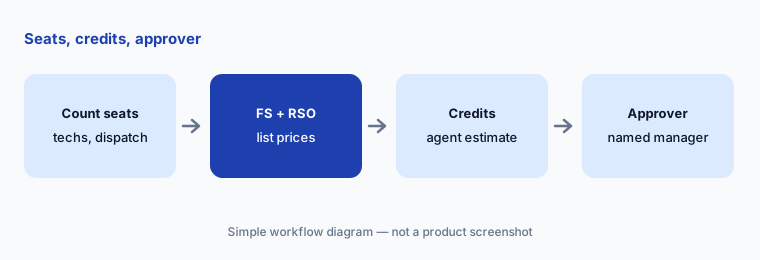
One cost sheet:
Count technicians and dispatchers. Price Field Service and Contractor seats at the published list, add RSO if you use it, and ask for a Copilot Credit estimate for any agent you plan to run.
Pricing context (October 2026)
Microsoft’s Field Service pricing page (read 12 Oct 2026, USD, paid yearly) publishes list prices: Dynamics 365 Field Service $105 per user per month; Field Service Contractor $50 per user per month; Resource Scheduling Optimization $30 per resource per month. The page lists AI assistance from Copilot in Dynamics 365 Field Service for work-order creation and updates, scheduling, and summarization, and marks agents as requiring Copilot Credits (prepaid Commit Units or pay-as-you-go via Microsoft Copilot Studio on an Azure subscription).
Copilot Credit unit prices and exact agent consumption are not a single dollar figure on the Field Service pricing page — get them in a written quote with your expected agent volume. List prices are Microsoft’s published figures, not a negotiated deal.
Uncertainty: Which Copilot surfaces are generally available vs preview (work-order update is labelled preview in Microsoft Learn) can change by wave. Agent credit burn depends on which agents you run and how often. Contractor-plan mobile limits and RSO single-tenant assumptions are in Microsoft’s footnotes — re-read them for your tenant. Microsoft’s and Forrester’s ROI claims are not repeated here.
When it’s useful (honest take)
Useful when your field, ERP, and Teams data already live in the Microsoft cloud, you dispatch many technicians, and a service manager will check Copilot summaries and approve every customer-facing draft.
Less useful when you are a small home-service shop (look at Jobber AI or Housecall Pro AI), you want Salesforce-native field AI (Salesforce Field Service AI), or nobody owns Copilot Credit spend and agent supervision.
Paying for Dynamics 365 Field Service AI and a few other AI tools? The $9 AI toolkit spreadsheet lists every AI subscription you have, what each one costs, and how fast it pays for itself, so you can see which ones are worth the money.
Want someone to do it for you? AI toolkit audit — $19
Related options (educational)
| Need | Better home | Why |
|---|---|---|
| Field dispatch and technician AI on Dynamics | Dynamics 365 Field Service AI (this page) | Published per-user list + Copilot Credits |
| Field AI on Salesforce | Salesforce Field Service AI | Agentforce for Field Service; published list |
| Trades and home-service FSM | ServiceTitan AI · Jobber AI | Built for trades |
| Crews on your own heavy assets | IBM Maximo AI | Maximo Field Service Management |
| CMMS for shop maintenance | MaintainX vs UpKeep | Work orders, not customer FSM |
| Sanitized quote drafts in chat | ChatGPT for field service ops | Projects; no live Dynamics data |
FAQ
What is Copilot in Dynamics 365 Field Service in October 2026?
Microsoft’s Copilot overview lists natural-language questions, work-order summaries, mobile work-order updates (preview), inspection templates from PDFs or images, form-fill assistance, agent supervision, and related view helpers (checked 12 October 2026).
How much does Dynamics 365 Field Service cost?
Microsoft publishes list prices paid yearly: Field Service $105 per user per month, Contractor $50 per user per month, and Resource Scheduling Optimization $30 per resource per month. Agents require Copilot Credits sold separately through Copilot Studio.
Is Copilot included or do I need Copilot Credits?
The pricing page lists AI assistance from Copilot for work-order creation and updates, scheduling, and summarization on Field Service. Prebuilt and custom agents need Copilot Credits. Confirm which surfaces in your tenant are included vs credit-metered.
Can Copilot send a message to a customer on its own?
Treat Outlook drafts as drafts. Have a named service manager approve every Copilot-sent customer message and remove any price or arrival window that is not on the work order.
How is this different from Salesforce Field Service AI?
Both are enterprise field clouds with generative AI for summaries and scheduling helps. This page is Microsoft Dynamics + Copilot Credits; see Salesforce Field Service AI for Agentforce on Salesforce. Compare by which CRM/ERP you already run — not as a ranking.
Optional next step (if seats overlap)
If you pay for Dynamics Field Service seats, Copilot Credits, and a separate chat tool that all draft the same customer updates, that overlap is worth a look. Map the overlap with the $19 AI toolkit audit or the $9 AI toolkit spreadsheet. Email Audit $19 or Toolkit spreadsheet $9.
Checkout is live via Stripe. After you pay, we email delivery (spreadsheet) or intake next steps (audit).