Compare · Facilities / CMMS · Oct 2026
MaintainX vs UpKeep (Oct 2026): AI CMMS platforms for maintenance teams
MaintainX and UpKeep both run computerized maintenance management for plants, facilities, and multi-site teams — work orders, procedures, parts, and mobile frontline capture — and both now put AI into summaries, drafts, and (on UpKeep) an agent that can take scheduled actions. Both publish at least some plan prices. The bigger differences sit in how AI is packaged (Enterprise Assist vs Nova credits on Essential+) and who must approve an AI-created PM or a Nova close. This page compares those AI surfaces. It is not a ranking, and each section has a Try this.
What this comparison covers
This page is for a maintenance planner, facilities manager, or reliability lead choosing between MaintainX and UpKeep, or running one and hearing about the other’s AI. The question it answers: for AI work-order help, voice/photo capture, predictive or agent features, and plan transparency, what each product covers and who must approve an AI draft before it hits the schedule.
We re-checked both vendors’ pricing pages on 12 October 2026. MaintainX’s pricing page publishes Basic, Essential, and Premium amounts and lists MaintainX Assist and Report Builder AI on Enterprise. UpKeep’s pricing page publishes Essential and Premium amounts, marks Professional and Enterprise as request-a-quote, and shows Nova credit tiers on each plan.
Ground rules for either platform: an AI-drafted PM or checklist is not accurate until a planner or supervisor checks it against how the site actually works; Nova or Assist should not create or close work without a named approver; and no employee performance files go into a chat prompt. Facts come from the same vendor pages as our MaintainX AI and UpKeep AI reviews; both vendors’ marketing statistics are left out.
| Question | MaintainX | UpKeep |
|---|---|---|
| Built for | Maintenance and asset teams that want mobile work orders, free requesters, and (on Enterprise) natural-language reporting | Maintenance teams that want Nova agent workflows, Voice Fill, and Intelligence features across Essential and higher plans |
| In-app AI brand | MaintainX Assist; Report Builder AI; Smart Time Estimates | UpKeep Intelligence — Nova (chat, Pulse, Knowledge Base), Voice Fill, Photo-to-Part, Smart Checklist Builder, Smart Scheduler |
| Where AI sits by plan | Assist and Report Builder AI listed on Enterprise with Assist access; Smart Time Estimates on the comparison table; lower tiers digitize work without those AI seats | Nova included from Essential (credit tiers scale up); Voice Fill and closeout notes broadly available; Photo-to-Part / Smart Checklist from Premium+; Smart Scheduler on higher tiers per help |
| Published plan prices | Yes: Basic $0; Essential $20/user/mo annual ($25 monthly); Premium $65 annual ($75 monthly); Enterprise custom | Partial: Essential $24/user/mo; Premium $55/user/mo; Professional and Enterprise request a quote |
| Credits / extras | Requesters free; Assist is an Enterprise capability, not a public per-message price | Nova credits called out by tier (250 / 500 / 750 / 1,000 per month on the pricing page); credit dollar “value” lines are marketing — confirm burn in a trial |
| Who should approve AI work | A named maintenance planner approves every AI-created PM or procedure before it is assigned | A supervisor approves every Nova action that creates or closes work |
Major features (with how someone uses them)
Examples at a glance: each feature has a concrete example from a real job plus a short Try this you can run this week.
1. Three jobs you want AI to draft (primary)
What it is: Both platforms can draft or summarize maintenance work. What you actually need this month is usually narrower: overdue-work summaries for the standup, voice-filled work orders from the floor, photo-to-part lookups, natural-language reports, or an agent that runs scheduled checks. List the three jobs you most want AI to draft, note which product covers each, and name who approves the draft before it is assigned.
If a job needs Enterprise Assist on MaintainX or Professional-tier features on UpKeep, put that on the cost sheet before you trial.
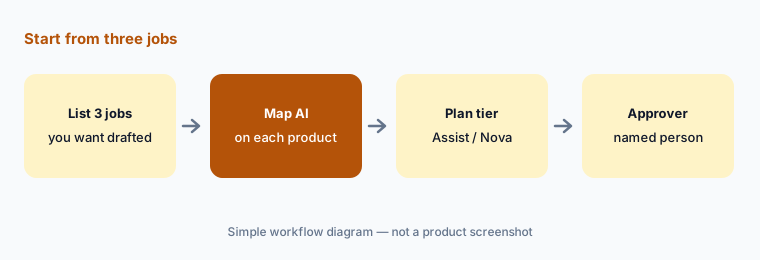
Your need first:
List the three maintenance jobs you most want AI to draft. Note which product covers each and who approves the draft.
2. Assist / Report Builder vs Nova / Intelligence
What it is: On MaintainX, MaintainX Assist helps technicians find asset information, generate procedures, and clean up work-order reporting, and Report Builder AI turns plain-language asks into custom reports — both listed with Enterprise Assist access. On UpKeep, Nova is an agent (chat, scheduled Pulse tasks, Knowledge Base, email forwarding) sitting on UpKeep Intelligence features such as Voice Fill, Photo-to-Part, Smart Checklist Builder, and Smart Scheduler. Same job family; different packaging.
Ask each product (or trial) the same overdue question and check five work-order rows before you trust either answer in a standup.
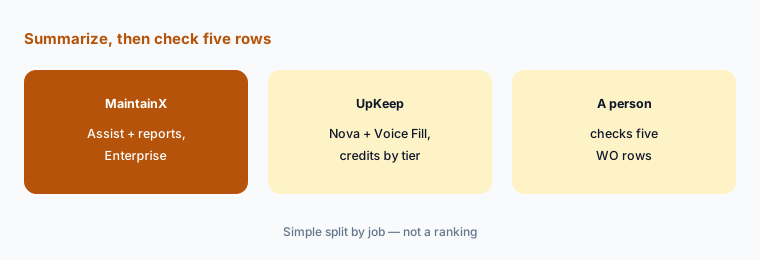
Same overdue question:
Ask each product for last week’s overdue work orders on one site. Check five rows on the work-order list before either summary reaches the standup.
3. Mobile frontline: voice, photo, gloves-on capture
What it is: UpKeep leans hard into frontline capture: Voice Fill for work-order fields, Photo-to-Part for identifying parts from a picture, and checklist builders that cut typing on the floor. MaintainX is strong on mobile work orders and procedures for technicians and free requesters, with Assist helping generate procedures and clean notes — more “ask and draft” than “speak the whole WO.” Pick based on whether gloves-on voice/photo is the daily pain or procedure and report drafting is.
Have a supervisor edit every Voice Fill or Assist-cleaned description before the job is assigned or closed.
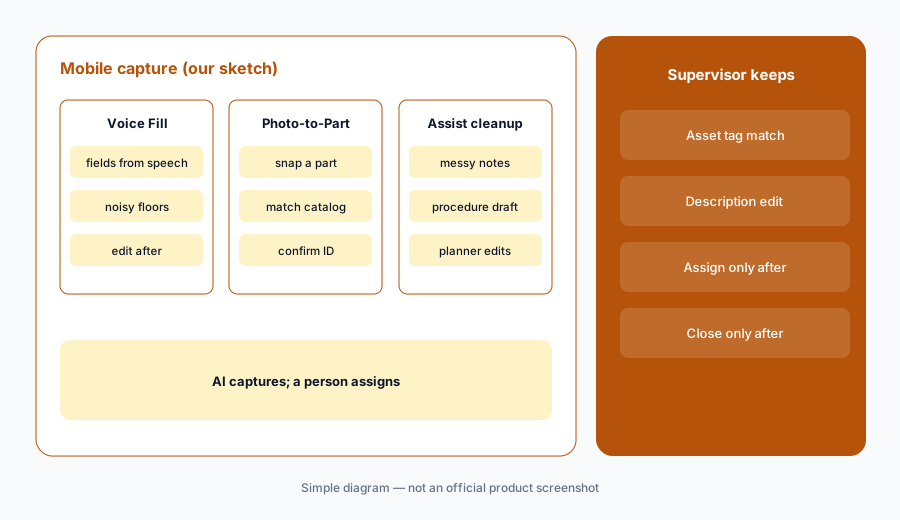
Edit before assign:
Create one test work order with voice or Assist cleanup on a known asset. Have the supervisor edit the description against the asset tag before assigning it.
4. Predictive and scheduled AI actions
What it is: MaintainX lists Smart Time Estimates from historical work-order data and Enterprise Asset Health Insights on higher tiers. UpKeep’s Smart Scheduler and Nova Pulse scheduled tasks push toward automated suggestions and actions. Neither replaces a planner’s outage calendar. Any AI action that creates or closes work needs a named human gate.
Write which Nova Pulse or Assist actions are allowed to create work, and which are report-only.
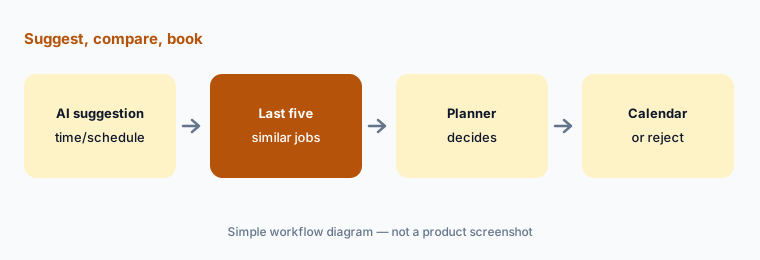
Compare with history:
Take one AI time or schedule suggestion. Compare it with the last five similar jobs and the outage calendar before you book it.
5. Plan transparency and credits
What it is: MaintainX publishes Basic through Premium and quotes Enterprise (where Assist lives). UpKeep publishes Essential and Premium, quotes Professional and Enterprise, and prints Nova credit counts per tier. Put both on one sheet at your headcount: published tiers, whether you need Enterprise Assist or Professional features, Nova credit burn assumptions, and the named approver.
Ask UpKeep for Professional pricing in writing if you need offline mobile or deeper analytics; ask MaintainX whether Assist is live in the tenant you are quoted.
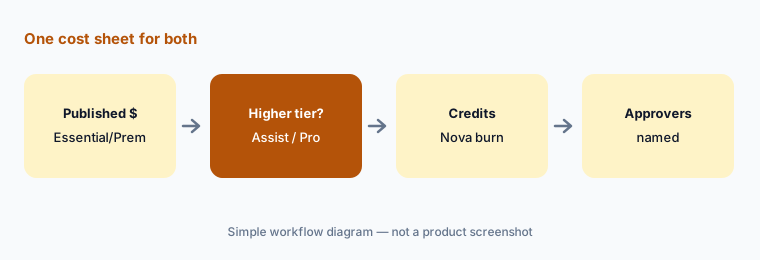
One cost sheet:
Build one cost sheet for both at your headcount: published plan price, whether Assist or Professional is required, Nova credit assumptions, and who approves AI-created work.
6. Who approves AI-created work
What it is: The rule that keeps the plant safe is the same on both: a named maintenance planner approves every AI-created PM or procedure on MaintainX before it is assigned, and a supervisor approves every Nova action that creates or closes work on UpKeep. AI summaries are inputs to the standup, not the standup itself.
Keep one weekly review: every AI-created PM or Nova-closed WO, who approved it, and whether the asset history matched.
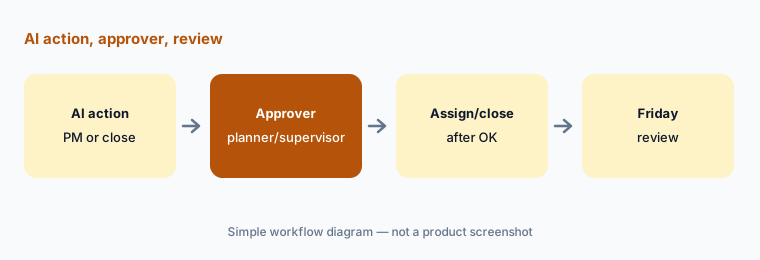
Name the approvers:
Name who approves AI-created PMs on MaintainX and Nova create/close actions on UpKeep. Review every AI-created work item each Friday for two weeks.
Pricing context (October 2026)
MaintainX publishes prices. Its pricing page (checked 12 Oct 2026) lists Basic at $0, Essential at $20 per user per month billed annually ($25 monthly), Premium at $65 annual ($75 monthly), and Enterprise as custom. MaintainX Assist and Report Builder AI are listed with Enterprise Assist access. Requesters are free.
UpKeep publishes partial prices. Its pricing page (checked 12 Oct 2026) shows Essential at $24 per user per month and Premium at $55 per user per month, with Professional and Enterprise as request-a-quote. Nova credit tiers are printed per plan (250 / 500 / 750 / 1,000). See our MaintainX AI and UpKeep AI reviews for feature detail.
Uncertainty: Which Intelligence features sit on Premium vs Professional vs Enterprise on UpKeep can shift — re-read help for your account. MaintainX Assist availability should be confirmed in the quoted Enterprise tenant. Nova credit burn depends on how you use Pulse and chat. Vendor “faster / saved” marketing claims are not repeated here.
When it’s useful (honest take)
MaintainX is useful when you want published Essential/Premium prices, free requesters, and (on Enterprise) Assist plus Report Builder AI with a planner who spot-checks reports and procedures.
UpKeep is useful when you want Nova and Voice Fill earlier in the plan ladder, Photo-to-Part and checklist help on the floor, and a supervisor who approves every Nova create/close.
Less useful when (either one) nobody owns AI-created PMs, you need trade FSM booking rather than CMMS (see ServiceTitan AI), or you expect AI to close safety-critical work without a person.
Still choosing between MaintainX and UpKeep? The $19 AI toolkit audit gives you a written plan for which tools to keep using and which to drop across your whole AI stack, including this pair.
Prefer to do it yourself? Spreadsheet — $9
Related options (educational)
| Need | Better home | Why |
|---|---|---|
| MaintainX’s AI on its own | MaintainX AI | Assist, Report Builder AI |
| UpKeep’s AI on its own | UpKeep AI | Nova, Voice Fill, Intelligence |
| Limble Practical AI | Limble AI | PM Builder, anomaly detection |
| Fiix by Rockwell | Fiix AI | Published Basic/Professional |
| Enterprise EAM | IBM Maximo AI · Facilio AI | Heavier asset stacks |
| Field FSM (not CMMS) | Dynamics 365 Field Service AI | Customer jobs, not PMs |
FAQ
Should I choose MaintainX or UpKeep?
This page is not a ranking. List the three maintenance jobs you most want AI to draft, note which product covers each, and check published prices plus whether you need Enterprise Assist or a Professional quote. Name who approves AI-created work either way.
How much do MaintainX and UpKeep cost in October 2026?
MaintainX lists Basic $0, Essential $20/user/mo annual ($25 monthly), Premium $65/$75, Enterprise custom. UpKeep lists Essential $24 and Premium $55 per user/mo; Professional and Enterprise are quote-only, with Nova credits printed per tier.
What is the difference between MaintainX Assist and UpKeep Nova?
Assist and Report Builder AI are Enterprise natural-language helpers for procedures and reports. Nova is an agent with chat and scheduled Pulse tasks on UpKeep Intelligence, with credit tiers from Essential up. Both need a human gate for create/close.
Can AI create preventive maintenance on its own?
It can draft. A named planner (MaintainX) or supervisor (UpKeep Nova) should approve every AI-created PM or close before it hits the live schedule.
Do both publish prices?
MaintainX publishes three paid tiers plus free Basic. UpKeep publishes Essential and Premium and quotes the tiers above. Put both on one sheet at your headcount.
Optional next step (if seats overlap)
If you pay for a CMMS with AI, a separate BI seat, and chat seats that all summarize the same overdue work, that overlap is worth mapping. Map the overlap with the $19 AI toolkit audit or the $9 AI toolkit spreadsheet. Email Audit $19 or Toolkit spreadsheet $9.
Checkout is live via Stripe. After you pay, we email delivery (spreadsheet) or intake next steps (audit).