Tool · Facilities / CMMS · Fiix · Oct 2026
Fiix AI review (Oct 2026): AI for CMMS work orders and asset insights (Rockwell Automation)
Fiix is a cloud CMMS from Rockwell Automation for work orders, preventive maintenance, assets, and parts. Its AI comes in three pieces: Fiix MAX (Maintenance Assistant Experience), a chat assistant that answers questions from your CMMS records; Fiix Foresight, three AI dashboards for work orders, parts, and assets; and Fiix Asset Health, a predictive maintenance offering built with Augury. This page is about using those answers and dashboards while a named planner still owns every decision. Each section has a Try this.
What this Fiix page covers
This page is for a maintenance manager, planner, or reliability lead — often in manufacturing — who runs Fiix or is comparing CMMS platforms. The question it answers: what Fiix’s AI tells you about work orders, parts, and assets, what it will and won’t do on its own, and what each piece costs.
Ownership and naming, checked 12 October 2026: Fiix is a Rockwell Automation product — the site footer reads “Rockwell Automation, Inc.” and the Fiix MAX guide is branded “Fiix® by Rockwell Automation.” Fiix’s AI page lists a timeline: Fiix Foresight (2022), Fiix Asset Risk Predictor (2024), Fiix MAX (2026), and Fiix Asset Health (2026). The pricing page publishes per-user prices for the Basic and Professional plans; Enterprise and the Fiix MAX add-on are “contact for pricing.”
Ground rules: a Fiix MAX answer is a suggestion — Fiix’s own guide says to verify all responses before acting, especially for safety-critical tasks; a Foresight dashboard is a reason to look, not a decision; a planner owns every PM interval and purchase; and no employee performance files go into prompts. Facts below come from Fiix and Rockwell Automation pages as read on 12 October 2026; vendor accuracy and time-saving claims are not repeated here.
Major features (with how someone uses them)
Examples at a glance: each feature has a concrete example from a real job plus a short Try this you can run this week.
1. Fiix MAX: ask for a PM interval, then compare (primary)
What it is: Fiix MAX is a conversational assistant built into the CMMS on desktop and mobile. Fiix’s quick-start guide says it answers in plain language from your private CMMS data and Fiix Help Center content, covering your maintenance procedures and recommendations, your CMMS records, and general maintenance concepts. One of the guide’s sample prompts asks MAX what tasks, at what intervals, it would recommend for an asset based on references and maintenance plans — so asking for a PM interval is an intended use.
The guide notes MAX can pull from an attached OEM manual or past work orders. Attach the manual first, then treat the suggested interval as one input next to the manual and your own failure history.
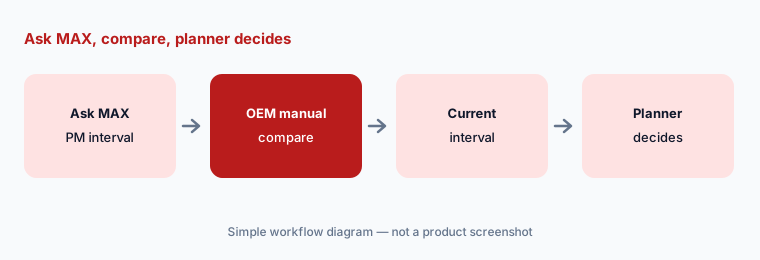
Primary workflow:
Ask Fiix’s AI to suggest a PM frequency for one asset. Compare it with the OEM manual and the planner’s current interval.
2. What Fiix MAX will and won’t do
What it is: The guide is direct about limits: Fiix MAX “does not create new records” and “will not take independent action in your CMMS or connected systems.” It respects each user’s site and page permissions, so it won’t answer about assets a person can’t see. It is meant to assist, not replace, human decision-making, and Fiix says to verify all responses before acting. Technicians can ask troubleshooting questions; managers can ask about skipped tasks, gaps in PMs, or which asset costs the most.
Because MAX only suggests, the risk is a technician acting on a wrong answer. Agree up front which questions a tech may act on alone and which need a supervisor.
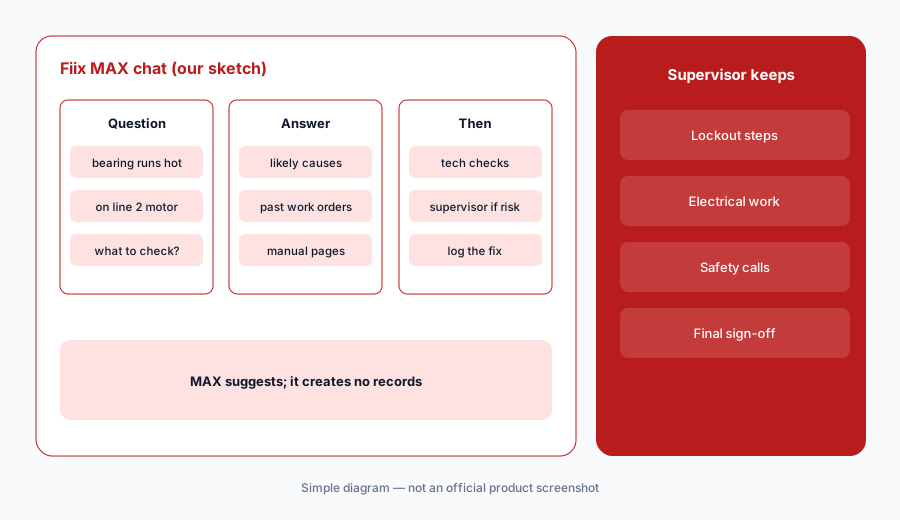
Set the act-alone rule:
Write a short list of the questions a technician may act on from a Fiix MAX answer alone, and the ones that always go to a supervisor. Share it before anyone uses MAX on the floor.
3. Fiix Foresight: Work Order Insights
What it is: Fiix Foresight adds three AI and machine-learning dashboards on the Professional and Enterprise plans. Work Order Insights analyzes historical work orders to show which open ones are at risk of delays and compliance issues, and compares performance across shifts and sites. Dashboards fill in only once your account has enough history.
Use the at-risk list to start a conversation with the planner, not to reassign work automatically. A late-risk flag can come from bad data as easily as from a real bottleneck.
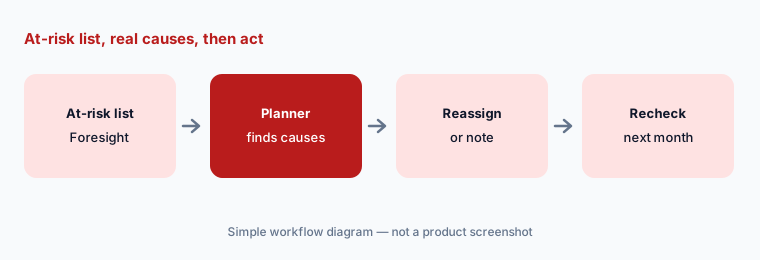
Monthly review:
Once a month, open Work Order Insights with the planner. Pick three at-risk work orders and write down the real cause of each before changing anything.
4. Parts Forecaster: purchasing suggestions a person approves
What it is: Parts Forecaster (Foresight) analyzes historical CMMS data to recommend parts for upcoming work and flag possible stockouts. It is only as good as your parts history — missed issues, parts taken without a work order, or one-off rebuilds all skew the forecast.
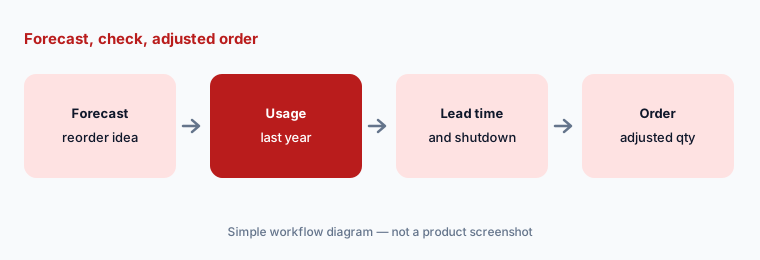
Check lead time and the next planned shutdown before acting on a reorder suggestion.
Check before you buy:
Take one Parts Forecaster recommendation. Have the storeroom lead check the last year of usage and the supplier lead time before the order is placed.
5. Asset Insights, Asset Health, and the Augury partnership
What it is: Asset Insights (Foresight) shows where you are spending more time, money, or resources on an asset than usual. For sensor-based prediction, Fiix’s AI page now leads with Fiix Asset Health, built with Augury in 2026 (wireless sensors, AI monitoring, and expert review that create work orders in Fiix). An older Fiix Asset Risk Predictor page, with generative “Prescriptive Maintenance” work orders, is still online. Rockwell Automation announced on 23 July 2026 that Augury’s Reliability Agent will connect to Fiix MAX, with the initial offer “expected to be available in September”; we found no availability confirmation on the pages we read.
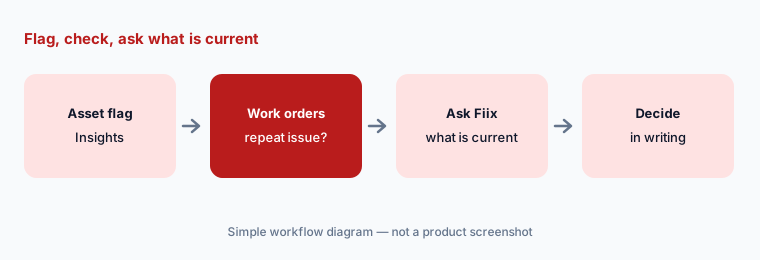
Ask in writing which predictive product Fiix sells today, what it costs, and whether the Augury–MAX connection is live for your account.
Ask what is current:
Ask Fiix in writing which predictive product is sold today (Asset Health or Asset Risk Predictor), its price, and whether Augury’s Reliability Agent connects to Fiix MAX in your account.
6. Plans, the MAX add-on, and who owns the decisions
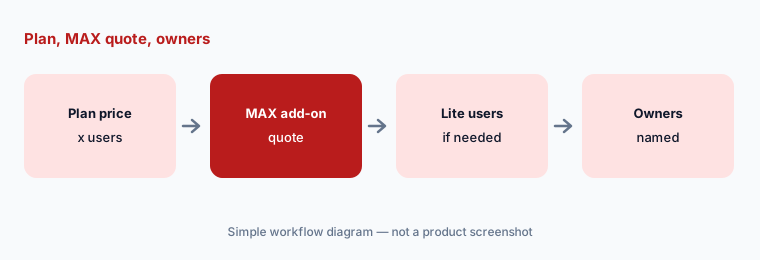
What it is: Fiix publishes most of its plan prices, but the AI pieces sit higher up: Foresight comes with Professional and Enterprise, and Fiix MAX is a paid add-on available only on Professional or Enterprise (not for Lite License users). Before you compare Fiix with another CMMS, write the full number — plan price times users, plus the MAX quote, plus any Lite licenses for operators — and the name of the person who owns AI suggestions.
Fiix offers month-to-month or annual subscriptions; ask which term your quote assumes.
All-in number:
Write one all-in number for Fiix: plan price times users, the Fiix MAX add-on quote, and any Lite licenses. List who owns each kind of AI suggestion.
Pricing context (October 2026)
Fiix’s pricing page (read 12 Oct 2026) lists Free at $0 (limited users, 25 active PMs), Basic at $45 per user per month, and Professional at $75 per user per month; Enterprise is custom pricing. Fiix says plans can be month-to-month or annual.
AI by plan: Fiix Foresight (Work Order Insights, Parts Forecaster, Asset Insights) is included on Professional and Enterprise. Fiix MAX is a paid add-on marked “Contact for pricing,” must be combined with Professional or Enterprise, and can’t be added to Lite License users. Lite License (operator access) is also contact-for-pricing. Fiix Asset Health and Asset Risk Predictor are sold separately with no public price.
Uncertainty: Fiix MAX, Enterprise, Lite License, and the predictive products have no public prices — quote only. Fiix’s AI page leads with Fiix Asset Health while an older Asset Risk Predictor page is still online, so confirm which one is sold today. Rockwell said the Augury Reliability Agent connection to Fiix MAX was expected in September 2026; we found no confirmation that it is available. Foresight dashboards stay empty until your account meets minimum data requirements. Vendor accuracy and time-saving claims are not repeated here.
When it’s useful (honest take)
Useful when you want a CMMS with published per-user prices, AI dashboards on Professional, and a chat assistant that answers from your own records without changing them — with a planner who owns every interval and purchase.
Less useful when you need AI to draft PMs straight from manuals on a base plan (see Limble AI), want the AI assistant without a Professional plan, or run customer field service rather than plant maintenance (see ServiceTitan vs Jobber).
Paying for Fiix AI and a few other AI tools? The $9 AI toolkit spreadsheet lists every AI subscription you have, what each one costs, and how fast it pays for itself, so you can see which ones are worth the money.
Want someone to do it for you? AI toolkit audit — $19
Related options (educational)
| Need | Better home | Why |
|---|---|---|
| Fiix MAX and Fiix Foresight | Fiix AI (this page) | Basic/Professional published; MAX quote |
| PM Builder, anomaly flags, MCP | Limble AI | No public prices |
| Assist and Report Builder AI | MaintainX AI | Published plans |
| Nova, Voice Fill, Photo-to-Part | UpKeep AI | Essential/Premium published |
| Construction project records | Procore AI | RFIs and daily logs |
| General chat for sanitized questions | ChatGPT · Claude | No live Fiix data |
FAQ
Who owns Fiix?
Fiix is a Rockwell Automation product. The Fiix site footer reads Rockwell Automation, Inc., and the Fiix MAX guide is branded Fiix by Rockwell Automation (checked 12 October 2026).
What AI features does Fiix have in October 2026?
Fiix MAX (a conversational assistant, paid add-on), Fiix Foresight (Work Order Insights, Parts Forecaster, Asset Insights on Professional and Enterprise), and Fiix Asset Health, a predictive offering built with Augury. An older Asset Risk Predictor page is still online.
How much does Fiix cost?
Free is $0, Basic is $45 per user per month, and Professional is $75 per user per month as published 12 October 2026. Enterprise, the Fiix MAX add-on, and Lite License are contact-for-pricing.
Can Fiix MAX create work orders?
Fiix’s quick-start guide says MAX does not create new records and will not take independent action in your CMMS or connected systems. It makes suggestions; a person decides and acts.
Does Fiix replace Limble or MaintainX?
They overlap as CMMS platforms with different AI and pricing. Compare by the AI features you need, which plan carries them, published versus quoted prices, and who owns AI suggestions — not as a ranking.
Optional next step (if seats overlap)
If you pay for a CMMS AI add-on, a separate predictive maintenance service, and chat seats that all answer questions about the same assets, that overlap is worth a look. Map the overlap with the $19 AI toolkit audit or the $9 AI toolkit spreadsheet. Email Audit $19 or Toolkit spreadsheet $9.
Checkout is live via Stripe. After you pay, we email delivery (spreadsheet) or intake next steps (audit).