Tool · Facilities / CMMS · Limble · Oct 2026
Limble AI review (Oct 2026): Practical AI, PM Builder, anomaly detection, and MCP for maintenance
Limble is a CMMS for work orders, preventive maintenance, assets, and parts. Its AI sits under the name Practical AI: an AI-Powered PM Builder that turns asset manuals into PM suggestions, anomaly detection on asset readings, a read-only MCP server for AI tools such as Claude and Cursor, Asset Snap for nameplate photos, Smart Parts, and AI scheduling suggestions on Enterprise. This page is about using those suggestions while a named planner or reliability engineer still decides what gets scheduled. Each section has a Try this.
What this Limble page covers
This page is for a maintenance manager, planner, or reliability engineer who runs Limble or is comparing CMMS platforms. The question it answers: which PM, asset, and scheduling jobs Limble’s AI drafts for you, which plan each feature sits on, and what still needs a named person before work reaches a technician.
Limble’s Practical AI page (read 12 October 2026) lists the plan for each AI feature: AI-Powered PM Builder on Standard, Premium+, and Enterprise; Anomaly Detection, MCP, Asset Snap, and Smart Parts on Premium+ and Enterprise; AI Scheduling Suggestions, Smart Time Estimates, and AI Duplicate Work Request Prevention on Enterprise only. The pricing page has no dollar amounts — each plan links to a two-question price calculator that returns an estimate.
Ground rules: an AI-built PM isn’t ready until the planner has edited every step; an anomaly flag is a reason to look, not a diagnosis; MCP access is read-only and still needs IT to own the API credential; and no employee performance files go into prompts. Facts below come from Limble’s website and help center as read on 12 October 2026; Limble’s marketing statistics are not repeated here.

Major features (with how someone uses them)
Examples at a glance: each feature has a concrete example from a real job plus a short Try this you can run this week.
1. AI-Powered PM Builder: suggestions from a manual (primary)
What it is: The AI-Powered PM Builder reads an asset manual — either one from Limble’s manual library (pick manufacturer and model) or a machine-readable PDF you upload (up to 50 MB; 4.5 MB in the EU) — and suggests PMs. Limble’s help article (28 April 2026) says the builder generates only the PM name, schedule, and checkbox instructions; assigned users, tags, description, parts, and tools are left for you. Clicking “Create PM Template” turns a suggestion into a real template straight away — there is no draft state — so only create the ones you plan to keep. It is on by default and can be turned off in settings.
Limble itself says to manually verify the AI’s accuracy. OEM manuals assume ideal conditions; your site’s duty cycle, environment, and shutdown windows decide what actually belongs on the schedule.
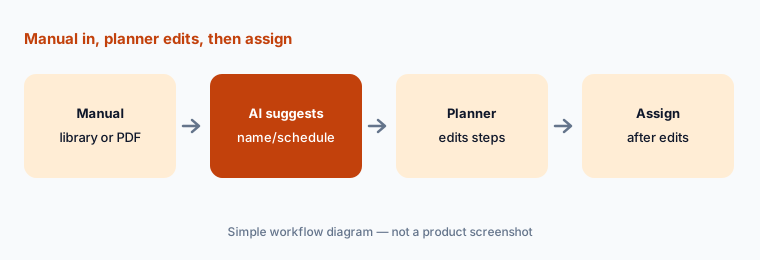
Primary workflow:
Run AI PM Builder on one asset manual. Have the planner delete or rewrite every step that does not match how your site actually works.
2. Anomaly detection and sensor thresholds: flags a person checks
What it is: Limble lists two separate features: Anomaly Detection (Premium+ and Enterprise), which flags unusual asset readings, and threshold-based triggers that notify the team — and can open a work order — when a sensor crosses a level you set. Its predictive maintenance page says Limble doesn’t sell sensors; it partners with Monnit and integrates with Augury, AssetWatch, VibeCloud, and AVEVA, and those partners do the deeper modelling. Limble’s own FAQ notes predictive models need a baseline period to learn normal behaviour.
Start with flags that only notify. Let anomalies open work orders automatically only after the reliability engineer has reviewed enough flags to trust them.
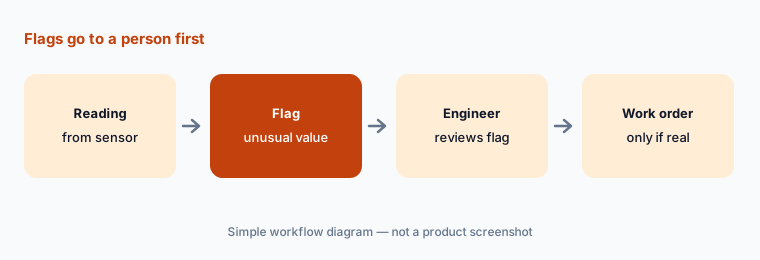
Notify first:
Pick one critical asset with a sensor. Route every anomaly flag to the reliability engineer for two weeks before any flag opens a work order on its own.
3. MCP server: read-only Limble data in Claude, Cursor, or Copilot
What it is: Limble’s Model Context Protocol (MCP) server (Premium+ and Enterprise) lets AI clients read Limble data — assets, work orders, schedules, inventory. The setup guide lists Cursor, Claude Desktop, Claude Code, GitHub Copilot, and Microsoft Copilot Studio, using a hosted endpoint and your Limble API client ID and secret. Limble’s Winter Release note (14 January 2026) says MCP is read-only by design, so it answers questions rather than changing records.
Read-only still exposes data. Have IT create a dedicated API credential, keep the secret out of shared config files, and decide which people may connect.
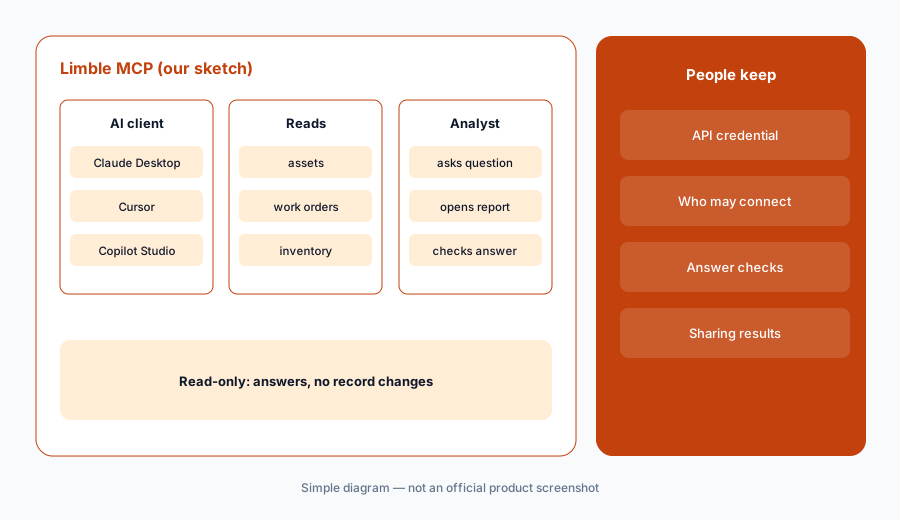
One question, then verify:
Have IT issue a dedicated API credential and connect Limble’s MCP server to one AI client. Ask which assets cost the most to maintain, then check the answer against Limble’s own report.
4. Asset Snap and Smart Parts: records from a photo
What it is: Asset Snap reads an equipment nameplate photo and fills a new asset record — manufacturer, model, serial number — and Limble’s release note says you validate the extracted fields before saving. Smart Parts is listed alongside it on Premium+ and Enterprise. Note one inconsistency: the pricing table marks Asset Snap on all three plans, while the Practical AI FAQ lists it under Premium+ and Enterprise. Confirm which applies to your contract.
A worn or painted-over nameplate produces a confident wrong serial number. Compare every field with the plate before you save.
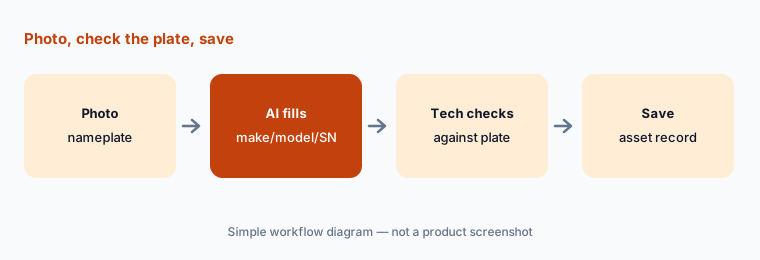
Check the plate:
Use Asset Snap on one nameplate. Compare manufacturer, model, and serial number with the plate before you save the record.
5. AI scheduling suggestions and Smart Time Estimates (Enterprise)
What it is: On Enterprise, Resource Planning shows work, labor capacity, and priorities in one view, and Limble’s AI reviews workloads and time estimates to suggest task moves. Smart Time Estimates and AI Duplicate Work Request Prevention (which flags similar requests for the same issue) are also Enterprise only. Suggestions don’t know about a permit, a qualification, or a production run unless that is in Limble.
Treat each suggested move as a proposal the planner accepts or rejects — and note why when it is rejected.
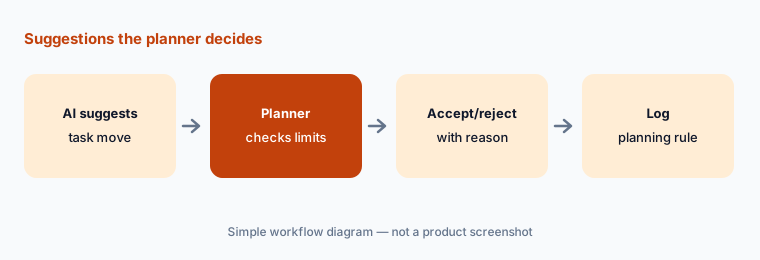
Accept nothing blind:
For one week, have the planner review every AI scheduling suggestion and write down why each was accepted or rejected before any move is made.
6. Plans, the price estimate, and who approves
What it is: Limble sells Standard, Premium+, and Enterprise. The AI features you get depend on the plan, and the price comes from a calculator estimate or a sales quote, not a public list. Before you compare Limble with another CMMS, write down which AI features you need, which plan carries them, and who approves each kind of AI output.
Ask for the estimate in writing with the plan name, user count, and any IoT or ERP integration costs (Limble marks some integrations as possibly costing extra).
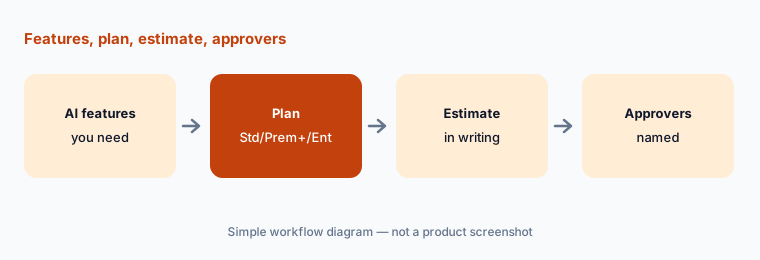
Feature-to-plan list:
List the Limble AI features you need, the plan each sits on, and who approves each output. Then request a written estimate for that plan and user count.
Pricing context (October 2026)
Limble’s pricing page (read 12 Oct 2026) lists three plans — Standard, Premium+, and Enterprise — with no public dollar amounts. Each plan links to a price calculator that asks two questions and returns an estimate; final pricing comes from Limble’s sales team. Some items (SSO, ERP/IoT integrations, onsite implementation) are marked as possibly costing extra.
AI by plan, per Limble’s Practical AI page: AI-Powered PM Builder on all three plans; Anomaly Detection, MCP, Asset Snap, and Smart Parts on Premium+ and Enterprise; AI Scheduling Suggestions, Smart Time Estimates, and AI Duplicate Work Request Prevention on Enterprise only.
Uncertainty: Limble publishes no prices, so the cost of each plan and its AI features is unknown until you request an estimate or quote. Limble’s own pages disagree on whether Asset Snap is on Standard (pricing table) or only Premium+ and Enterprise (Practical AI FAQ) — confirm in writing. Smart Parts has no public detail beyond its name and plan. Anomaly detection needs a baseline period and sensor data before flags mean much. Limble’s marketing statistics are not repeated here.
When it’s useful (honest take)
Useful when you want PM suggestions from OEM manuals on every plan, sensor-driven anomaly flags on Premium+, or a read-only MCP connection for analysts who already use Claude, Cursor, or Copilot — with a planner who edits every AI PM before it is assigned.
Less useful when you need published prices up front (see UpKeep AI or MaintainX AI), or when the job is customer field service rather than asset maintenance (see ServiceTitan vs Jobber).
Paying for Limble AI and a few other AI tools? The $9 AI toolkit spreadsheet lists every AI subscription you have, what each one costs, and how fast it pays for itself, so you can see which ones are worth the money.
Want someone to do it for you? AI toolkit audit — $19
Related options (educational)
| Need | Better home | Why |
|---|---|---|
| PM Builder, anomaly flags, MCP | Limble AI (this page) | No public prices; estimate form |
| Assist and Report Builder AI | MaintainX AI | Published plans; Enterprise AI |
| Nova, Voice Fill, Photo-to-Part | UpKeep AI | Essential/Premium published |
| Fiix MAX and Fiix Foresight | Fiix AI | Rockwell Automation CMMS |
| Construction project records | Procore AI | RFIs and daily logs, not PMs |
| General chat for sanitized drafts | Claude · Cursor | Can read Limble via MCP |
FAQ
What AI features does Limble have in October 2026?
Under the Practical AI name: AI-Powered PM Builder, Anomaly Detection, a read-only MCP server, Asset Snap, Smart Parts, AI Scheduling Suggestions with Resource Planning, Smart Time Estimates, and AI Duplicate Work Request Prevention. Which ones you get depends on your plan.
How much does Limble cost?
Limble does not publish prices. Standard, Premium+, and Enterprise each link to a price calculator that returns an estimate after two questions; final pricing comes from sales (checked 12 October 2026).
Does the AI PM Builder create finished PMs?
No. Limble’s help article says it generates the PM name, schedule, and checkbox instructions only. You add assigned users, tags, description, parts, and tools, and Limble recommends verifying the AI’s accuracy before using the template.
Can Limble’s MCP server change my data?
Limble describes its MCP server as read-only by design. It connects to Cursor, Claude Desktop, Claude Code, GitHub Copilot, and Microsoft Copilot Studio with your Limble API credentials, so IT should still own who connects.
Does Limble replace MaintainX or UpKeep?
They overlap as CMMS platforms with different AI packaging and pricing. Compare by the AI features you need, which plan carries them, published versus quoted prices, and who approves AI-created PMs — not as a ranking.
Optional next step (if seats overlap)
If you pay for a CMMS with AI, a separate sensor analytics tool, and chat seats that analysts use to query the same maintenance data, that overlap is worth a look. Map the overlap with the $19 AI toolkit audit or the $9 AI toolkit spreadsheet. Email Audit $19 or Toolkit spreadsheet $9.
Checkout is live via Stripe. After you pay, we email delivery (spreadsheet) or intake next steps (audit).