What’s new · Security questionnaires · Conveyor · Sep 2026
What’s new in Conveyor (Sep 2026): ConveyorAI for RFPs, an agentic answer engine, and Slack approvals
Conveyor’s public changelog dated nine entries in September 2026. For a security questionnaire owner, five groups need a decision: which answers may be approved from Slack, whether security questionnaires should try the agentic engine while it’s still in Labs, how translated questionnaires get checked, who may edit automation rules, and what Trust Center access and NDA signals your approvers now see. This page is not a review — for that, see our Conveyor AI review. Every item below comes from Conveyor’s changelog as we read it on 10 October 2026.
What this page covers
This page is for a security questionnaire owner, trust or GRC lead, or Conveyor admin who already runs Conveyor and wants September’s changes without reading every entry — especially anything that changes who approves an answer, which engine drafts it, and what leaves the company through the Trust Center.
We list only entries dated September 2026 on Conveyor’s changelog, using the dates shown there on 10 October 2026. Conveyor posts each entry in full on that one page, so every item below links the changelog. The 2 October entry about Ask ConveyorAI showing its reasoning is outside this page except for one FAQ line.
The questionnaire guardrails stay the same: AI drafts; a named subject-matter expert approves every answer that leaves the company, the knowledge base is fixed where an answer was wrong, and nobody treats a drafted answer as proof that a control exists. Auditors attest; answers have to match the evidence.
Major features (with how someone uses them)
Examples at a glance: each feature has a concrete example from a real job plus a short Try this you can run this week.
1. Five changes a security questionnaire owner should act on (primary)
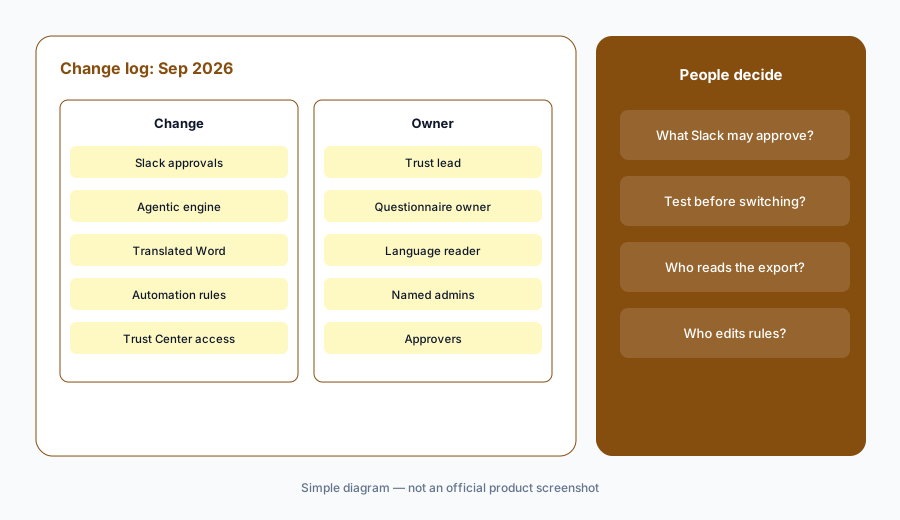
What it is: From the September notes, these five need a decision, not just awareness: (1) reviewers approve or edit draft answers from a Slack notification — on by default for new customers, opt-in per program for existing ones (3 September); (2) a new agentic answering pipeline, recommended and live for proposal questions, but still in Labs for security questionnaires, which can try it by creating a Test (2 September); (3) non-English Word questionnaires translated into English for answering and review, then exported in the original language or English (16 September); (4) admins edit automation rule settings themselves, including Content In Scope and Return complete materials to source (2 September); and (5) Trust Center visitors pick product lines on the access request form, NDA signatures now appear in Slack updates, and analytics separate previews from downloads (15 and 4 September). All dated on the Conveyor changelog.
Primary workflow:
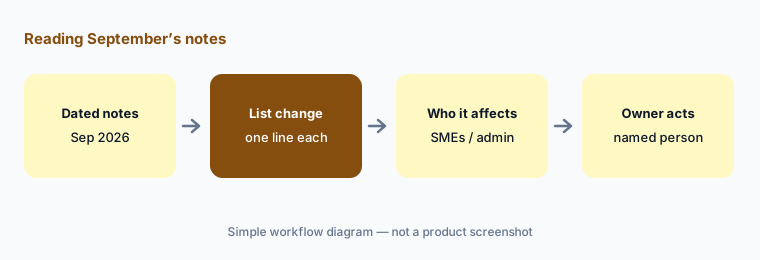
From Conveyor’s Sep 2026 changelog, list 5 changes a security questionnaire owner should act on — cite sources.
2. Approve answers from Slack (3 Sep)
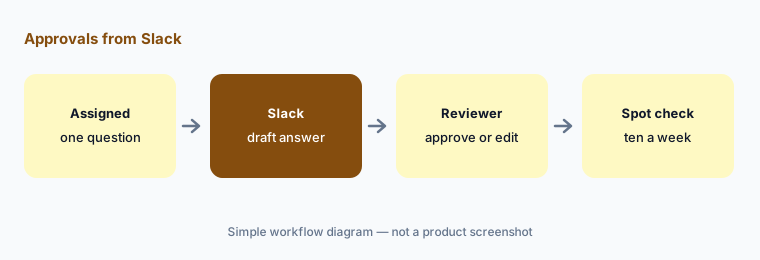
What it is: On 3 September Conveyor added rich Slack notifications for reviewers assigned to a question: the draft answer with buttons to approve it as-is or edit it in Slack, and the answer updates in Conveyor either way. Conveyor says simple approvals are most of a reviewer’s queue. It’s on by default for new customers; existing customers turn it on per program in Settings, Self-Serve via Slack (Conveyor changelog, 3 Sep).
Faster approval is the point, and also the risk. A reviewer approving from a phone in a channel sees the draft answer, not necessarily the source it came from or the rest of the questionnaire. Decide which answers are simple enough for Slack and which need the full view.
Decide what Slack may approve:
List the answer types your reviewers may approve from Slack and the ones that need the full questionnaire open. After two weeks, check ten Slack-approved answers against their sources.
3. ConveyorAI for RFPs and the agentic engine (2 and 3 Sep)
What it is: On 2 September Conveyor added a new agentic answering pipeline you can set as the default for proposal questions in RFP projects. Conveyor says it uses all the context available to it rather than reaching for the closest past answer, and takes longer per question. You pick Agentic (recommended) or Legacy in Settings, Answering, Custom Instructions, with admin access. Its status reads: live for proposal questions, in Labs for security questionnaires, which can try it by creating a Test. On 3 September Conveyor announced ConveyorAI for RFPs, a rebuild with the agentic engine underneath, a new Word document experience, and a workspace for proposal work, running on your existing knowledge base so proposals and security questionnaires share one library (Conveyor changelog, 2 and 3 Sep).
One shared library cuts both ways. A proposal team editing answers for a sales pitch now edits the same knowledge base your security answers come from, so agree who owns security entries before RFP work starts in Conveyor.
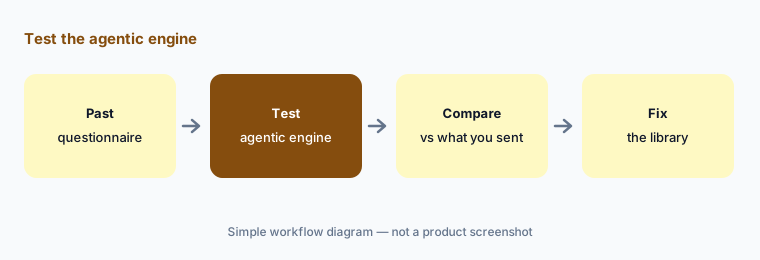
Test before you switch:
Create a Test with one past security questionnaire on the agentic engine. Compare every answer with what you actually sent and fix the knowledge base entry wherever they differ.
4. Non-English Word questionnaires (16 Sep)
What it is: On 16 September Conveyor added translation for non-English Word questionnaires: import one from the Questionnaires module, Conveyor translates it into English so your team answers and reviews in English, and you export it back in the original language or keep it in English. Conveyor says this removes the need to paste text into a translator (Conveyor changelog, 16 Sep).
The customer reads the exported language, not your English review copy. Commitments like “within 24 hours” or “all production systems” can shift in translation, so someone who reads that language checks the export’s commitments before it goes back.
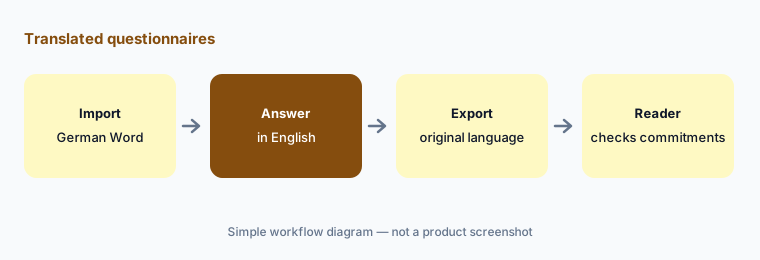
Check the exported language:
Before sending your next translated questionnaire, have someone who reads that language check every answer with a number, time frame, or scope word in the exported file.
5. Automation rules, Trust Center, and small changes (2–18 Sep)
What it is: On 2 September admins gained the ability to edit automation rule settings themselves — Content In Scope, Number of Questions, Update Requests, Answer Status Check, and Return complete materials to source — under Settings, Workflow Automation, Automation Rules. On 15 September Trust Center visitors can select the product lines they’re interested in on the access request form; it’s opt-in under Settings > Trust Center > NDA & Access, and you can rewrite the form’s description. On 4 September analytics began tracking document previews and downloads separately, Slack updates include NDA signatures, and accounts with legacy roles see guidance to migrate to customized roles (Conveyor changelog, 2, 4, and 15 Sep).
Automation rules decide what Conveyor sends back when a questionnaire completes. Editing them no longer needs a ticket to Conveyor, which also means it no longer has a second pair of eyes — name the admins who may change them.
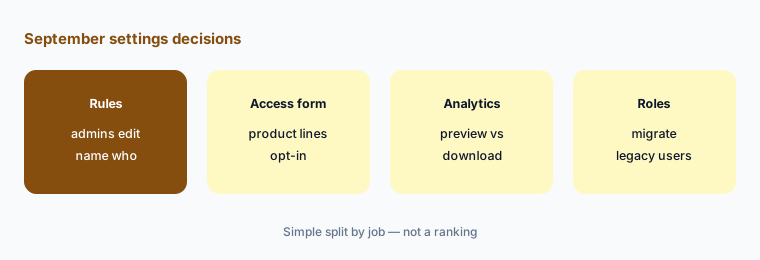
Name who edits rules:
Open Automation Rules and write down the current settings and who may change them. Then decide whether to turn on product lines on the Trust Center access request form.
6. Navigation changes and who approves each one
What it is: Also dated September: a dockable nav, a simpler cmd+k, a new environment picker, a clearer state when ConveyorAI can’t find an answer, and “AI Answers” renamed Ask ConveyorAI (9 Sep); and a refreshed Launchpad with “jump back in” shortcuts, Add Questionnaire and Add RFP front and center, and an escalation section showing where each item routes (18 Sep) (Conveyor changelog). Owners: Slack approvals → the trust lead; agentic engine and shared library → the questionnaire owner with the proposal lead; translated exports → a reader of that language; automation rules → named admins; Trust Center access → the approvers.
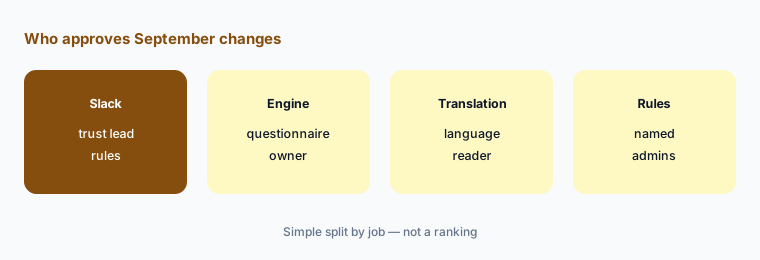
One owner per change:
For the five September themes above, write one named owner and one October review date. Have the trust lead approve the list before Slack approvals go on for another program.
Pricing context (October 2026)
September’s changelog entries did not mention price changes. Conveyor’s pricing page (as listed 10 October 2026) publishes no dollar prices. It says Conveyor is “priced on usage, not access,” with no per-user fees and no charges for integrations. A Free plan covers a simple trust center (10 Trust Center credits a month, no questionnaire automation or integrations); Enterprise is custom, with as many users as needed, the full platform, pay for what you use with volume discounts, integrations, analytics, and dedicated support.
For our dated review of ConveyorAI, the Trust Center, and how usage-based pricing compares with seat-based tools, see Conveyor AI.
Uncertainty: We read Conveyor’s changelog and pricing page on 10 October 2026. Dates are shown as Conveyor lists them. The agentic engine is in Labs for security questionnaires, Slack approvals are on by default only for new customers, and several changes are opt-in, so what you see depends on your settings. Conveyor doesn’t publish how usage is metered or priced. Always verify on the live changelog and in your account. This is product education, not advice on your security program.
When it’s useful (honest take)
Useful when you run Conveyor for security questionnaires or a Trust Center and want September’s dated changes with an owner and an action for each.
Useful when your proposal team is about to move RFPs into the same Conveyor knowledge base as security answers.
Less useful when you want a full product review — read Conveyor AI — or you answer questionnaires in another tool.
Paying for Conveyor and a few other AI tools? The $9 AI toolkit spreadsheet lists every AI subscription you have, what each one costs, and how fast it pays for itself, so you can see which ones are worth the money.
Want someone to do it for you? AI toolkit audit — $19
Related options (educational)
| Need | Better home | Why |
|---|---|---|
| Full review of ConveyorAI and the Trust Center | Conveyor AI | Not a changelog |
| Other questionnaire and RFP tools | Loopio AI · Responsive AI · Loopio vs Responsive | Content libraries and review |
| Security automation September notes | What’s new in Tines (Sep 2026) | Same format |
| Inventory compliance AI seats | Stack map for compliance ops | Jobs, tools, overlaps |
| Questionnaire answers next to your evidence | Vanta AI · Drata AI | Compliance platforms |
FAQ
What did Conveyor change in September 2026?
Per its public changelog: a new agentic answer engine, opt-in for proposal questions, and admin-editable automation rules (2 Sep); ConveyorAI for RFPs rebuilt and approving answers from Slack (3 Sep); NDA signatures in Slack and preview vs download analytics (4 Sep); navigation changes and the Ask ConveyorAI rename (9 Sep); product lines on the Trust Center access request form (15 Sep); non-English Word questionnaires in English (16 Sep); and a refreshed Launchpad (18 Sep).
Is the agentic engine ready for security questionnaires?
Not fully, per Conveyor. The 2 September entry lists it as live for proposal questions and in Labs for security questionnaires, which can try it by creating a Test. Run a past questionnaire through a Test and compare with what you sent.
Do existing customers get Slack approvals automatically?
No. The 3 September entry says it’s on by default for new customers; existing customers turn it on per program in Settings, Self-Serve via Slack.
Is the October “shows its work” change part of September?
No. Conveyor dates “Ask ConveyorAI in Cmd+K now shows its work and reasoning” 2 October 2026; the entry says it shows live steps, matched sources, and reasoning when the agentic pipeline is enabled.
Did Conveyor change prices in September 2026?
The changelog entries we read don’t mention price changes. As of 10 October 2026 the pricing page lists a Free trust center plan and a custom Enterprise plan priced on usage, with no dollar prices published.
Optional next step (if seats overlap)
If security pays for a questionnaire tool, a compliance platform’s questionnaire AI, and chat assistants that all draft the same answers, fix that overlap before adding another seat. Map the overlap with the $19 AI toolkit audit or the $9 AI toolkit spreadsheet. Email Audit $19 or Toolkit spreadsheet $9.
Checkout is live via Stripe. After you pay, we email delivery (spreadsheet) or intake next steps (audit).