What’s new · Security ops · Tines · Sep 2026
What’s new in Tines (Sep 2026): new AI models, Records in the Tines MCP, Records API v2, and Cases updates
Tines’ public what’s-new page lists nineteen updates under September 2026. For a security ops lead, five need a decision from someone: who may manage cases from an AI client, what Records an AI client can read, how long audit logs are kept, how AI spend is watched per story and person, and which model each AI step runs on now that the defaults moved. This page is not a review — for that, see our Tines AI review. Every item below comes from Tines pages we opened on 10 October 2026.
What this page covers
This page is for a security ops lead, automation engineer, or tenant owner who already runs Tines and wants September’s changes without reading every entry — especially anything that changes what AI clients can read and change, which model an AI step uses, and what your audit trail keeps.
We list only entries dated September 2026 on Tines’ what’s-new page (it now sits under Tines Stories; Tines also sells the newer Tines 3B, which has its own product updates page). Dates are as shown there on 10 October 2026. Records write tools in the Tines MCP (9 October) and Claude Sonnet 5.5 and custom model settings (8 October) are outside this page except for one FAQ line.
The security ops guardrails stay the same: AI suggests; a named person approves every action that changes an account, blocks anything, or closes a case. MCP connections with write tools get an owner, and nobody pastes secrets or customer data into an AI client to test a tool.
Major features (with how someone uses them)
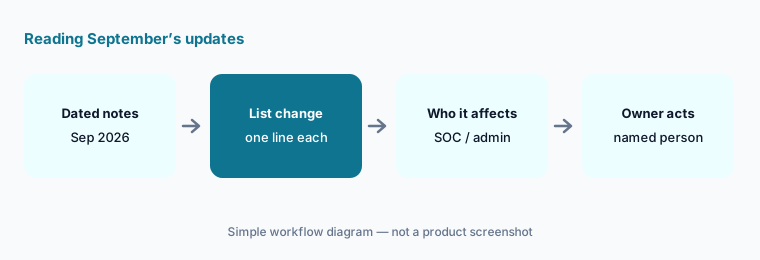
Examples at a glance: each feature has a concrete example from a real job plus a short Try this you can run this week.
1. Five changes a security ops lead should act on (primary)
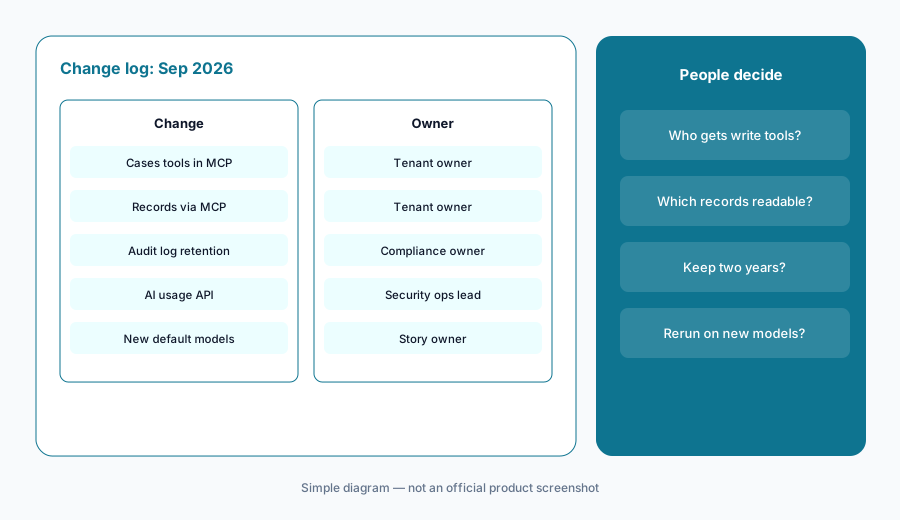
What it is: From the September updates, these five need a decision, not just awareness: (1) a full set of Cases tools in the Tines MCP server — discover, create, update, run case actions, transfer, and delete cases from your MCP client (2 September — entry); (2) AI clients can discover, read, search, and aggregate Records through the Tines MCP, respecting existing access permissions (23 September — entry); (3) tenant owners can shorten audit log retention from the two-year default to as little as 30 days (2 September — entry); (4) the AI usage API can group or filter credit use by story, action, and user (18 September — entry); and (5) GPT-6 Sol and Luna became the new default “smart” and “fast” models, alongside GPT-6 Astra and Claude Opus 5.5 (24 September — GPT-6 entry, Opus entry). All dated on Tines what’s new.
Primary workflow:
From Tines’ Sep 2026 updates, list 5 changes a security ops lead should act on — cite sources.
2. New AI models and provider settings (2 and 24 Sep)
What it is: On 24 September Tines added OpenAI’s GPT-6 models anywhere you pick an AI model, including AI agent actions: GPT-6 Astra for the hardest reasoning and coding tasks, GPT-6 Sol as the new default “smart” model, and GPT-6 Luna as the new default “fast” model, through the Tines OpenAI provider or your own API key (entry). The same day Tines made Anthropic’s Claude Opus 5.5 available to all customers and says it costs 40% less to run than Opus 5 on typical workloads (entry). On 2 September AI provider endpoint URLs gained formula support, for example referencing a URL stored in credential metadata (entry).
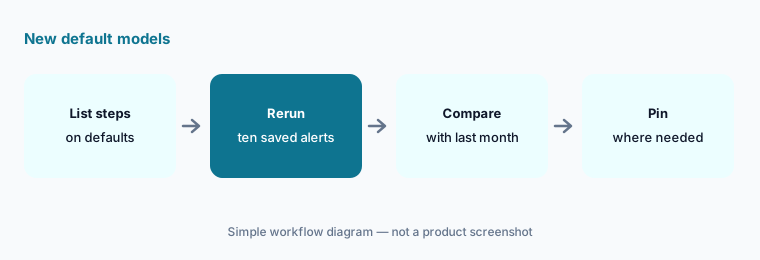
The default change is the one to act on. Any AI step set to the default “smart” or “fast” model may now run on a different model than the one you tested, so a triage summary can change shape without anyone editing the story. Cost figures are Tines’ claims, not our measurement.
Rerun before you trust the new default:
List every AI step that uses the default smart or fast model. Rerun ten saved alerts through one of those stories and compare the output with last month’s before you leave the default in place.
3. Records in the Tines MCP and Records API v2 (23 and 24 Sep)
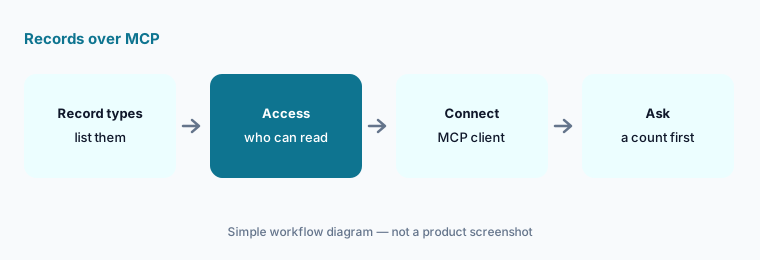
What it is: On 23 September AI clients using the Tines MCP server gained tools to discover, read, search, and aggregate Records: list the record types a user can access and their fields, read individual records, filter and sort by field, and summarize with counts and sums without pulling raw rows, with results capped. Tines says the tools respect existing access permissions and work with Workbench, Tines 3B, and external MCP clients (entry). On 24 September Tines released version 2 of the Records API read endpoints: request only the fields you need, pull in linked cases, child records, and full artifacts in the same call, and, Tines says, regular record searches run around two times faster (entry).
Read access is still access. If Records hold alert history, user names, or investigation notes, an assistant connected over MCP can now search and summarize them for anyone whose permissions allow it. Check who can see which record types before you point an external AI client at the tenant.
Check access before connecting:
List the record types in your tenant and who can read each. Narrow any type with sensitive notes before connecting an MCP client, then start with one count question, not a raw export.
4. Cases updates (2–28 Sep)
What it is: Cases got the most entries in September. Cases tools in the Tines MCP (2 Sep, entry); updating case fields’ names or allowed values through the API without recreating them (3 Sep, entry); case notifications that can include comment edits, for webhooks that drive stories (3 Sep, entry); a choice between priority labels and icons on the case list (4 Sep, entry); pinning up to three columns and hiding any column in the cases table (8 Sep, entry); live updates that keep running in a tab that is visible but not focused, such as one on a second monitor (10 Sep, entry); an improved date and time picker for case search (23 Sep, entry); and downloading every file in a case block as one ZIP (28 Sep, entry).
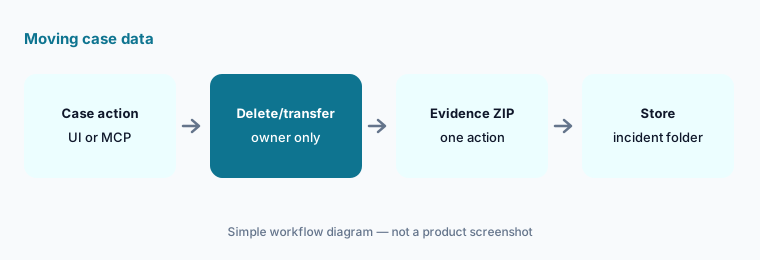
Two of these move data. The MCP Cases tools include create, update, transfer, and delete; the ZIP download makes it one action to take a case’s evidence out of Tines. Decide who may do each, and where downloaded evidence is allowed to go.
Name who may move case data:
Write who may delete or transfer a case from an MCP client, and where a case block ZIP may be stored. Test both with one closed case before telling the team.
5. Audit logs, change control, AI usage, and skills (1–18 Sep)
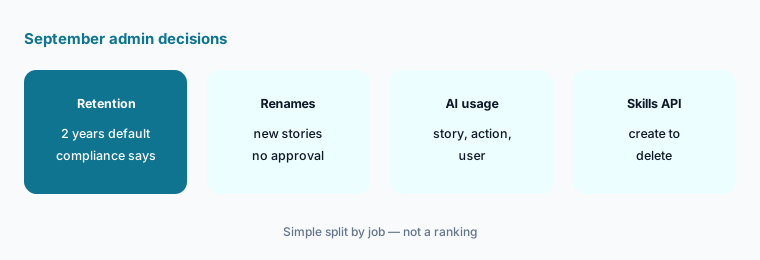
What it is: Tenant owners can now set the audit log retention period; the default of two years can be reduced to as little as 30 days, which Tines frames as helping meet compliance requirements (2 Sep, entry). A brand-new story under change control can be renamed without approval, but only if it has had no other changes (4 Sep, entry). The AI usage API added story, action, and user dimensions, with matching ID filters (18 Sep, entry). And AI skills can be created, read, updated, deleted, and listed through the API; renaming a skill keeps AI Agent actions attached (1 Sep, entry).
Shorter retention is a compliance decision, not a cleanup task. Your audit period, incident response policy, or customer contracts may require more than 30 days — ask the compliance owner before anyone changes it.
Retention and spend, with owners:
Ask your compliance owner for the minimum audit log retention you need before changing it. Then group last month’s AI usage by story and user and send the top three to their owners.
6. Smaller September changes and who approves each one
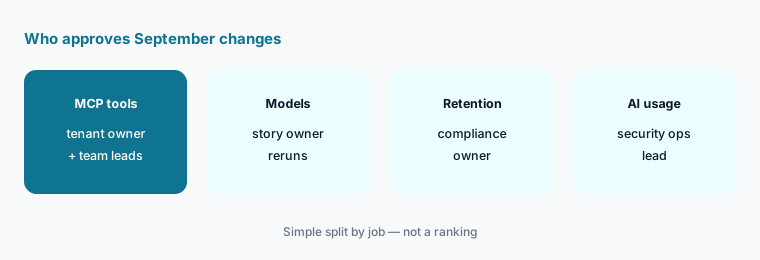
What it is: Also dated September: the events panel can be docked to the bottom of the storyboard and remembers your choice (10 Sep, entry); and eight new formulas convert text to markdown — headings, bold, italic, strikethrough, blockquotes, callouts, code blocks, and lists — for case notes and Slack messages (17 Sep, entry). Owners: MCP Cases and Records tools → the tenant owner, with each team lead approving write access; model choice per AI step → the story owner; audit log retention → the compliance owner; AI usage reviews → the security ops lead; skills managed by API → the automation engineer who owns the skill.
One owner per change:
For the five September themes above, write one named owner and one October review date. Have the security ops lead approve the list before anyone connects a new MCP client.
Pricing context (October 2026)
September’s entries did not mention price changes. Tines’ pricing page (as listed 10 October 2026) shows a free edition with unlimited users, spaces, and connectors, 3 live workflows, and a one-time $50 AI allowance, and a paid edition with unlimited workflows, flexible hosting, and bring-your-own AI model behind “Get pricing.” No paid dollar prices are published. A Startup Program offers a heavily discounted Tines Stories tenant.
AI steps draw on AI credits, which is why the 18 September usage dimensions matter. For our dated review of Tines Stories and Tines 3B, including what each edition includes, see Tines AI.
Uncertainty: We read Tines’ what’s-new index (both September pages), each of the nineteen September entries, and the pricing page on 10 October 2026. Dates are shown as Tines lists them; an entry posted late on one day can appear on the next day in another time zone. Model availability and cost claims are Tines’ and can change quickly, and these updates are listed for Tines Stories — check whether a change also applies to Tines 3B. Always verify on the live page and in your tenant. This is product education, not advice on your security policy.
When it’s useful (honest take)
Useful when you run Tines for a security or IT team and want September’s dated changes with an owner and an action for each.
Useful when AI clients already connect to your tenant over MCP and you need to decide what they may read and change.
Less useful when you want a full product review — read Tines AI — or you don’t use AI actions, Cases, or the Tines MCP server.
Paying for Tines and a few other AI tools? The $9 AI toolkit spreadsheet lists every AI subscription you have, what each one costs, and how fast it pays for itself, so you can see which ones are worth the money.
Want someone to do it for you? AI toolkit audit — $19
Related options (educational)
| Need | Better home | Why |
|---|---|---|
| Full review of Tines Stories and Tines 3B | Tines AI | Not a changelog |
| Two security automation tools side by side | Tines vs Torq · Torq AI | Builder style, AI role, approvals |
| Questionnaire tool September notes | What’s new in Conveyor (Sep 2026) | Same format |
| Inventory compliance and security AI seats | Stack map for compliance ops | Jobs, tools, overlaps |
| Drafting with a chat assistant | ChatGPT for security ops · Gemini for security ops | Questionnaires, policies, evidence |
FAQ
What did Tines change in September 2026?
Per its what’s-new page: GPT-6 Astra, Sol, and Luna and Claude Opus 5.5 (24 Sep); Records via the Tines MCP (23 Sep) and Records API v2 (24 Sep); Cases tools in the Tines MCP (2 Sep) and several Cases updates through 28 Sep; configurable audit log retention (2 Sep); AI usage API dimensions (18 Sep); skills via the API (1 Sep); and markdown formulas (17 Sep).
Can AI clients change Records through the Tines MCP?
Not in September. The 23 September entry covers discovering, reading, searching, and aggregating Records. Tines dates a separate entry, “Create, update, and delete Records via the Tines MCP,” 9 October 2026 — outside this page, and a reason to set write-access owners now.
Did Tines change the default AI models?
Yes. The 24 September entry calls GPT-6 Sol the new default “smart” model and GPT-6 Luna the new default “fast” model. Rerun saved inputs through stories that use defaults before trusting the new output.
Should we shorten audit log retention to 30 days?
Only if your compliance owner agrees. Tines’ 2 September entry says the two-year default can be reduced to as little as 30 days; audit periods, incident policies, and customer contracts often need more.
Did Tines change prices in September 2026?
The entries we read don’t mention price changes. As of 10 October 2026 the pricing page shows a free edition (3 live workflows, one-time $50 AI allowance) and a paid edition behind “Get pricing,” with no dollar prices published.
Optional next step (if seats overlap)
If security ops pays for a security automation platform, a SOAR add-on, and chat assistants that all summarize the same alerts, fix that overlap before adding another seat. Map the overlap with the $19 AI toolkit audit or the $9 AI toolkit spreadsheet. Email Audit $19 or Toolkit spreadsheet $9.
Checkout is live via Stripe. After you pay, we email delivery (spreadsheet) or intake next steps (audit).