How-to · Recruiting ops · Stack inventory · Oct 2026
Stack map for recruiting ops (Oct 2026): inventory AI seats by hiring job
How-to inventory — hiring jobs, tools, owners, and overlaps for recruiting ops. Overlap is the point: most teams find two or three tools doing the same job. Pair with Stack map for people ops and Stack map for finance ops.
What this how-to covers
Recruiting teams add AI one tool at a time: the ATS adds an AI tier, a hiring manager buys a notetaker, a sourcer gets a sourcing seat, and everyone already has a chat assistant. A year later, three tools draft job posts and two summarize the same interviews. This how-to builds one table — Job | Tool | Owner | Cost/mo | Overlap | Decision — for the six hiring jobs where overlap is most common: ATS AI, interview notetakers, sourcing, screening, scheduling, and job posts.
It is an inventory, not a ranking. Fill Cost/mo from your own invoices, write overlaps in plain sentences, and add one column most stack maps skip: for each tool that touches candidates, who decides and what candidates are told. People decide who advances; no tool in the table should be used to infer protected traits.
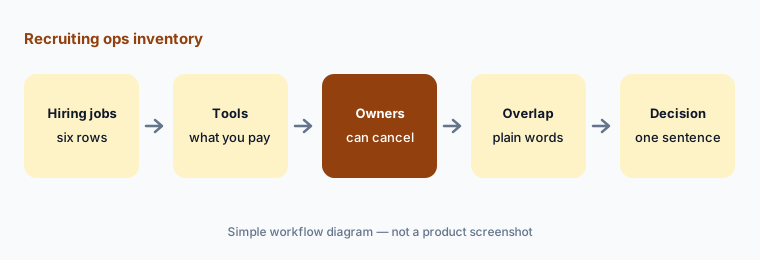

How to inventory recruiting AI seats
Examples at a glance: each feature has a concrete example from a real job plus a short Try this you can run this week.
1. Build the blank table (primary)
What it is: Start with six rows, one per hiring job, and six columns. Leave every cell blank until you have a source: a seat list from the admin console, an invoice, or the person who uses the tool. The six jobs: ATS AI (AI features inside your applicant tracking system), notetaker (interview recording and summaries), sourcing (finding people who haven’t applied), screening (reviewing applications or running first-round questions), scheduling (booking interviews), and job posts (drafting and wording job adverts).
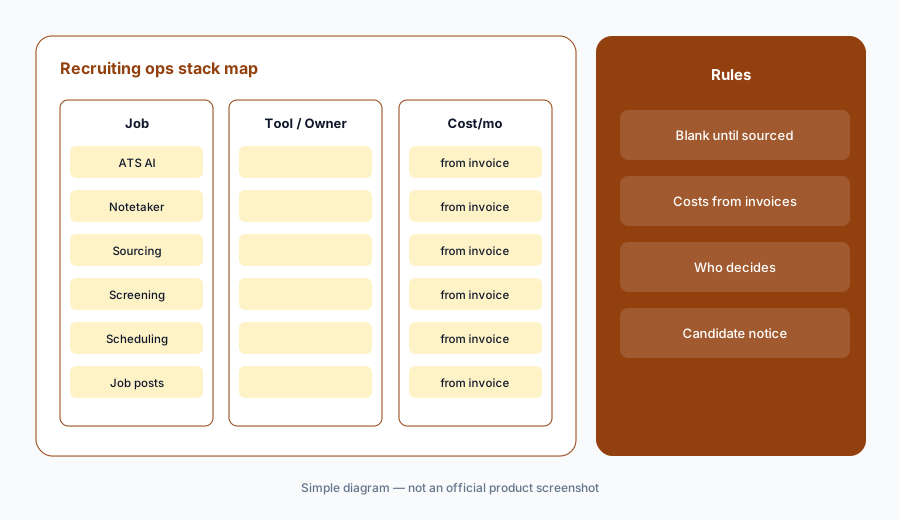
Primary workflow:
Build Job | Tool | Owner | Cost/mo | Overlap | Decision blank for: ATS AI, notetaker, sourcing, screening, scheduling, job posts.
2. Owners and Cost/mo from invoices
What it is: For each tool, write one owner — the person who can cancel it — and the monthly cost from the invoice or card statement. If you can’t find it, write “Unknown — check bill”. Don’t fill costs from vendor list prices: many recruiting vendors don’t publish prices (for example, Greenhouse’s pricing page listed no dollar amounts when we checked Oct 6, 2026), and contract prices differ from list prices. Credit-based tools need a usage line too: write the credits used last month next to the cost.
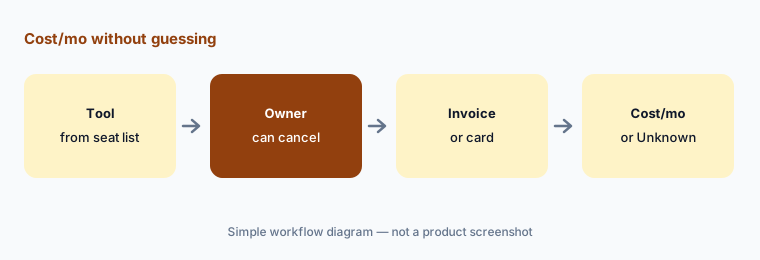
Costs from invoices only:
For each of the six hiring jobs, name the owner and Cost/mo from invoices only. If missing, write Unknown — check bill. Do not invent prices, headcount, or hiring outcomes.
3. Mark overlaps in plain language
What it is: For each row with two or more tools, write one sentence about what both do on that job — for example, “the ATS notetaker and the separate notetaker both summarize panel interviews.” Common overlaps: the ATS AI tier and a chat assistant both draft job posts; two notetakers record the same interviews; a sourcing tool and the ATS’s sourcing agent search the same people. Mark rows with no paid tool as blank — that can be fine.
One sentence per overlap:
For each row with two or more tools, write one plain sentence about what both do on that job. No scores or labels. Flag any job with no paid tool as blank.
4. Add who decides and candidate notice
What it is: Add two short columns for tools that touch candidates: Who decides (the person who confirms any advance or rejection the tool suggests) and Candidate notice (what candidates are told: recording and opt-out for notetakers, automated chat for screening agents, opt-out lines for sourcing outreach). If a tool can reject or advance candidates on its own, write down whether that setting is on and who approved it. No tool should infer protected traits, and candidate data should live in company accounts, not personal ones.
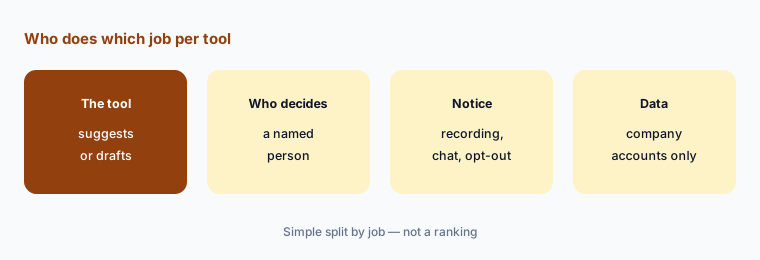
Name who decides:
For every tool that touches candidates, add Who decides and Candidate notice columns. Write whether any auto-advance or auto-reject setting is on and who approved it.
5. Write a Decision in one sentence
What it is: For each overlap row, write a Decision in one sentence: keep both (and why they do different jobs), consolidate onto one tool, or pause one for 30 days. Name who owns the follow-up and the date. Don’t use scores or labels — the sentence is the decision. If a tool’s contract is annual, write the renewal date so the decision happens before it renews.
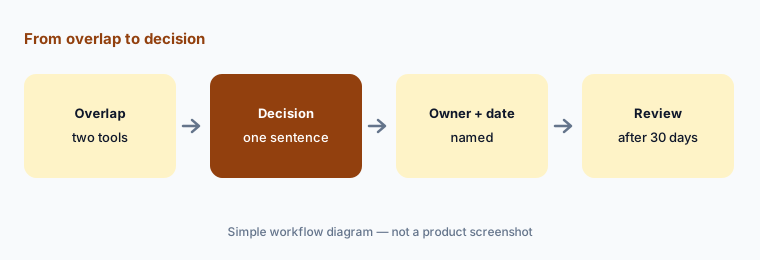
One sentence, one owner:
For ATS AI and notetaker rows only, write a Decision in one sentence each (keep both, consolidate, or pause). Name who owns the follow-up date and note any renewal date.
6. Run a 30-day check
What it is: After 30 days, check each paused or consolidated tool: did anyone ask for it back, did any job stop getting done, and did candidate notices change correctly? Update the table and keep it next to your hiring plan so new requests go through it. For deeper dives on individual tools, see Greenhouse AI, Ashby AI, Workable AI, Metaview, Juicebox, and Paradox.
Check after 30 days:
Thirty days after a pause or consolidation, ask the owners three questions: did anyone ask for the tool back, did any hiring job stop getting done, and are candidate notices correct. Update the table.
Pricing context (October 2026)
This how-to is dated Oct 6, 2026 and is not a price sheet. Vendor prices for ATS AI, notetakers, sourcing, screening, and scheduling tools live on each vendor’s pricing page — and several recruiting vendors don’t publish prices at all. Fill Cost/mo from your invoices, not from guessed list prices.
Our dated reviews note which vendors publish prices: see Workable AI, Greenhouse AI, Juicebox vs LinkedIn Hiring Assistant, and Metaview vs BrightHire. Optional structured help: $9 toolkit spreadsheet or $19 toolkit audit.
Uncertainty: Plan names, AI add-ons, credit models, and bundled pricing change often in recruiting software. Always verify on the vendor’s live page and your bill before budgeting. Hiring and notice rules differ by location; this is product education, not legal or employment advice.
When it’s useful (honest take)
Useful when recruiting pays for more than one AI surface and you suspect two tools draft the same job posts or summarize the same interviews.
Useful when you need to show who decides and what candidates are told for every tool that touches them.
Less useful when you have one ATS and one chat habit with clear jobs. Soft $19/$9 only if overlaps are real. Never treat this map as legal or employment advice.
Comparing several AI tools for the same job? The $9 AI toolkit spreadsheet puts each one you pay for on one page with cost, usage, and payback, so overlaps are easy to spot.
Want someone to do it for you? AI toolkit audit — $19
Related options (educational)
| Need | Better home | Why |
|---|---|---|
| Inventory seats by hiring job | This stack map | Jobs · tools · owners · overlaps · decision |
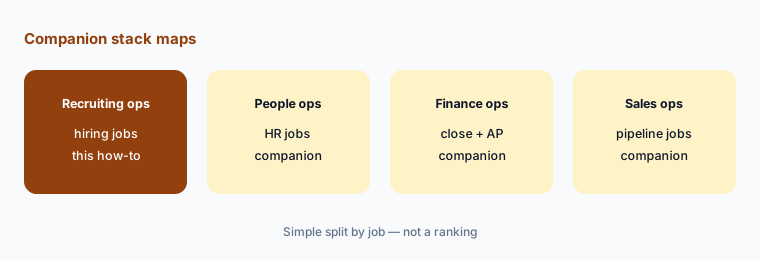
| People ops and finance inventory | People ops · Finance ops | Same table pattern, different jobs |
| Choosing an ATS | Ashby vs Greenhouse | Split by job |
| Choosing a notetaker | Metaview vs BrightHire | Consent and summaries |
| Drafting in an assistant you already pay for | Claude · ChatGPT · Gemini for recruiting | Role guides |
FAQ
What is a recruiting ops stack map?
One table that lists each hiring job (ATS AI, notetaker, sourcing, screening, scheduling, job posts), the tool that does it, its owner, its monthly cost from your invoices, overlaps with other tools, and a one-sentence decision.
Which jobs should we inventory first?
Notetakers and ATS AI. They overlap most often, and notetakers also change what candidates are told about recording.
Should we use list prices for Cost/mo?
No. Use invoices or card statements. Many recruiting vendors don’t publish prices, and contract prices differ. Write Unknown — check bill when you can’t find it.
Why add who decides and candidate notice?
Because several recruiting tools can suggest or take actions on candidates. A named person should confirm advances and rejections, and candidates should be told about recording, automated chat, and how to opt out.
When do the $9 / $19 toolkit offers help?
Only when overlaps are real and you want a structured sheet ($9 spreadsheet) or a second pair of eyes on the table ($19 audit).
Optional next step (if seats overlap)
If the table shows two or three tools on the same hiring job, fix that overlap before adding another seat. Map the overlap with the $19 AI toolkit audit or the $9 AI toolkit spreadsheet. Email Audit $19 or Toolkit spreadsheet $9.
Checkout is live via Stripe. After you pay, we email delivery (spreadsheet) or intake next steps (audit).