Compare · Recruiting · ATS AI · Oct 2026
Ashby vs Greenhouse AI (Oct 2026): all-in-one ATS assists vs structured-hiring add-ons
Ashby is an all-in-one applicant tracking system (ATS) — sourcing, scheduling, interviews, and reports in one database — with AI built across it. Greenhouse is a structured-hiring ATS whose AI arrives as features on its Core, Plus, and Pro plans and in its Real Talent package. Both say their AI assists and a person decides. This page compares them by the hiring steps the AI touches, not as a ranking, with a Try this for each.
What this comparison covers
This page is for the head of talent or recruiting ops lead choosing an ATS, or renewing one, who wants to know where each product’s AI actually shows up in the hiring process — and where a recruiter, interviewer, or hiring manager still has to read and decide.
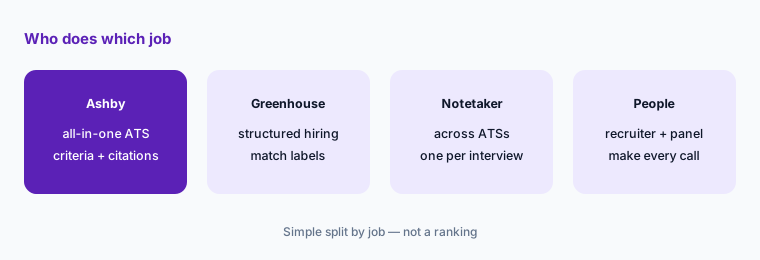
The short version: Ashby’s AI checks applications against criteria you write and shows citations, and it says it never ranks applicants or gives them numerical scores. Greenhouse’s Talent Matching sorts applicants into match labels against a weighted calibration you set. Both say their AI does not move or reject anyone on its own. Their notetakers are packaged differently, both now offer MCP connections for outside AI tools, and both have fraud checks.
Facts come from ashbyhq.com (pricing, AI page, product updates) and greenhouse.com plus Greenhouse’s support center (pricing, Notetaker, Real Talent, Talent Matching docs, MCP, and the August and September 2026 release notes), read on 6 October 2026. Hiring is regulated in many places; treat this as product education, not legal advice.
Major features (with how someone uses them)
Examples at a glance: each feature has a concrete example from a real job plus a short Try this you can run this week.
1. Start from your three slowest hiring steps (primary)
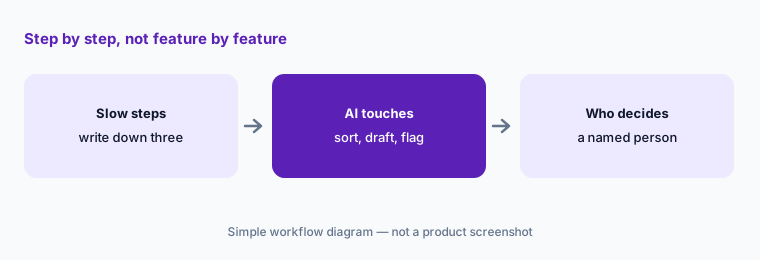
What it is: The useful comparison is not feature against feature but step against step. For most teams the slow steps are some mix of reading inbound applications, writing up interviews, scheduling, and chasing feedback. Write down yours, then mark which product’s AI touches each one and what it does there — sort, summarize, draft, or flag. The last column is the one that matters: who still decides.
Primary workflow:
List your three slowest hiring steps. For each, write which product’s AI touches it and who still decides.
2. Application review: criteria with citations vs match labels
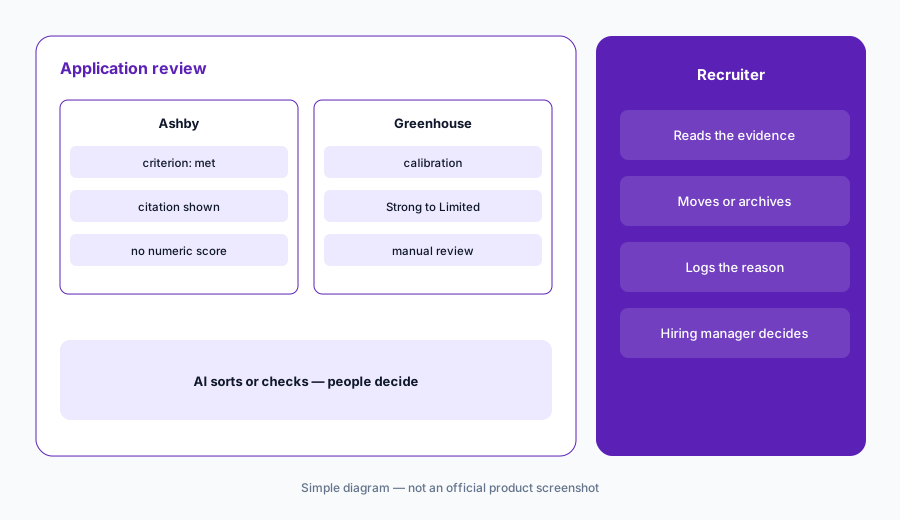
What it is: Ashby’s AI-assisted application review checks each application against objective criteria you write and gives citations so you can verify, flag, or override each result. Ashby says the AI never ranks applicants or gives them numerical scores, warns in the app when a criterion could lead to bias, offers automated candidate disclosures and opt-outs, and had a bias audit done by FairNow. It runs on included AI credits. Greenhouse Talent Matching compares resumes to a calibration — weighted skills, experience, job titles, and optionally industry — and places each applicant in the first Application Review stage into Strong, Good, Partial, or Limited match, or Needs manual review when there is no resume or the candidate opted out. Greenhouse says it does not automatically disposition anyone — recruiters and hiring managers make all advancement and rejection decisions — and its support docs describe Talent Matching as part of the Real Talent add-on.
The difference is shape, not trust: one gives you a yes/no per criterion with the evidence, the other gives you groups in an order. In both, a recruiter reads the evidence before anyone is archived.
Same criteria, both shapes:
Write three job-related requirements as Ashby criteria and as a Greenhouse calibration. On 20 past applicants, list every person the two disagree on, read each resume yourself, and note which wording caused the gap.
3. Notetaker packaging and consent
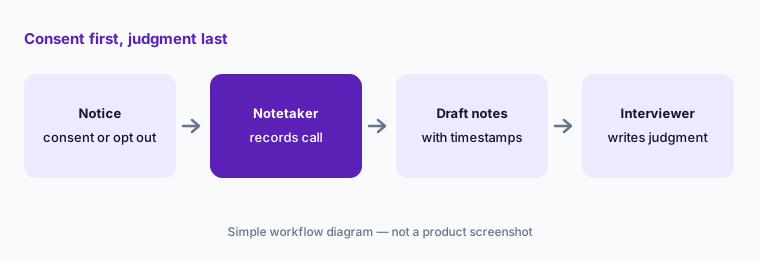
What it is: Ashby’s AI Notetaker records, transcribes, and summarizes interviews inside Ashby; on Ashby’s pricing table it is a paid add-on on every plan. Greenhouse Notetaker is listed on the Core plan and became available for Core, Plus, and Pro customers in August 2026. It joins Zoom, Google Meet, or Microsoft Teams interviews, drafts notes mapped to the interview feedback form questions with clickable timestamps, and the interviewer adds their own Key Takeaways. Greenhouse says it is off by default, candidates give consent through self-schedule or availability requests and can withdraw it at any time, and Site Admins can set retention up to 60 days. Whichever you use, tell candidates before the interview and make recording optional.
One recorder, one notice:
Write your candidate recording notice and opt-out steps. Then count every notetaker that could join one interview (ATS, standalone, company-wide) and pick exactly one.
4. Assistants, agents, and MCP
What it is: Ashby Assistant is a chat agent that answers questions and takes action across Ashby — analyzing pipelines, updating candidates, drafting emails — with custom agents for repeated work, and it also works in Slack. The Ashby MCP server launched in open beta on 29 June 2026 on all plans; AI clients act as the individual user through OAuth, with that user’s Ashby permissions. Greenhouse MCP is also in open beta: approved AI tools work with Greenhouse data within scopes a Site Admin enables and each user’s permissions, and Greenhouse says access depends on your subscription tier. In August 2026 Greenhouse opened MCP to more of the hiring team, and in September 2026 Notetaker transcripts became reachable through MCP.
Questions before actions:
Connect one AI tool through your ATS’s MCP. For two weeks, ask it only questions and check each answer in the ATS. Write down which actions (if any) you will let it take, and who reviews them.
5. Fraud and identity checks
What it is: Ashby’s fraudulent candidate detection helps you detect and mark suspicious candidates during application review; it draws on the same AI credits as application review and talent rediscovery. Greenhouse’s Real Talent groups fraud detection, a spam blocklist, and identity verification through CLEAR; its pricing table lists fraud and spam detection on the Plus plan. On either side, a fraud signal is a reason for a person to look, never a rejection on its own.
Flag policy first:
Before turning on fraud checks, write who reviews a flag, how fast, and what evidence is needed to reject. Turn it on for one department and review every flag for a month.
6. Which shape fits your team
What it is: Ashby tends to suit teams that want one system for sourcing, scheduling, interviews, and analytics, and that like writing their own criteria and agents. Greenhouse tends to suit teams that already run structured hiring — interview kits, consistent feedback forms, defined stages — and want AI added as plan features or add-ons. Neither is the right answer in general; what matters is which steps are slow for you and how much admin time you have to set up criteria or calibrations and check them.
Ask for it in writing:
Ask each vendor for a written list of AI features in your quote: which are included, which are add-ons, which are beta, and how AI credits or usage are counted.
Pricing context (October 2026)
Ashby publishes a starting price. On its pricing page (checked 6 October 2026) the Foundations plan (up to 100 employees) has a calculator: $300, $400, $500, $700, or $900 per month for 1–10, 11–25, 26–50, 51–75, or 76–100 employees on a monthly term, with a 10% discount for annual commitments. Plus (101–1,000 employees) and Enterprise (1,000+) are quoted. Included AI credits are 1,500 per month on Foundations, 2,500 per seat per year on Plus, and 12,500 per seat per year on Enterprise. The AI Notetaker is a paid add-on with no published price.
Greenhouse does not publish prices. Its pricing page describes Core, Plus, and Pro and says cost depends on the plan, your hiring volume and organizational complexity, and the features you need. Its plan table lists AI Notetaker and Talent Matching on Core and fraud and spam detection on Plus, while its support docs describe Talent Matching as part of the Real Talent add-on — ask which applies to your quote.
Uncertainty: Ashby’s figures cover only Foundations; larger companies get quotes. With Greenhouse quote-only and both vendors shipping AI features in beta (Ashby Assistant and MCP; Greenhouse MCP and assistants), confirm what is generally available and what is included before you compare totals.
When it’s useful (honest take)
Ashby is useful when you want sourcing, scheduling, interviews, and analytics in one system, you are willing to write and maintain criteria and custom agents, and you like seeing a citation for every AI result.
Greenhouse is useful when your team already runs structured hiring with interview kits and consistent feedback forms, and you want match labels against a calibration plus a notetaker on the plan.
Less useful when (either one) no one owns the criteria or calibration and checks the results, you hire only a handful of people a year, or anyone expects the AI to make the hiring call. In both products, recruiters, interviewers, and hiring managers decide.
Still choosing between Ashby and Greenhouse AI? The $19 AI toolkit audit gives you a written plan for which tools to keep using and which to drop across your whole AI stack, including this pair.
Prefer to do it yourself? Spreadsheet — $9
Related options (educational)
| Need | Better home | Why |
|---|---|---|
| All-in-one ATS with criteria review and an assistant | Ashby AI | Citations, custom agents, published starter price |
| Structured hiring with calibrated match labels | Greenhouse AI | Talent Matching, Notetaker, Real Talent |
| Interview notes that work across ATSs | Metaview or BrightHire | See Metaview vs BrightHire |
| Other ATS options | Lever AI or Workable AI | Different packaging and AI |
| Inventory of recruiting and people tools | Stack map for people ops | Find overlap before renewal |
Related comparisons
FAQ
Is Ashby or Greenhouse better for AI in recruiting?
Neither in general, and this page is not a ranking. Ashby checks applications against criteria with citations inside an all-in-one ATS; Greenhouse sorts applicants into match labels against a calibration inside a structured-hiring ATS. Map your slowest steps and see which fits.
Does either AI reject candidates on its own?
Both vendors say no. Ashby says its AI never ranks or numerically scores applicants and a human must always be involved in decisions. Greenhouse says Talent Matching does not automatically disposition candidates and the hiring team makes all advancement and rejection decisions. Recruiters and hiring managers decide.
How much do Ashby and Greenhouse cost in October 2026?
Ashby’s Foundations plan was $300–$900 per month by company size (up to 100 employees, monthly term) on 6 October 2026; Plus and Enterprise are quoted. Greenhouse does not publish prices. Check Ashby and Greenhouse.
Is the notetaker included?
On Ashby’s pricing table the AI Notetaker is a paid add-on on every plan. Greenhouse lists AI Notetaker on its Core plan. Either way, get candidate consent and make recording optional.
Can candidates opt out of AI review?
Ashby says it provides automated candidate disclosures and opt-outs. In Greenhouse, candidates who opt out (where the customer enables it) are labeled Needs manual review and are not evaluated by Talent Matching.
Optional next step (if seats overlap)
If recruiting pays for an ATS notetaker, a standalone interview notetaker, and a company-wide meeting notetaker that can all join the same interview, that overlap is worth mapping before renewal. Map the overlap with the $19 AI toolkit audit or the $9 AI toolkit spreadsheet. Email Audit $19 or Toolkit spreadsheet $9.
Checkout is live via Stripe. After you pay, we email delivery (spreadsheet) or intake next steps (audit).