Tool · Recruiting · ATS + CRM · Oct 2026
Lever AI review (Oct 2026): AI features in Lever’s ATS and CRM for recruiters
Lever is an applicant tracking system with a candidate relationship manager (CRM) built in, now sold by Employ alongside JazzHR and Jobvite. Over the past two years Lever has added AI across the funnel: matching, interview notes, screening help, and fraud checks. This page walks through each piece with a real recruiting job, a Try this, and the spots where a recruiter still makes the call.
What this Lever AI page covers
This page is for recruiters and recruiting ops leads whose team already runs on Lever, and who want to know which built-in AI features are worth switching on before buying another tool. The question it answers: what does Lever’s AI actually do inside the ATS and CRM, and where does a person have to check its work?
Lever’s pricing page lists the AI that comes with the core platform: AI-powered screening (matching, insights, and signals), unlimited AI interview transcripts and summaries, and AI-powered fraud prevention signals, on top of the ATS, CRM, and reporting. Paid add-ons include Candidate Insights, AI Screening by VONQ (an agent-based screener on your career site), and Onboarding. Lever’s help center groups the features as Talent Fit, AI Companion, and Fraud Signals, with a Lever AI Hub that lists what is live and what is coming.
Everything below comes from Lever’s and Employ’s own pages as we read them on 6 October 2026. Lever says its AI is built with IBM’s watsonx.governance tooling for fairness and audit readiness; that is the vendor’s claim, and your own team still owns candidate notice, consent for recording, and every hiring decision.
Major features (with how someone uses them)
Examples at a glance: each feature has a concrete example from a real job plus a short Try this you can run this week.
1. Nurture outreach with AI-assisted drafts (primary)
What it is: Nurture is Lever’s multi-touch email tool for passive candidates and past applicants. You pick a Nurture template, set the sender, the gap between touchpoints, and what happens when the campaign ends, then personalize with auto-text tokens (name, role) and manual-text tokens for details Lever cannot fill in. A Nurture dashboard in Visual Insights reports reply rates, advances to interview, and hires. Shared team templates need the Advanced Nurture add-on. Lever markets AI-written candidate emails (for example personalized rejection emails with feedback); we could not find a help article describing an AI writer inside Nurture itself on 6 October 2026, so check what your account shows before you plan around it.
Whichever way the first draft is written — Lever’s AI where your account has it, or a general assistant working from a sanitized brief — the template and every token still go through a recruiter before anything is sent.
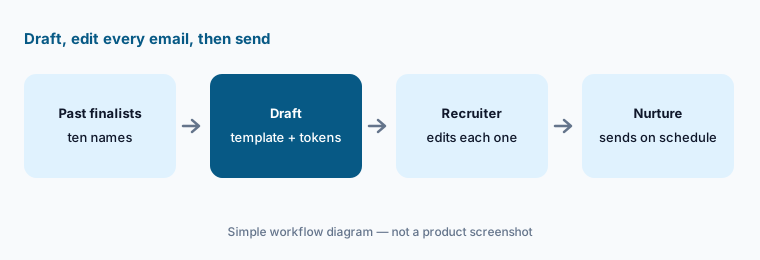
Primary workflow:
Ask Lever’s AI (or your assistant, from a sanitized brief) for a nurture email to ten silver-medal candidates. Edit each one before sending, and count the edits. If more than three need a factual fix, rewrite the template before the next campaign.
2. Talent Fit matching
What it is: Talent Fit compares applicants’ skills and experience with the job’s requirements and returns a shortlist of top matches, each with an explanation and possible gaps to ask about in the interview. Lever launched it in early 2025 and its Spring 2026 release notes say customers had told it there were too many matches, too few, or irrelevant ones; Lever upgraded the model, rewrote the prompt, and added admin settings to switch it on for all jobs or only newly created ones. Super Admins enable it for the account; Admins and Team Members control it per job.
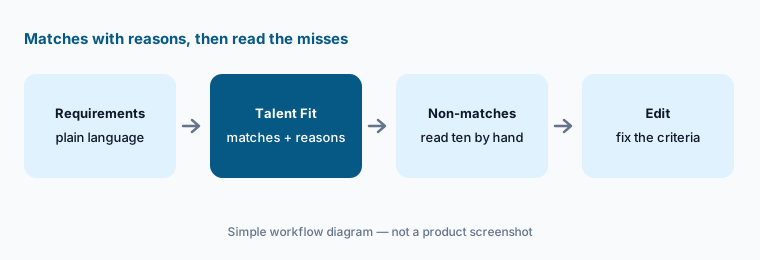
Read the misses:
Turn on Talent Fit for one open role. Open ten applicants it did not match and read their resumes yourself. If any should advance, fix the job requirements, then check whether the next batch changes.
3. AI Interview Companion: transcripts and summaries
What it is: Employ’s AI Interview Companion (formerly a product called Pillar) records interviews and intake meetings, writes transcripts and summaries, and pushes feedback into Lever. Employ describes interview guides with skill-based question suggestions, real-time guidance, video recaps, and coaching signals such as talk time and flagged language. Its latest release added translation of summaries and transcripts across 17 languages, a one-click candidate consent opt-out, and post-intake drafts of job descriptions and ideal candidate profiles. Lever’s pricing page lists unlimited AI interview transcripts and summaries in the core platform.
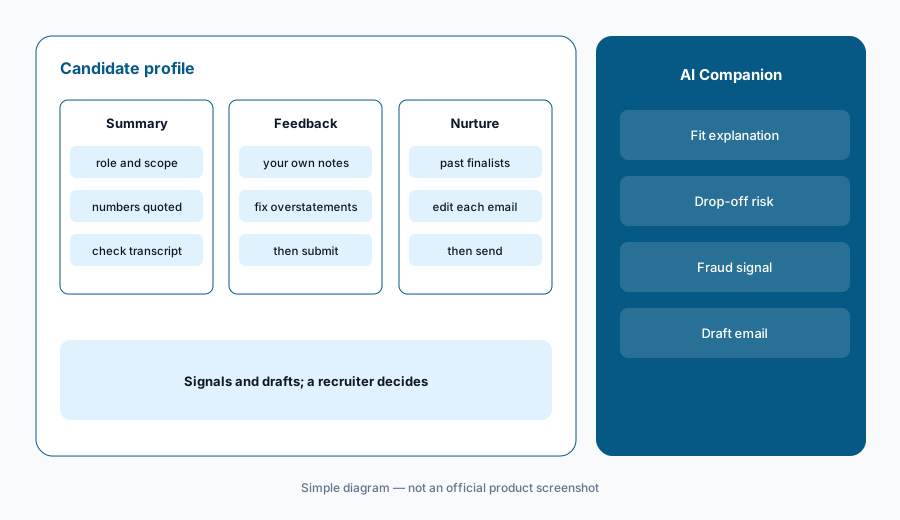
Summary vs transcript:
After your next interview, pick three claims from the AI summary (a title, a number, a scope word like “led”). Find each in the transcript. Fix anything stronger than what the candidate actually said before you submit feedback.
4. AI Screening Companion: drop-off risk and rejection emails
What it is: The AI Screening Companion is the screening assistant inside Lever. Lever’s solution page lists three jobs: see candidate fit with data-backed justification, spot candidates at risk of dropping out before they disappear, and generate personalized rejection emails with feedback in seconds. Employ’s product guide adds a Talent Loss Risk signal and the option to invite strong-fit rejects into a talent pool. To see it, a user’s role needs the AI Companion or AI Screening Companion permission.
Feedback you can stand behind:
Generate rejection emails for five recent candidates. For each sentence of feedback, find the interview note it came from. Delete any sentence you cannot trace before sending.
5. Fraud Signals
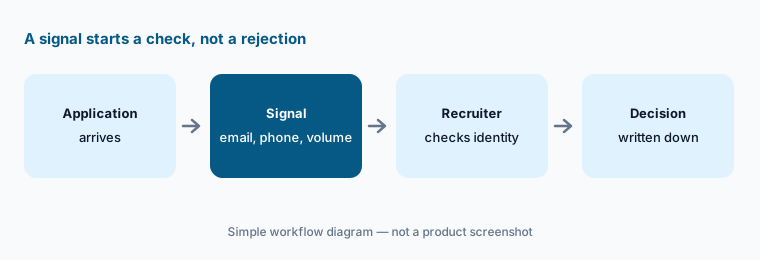
What it is: Fraud Signals looks for warning signs on applications — Lever’s help center lists email validity, phone number type (such as virtual numbers), how often the same person applies, and company background — and shows them in the AI Companion widget on the candidate profile. Lever’s Spring 2026 notes describe it as catching fake email addresses, virtual phone numbers, and mass-application patterns. A signal is a prompt to look closer, not proof; many real candidates use virtual numbers or apply widely.
Write the rule first:
Pull last month’s applicants with a fraud signal. Check ten by hand. Write a one-paragraph rule for what a recruiter does next, including what happens when the signal is wrong.
6. Intake guides, job descriptions, and reporting
What it is: Employ’s latest release added guided intake meetings and automatic post-intake drafts of a job description and an ideal candidate profile from the recorded intake. That draft then feeds Talent Fit and your Nurture targeting. Lever’s built-in reporting and an AI Interview Companion dashboard show where the AI is being used in your funnel. Lever’s AI Hub in the product lists what is available today and what is coming.
Sign off before matching:
Record your next intake and let Lever draft the job description. Mark each requirement “must” or “nice.” Delete the nice-to-haves from the matching criteria and get the hiring manager’s sign-off in writing.
Pricing context (October 2026)
Lever does not publish prices. Its pricing page (checked 6 October 2026) asks you to request a custom quote and says pricing is “available upon request,” scaled by team size and hiring needs. Every plan includes the core ATS, CRM, reporting and analytics, and key integrations; the page lists AI-powered screening, unlimited AI interview transcripts and summaries, and AI fraud prevention signals as part of the core platform.
Candidate Insights, AI Screening by VONQ, and Onboarding are listed as add-ons, also quote-only. Advanced Nurture (shared Nurture templates) is an add-on in the help center. We found no public price for any of them.
Uncertainty: Lever packages change, and the AI features your team sees depend on your contract, add-ons, and user role permissions (AI Companion and AI Screening Companion are separate permissions). Ask your Lever account manager which AI features are included in your current contract before assuming any are free.
When it’s useful (honest take)
Useful when your team already runs on Lever and spends real time on outreach to past candidates, typing interview notes, or chasing feedback. Then turning on Talent Fit, the AI Companion, and Fraud Signals inside the tool you already pay for usually beats adding another vendor.
Less useful when you are choosing a new ATS from scratch — compare packaging and quotes first, since Lever publishes no prices. Less useful when you already pay for a separate interview notetaker that joins the same calls (two recorders on one interview is waste and a consent headache). And treat every AI suggestion — a match, a risk flag, a rejection email — as a draft a recruiter reads before it reaches a candidate.
Paying for Lever AI and a few other AI tools? The $9 AI toolkit spreadsheet lists every AI subscription you have, what each one costs, and how fast it pays for itself, so you can see which ones are worth the money.
Want someone to do it for you? AI toolkit audit — $19
Related options (educational)
| Need | Better home | Why |
|---|---|---|
| AI inside an ATS + CRM you already run | Lever AI (this page) | Talent Fit, AI Companion, Nurture in one place |
| All-in-one ATS with criteria review and citations | Ashby AI | Published Foundations prices; no ranking by design |
| Structured hiring with calibrated match labels | Greenhouse AI | Talent Matching and Notetaker; quote-only |
| Small team with public plan prices | Workable AI | Workable Agent on AI credits |
| Hiring-specific notes on top of any ATS | Metaview or BrightHire | Notes and interviewer coaching across ATSs |
| Inventory of HR and recruiting seats | Stack map for people ops | Find overlap before adding tools |
FAQ
How much does Lever cost in October 2026?
Lever does not publish prices. On 6 October 2026 its pricing page asked for a custom quote based on team size and hiring needs. Check lever.co/pricing.
Who owns Lever?
Lever is part of Employ Inc., which also sells JazzHR and Jobvite. Lever’s site footer and product menu show all three.
Does Lever’s AI decide which candidates advance?
No. Talent Fit suggests matches with explanations and the Companions surface signals and drafts. Recruiters and hiring managers decide, and your team should read the non-matches and every drafted email.
Does Lever record interviews?
Through the AI Interview Companion, yes: it writes transcripts and summaries and offers a one-click candidate consent opt-out. Tell candidates in advance and check local recording rules with counsel.
What is AI Screening by VONQ?
It is a paid Lever add-on: an agent-based screener embedded in your career site that pre-screens high application volume. It is quote-only; ask Lever what it costs and how candidates are told.
Optional next step (if seats overlap)
If you pay for Lever’s AI add-ons, a separate notetaker, and a sourcing tool that all touch the same candidates, that overlap is worth a look. Map the overlap with the $19 AI toolkit audit or the $9 AI toolkit spreadsheet. Email Audit $19 or Toolkit spreadsheet $9.
Checkout is live via Stripe. After you pay, we email delivery (spreadsheet) or intake next steps (audit).