Compare · Recruiting · Sourcing AI · Oct 2026
Juicebox vs LinkedIn Hiring Assistant (Oct 2026): AI sourcing on the open web vs inside Recruiter
Juicebox is a standalone sourcing tool: you describe a role in plain English and its PeopleGPT search and Agents look across profiles Juicebox builds from publicly available data. LinkedIn Hiring Assistant is an add-on inside LinkedIn Recruiter that sources, evaluates, and drafts outreach from LinkedIn member data. Both find people; neither decides who gets hired. This page compares them by data source and by the seat you already pay for — it is not a ranking — with a Try this for each step.
What this comparison covers
This page is for the in-house recruiter, agency sourcer, or talent lead deciding whether to add Juicebox, add Hiring Assistant licenses to an existing LinkedIn Recruiter contract, or keep both. The two answer the same question — who should I talk to for this role? — from different pools of data and under different seats.
The short version: Juicebox says it searches 800 million profiles built from publicly available data across 30+ sources, and it sells its own seats (with a free tier). Hiring Assistant works on LinkedIn member profiles, resumes, screening answers, and your recruiting notes, and you can only buy it as an add-on to LinkedIn Recruiter (or Recruiter Professional Services Plus). Both turn a brief into a search, both learn from your feedback, and both can draft — or, if you switch it on, send — outreach. LinkedIn says Hiring Assistant “will not screen out applicants or make hiring decisions.” The recruiter decides who to contact, and the hiring manager decides who gets an interview.
Facts come from Juicebox’s pricing page, home page, and help center, and from LinkedIn’s Hiring Assistant product page and Recruiter help center, read on 6 October 2026. Sourcing reaches people who did not apply, so notice and privacy rules matter; treat this as product education, not legal advice.
Major features (with how someone uses them)
Examples at a glance: each feature has a concrete example from a real job plus a short Try this you can run this week.
1. Run the same brief in both (primary)
What it is: The fairest test is one role and one brief, run in both tools in the same week. In Juicebox, a search starts inside a project: you describe the role and PeopleGPT turns it into filters and criteria you can review, then returns an ordered list with a match label per profile. In Hiring Assistant, you click the Sparkle icon, choose Start hiring for a new role, and give it a job description, an ideal candidate’s name, a LinkedIn job post URL, or a file; it suggests qualifications for you to review and starts sourcing into the project Pipeline. Then compare the first 20 from each. Overlap tells you how much the second tool adds; the people only one tool found tell you where each looks.
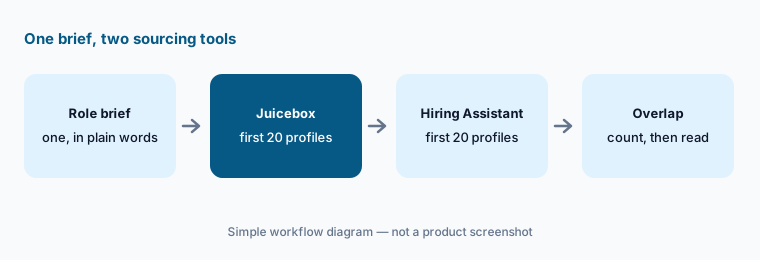
Primary workflow:
Run the same role brief in both. Count overlapping profiles in the first 20.
2. Where the profiles come from
What it is: Juicebox says it uses publicly available profile data, compiled with partners from “a variety of compliant sources” — 800 million profiles across 30+ sources — with contact data (personal and work emails and phone numbers) for over 200 million of them. Its help center lets you flag stale, inaccurate, or suspicious profiles. Hiring Assistant draws on LinkedIn member data: work experience, education, skills, certifications, language proficiency, location, headline and summary, Open to Work preferences, resumes on the profile or submitted with an application (on LinkedIn or in your ATS), and screening-question answers. LinkedIn says it does not use signals such as mutual connections or contact instructions. LinkedIn’s product page says Hiring Assistant is built on signals from over 1.3 billion members.
So the honest difference is not size but freshness and consent. A LinkedIn profile is maintained by the member on LinkedIn; a Juicebox profile is assembled from public sources and may lag. Either way, read the profile before you trust a summary of it.
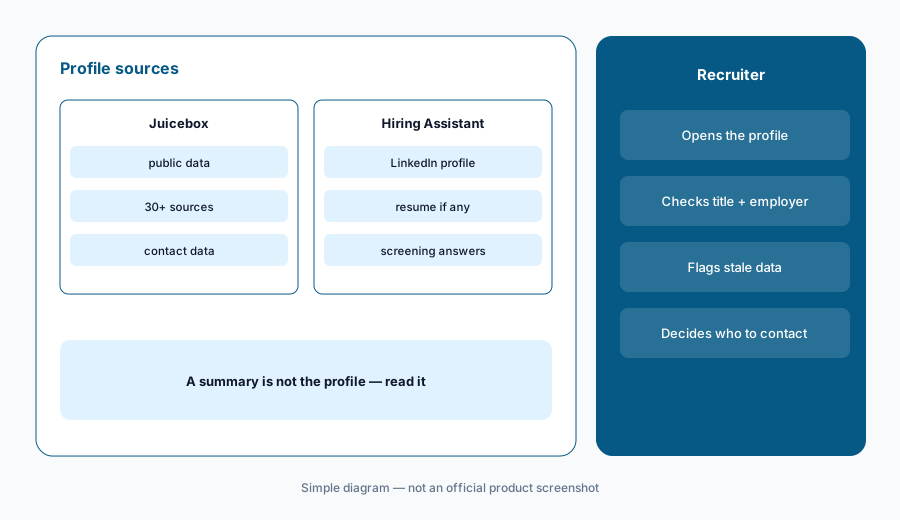
Check the source:
For every profile that appears in both lists, compare the current title and employer in each tool with the person’s own LinkedIn profile. Count how many differ, and flag stale ones in Juicebox.
3. The seat you already own
What it is: Hiring Assistant is sold only as an add-on: LinkedIn’s help center says it is available to LinkedIn Recruiter and Recruiter Professional Services Plus (RPS+) customers, a user needs an active Recruiter license plus the Hiring Assistant permission, and the number of Hiring Assistant licenses cannot exceed the Recruiter Searcher licenses on your contract. LinkedIn also says it is rolling out gradually, so some accounts may not have it yet. Juicebox sells its own seats — Free, Starter (one seat), Growth (up to five seats), and Business (custom, annual only) — and works whether or not you have Recruiter. On the Business plan it can connect to your ATS or CRM. If your team lives in Recruiter all day, Hiring Assistant fits the seat you already own; if you have no Recruiter seats, Juicebox does not ask you to buy them.
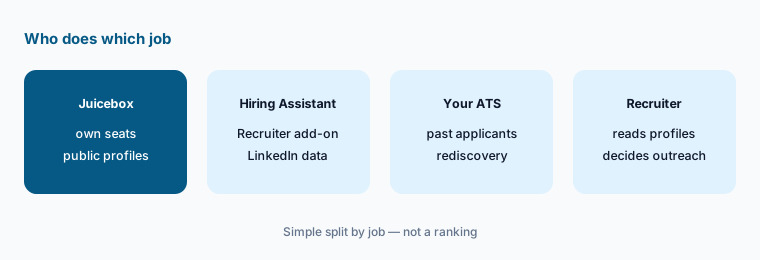
Seat inventory:
List every recruiter and the sourcing seats each one has today (Recruiter contract, Recruiter Lite, Juicebox, other). Mark who would need a new license for each option before you compare prices.
4. How each one learns from your feedback
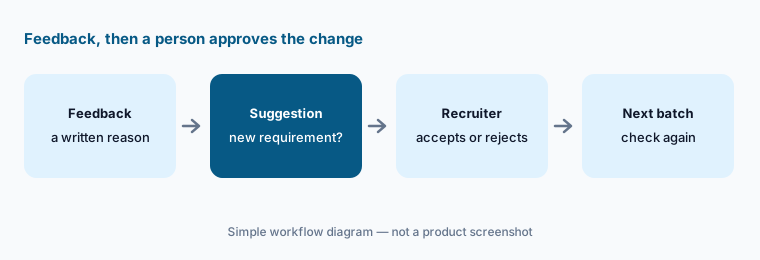
What it is: Juicebox separates filters (yes/no limits such as location or title) from criteria (natural-language requirements, ordered by importance). Its Knowledge Vault can add “criteria added by memory” from your recent hiring patterns, and admins can turn that off. A Juicebox Agent keeps sourcing in a project; you mark profiles Looks Good or Give Feedback with a reason. Hiring Assistant suggests required and nice-to-have qualifications (up to 35 per project) and learns from written reasons when you reject or archive someone, highlighted profile text with a thumbs up or down, manual searches in the project, and who you save or message. It then proposes updates to your qualifications, and you choose which to accept.
Both tools can drift toward what you clicked rather than what the job needs. Former employers and schools are the usual drift. Keep requirements tied to the work, and never add anything that stands in for age, gender, ethnicity, or another protected trait.
Audit the drift:
After your next feedback round, list every suggested qualification (Hiring Assistant) and every criterion added by memory (Juicebox). Remove any that is not a written job requirement, and note why.
5. Outreach, notice, and who presses send
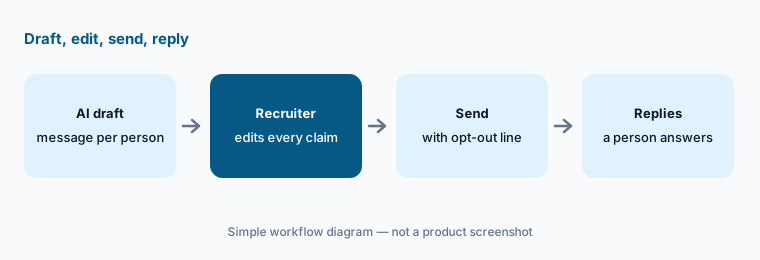
What it is: Juicebox sequences send email from your connected Gmail or Outlook mailbox, with AI-written personal lines, an optional unsubscribe link, and company-level and profile-level do-not-contact lists; LinkedIn messages and calls show up as tasks for you. Juicebox Agents can be set to auto-email or auto-shortlist. Hiring Assistant drafts messages you can edit and send to up to 25 candidates at a time. LinkedIn’s FAQ says nothing goes to candidates without your review unless you turn on instant outreach for a project, in which case it drafts, sends, and follows up for you; auto-outreach is enabled by default at the contract level and a Recruiter admin can turn it off. When a candidate accepts an InMail, it can ask permission to prescreen, identifies itself as your Hiring Assistant, and hands the conversation back to you on request (prescreening is English-only).
People you source did not apply, so tell them who you are, why you are writing, and how to opt out, and check your own obligations (for example GDPR or CCPA notices). Keep automatic sending off until you have read a full batch yourself.
Read before auto-send:
With automatic sending off in both tools, read the first 20 drafted messages from each. Fix any claim about the role, location, or pay that the job post does not support, and add an opt-out line where it is missing.
6. Credits and limits
What it is: Juicebox searches are unlimited on paid plans; what runs out is contact and export credits (500 a month each on Starter, 1,500 per seat on Growth, unlimited contact credits on Business). Revealing an email costs one contact credit and a phone number three, and monthly-plan credits do not roll over. Hiring Assistant licenses come in tiers with monthly limits on sourced candidates and evaluated applicants — for Recruiter Corporate, Tier 1 is 200 sourced and 3,500 evaluated, Tier 2 is 800 and 9,000, Tier 3 is 1,500 and 25,000. Credits are per license, do not roll over, and messages sent by instant outreach count against both your InMail credits and Hiring Assistant limits.
Watch the meter:
For one month, record Juicebox contact credits used and Hiring Assistant sourced and evaluated counts per recruiter. Divide each by the number of candidates who replied, and bring both numbers to the renewal conversation.
Pricing context (October 2026)
Juicebox publishes plan prices. On its pricing page (checked Oct 6, 2026, USD per seat per month): Free $0; Starter $119 billed monthly or $99 billed yearly; Growth $199 billed monthly or $179 billed yearly (up to five seats, paid per seat); Business is custom and annual only. Juicebox Agents are an add-on at $199 per agent per month. The yearly toggle shows a “15% off” badge.
LinkedIn Hiring Assistant has no public price. LinkedIn’s Hiring Assistant page (checked Oct 6, 2026) says it is available for purchase as an add-on to LinkedIn Recruiter through sales or your LinkedIn representative, and you need Recruiter seats first. This page does not quote Recruiter seat prices; ask LinkedIn for a written quote that names the license tier and its monthly limits.
Uncertainty: Juicebox prices are from its October 2026 pricing page and can change at checkout. LinkedIn says Hiring Assistant is still rolling out and its page previews a “Hiring Assistant 2” as coming soon, so features and limits may differ on your contract. Compare totals only after you know whether you would also need to upgrade Recruiter seats.
When it’s useful (honest take)
Juicebox is useful when you do not have (or do not want) LinkedIn Recruiter seats, you hire for roles where good people have thin LinkedIn profiles, or you want published prices and a free tier to test with.
LinkedIn Hiring Assistant is useful when your team already works in LinkedIn Recruiter on a Recruiter or RPS+ contract, you want sourcing, applicant evaluation, and InMail drafts in one place, and an admin will manage licenses, tiers, and outreach settings.
Less useful when (either one) no one reads profiles before messaging, you would leave automatic sending on from day one, or you expect the tool to decide who is qualified. In both, the recruiter decides who to contact and the hiring manager decides who to interview.
Still choosing between Juicebox and LinkedIn Hiring Assistant? The $19 AI toolkit audit gives you a written plan for which tools to keep using and which to drop across your whole AI stack, including this pair.
Prefer to do it yourself? Spreadsheet — $9
Related options (educational)
| Need | Better home | Why |
|---|---|---|
| Plain-English sourcing across public profiles | Juicebox | PeopleGPT search, Agents, published prices |
| Agentic sourcing inside LinkedIn Recruiter | LinkedIn Hiring Assistant | Add-on license, tiered monthly limits |
| Matching across candidates and employees | Eightfold AI | Talent intelligence at enterprise scale |
| Sourcing and rediscovery inside your ATS | Ashby AI or Greenhouse AI | See Ashby vs Greenhouse |
| Inventory of recruiting and people tools | Stack map for people ops | Find overlapping seats before renewal |
FAQ
Is Juicebox or LinkedIn Hiring Assistant better for sourcing?
Neither in general, and this page is not a ranking. Juicebox searches profiles it builds from public data and sells its own seats; Hiring Assistant works on LinkedIn member data and is an add-on to Recruiter. Run the same brief in both and count the overlap in the first 20.
Does either tool decide who gets hired?
No. LinkedIn says Hiring Assistant will not screen out applicants or make hiring decisions, and recruiters make final decisions on whether applicants advance. Juicebox match labels and shortlists are suggestions; hiring managers can approve or reject shortlisted candidates. People decide.
How much do Juicebox and Hiring Assistant cost in October 2026?
Juicebox listed Starter at $119 per seat per month billed monthly ($99 billed yearly), Growth at $199 ($179 yearly), Business custom, and Agents at $199 per agent per month on Oct 6, 2026. LinkedIn does not publish a Hiring Assistant price; it is sold as a Recruiter add-on. Check Juicebox and LinkedIn.
Can either one send messages without me?
Only if you turn it on. Juicebox Agents can be set to auto-email; Hiring Assistant’s instant outreach drafts, sends, and follows up when enabled for a project, and LinkedIn says auto-outreach is enabled by default at the contract level, which an admin can turn off. Read a full batch before allowing either.
Do I need LinkedIn Recruiter to use Hiring Assistant?
Yes. LinkedIn says Hiring Assistant is an add-on for LinkedIn Recruiter and RPS+ customers, users need an active Recruiter license and the Hiring Assistant permission, and Hiring Assistant licenses cannot exceed your Recruiter Searcher licenses. Juicebox does not require Recruiter.
Optional next step (if seats overlap)
If recruiters pay for Recruiter seats, Hiring Assistant licenses, Juicebox seats, and an ATS sourcing add-on that all search for the same roles, that overlap is worth mapping before renewal. Map the overlap with the $19 AI toolkit audit or the $9 AI toolkit spreadsheet. Email Audit $19 or Toolkit spreadsheet $9.
Checkout is live via Stripe. After you pay, we email delivery (spreadsheet) or intake next steps (audit).