Tool · Recruiting · Conversational hiring · Oct 2026
Paradox review (Oct 2026): conversational hiring with Olivia for hourly roles
Paradox runs hiring as a text conversation. Its AI assistant — Olivia by default, though employers can restyle it and customer stories show it under other names — lets candidates apply by SMS, WhatsApp, or chat, answers their questions, checks minimum qualifications, and books interviews on managers’ calendars. Workday bought Paradox in 2025. This page walks through each piece with a real hourly-hiring job, a Try this, and where a person stays in charge.
What this Paradox page covers
This page is for talent leaders, franchise operators, and store or site managers who hire hourly workers in volume — restaurants, retail, healthcare, logistics, hospitality — and want to know what a conversational assistant changes. The question it answers: which parts of hiring does Paradox automate, and which rules and decisions stay with people?
Ownership (checked 6 October 2026): Workday signed a definitive agreement to acquire Paradox on 21 August 2025 and announced on 1 October 2025 that the deal had closed. Workday now sells the Workday Paradox Candidate Experience Agent alongside Workday Recruiting and HiredScore, and says it is available to new and existing customers through Workday or Paradox. Paradox still runs its own site and keeps integrations for SAP SuccessFactors and other systems.
Paradox sells a Conversational ATS for frontline hiring, the Candidate Experience Agent that sits on top of your existing system of record, and Conversational Career Sites, plus modules for apply, scheduling, events, CRM, onboarding, and surveys. Everything below comes from Paradox’s and Workday’s pages as we read them on 6 October 2026.

Major features (with how someone uses them)
Examples at a glance: each feature has a concrete example from a real job plus a short Try this you can run this week.
1. Text-to-apply and conversational apply (primary)
What it is: With Chat & Text-to-Apply, candidates start the application and screening by SMS, WhatsApp, or Facebook Messenger with no login, password, or account, and can stop and resume later. Employers put QR codes, keywords, and SMS shortcodes on signs, ads, and job posts so a job seeker can text in the moment they see the opening. Answers are saved to the candidate profile and sent back to your system of record. Paradox also lists recorded video questions inside the conversation and an Indeed Apply integration.
A short text flow is only fast if every question is clear on a small screen. Words that make sense to a recruiter — “availability block,” “requisition,” “shift differential” — can stop a candidate cold.
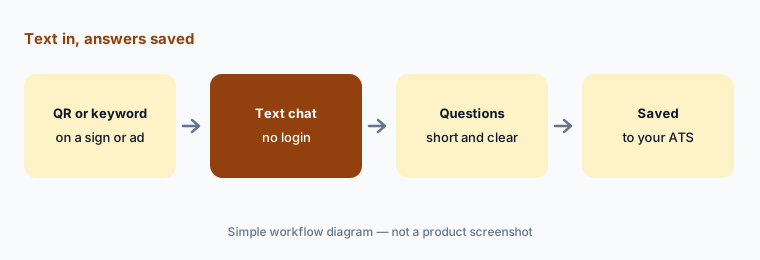
Primary workflow:
Apply to one of your own hourly roles by text. Time it. Note every question a candidate could misread, and rewrite those questions before the next hiring push.
2. Automated screening on rules you set
What it is: Paradox’s automated screening captures answers during the conversation that show whether a candidate meets the minimum qualifications or job requirements your team sets. Workday describes Paradox as screening for minimum qualifications, instantly scheduling interviews, and answering candidate questions. The assistant asks; your team decides what counts as a knockout. Every knockout question should be a real requirement you would reject a candidate for, written so it cannot be misread.
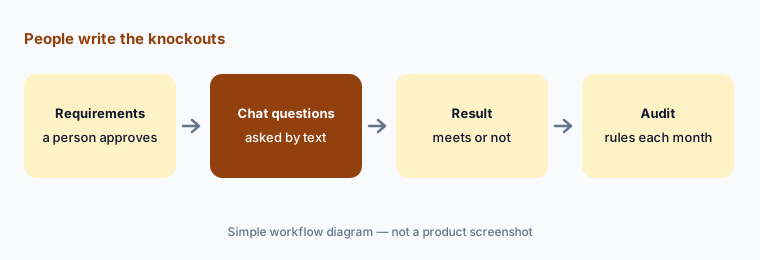
Audit the knockouts:
List every knockout question for one role. Next to each, write the job requirement it enforces. Delete or soften any knockout you would not actually reject someone for.
3. Conversational interview scheduling
What it is: Paradox syncs with recruiters’ and hiring managers’ calendars and sends qualified candidates open interview times by SMS, WhatsApp, chat, or email. It handles rescheduling and reminders, panel and group interviews across rooms and locations, event and orientation scheduling, interview prep materials, and prompts interviewers for feedback after the interview. Paradox also lists a browser extension for scheduling and rescheduling alongside your ATS. A manager’s calendar is now the hiring bottleneck, so it needs real open times.
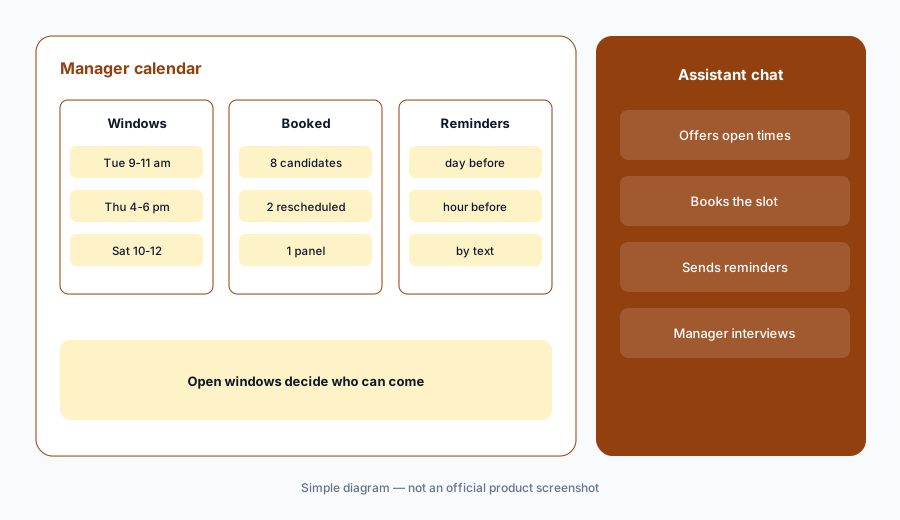
Check the windows:
Look at the interview windows your managers opened last month. Count how many fall outside weekday business hours. If candidates you want cannot make any of them, add one evening or weekend window and compare show rates.
4. Candidate Q&A, languages, and the assistant’s voice
What it is: The assistant answers candidate questions around the clock by SMS, WhatsApp, Messenger, or chat, and recruiters can switch to 1:1 texting without using a personal phone. Paradox says it can detect and translate many languages (its pages cite 30+ on some products and 100+ on others), and you can customize the assistant’s voice, tone, and photo (customer stories show assistants under other names, such as “Maya”). Candidates should know they are talking to an automated assistant, and every answer it gives about pay, schedules, or benefits has to match what the job actually offers.
Read the questions:
Export or read one week of candidate questions the assistant answered. Check every answer about pay, schedules, or benefits against the current offer. Fix the source content behind any answer that is out of date.
5. Offers, onboarding, and hiring goals
What it is: Paradox sends offer letters from templates by text so candidates can accept with a few taps, then sends onboarding items such as Form I-9, handbooks, and other forms with text reminders before day one. Hiring Goals let recruiters and hiring managers set candidate volume limits per job, turning jobs on and off automatically so stores are not flooded with applicants they cannot interview. A person still decides who gets an offer and at what pay.
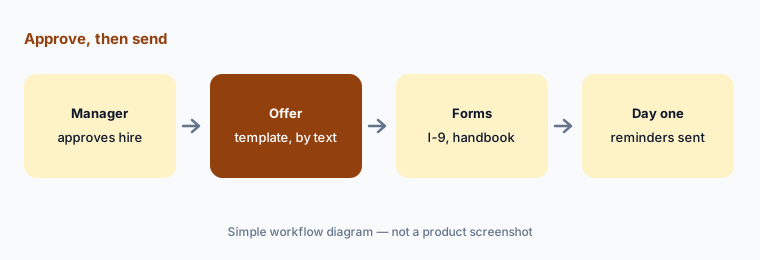
Watch the pauses:
List every job that Hiring Goals paused in the last month. For each, check whether the location still has open shifts. Reopen or adjust the limit for any job that should still be taking candidates.
6. Workday, integrations, and security
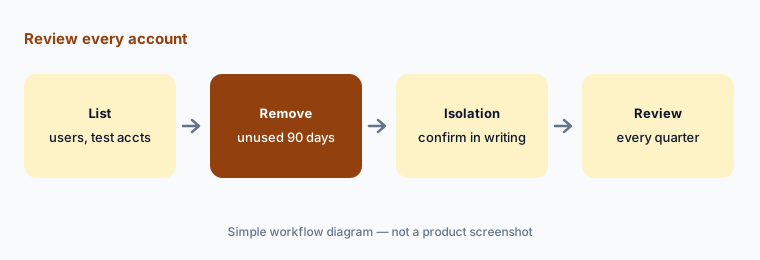
What it is: Paradox lists integrations with Workday (two-way SMS and automated scheduling on Workday), SAP SuccessFactors, Indeed, and other systems through direct integrations and an open API, and reports more than 1,000 metrics through dashboards or sFTP to BI tools. On security: in 2025, researchers reported that a legacy test account with an old password exposed an API flaw in one client’s instance. Paradox’s own update says it fixed the issue within hours, that five candidates’ records with personal information were viewed (by the researchers only), and that it added a security contact and a bug bounty program. Ask any conversational-hiring vendor how test accounts and client instances are isolated and reviewed.
Clean the accounts:
Ask your Paradox admin for a list of every user and test account on your instance with last login dates. Remove any account unused for 90 days and put a quarterly review on the calendar.
Pricing context (October 2026)
Paradox does not publish prices. On 6 October 2026, paradox.ai/pricing redirected to the Paradox homepage, which lists customer outcomes and a demo request but no plans or figures. Workday says the Candidate Experience Agent can be bought through Workday or Paradox.
Expect pricing to depend on which modules you use (apply, scheduling, events, CRM, onboarding), your hiring volume and number of locations, and integration work with your ATS or Workday. Figures you may see on third-party sites are estimates, not Paradox prices; get a written quote.
Uncertainty: Paradox has been part of Workday since 1 October 2025, and packaging may keep shifting between the Workday Paradox Candidate Experience Agent and standalone Paradox contracts. Confirm which product you are buying, who supports it, and what happens to your data and integrations at renewal.
When it’s useful (honest take)
Useful when you hire hourly workers in volume across many locations, candidates apply from their phones, and managers lose hours to phone tag and no-shows. Useful too when you want applications to start from a sign, a QR code, or a text keyword instead of a long web form.
Less useful when you hire a few salaried roles a year, or your managers will not keep interview windows open. Less useful if nobody owns the screening rules: an assistant that asks the wrong knockout question rejects people quickly and politely. People set the rules, approve offers, and make the hiring decision.
Paying for Paradox and a few other AI tools? The $9 AI toolkit spreadsheet lists every AI subscription you have, what each one costs, and how fast it pays for itself, so you can see which ones are worth the money.
Want someone to do it for you? AI toolkit audit — $19
Related options (educational)
| Need | Better home | Why |
|---|---|---|
| Text-based apply, screening, and scheduling for hourly roles | Paradox (this page) | Conversation over SMS, WhatsApp, and chat |
| Video interviews and assessments at volume | HireVue | Structured first rounds with audit documents |
| Workday customers comparing suite options | Workday AI | Paradox is now sold through Workday too |
| Small teams that want AI in an all-in-one ATS | Workable AI | Published plan prices |
| Structured hiring with ATS scheduling | Greenhouse AI | Better fit for salaried roles |
| Inventory of every recruiting tool and seat | Stack map for people ops | See where tools overlap first |
FAQ
Who owns Paradox now?
Workday. It signed a definitive agreement on 21 August 2025 and completed the acquisition on 1 October 2025. Workday sells the Workday Paradox Candidate Experience Agent through Workday or Paradox.
How much does Paradox cost in October 2026?
Paradox does not publish prices. On 6 October 2026 its pricing URL redirected to the homepage, which offers a demo and no figures. Pricing depends on modules, volume, locations, and integrations; ask for a written quote.
Does Olivia decide who gets hired?
No. The assistant asks the screening questions your team sets and books interviews. People write the knockout rules, interview candidates, approve offers, and make the hiring decision.
Can candidates apply without a login?
Yes. Paradox says candidates can start the application and screening by SMS, WhatsApp, or Facebook Messenger with no login, password, or account, and resume later.
What happened with Paradox’s 2025 security issue?
Researchers used a legacy test-account password to reach an API flaw in one client’s instance. Paradox says it fixed the issue within hours, five candidates’ personal records were viewed by the researchers only, and it added a bug bounty program.
Optional next step (if seats overlap)
If you pay for Paradox, an ATS with its own texting and scheduling, and a separate interview scheduler — and more than one messages the same candidates — that overlap is worth a look. Map the overlap with the $19 AI toolkit audit or the $9 AI toolkit spreadsheet. Email Audit $19 or Toolkit spreadsheet $9.
Checkout is live via Stripe. After you pay, we email delivery (spreadsheet) or intake next steps (audit).