How-to · Seat inventory · Stack maps · Oct 10, 2026
Fill one stack-map row set for a single function this afternoon
“Stack map” here means a plain inventory table — Job, Tool, Owner, Cost per month, Overlap, Decision — for one team’s work. It is not a vendor ranking, and it never includes tools or prices you made up.
Who this is for
Ops, finance, revenue operations, support, people, or knowledge leads who want a same-day inventory of AI seats (and the tools next to them) by job, starting with one function instead of the whole company. Use the live stack-map pages as the pattern and paste into your own sheet. If you already know two seats overlap and only want the columns ready-made, the optional $9 AI toolkit spreadsheet is enough. If you want a written memo after the map, see the $19 AI toolkit audit. Before buying another AI seat in the middle of the inventory, read Three checks before you add another AI seat.
How to do it
This page is a how-to for filling rows. It is not a ranking of vendors. Each stack-map page lists starter jobs for its function; this page is the afternoon routine that turns one of them into five filled rows and one sent message. Do not add tools you do not pay for, and leave Cost blank when you do not know it.

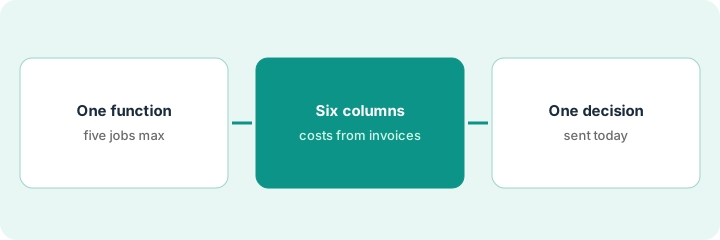
1. Step 1 — Pick one function and open its stack-map page
What it is: Choose exactly one function for this afternoon and open the matching live page so the job list stays consistent.
- Finance ops: Stack map — finance ops
- Sales and revenue operations: Stack map — sales ops
- Support: Stack map — support ops
- People and HR: Stack map — people ops
- Knowledge and wiki: Stack map — knowledge ops
- Pick five jobs at most for today (each page suggests starters).
- Name the inventory owner and the person who signs off on cancel-by dates.
- Do not add tools “we might buy.” Inventory what you pay for now.
Ninety minutes is enough for one function. Trying all five in one sitting is how inventories stall.
Function: finance ops. Page: the finance ops stack map. Five jobs: month-end close, accounts payable, expenses, the board pack, forecasting. Owner: the controller. Time box: 90 minutes this afternoon.
Pick one function from the list above. Copy its job names into your sheet. Set a 90-minute timer. If you cannot name an owner, stop — the map will not lead to decisions.
2. Step 2 — Fill Job, Tool, Owner, Cost, Overlap, Decision
What it is: Fill six columns for each job. Cost per month comes from invoices or the admin console, never from memory of a marketing page.
- Job — recurring work (for example, expense review).
- Tool — the product, plus the AI feature name if it matters.
- Owner — the person who can keep or cancel the seat.
- Cost/mo — from the invoice; blank if Unknown. Do not guess.
- Overlap — other tools doing the same job, or “none.”
- Decision — a plain next step in your own words (keep, combine, or cancel by a date), not a badge or a points table.
If a row is about expenses or close, Flag expense policy issues before submit and Use Ramp’s AI to cut one close chore show what a single-job routine looks like once you decide which tool keeps the job.
Job: expense policy review. Tool: Ramp’s AI digests. Owner: the finance ops lead. Cost/mo: from the last invoice (Unknown until someone pulls it). Overlap: an Expensify AI seat still active for two people. Decision: “Cancel the Expensify AI add-on by Oct 31 if Ramp stays the system of record.”
Fill five rows. Leave Cost blank rather than guessing. For every Overlap that is not “none,” write a Decision with a date, in your own words.
3. Step 3 — Send one decision this afternoon
What it is: End the session with one concrete action — a message, a calendar reminder for the cancel-by date, or an owner assignment — not a prettier table.
- Pick the row with the clearest overlap.
- Send the Decision to the Owner, or put the cancel-by date on the calendar.
- Use the free helpers if they help: See which AI tools you pay for and never open and the seat-waste calculator.
- If you want the columns kept up over time, paste the rows into the optional $9 AI toolkit spreadsheet.
If the overlap is in meetings, One week of meetings, one list of seats, one thing you cancel is the same idea applied to one week of calendar time.
Overlap: Ramp and Expensify AI both doing expense review. The decision goes to the finance ops lead by email with a cancel-by date of Oct 31. The sheet is saved; the other four rows are marked “waiting on invoice pull.” No company-wide workshop gets scheduled.
Write and send one sentence: “For [job], keep [tool]; cancel or pause [overlap] by [date]; owner [name].” Stop when that message is sent. Do not start a second function today.
Pricing context (October 2026)
This how-to is not a price sheet and quotes no vendor list prices. Cost per month in your map must come from your own invoices or admin consoles. Each stack-map page carries its own dated review stamp; product plan detail lives on each product’s review. Dated October 2026.
No vendor prices on this page (Oct 10, 2026): This routine runs on your invoices, so no vendor pricing page was quoted. The only prices here are this site’s optional $9 spreadsheet and $19 audit.
Uncertainty: Vendors repackage AI add-ons often, so a figure you remember may already be out of date. If an invoice and a review disagree, trust the invoice. Do not paste a marketing list price you did not pay. The only prices this site sells here are the optional $9 AI toolkit spreadsheet and $19 AI toolkit audit.
When this helps (honest take)
Useful when you suspect overlapping AI seats in one function and can name an owner this afternoon.
Not useful when you want a ranked list of vendors, you plan to guess costs, or nobody can cancel a seat. Mapping all five functions in one sitting usually stalls the decisions.
Related options (educational)
| Need | Where to look | Why |
|---|---|---|
| Finance jobs starter | Stack map — finance ops | Close, accounts payable, expenses, board pack, forecast |
| Other functions | Stack map — sales ops · Stack map — support ops · Stack map — people ops · Stack map — knowledge ops | Matching function pages |
| Seat hygiene | See which AI tools you pay for and never open · Three checks before you add another AI seat | Live how-tos |
| Free calculators | seat-waste calculator · payback calculator | Rough numbers from your own inputs |
| Structured sheet or memo | $9 AI toolkit spreadsheet · $19 AI toolkit audit | Optional only |
Related reviews: Stack map — finance ops · Stack map — people ops · stack trim playbook. Related how-tos: See which AI tools you pay for and never open · One week of meetings, one list of seats, one thing you cancel · Draft a Rippling onboarding FAQ with counsel-review flags. Free: seat-waste calculator · payback calculator.
FAQ
Do I need keep-or-cancel badges or a points table?
No. A plain Decision sentence with an owner and a date is enough. This site’s how-tos do not use badges or points.
Which function should I pick first?
The one where the invoices overlap most visibly — often finance or support. One function only this afternoon.
What if I cannot find the invoice for a tool?
Leave Cost blank and write “invoice not pulled” in Decision with a date to pull it. A blank is more useful than a guess, and the seat still shows up in the Overlap column.
Where do vendor prices live?
On each product’s review page and the vendor’s own pricing site — never invented in your Cost column. This October 2026 how-to quotes no vendor list prices.
Optional next step
Free reviews stay free. Neither offer is required to use this page. If several paid seats cover the same jobs after your five rows, optional help: $9 AI toolkit spreadsheet (seats, spend, owner, cancel-by, overlap) or $19 AI toolkit audit when you want a written memo.