How-to · Meetings · Stack trim · Oct 5, 2026
One week of meetings, one list of seats, one thing you cancel
This is a bounded experiment, not a transformation program. Seven days. One cancel (or a documented reason you canceled nothing).
Who this is for
Ops leads who suspect meeting AI sprawl but keep postponing a cleanup. Finance partners who want one concrete cancel this month.
How to do it
This page is a how-to. It is not a ranking of meeting tools. Product detail and dated pricing live on the reviews linked below.

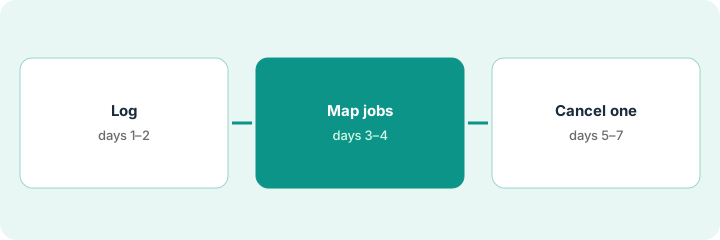
1. Days 1–2 — Log what actually joins
What it is: For every meeting you attend, note:
- Meeting name
- Tools that joined or took notes (bots, Companion, Granola, human notes only)
- Whether you opened those notes after
Customer standup: capture = Fireflies + Zoom AI Companion, opened = yes. Weekly 1:1: capture = human notes only. Write yes or no for opened — not “probably.”
A single column on your calendar notes: capture = ___. Fill it before you leave each call.
2. Days 3–4 — Map jobs and opens
What it is: Roll the log into rows: tool · job · opened? · monthly spend if known · owner.
Job phrases stay boring on purpose — owners/dates, transcript archive, clips/CRM, no-bot notes, Zoom-native notes. Use the reviews: Fireflies, Otter, Fathom, Granola, tl;dv, Zoom AI Companion.
Two rows share “owners and dates” on the same weekly standup, and only one of them was opened this week. That pair is the overlap. Nothing else on the list is yet.
Put the rows in the $9 AI toolkit spreadsheet or a blank sheet with the same columns. Mark overlap only when two rows share a job.
3. Days 5–7 — Cancel one overlapping seat
What it is: Pick the overlapped job where the secondary tool was never opened (or is pure backup). Cancel that one. Export first. Tell the team which primary remains.
If you cannot cancel because jobs truly differ, write that sentence in the decision column — that still counts as finishing the experiment.
If the list is already a mess across more than meetings, use the $19 AI toolkit audit after you can name the seats.
The unopened backup bot gets its notes exported, then canceled. The team gets one Slack line naming the notetaker that stays.
Calendar a 20-minute block: “Cancel or document.” Leave with either a confirmation email from the vendor or a written “kept because ___” note.
Pricing context (October 2026)
This how-to is not a price sheet. Public list prices for Fireflies, Otter, Fathom, Granola, tl;dv, and Zoom AI Companion live on those reviews. Recheck each vendor’s site before you budget. Dated October 2026.
Uncertainty: Free tiers, seat minimums, bot add-ons, and annual terms change. Check the cancel-by date on the invoice before day 5. If an invoice and a review disagree, trust the invoice. Do not paste a marketing list price you did not pay. The only prices this site sells here are the optional $9 AI toolkit spreadsheet and $19 AI toolkit audit.
When this helps (honest take)
Useful when you need momentum more than a perfect inventory.
Not useful when legal or compliance owns recording tools and you cannot cancel without them — loop them in on day 1.
Related options (educational)
| Need | Where to look | Why |
|---|---|---|
| Owners and dates, bot is fine | Fireflies or Otter | Someone will open the transcript |
| Free capture before you pay | Fathom | Pay only when CRM sync or team search is a named job |
| No bot in the room | Granola | Device-side notes |
| Notes stay inside Zoom | Zoom AI Companion | You already pay Zoom |
| Clips or a few CRM fields | tl;dv | A different job than a notes archive |
Related: Cancel the second notetaker · Stack trim playbook · free seat-waste calculator.
FAQ
Do we have to cancel something to finish the week?
No. A written “kept because ___” note for jobs that truly differ also finishes the experiment.
Which seat should we cancel?
The secondary tool on an overlapped job that nobody opened, or that only ran as backup. Export first, then tell the team which primary stays.
What if legal or compliance owns the recording tools?
Loop them in on day 1 so the cancel on days 5–7 is not blocked.
Where do dated prices live?
On the linked reviews and the vendor sites. This October 2026 how-to does not invent list prices.
Optional next step
Free reviews stay free. Neither offer is required to use this page. Optional help: $9 AI toolkit spreadsheet for the seat rows (tool, job, opened, spend, owner, cancel-by) or $19 AI toolkit audit when the list spans more than meetings and you want a written memo.