What’s new · Research ops · Dovetail · Sep 2026
What’s new in Dovetail (Sep 2026): agents from chat, Channels 2.0, MCP context, and scoped API keys
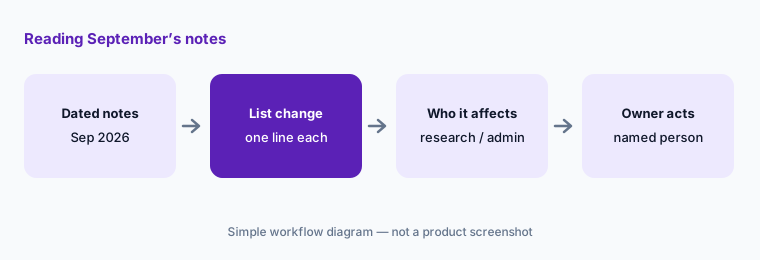
Dovetail’s public changelog dated seventeen entries in September 2026. For a research ops lead, five groups need a decision from someone: who may create agents now that chat can draft them, whether to opt into Channels 2.0, what AI tools can read and write over MCP, what access each personal API key gets, and who may share a chat outside the workspace. This page is not a review — for that, see our Dovetail AI review. Every item below comes from Dovetail pages we opened on 9 October 2026.
What this page covers
This page is for a research ops lead, research manager, or workspace admin who already runs Dovetail and wants September’s changes without reading every entry — especially anything that changes who can build agents, what AI tools can reach over MCP and the API, and what leaves the workspace.
We list only entries dated September 2026 on Dovetail’s changelog, using the dates shown there on 9 October 2026. Voice mode for Chat and Digital Twins is dated 1 October and Sources (beta) 9 October, so both are outside this page except for one line in the FAQ. We don’t speculate about roadmap items.
The research ops guardrails stay the same: AI suggests; a named person approves every agent that runs on a schedule, every idea merge or status change, every MCP or API key with write access, and every public link. No participant PII goes into a general chat tool, and an AI answer is never quoted as a participant’s words.
Major features (with how someone uses them)
Examples at a glance: each feature has a concrete example from a real job plus a short Try this you can run this week.
1. Five changes a research ops lead should act on (primary)
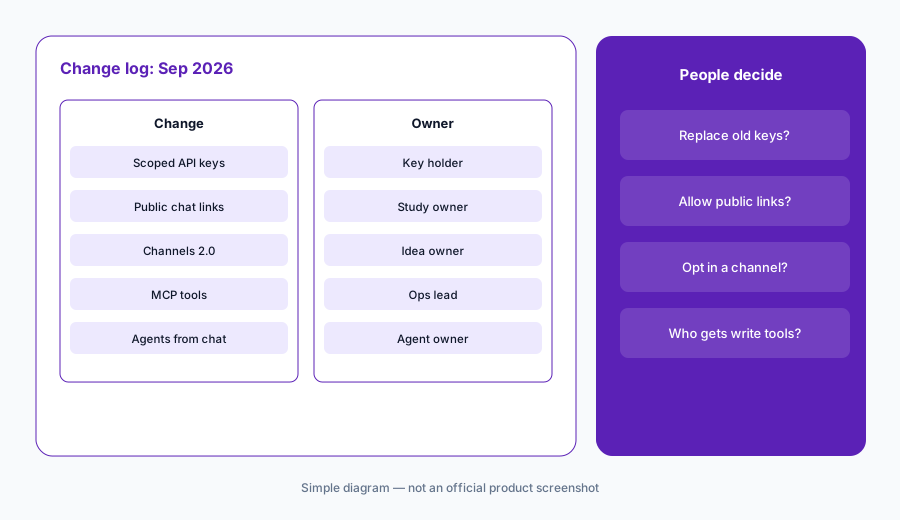
What it is: From the September notes, these five need a decision, not just awareness: (1) scoped permissions for personal API keys — Full access, Read only, or Custom — with older keys keeping full access (30 September — entry); (2) sharing a chat with anyone through a public link, which admins can switch off for the workspace (25 September — entry); (3) Channels 2.0 in open beta for every Channels customer, followed by automatic tags, chat scoped to a saved view, Salesforce or HubSpot contact syncing, and your own ideas with bulk-moved evidence (1, 25, and 29 September — open beta entry); (4) project and workspace context, doc comments, and project and tag tools in the Dovetail MCP server (14 and 23 September — context entry); and (5) agents that suggest a starting prompt and can be drafted with chat (11 and 21 September — entry). All dated on the Dovetail changelog.
Primary workflow:
From Dovetail’s Sep 2026 changelog, list 5 changes a research ops lead should act on — cite sources.
2. Agents from chat (11 and 21 Sep)
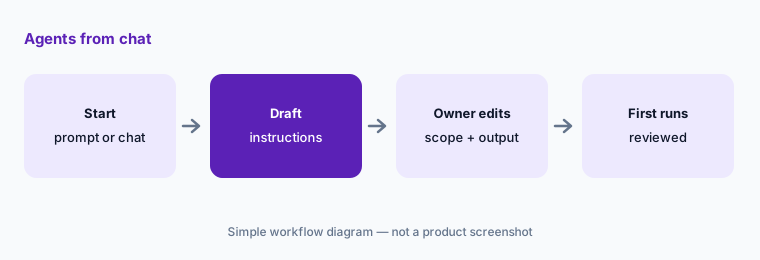
What it is: On 11 September Dovetail added starter prompts under the agent instructions editor: a scheduled agent sees digest and roll-up prompts, an on-demand agent sees common on-demand prompts, and a digital twin sees persona prompts (entry). On 21 September digital twin, on-demand, and on-schedule agents gained a Create with chat action: chat opens in a peek window, you describe what the agent should do, and it drafts the instructions, pulling in relevant data from your workspace (entry). Building an agent got much faster; deciding whether it should run on a schedule did not.
Read before you schedule:
Draft one scheduled agent with Create with chat. Before saving, write who owns it, where its output goes, and review its first three runs before anyone else subscribes.
3. Channels 2.0 open beta and its September follow-ups (1–29 Sep)
What it is: On 1 September Channels 2.0 moved from closed to open beta: every Channels customer can opt in from Settings → General → Beta. Dovetail says it surfaces feature requests, bugs, and pain points as ideas with owners, priority, status, trend sparklines, and commercial context, and that legacy channels keep working while new channels use the 2.0 experience (entry). September follow-ups: multi-column CSV analysis (14 Sep, entry); automatic tags with an editable tag board (25 Sep, entry); chat that stays scoped to a saved view (25 Sep, entry); Salesforce or HubSpot contact syncing matched by email and enriched daily with fields like company, industry, ARR, and CSM owner (25 Sep, entry); and creating your own ideas and bulk-moving evidence (29 Sep, entry).
Two of these change what an answer is based on. Chat scoped to a saved view only draws from that slice, so name the view in anything you share. Contact syncing brings ARR and CSM owner onto feedback, which helps prioritizing and raises the bar on who should see it.
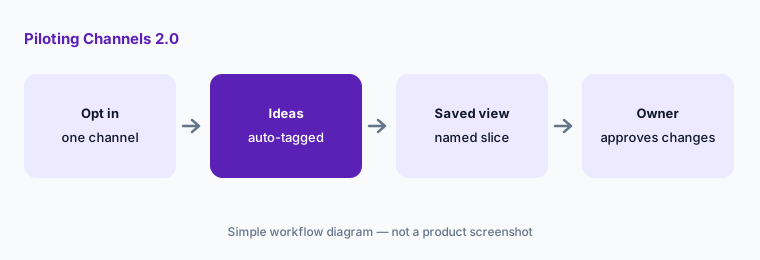
One channel first:
Opt one new channel into Channels 2.0. Link your workspace tag board, save one view, and have the idea owner approve every merge, new idea, and status change for two weeks.
4. MCP context, comments, and project tools (14 and 23 Sep)
What it is: On 14 September the Dovetail MCP server gained tools to upload files into projects (audio and video queue transcription, and project automations such as redaction or highlight generation run as they do for a UI import), richer tag handling, and the project overview in get_project (entry). On 23 September the Public API and MCP gained doc comment reading and replies (entry), and MCP gained project and workspace AI context tools: a project can hold at most 50 keywords and 10 context docs, and linking workspace context docs needs a workspace administrator (entry). Dovetail says to reconnect the MCP server to refresh your tool list.
These are write paths as well as read paths. An assistant that can upload files, apply workspace tags, reply to comments, or change project context is acting in your repository, so decide which people’s connections get those tools — and pair it with the scoped keys in section 5.
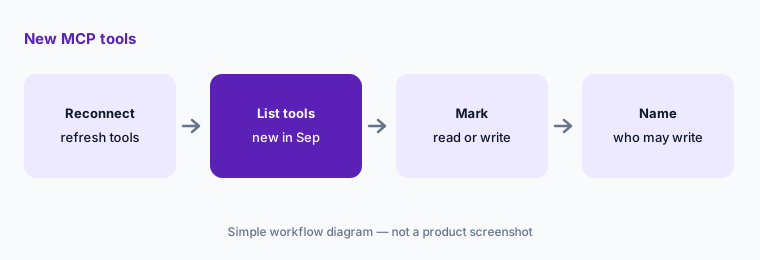
Mark read vs write:
Reconnect your Dovetail MCP server and list every tool it now shows. Mark each read or write, and name who may use the write tools before anyone asks an assistant to change a project.
5. Scoped API keys and public chat links (30 and 25 Sep)
What it is: On 30 September personal API keys gained an Access level: Full access, Read only, or Custom (read, write, and delete per feature such as Data, Docs, Channels, or Projects). A Read only or Custom key can only use the API endpoints and MCP tools its permissions allow; keys created before the change keep full access (entry). On 25 September chats became shareable by public link: anyone with the link sees a read-only copy of the questions, answers, text citations, and charts; video clips can’t be played and attachments aren’t included; only the person who started the chat can turn the link on or off; and admins can block public links for the whole workspace under Settings → Compliance → Security (entry).
Both are quiet defaults to revisit. Old keys still have full access until someone replaces them, and public links are on unless an admin turns them off. A chat about participants can carry quotes and citations to anyone who has the link.
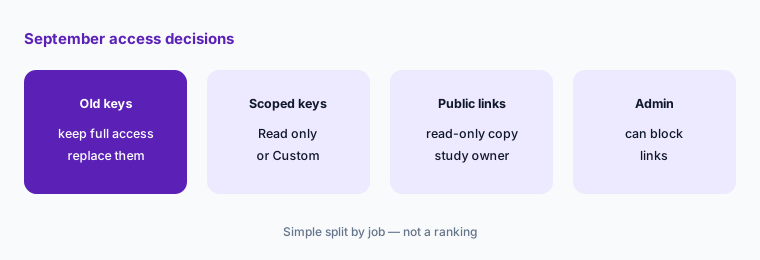
Replace and decide:
List every personal API key your team uses with AI tools. Replace full-access keys with Read only or Custom keys, then decide whether public chat links stay on and who approves them.
6. Smaller September changes and who approves each one
What it is: Also dated September: Chat shows a short tip while it thinks (11 Sep, entry); editor tables can merge cells and grow wider, and Agents and Chat can now create, edit, and delete tables in docs (17 Sep, entry); data keeps a server-side version history, saved after 10 seconds without edits, which you can restore or copy (18 Sep, entry); and a table of contents that sticks while you read and lets you drag sections (25 Sep, entry). Owners: agents → the agent owner; Channels 2.0 ideas → the idea owner; MCP write tools and context docs → the research ops lead and a workspace admin; API keys → each key holder, checked by the admin; public links → the study owner.
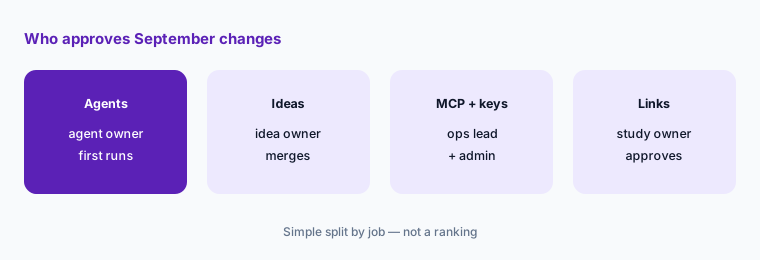
One owner per change:
For the five September themes above, write one named owner and one October review date. Have the research manager approve the list before anyone schedules a new agent or adds a write-access key.
Pricing context (October 2026)
September’s changelog entries did not mention price changes. Dovetail’s pricing page (as listed 9 October 2026) shows Free ($0, no card required) and Enterprise (custom pricing); no paid self-serve price is published. Voice mode (1 October) is listed as a beta on the Enterprise plan.
For our dated review of Dovetail’s AI features (Chat, Agents, Channels, Digital Twins, MCP), see Dovetail AI.
Uncertainty: We read Dovetail’s changelog index, each September entry, and the pricing page on 9 October 2026. Changelog dates are shown as Dovetail lists them; an entry posted late on one day can appear on the next day in another time zone. Channels 2.0 is a beta, and which plans include which AI features is not spelled out on the pricing page. Always verify on the live changelog and your workspace settings. This is product education, not advice on your data policy.
When it’s useful (honest take)
Useful when you run Dovetail for a research or product team and want September’s dated changes with an owner and an action for each.
Useful when AI assistants already connect to your Dovetail workspace and you need to decide what they may read and write.
Less useful when you want a full product review — read Dovetail AI — or you don’t use Agents, Channels, or the MCP server.
Paying for Dovetail and a few other AI tools? The $9 AI toolkit spreadsheet lists every AI subscription you have, what each one costs, and how fast it pays for itself, so you can see which ones are worth the money.
Want someone to do it for you? AI toolkit audit — $19
Related options (educational)
| Need | Better home | Why |
|---|---|---|
| Full review of Dovetail’s AI features | Dovetail AI | Not a changelog |
| Research hub vs feedback analytics | Dovetail vs Enterpret | Compare by main input |
| Adoption platform September notes | What’s new in Userpilot (Sep 2026) | Same format |
| Inventory research AI seats | Stack map for research ops | Jobs, tools, overlaps |
| Drafting with a chat assistant | Claude for research ops · ChatGPT for research ops | Guides, screeners, readouts |
FAQ
What did Dovetail change in September 2026?
Per the public changelog: Channels 2.0 open beta (1 Sep) with tags, saved-view chat, contact syncing, and your own ideas (25 and 29 Sep); agent starter prompts (11 Sep) and Create with chat (21 Sep); new MCP tools for projects and tags (14 Sep) plus doc comments and project and workspace context (23 Sep); public chat links (25 Sep); and scoped permissions for personal API keys (30 Sep).
Do old Dovetail API keys get the new scopes automatically?
No. The 30 September entry says keys created before the change keep full access. Create a new Read only or Custom key under Settings → Account → Personal API keys and retire the old one.
Can we stop people sharing Dovetail chats publicly?
Yes. The 25 September entry says workspace admins can turn off public links for the whole workspace with Prevent users from creating web links in Settings → Compliance → Security. Only the person who started a chat can turn its link on or off.
Is voice mode part of September?
No. Dovetail dates voice mode for Chat and Digital Twins 1 October 2026; the entry lists it as a beta on the Enterprise plan that an admin turns on in Settings → Beta, with the AI processing location set to Best available.
Did Dovetail change prices in September 2026?
The changelog entries we read don’t mention price changes. As of 9 October 2026 the pricing page lists Free at $0 and Enterprise as custom pricing.
Optional next step (if seats overlap)
If research pays for Dovetail, a feedback analytics tool, and chat assistants that all summarize the same interviews and tickets, fix that overlap before adding another seat. Map the overlap with the $19 AI toolkit audit or the $9 AI toolkit spreadsheet. Email Audit $19 or Toolkit spreadsheet $9.
Checkout is live via Stripe. After you pay, we email delivery (spreadsheet) or intake next steps (audit).