What’s new · Product ops · Userpilot · Sep 2026
What’s new in Userpilot (Sep 2026): Lia on every plan, the Userpilot MCP, and offline mobile analytics
Userpilot published one product announcement and a run of mobile SDK releases in September 2026. For a product ops lead, they add up to three decisions: who may let an AI assistant create reports, segments, and survey drafts through the Userpilot MCP; when your mobile apps move to the SDK versions with offline analytics; and how your team handles the new preview, deep-link, and privacy settings. Userpilot’s pricing page also lists its AI agent Lia and the MCP on every plan. This page is not a review — for that, see our Userpilot AI review. Every item below comes from Userpilot pages we opened on 9 October 2026.
What this page covers
This page is for a product ops lead, growth PM, or mobile engineer who already runs Userpilot and wants September’s changes in one place — especially anything that changes who can act on product data through AI tools, what your mobile apps record when they are offline, and what Auto Capture redacts.
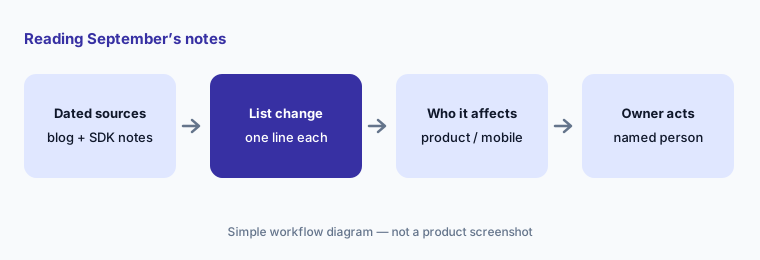
Userpilot has no single public changelog page, so we used three dated sources: the 9 September 2026 blog post announcing the Userpilot MCP, the per-platform mobile SDK release notes in Userpilot’s docs (each version carries a date), and the pricing page as listed on 9 October 2026. Releases dated 1 and 2 October (MAUI 1.3.1, Android and iOS 1.4.1) are outside this page. We don’t speculate about roadmap items the blog mentions.
The product ops guardrails stay the same: AI drafts; a named person publishes every flow, survey, and segment that reaches users. Each person’s MCP connection is limited to what that person can already do in Userpilot. No customer PII goes into a general chat tool.
Major features (with how someone uses them)
Examples at a glance: each feature has a concrete example from a real job plus a short Try this you can run this week.
1. Five changes a product ops lead should act on (primary)
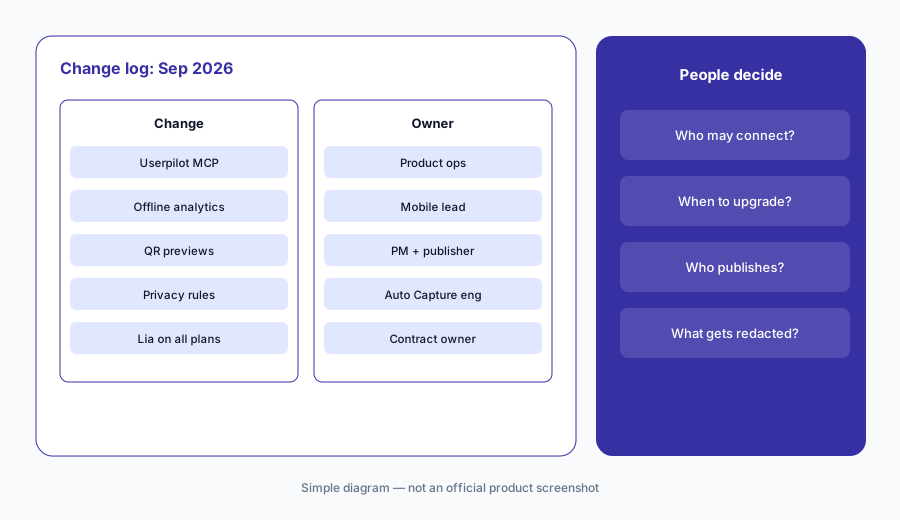
What it is: From the September notes, these five need a decision from someone: (1) the Userpilot MCP, which lets AI tools such as Claude, Cursor, or Copilot query Userpilot and create reports, dashboards, segments, and survey drafts, available on every plan at no extra cost (9 September — “Introducing Userpilot MCP”); (2) persistent offline analytics in Android and iOS SDK 1.4.0 (27 September) and the React Native, Flutter, Cordova, Capacitor, and MAUI 1.3.0 releases (29 September) — Android notes; (3) experience previews from a QR code and test push notifications (Android and iOS 1.3.0, 2 September), with URL-based deep-link handling arriving in the cross-platform SDKs between 7 and 29 September; (4) privacy changes: nested redaction rules across the cross-platform SDKs, and a MAUI 1.2.0 release (29 September) with breaking renames and wider redaction — MAUI notes; and (5) Lia and the MCP listed on every plan on the pricing page (as listed 9 October).
Primary workflow:
From Userpilot’s Sep 2026 notes, list 5 changes a product ops lead should act on — cite sources.
2. The Userpilot MCP (9 Sep)
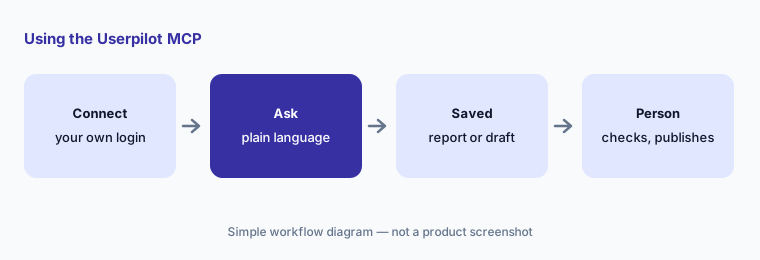
What it is: Userpilot’s 9 September post describes the MCP as a way to bring usage data, user and company profiles, surveys, NPS responses, and session replay context into the AI tools your team already uses. It says the MCP can help set up product tracking, analyze behavior, build reports and dashboards, create segments, and draft surveys; that it ships with 15 built-in skills for common jobs (Userpilot’s count); and that each person connects once with their own Userpilot account, so the MCP follows the permissions already assigned to that user. Userpilot’s MCP docs add that survey drafts are reviewed and published in Userpilot, and that your plan’s feature limits apply the same way they do in the app.
The post’s own FAQ is worth reading as a checklist: it says the MCP inherits the authorizing user’s permissions (agent-level authentication is planned), that building walkthroughs and flows is coming to the MCP and arriving sooner through Lia, and it suggests keeping publish permission with one owner per team. Because reports and segments can be saved from a chat, decide who may create them before everyone connects.
Check one known number:
Connect the Userpilot MCP with your own login and ask for one number you already know, such as last month’s activation rate. Open the report it saves and check the event and date range before anyone relies on MCP answers.
3. Lia and the MCP on every plan
What it is: On 9 October 2026 Userpilot’s pricing page lists “MCP and AI Agent Lia” on Starter, Growth, and Enterprise. The 9 September post says the MCP is available on every Userpilot plan at no extra cost. The pricing page itself carries no change date, so we can’t say exactly when Lia was added to every plan — only that it is listed that way now. The same page lists an MCP Analytics view (tool usage, connected clients, reliability, and intent gaps) and lists Mobile Engagement under Enterprise.
“On every plan” is about access, not about what Lia may do on its own. Our Userpilot AI review covers what Lia drafts and what still needs a person to publish.
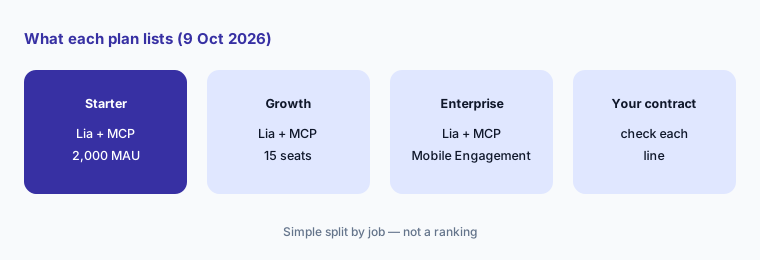
Check your plan line by line:
Open Userpilot’s pricing page and your contract side by side. Write which of Lia, MCP, MCP Analytics, and Mobile Engagement your plan includes, and ask your account contact about anything you can’t match.
4. Offline analytics in the mobile SDKs (27 and 29 Sep)
What it is: Android and iOS SDK 1.4.0 (27 September) added local storage for identify calls, screen views, custom events, Auto Capture events, flow, survey, and NPS interactions, and push-notification opens while a device is offline, then sends them in timestamp order when the connection returns — including events saved before an app restart. React Native, Flutter, Cordova, Capacitor, and MAUI 1.3.0 (29 September) brought persistent offline storage for identify calls, screen views, custom events, and Auto Capture events. Userpilot’s Offline Mode docs say it is always on, that all stored event types share up to 3 MB or 5,000 events (whichever comes first), that new events aren’t stored once the limit is reached, and that switching accounts or logging out clears stored events. See Android, iOS, React Native, and Flutter notes.
Offline storage changes your numbers, not just your reliability. After the upgrade, sessions from trains and basements start showing up, and events can arrive late. Note the upgrade date next to any mobile funnel so a jump isn’t read as a product change.
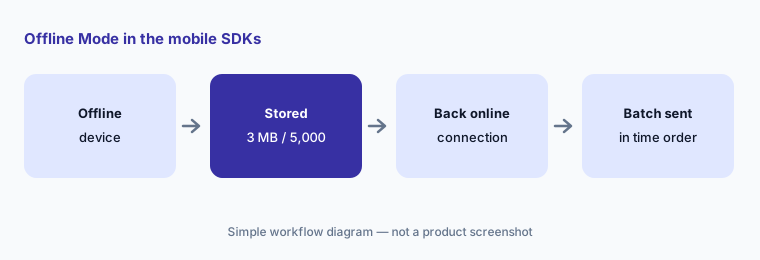
Mark the upgrade date:
Before upgrading to the offline-capable SDKs, write the release date in your analytics change log and pick one mobile funnel to compare for two weeks before and after.
5. Previews, test push, and deep links (2–29 Sep)
What it is: Android and iOS SDK 1.3.0 (2 September) added preview experiences launched from a QR code and support for test push notifications. The cross-platform SDKs then added URL-based handling so preview and push links reach Userpilot: React Native 1.2.0 (7 September) added didHandleURL and deprecated didHandleIntent; Flutter 1.2.0 (9 September) added deep links plus previews and test push; Cordova, Capacitor, and MAUI 1.2.0 (29 September) followed. The notes describe queueing links that arrive before setup and handing unhandled links back to your app. See React Native, Flutter, Cordova, and Capacitor notes.
QR previews make it easy for a PM to see a mobile flow on a real phone before it goes live — which is exactly when the publisher should look. Wire the custom URL scheme in a test build first.
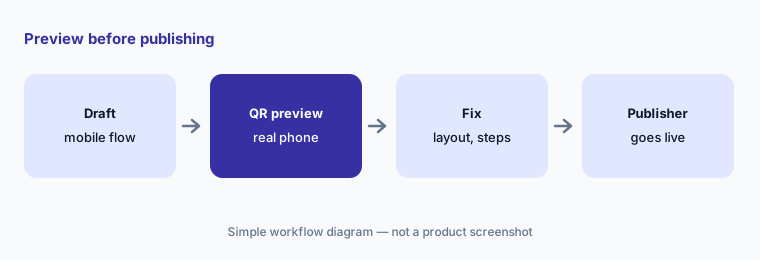
Preview on a real phone:
For the next mobile flow, have the PM preview it from the QR code on one Android and one iOS phone and log any issue before the publisher makes it live.
6. Privacy and breaking changes, and who approves each one
What it is: Several September releases change what Auto Capture records. React Native, Flutter, Cordova, and Capacitor added nested privacy rules, so a child element can opt back into capture or unredacted text inside a masked area. MAUI 1.2.0 (29 September) is marked as breaking: it replaced the Android HandleIntent API with DidHandleUrl, renamed the XAML properties RedactText and IgnoreInteractions to Redact and Ignore, and extended redaction to input hint text, accessibility metadata, view tags, and selected values, with a note to review targeting rules that depend on those fields. iOS 1.4.0 turned interaction value capture on by default when interaction Auto Capture is enabled. Owners: MCP access → product ops lead; SDK upgrades → mobile lead; redaction rules → the engineer who owns Auto Capture, checked by whoever owns privacy; publishing → one named publisher.
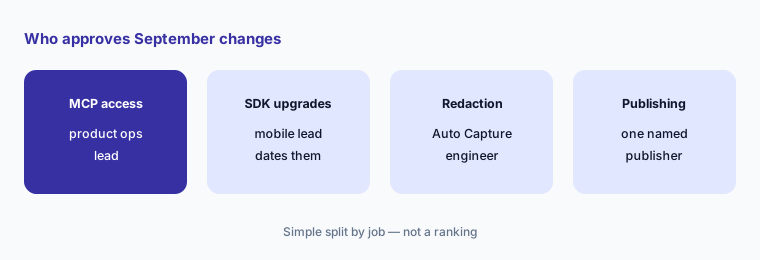
One owner per change:
For MCP access, SDK upgrades, redaction rules, and publishing, write one named owner and one October review date. Have the product ops lead approve the list before anyone connects the MCP or ships a new SDK.
Pricing context (October 2026)
September’s sources didn’t announce price changes. Userpilot’s pricing page (as listed 9 October 2026): Starter $299/mo (up to 2,000 monthly active users, 3 seats); Growth from $849/mo (15 seats); Enterprise “Let’s Talk.” All three list MCP and AI Agent Lia. The page doesn’t say whether the monthly figures assume annual or monthly billing, and offers a 14-day free trial with no credit card.
For our dated review of Lia and Userpilot’s AI features, see Userpilot AI; for a side-by-side with Appcues, see Userpilot vs Appcues.
Uncertainty: We read the 9 September MCP post, the per-platform mobile SDK release notes, the MCP and Offline Mode docs, and the pricing page on 9 October 2026. Userpilot has no single dated changelog, and the pricing page doesn’t date when Lia appeared on every plan. Billing period for the listed prices isn’t stated. The MCP post’s skill count and roadmap items are Userpilot’s own statements. Always verify on Userpilot’s live pages and your contract.
When it’s useful (honest take)
Useful when you run Userpilot on web or mobile and want September’s dated changes with an owner and an action for each.
Useful when people on your team want to connect Claude, Cursor, or Copilot to product data and you need to decide who may create reports and segments that way.
Less useful when you want a full product review — read Userpilot AI — or you don’t ship mobile apps and won’t use the MCP.
Paying for Userpilot and a few other AI tools? The $9 AI toolkit spreadsheet lists every AI subscription you have, what each one costs, and how fast it pays for itself, so you can see which ones are worth the money.
Want someone to do it for you? AI toolkit audit — $19
Related options (educational)
| Need | Better home | Why |
|---|---|---|
| Full review of Userpilot’s AI features | Userpilot AI | Not a changelog |
| Side-by-side with Appcues | Userpilot vs Appcues | Analytics depth, AI agents, MCP |
| Research repository September notes | What’s new in Dovetail (Sep 2026) | Same format |
| Other in-app guidance tools | Appcues AI · Pendo AI | Flows and adoption |
| Inventory research and feedback AI seats | Stack map for research ops | Jobs, tools, overlaps |
FAQ
What did Userpilot change in September 2026?
Per Userpilot’s dated sources: the Userpilot MCP announcement (9 Sep); QR-code previews and test push in Android and iOS SDK 1.3.0 (2 Sep); deep-link handling in React Native 1.2.0 (7 Sep), Flutter 1.2.0 (9 Sep), and Cordova, Capacitor, and MAUI 1.2.0 (29 Sep); and offline analytics in Android and iOS 1.4.0 (27 Sep) and the cross-platform 1.3.0 releases (29 Sep).
Is the Userpilot MCP an extra cost?
Userpilot’s 9 September post says the MCP is available on every plan at no extra cost, and the pricing page lists MCP and AI Agent Lia on Starter, Growth, and Enterprise as of 9 October 2026. Plan feature limits still apply.
Can the MCP see more than I can in Userpilot?
Userpilot says no: each person connects with their own account, and the MCP follows the permissions already assigned to that user. Agent-level authentication is described as planned.
How much does Offline Mode store?
Userpilot’s Offline Mode docs say all supported event types share local storage of up to 3 MB or 5,000 events, whichever comes first; new events aren’t stored once the limit is reached, and switching accounts or logging out clears stored events.
Did Userpilot change prices in September 2026?
The sources we read don’t announce price changes. As listed on 9 October 2026: Starter $299/mo, Growth from $849/mo, Enterprise by quote; the billing period isn’t stated on the page.
Optional next step (if seats overlap)
If product ops pays for Userpilot, a separate analytics tool, and chat assistants that all answer the same adoption questions, fix that overlap before adding another seat. Map the overlap with the $19 AI toolkit audit or the $9 AI toolkit spreadsheet. Email Audit $19 or Toolkit spreadsheet $9.
Checkout is live via Stripe. After you pay, we email delivery (spreadsheet) or intake next steps (audit).