Tool · Privacy & AI governance · OneTrust · Oct 2026
OneTrust AI review (Oct 2026): AI help for privacy, AI governance, and GRC programs
OneTrust is best known for privacy software — cookie consent, data mapping, privacy impact assessments, data subject requests — and now sells itself as the AI-Ready Governance Platform™ covering privacy, consent, data use, tech risk and compliance, third-party management, and AI governance. Its AI shows up in two ways: AI that helps privacy and risk teams (pre-filling assessments from documents, OneTrust Copilot for regulatory research) and tools to govern your company’s own AI (an inventory of models and agents, risk workflows, runtime controls). At TrustWeek in late September 2026 it added CORIE, a shared intelligence layer, with several features in private preview. This page explains each piece and where a privacy owner still approves. Each section has a Try this.
What this OneTrust page covers
This page is for a privacy manager or DPO, an AI governance lead, or a GRC manager at a company that already runs privacy assessments and is now being asked to govern AI. The question it answers: what OneTrust’s AI does inside privacy and risk work, how its AI governance inventory and controls work, and which of the newest features you can actually use today.
A note on names, because OneTrust ships a lot of them. Current ones: AI Governance (with AI Discovery and Registry, Agent Governance, Guardian Agents for runtime oversight, and the AI Guard SDK), Privacy Automation (with AI Document Scanning and AI Inventory Record Analysis), OneTrust Copilot for regulatory research inside DataGuidance, and, announced 29–30 September 2026, OneTrust CORIE (Contextual Orchestration for Reasoning, Intelligence, and Evidence), the AI Control Plane, an MCP Gateway, and the Governance Command Center. OneTrust also has a new CEO, John Heyman, appointed in February 2026.
Ground rules: an AI-filled assessment is a draft, and an inventory entry is a claim about a system until its owner confirms it. A named privacy or AI governance owner approves every assessment, and legal counsel reads regulations, not summaries of them. Facts come from OneTrust’s website and press releases as read on 10 October 2026; its survey results and time-saving percentages are vendor claims and aren’t repeated here.
Major features (with how someone uses them)
Examples at a glance: each feature has a concrete example from a real job plus a short Try this you can run this week.
1. AI Discovery and Registry: the AI governance inventory (primary)
What it is: OneTrust’s AI Discovery and Registry keeps one record per AI system, model, agent, dataset, vendor, project, or use case: what it does, who owns it, how it’s built, what data it uses, and where it is in its lifecycle — proposed, in development, testing, approved, restricted, under reassessment, or retired — with a change history. Declared AI arrives through intake, procurement, and model onboarding; undeclared AI is surfaced through vendor reviews, owner attestations, integrations with cloud and AI platforms, and periodic checks. OneTrust says shadow AI includes SaaS tools that switch on AI features without review and vendors that add AI after you bought them.
No discovery method finds everything, and OneTrust’s own page lists several ways to look rather than one. Start from your own list — what you know people use — and see which entries discovery confirms, which it misses, and which it finds that you didn’t know about. Each entry needs an owner before it needs an assessment.
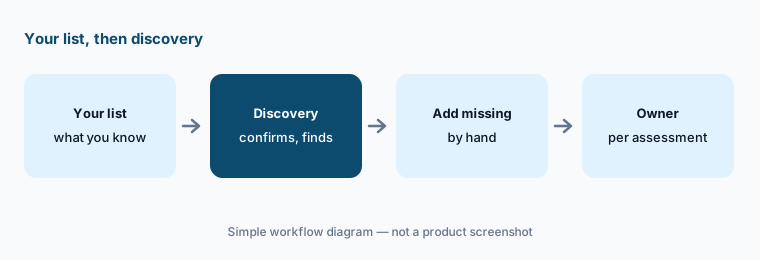
Primary workflow:
List the AI systems your company uses. Check which ones OneTrust’s AI governance inventory would find and who owns each assessment.
2. AI risk assessments and approval workflows
What it is: Each registered AI use case can move through configurable intake, approval, attestation, and signoff workflows, with reviews routed to the right owners based on risk and context. OneTrust provides templates for the EU AI Act, the NIST AI Risk Management Framework, and ISO 42001, automates risk tiering by use case, system, deployment context, or data sensitivity, and can require revalidation when a model, agent, dataset, or usage pattern materially changes. Its homepage shows the shape of it: intake, AI risk assessment, review and approve with privacy, security, and legal reviewers, then monitor and enforce.
The trigger for reassessment matters as much as the first assessment. Agree upfront what counts as a material change — a new data source, a model swap, a new action an agent can take — and who decides, so the approval doesn’t quietly go out of date.
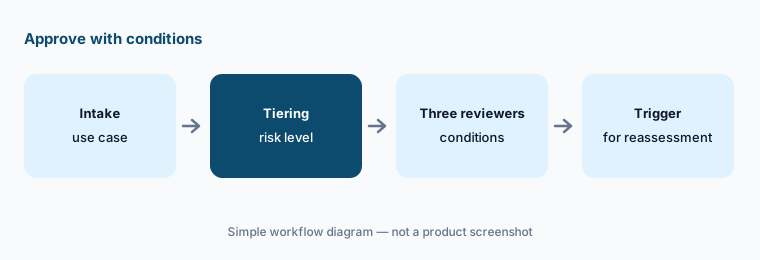
Name the reassessment trigger:
Take one AI use case through intake and approval. Record each reviewer’s conditions and write down exactly which change would force a reassessment.
3. AI-assisted privacy assessments and data mapping
What it is: In Privacy Automation, OneTrust uses “AI-assisted workflows” for privacy risk assessments. AI Document Scanning and AI Inventory Record Analysis auto-populate questionnaires — such as privacy impact assessments — from business plans, contracts, security documents, and inventory records. The same package keeps a data and activity map (records of processing), manages vendor privacy assessments and data processing agreements, and automates data subject requests. At TrustWeek OneTrust also announced AI-Driven RoPA Management, which drafts updates to records of processing from project briefs and contracts for a person to review before they apply — in private preview for winter.
Pre-filled answers are where errors hide, because they look finished. Ask the assessment’s owner to mark each pre-filled answer as confirmed or changed, and treat anything the source document didn’t actually say as unanswered.
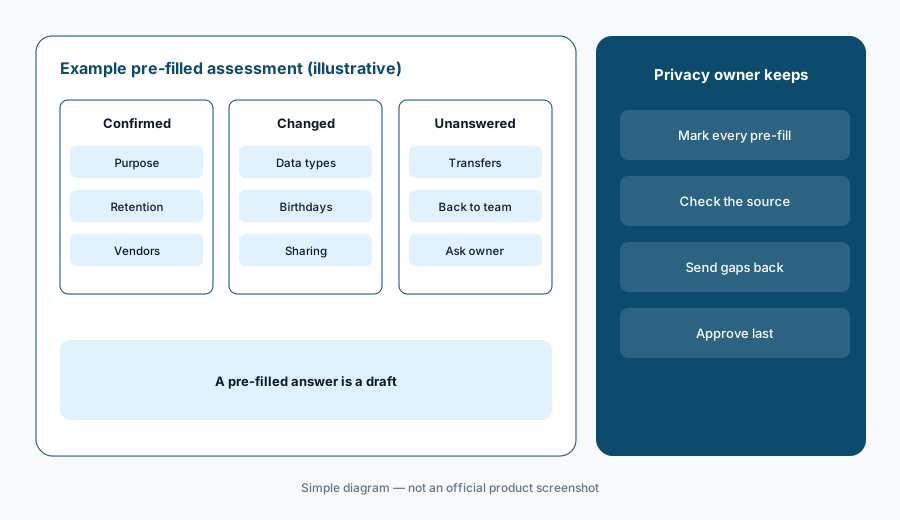
Confirm every pre-fill:
Let OneTrust pre-fill one privacy assessment from a project brief. Have the privacy owner mark every pre-filled answer as confirmed, changed, or unanswered.
4. OneTrust Copilot and DataGuidance for regulatory research
What it is: DataGuidance is OneTrust’s regulatory research service, and OneTrust Copilot is the AI assistant inside it: OneTrust says it helps you understand regulatory updates from its network of legal experts across many jurisdictions and how they apply to your business, with shareable collections and pre-built templates. It appears in the Privacy Automation package (DataGuidance is also listed as its own product), and OneTrust’s pricing page lists understanding “the operational impact of regulatory changes with DataGuidance intelligence” in the base package.
A summary of a law is research, not advice. Use Copilot to find what changed and where, then have counsel read the cited source before anyone rewrites a policy or a notice.
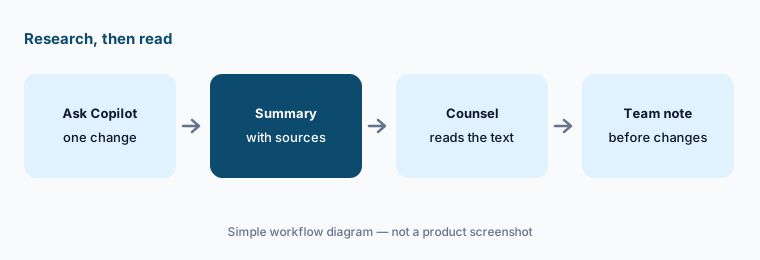
Read the source:
Ask Copilot about one regulatory change that affects you. Have counsel read every cited source and note where the summary was broader or narrower than the text.
5. Agent governance: Guardian Agents and the AI Guard SDK
What it is: For AI agents, OneTrust registers each one with its purpose, the tools and APIs it may call, the data it may reach, its environment, and its owner. Policy objects turn that scope into runtime rules that block, escalate, or route an action outside its boundaries, and exceptions need an owner, an expiry date, and a reason. Guardian Agents monitor agent behavior across Amazon Bedrock and AgentCore, Microsoft Azure AI Foundry, Databricks, and the Gemini Enterprise Agent Platform. The Python AI Guard SDK inspects prompts and outputs and can block, redact, or escalate sensitive data, including in testing before an agent goes live. OneTrust also governs which tools an agent may call through MCP.
Runtime controls only help if the registered scope is right. Write the scope narrowly, test the agent against it before launch, and review the first month of blocks and escalations with the agent’s owner — each one is either a real catch or a sign the scope is wrong.
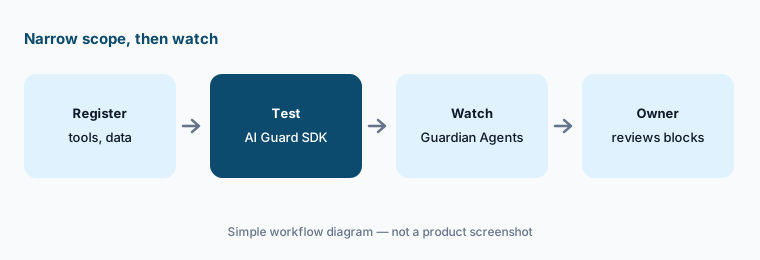
Narrow scope, then watch:
Register one internal agent with a narrow list of tools and data. Test it with the AI Guard SDK before launch, then review every block and escalation with its owner for a month.
6. CORIE and the TrustWeek 2026 previews
What it is: On 29–30 September 2026 OneTrust introduced CORIE, a shared intelligence layer built from three parts: a Trust Graph mapping AI systems to data, vendors, identities, and consent signals; a Reasoning Engine that uses your policies and past decisions; and an Evidence Ledger recording what policy applied and what happened. The AI Control Plane applies it at runtime: an agent action proceeds, is blocked, or waits for human approval. Several features are previews, per OneTrust’s own release: the MCP Gateway (connecting OneTrust to ChatGPT, Claude, Copilot, and Glean), AI-Driven Assessments with conversational assessment agents, Posture Management for Regulations, and Conversational Consent are private preview in fall; AI-Driven RoPA Management is private preview in winter; Risk, Issue, and Control Recommendations are expected to be generally available in winter.
Announcements and contracts are different things. Before you plan around a TrustWeek feature, ask which items are generally available in your region and contract, which are private preview, and what preview terms mean for data handling and support.
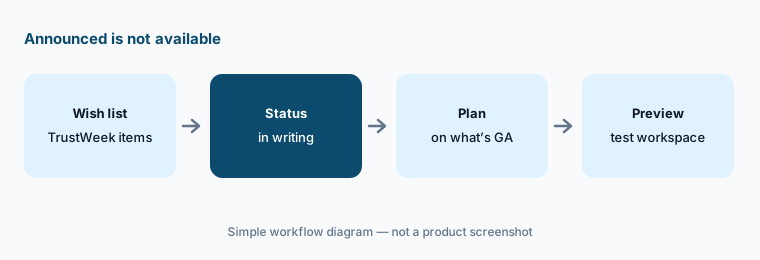
Status in writing:
List the TrustWeek 2026 features you care about. Ask OneTrust to confirm in writing which are generally available in your contract and which are still in preview.
Pricing context (October 2026)
OneTrust publishes no prices (checked 10 Oct 2026). Its pricing page lists packages with “Get Pricing” buttons and offers a personalized quote, so pricing is quote-only. See onetrust.com/pricing.
What drives each quote, per that page: AI Governance by admin users and AI inventory; Privacy Automation (Base or Suite) by users and privacy asset inventory; Tech Risk & Compliance by admin users and asset inventory; Third-Party Risk Management by admin users and third-party inventory; consent products by average daily visitors or data subject profiles. Ask how the size of your AI inventory changes the AI Governance price, and whether Copilot and the AI-assisted assessment features are included in your package.
Uncertainty: OneTrust doesn’t publish prices, so we can’t say what a contract costs. Many September 2026 announcements (MCP Gateway, AI-Driven Assessments, posture management, conversational consent, RoPA management) are private previews, and the release gives seasons rather than dates. Runtime monitoring covers named AI platforms only, so agents elsewhere may not be seen. Survey results and time savings quoted on OneTrust’s pages are vendor claims or vendor-commissioned studies.
When it’s useful (honest take)
Useful when a privacy or GRC team already runs assessments, data maps, or consent in OneTrust and now has to govern AI too — one inventory and one workflow for privacy, security, and legal reviews — with named owners who confirm every pre-filled answer and approve every use case.
Less useful when you are a small company that needs a cookie banner and a privacy policy, you mainly need security compliance evidence for SOC 2, nobody will own the AI inventory, or you want an assistant to tell you what a law means. Counsel still reads the law.
Paying for OneTrust AI and a few other AI tools? The $9 AI toolkit spreadsheet lists every AI subscription you have, what each one costs, and how fast it pays for itself, so you can see which ones are worth the money.
Want someone to do it for you? AI toolkit audit — $19
Related options (educational)
| Need | Better home | Why |
|---|---|---|
| Privacy assessments plus an AI governance inventory | OneTrust AI (this page) | AI registry, privacy automation, Copilot |
| Finding SaaS and AI apps people already use | Nudge Security | Discovery, employee nudges |
| Audit, SOX, and AI governance in one platform | AuditBoard AI (now Optro) | Audit-led GRC with AI governance |
| Risk registers with AI governance agents | LogicGate AI | Intake and assessment agents |
| Evidence collected as data from systems | Anecdotes AI | Data Engine, agents, ChatGRC |
| Security compliance and questionnaires | Vanta AI or Drata AI | SOC 2 and ISO evidence, trust centers |
FAQ
What is OneTrust AI?
There isn’t one product called OneTrust AI. OneTrust uses AI inside its privacy and risk tools — pre-filling assessments from documents, OneTrust Copilot for regulatory research — and sells AI Governance to inventory, assess, and control your company’s own models and agents. CORIE, announced in September 2026, is the shared intelligence layer across the platform.
Can OneTrust find all the AI tools our company uses?
Not on its own. OneTrust combines intake, procurement records, vendor reviews, owner attestations, and integrations with supported cloud and AI platforms. Start from your own list, compare, and add what discovery misses, such as tools bought on personal cards.
How much does OneTrust cost in October 2026?
OneTrust publishes no prices (checked 10 October 2026); every package is quote-only. AI Governance is priced by admin users and AI inventory, Privacy Automation by users and privacy asset inventory, and Tech Risk & Compliance by admin users and asset inventory.
What is OneTrust CORIE?
CORIE (Contextual Orchestration for Reasoning, Intelligence, and Evidence) is a shared intelligence layer OneTrust introduced on 29 September 2026. It combines a Trust Graph, a Reasoning Engine, and an Evidence Ledger so policies can be applied to agent actions at runtime, with a record of what happened.
Is OneTrust’s MCP Gateway available now?
Not generally. OneTrust’s 30 September 2026 release lists the MCP Gateway, which connects OneTrust to ChatGPT, Claude, Copilot, and Glean, as a private preview in fall. Confirm status for your contract.
Optional next step (if seats overlap)
If privacy, security compliance, vendor risk, and AI governance each have their own platform and their own AI add-on, that overlap is worth mapping. Map the overlap with the $19 AI toolkit audit or the $9 AI toolkit spreadsheet. Email Audit $19 or Toolkit spreadsheet $9.
Checkout is live via Stripe. After you pay, we email delivery (spreadsheet) or intake next steps (audit).