Tool · Risk & compliance · LogicGate · Oct 2026
LogicGate AI review (Oct 2026): Risk Cloud AI for GRC workflows
LogicGate makes Risk Cloud®, a no-code GRC platform where risk, compliance, vendor, and audit programs run as configurable Applications on a connected graph of risks, controls, assets, and vendors. Its AI comes in three layers: foundational AI built into the platform (it used to be branded Spark AI) for drafting, form autofill, record-linking suggestions, and automated control testing; GRC Agents, generally available since the Summer 2026 release for enterprise risk, third-party risk, AI governance, and business continuity; and Config Newton, an agent LogicGate’s own team uses to build customer programs. The website moved to logicgate.ai this year. This page explains each layer and where a risk owner still decides. Each section has a Try this.
What this LogicGate page covers
This page is for an enterprise risk manager, a compliance lead, a third-party risk analyst, or a GRC administrator who builds workflows in Risk Cloud. The question it answers: what LogicGate’s AI and agents do inside risk and control workflows today, what is still coming, and where a risk owner has to accept or reject the result.
A note on names. LogicGate’s Summer 2026 release says its foundational AI skills, “previously branded as Spark AI,” are now built into Risk Cloud rather than sold as a separate layer. GRC Agents entered early access in the Spring 2026 release and are now generally available in four Applications: Enterprise Risk Management, Third-Party Risk Management, AI Governance, and Business Continuity Management. Each has an Intake, Assessment, and Insights agent pattern. Config Newton is what LogicGate calls an “agentic GRC engineer.” An MCP server and more agents are announced as coming next.
Ground rules: LogicGate says its agents are “not a replacement for human judgment” and that humans stay in the loop as final approvers. An agent that fills an assessment or suggests linked controls is proposing; the risk owner accepts or rejects. Facts come from LogicGate’s website and blog as read on 10 October 2026; its hours-saved, ROI, savings, and implementation-time figures are vendor claims and aren’t repeated here.
Major features (with how someone uses them)
Examples at a glance: each feature has a concrete example from a real job plus a short Try this you can run this week.
1. ERM agents and linked-control suggestions (primary)
What it is: In the Enterprise Risk Management Application, the Enterprise Risk Intake Agent pre-fills new risk records, reviews the details and supporting documents, triages risks across domains, and routes them for assessment. The Enterprise Risk Assessment Agent evaluates a risk against your defined framework, fills the assessment fields with rationales, identifies control gaps, and creates linked mitigation records. Underneath, Risk Cloud’s foundational AI makes record-linking recommendations — which controls, assets, or other records a risk should connect to — and the Summer 2026 release added Bulk Record Linking to generate those suggestions for hundreds of records at once.
A suggested link between a risk and a control is a claim that the control reduces that risk. The risk owner is the person who knows whether it really does — and whether the control actually runs. Have them accept or reject each suggestion with a one-line reason, so the register reflects their judgment, not the model’s.
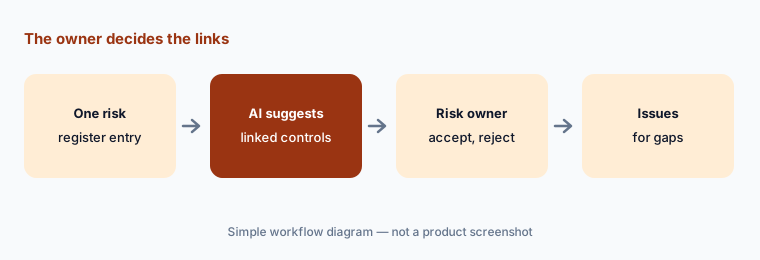
Primary workflow:
Pick one risk register entry. Let LogicGate’s AI suggest the linked controls and have the risk owner accept or reject each.
2. Foundational AI: drafting and form autofill
What it is: Risk Cloud’s foundational AI drafts risk and compliance material — policies, team emails, and other documents — based on industry practice, external information, and your requirements, and completes form fields from existing documentation or a prompt. LogicGate also lists analysis of large cross-domain datasets and the record-linking suggestions above. Since the Summer 2026 release these skills are part of the platform rather than a separate Spark AI product, available to people and to agents.
Autofill is fastest where the source document is good and slowest to fix where it isn’t. Check autofilled fields against the source for the first few records of any new form, and keep a field blank rather than accept a guess.
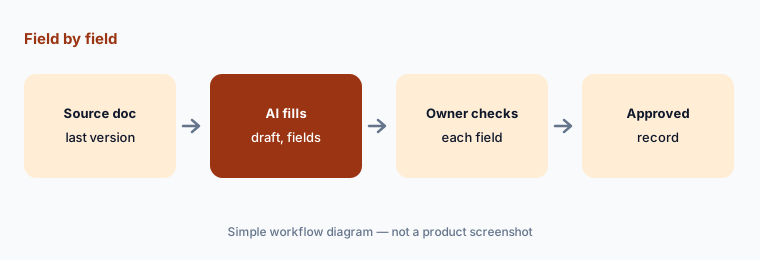
Field by field:
Autofill one new record from a source document. Check every filled field against the source and leave blank anything the document doesn’t say.
3. Automated Control Testing
What it is: Automated Control Testing evaluates linked evidence records as they are submitted and gives a control-level pass or fail with a detailed rationale, flagging critical gaps immediately instead of at the next audit. LogicGate says it works across 30+ security and privacy frameworks, alerts control owners when the documentation shared is insufficient, and feeds dashboards for cross-framework status, open issues, and corrective actions. It is a first-pass review; LogicGate positions it as helping teams scope audit work around AI-flagged gaps.
A pass with a rationale is still the model’s reading of the evidence. Compare its results with a set of controls whose answer you already know — ideally from your last external audit — before you trust it to decide which controls get a human look.
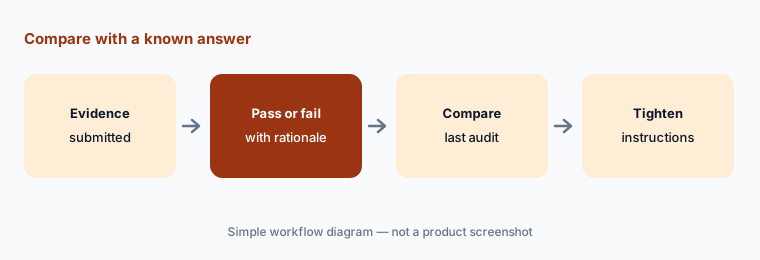
Compare with a known answer:
Run Automated Control Testing on ten controls your auditor tested last year. Note every disagreement and the evidence that caused it.
4. GRC Agents for third-party risk, AI governance, and continuity
What it is: The same agent pattern runs in other Applications. In Third-Party Risk Management, LogicGate describes agents that route vendors based on risk signals, complete formal assessments, and flag findings for human-led remediation. In AI Governance, an Intake Agent pre-fills AI use case requests and suggests an assessment route, an Assessment Agent evaluates each use case against your framework (LogicGate cites NIST AI RMF), identifies control gaps, and creates linked findings and mitigations, and an Insights Agent builds reports and a chat view. Business Continuity Management is the fourth Application with agents. LogicGate says every agent action is logged and explainable.
Intake triage is the safest place to start: an agent that pre-fills and routes saves time without deciding anything. Let a reviewer approve its routing for the first batch, then decide whether assessments can be agent-drafted as well.
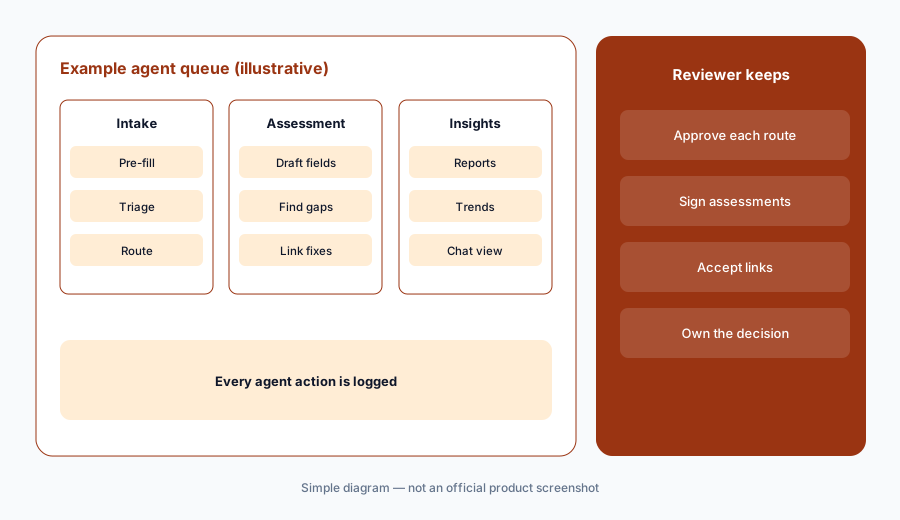
Routing first:
Let the Intake Agent pre-fill and route your next ten AI use case or vendor requests. Have a reviewer approve each route before any agent drafts an assessment.
5. GRC Lifecycle Management and Config Newton
What it is: GRC Lifecycle Management, new in the Summer 2026 release, syncs your live Risk Cloud instance to a development environment so you can build and test workflow changes without breaking a process someone depends on. Config Newton is LogicGate’s “agentic GRC engineer”: it builds Applications from natural-language requirements through Risk Cloud’s API and writes executive summaries, data diagrams, requirement documents, test scripts, and training manuals. LogicGate’s FAQ says Newton is currently used by its implementation team, is overseen by people who approve its outputs before and after generation, runs on an OpenAI model, and is planned as an in-platform agent in 2027.
Whether a person or an agent builds the workflow, the test is the same: run the change in the development copy with the people who use the workflow, then promote it. Ask your implementation team which parts of your build Newton produced and see the review notes.
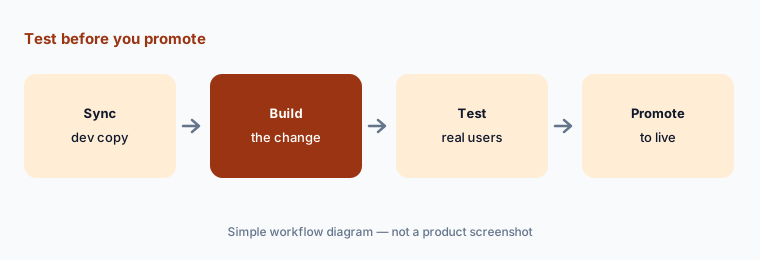
Test before you promote:
Make your next workflow change in a synced development environment. Have two real users run three records through it before you promote it.
6. What’s announced next: MCP access and more agents
What it is: LogicGate lists several items as coming rather than available: MCP Server Access, so users can query Risk Cloud data from the AI assistant of their choice with permission-based access (“up next” in the Summer 2026 release); a new Insights Agent for reporting this fall; and agents for Cyber Risk Management, Policy & Procedure Management, Incident Management, and Issues Management. Config Newton as a customer-facing agent is planned for 2027. Recent platform changes that are available include upgraded search, more report customization, new integrations (Smartsheet, Ironclad, Box, Microsoft Planner) among 200+, and a Provision 29 compliance Application co-developed with PwC.
Roadmaps move. If an announced feature is the reason you are buying or renewing, get its status and expected date in writing, and plan the first year around what is already generally available.
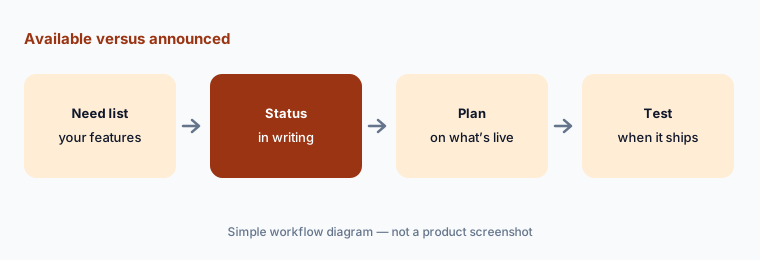
Available versus announced:
List the LogicGate features you are counting on. Mark each as available today or announced, and get dates in writing for the announced ones.
Pricing context (October 2026)
LogicGate publishes no prices (checked 10 Oct 2026); its pricing page describes the model and asks you to contact sales. See logicgate.ai/platform/pricing.
How it is priced: you buy the Applications you need (LogicGate lists 30+, such as Enterprise Risk Management or Third-Party Risk Management) plus Power User licenses for the administrators who build and manage your program. Standard Users (who view records, complete tasks, and use reports) and External Users (who answer questionnaires) are included at no extra cost. Add-on features such as Risk Cloud Quantify and implementation, professional, and integration services are priced separately. Ask whether GRC Agents are included in each Application’s price.
Uncertainty: LogicGate doesn’t publish prices or say whether GRC Agents cost extra. Its June 2026 Agility recap said agents would become widely available in “late 2026 and early 2027,” while the Summer 2026 release (updated 2 September) says they are generally available in four Applications — confirm what is live in yours. MCP Server Access, the new Insights Agent, more agents, and in-platform Config Newton are announced, not available. Hours-saved, ROI, and savings figures on its site are vendor projections or customer-reported claims.
When it’s useful (honest take)
Useful when a risk or compliance team already runs its register, controls, or vendor program in Risk Cloud and wants AI to draft, link, and do first-pass assessments — with named risk owners who accept or reject each suggestion and an administrator who tests changes before they go live.
Less useful when you are a small team looking for a guided first SOC 2, you don’t have someone to configure Applications, you need features that are only announced, or you want agents to make risk decisions. LogicGate says humans stay the final approvers.
Paying for LogicGate AI and a few other AI tools? The $9 AI toolkit spreadsheet lists every AI subscription you have, what each one costs, and how fast it pays for itself, so you can see which ones are worth the money.
Want someone to do it for you? AI toolkit audit — $19
Related options (educational)
| Need | Better home | Why |
|---|---|---|
| Configurable risk and control workflows with agents | LogicGate AI (this page) | Risk Cloud agents, control linking |
| Internal audit and SOX workpapers | AuditBoard AI (now Optro) | Narratives, fieldwork, autonomous testing |
| Evidence collected as data from systems | Anecdotes AI | Data Engine, agents, ChatGRC |
| Privacy and AI governance programs | OneTrust AI | AI inventory, privacy assessments |
| Multi-framework compliance mapping | Hyperproof AI | Control mapping, risk registers |
| Risk inside your service management tool | ServiceNow AI | Same platform as IT tickets |
FAQ
What is LogicGate AI?
LogicGate’s AI lives inside Risk Cloud in three layers: foundational AI skills (formerly branded Spark AI) for drafting, autofill, record-linking suggestions, and automated control testing; GRC Agents for intake, assessment, and insights in four Applications; and Config Newton, an agent LogicGate’s team uses to build programs.
Which LogicGate GRC Agents are available now?
LogicGate’s Summer 2026 release says GRC Agents are generally available in Enterprise Risk Management, Third-Party Risk Management, AI Governance, and Business Continuity Management. An Insights Agent and agents for cyber risk, policy, incident, and issues management are announced for later.
How much does LogicGate cost in October 2026?
LogicGate publishes no prices (checked 10 October 2026). You pay for the Applications you use and for Power User licenses for administrators; Standard and External users are included. Add-on features and services are priced separately.
Do LogicGate’s agents make risk decisions?
No. LogicGate says agents handle high-volume, low-risk work, every action is logged and explainable, and humans stay in the loop as final approvers. Suggested links and agent-drafted assessments still need the risk owner’s acceptance.
What happened to Spark AI?
LogicGate says Spark AI hasn’t gone away: its foundational AI skills, previously branded Spark AI, are now built directly into the Risk Cloud platform instead of sitting as a separate product layer.
Optional next step (if seats overlap)
If risk, compliance, vendor risk, and audit each pay for separate GRC tools with overlapping AI features, that overlap is worth mapping. Map the overlap with the $19 AI toolkit audit or the $9 AI toolkit spreadsheet. Email Audit $19 or Toolkit spreadsheet $9.
Checkout is live via Stripe. After you pay, we email delivery (spreadsheet) or intake next steps (audit).