Compare · Product analytics · Session replay AI · Oct 2026
Fullstory vs LogRocket (Oct 2026): session replay with AI for product and engineering
Fullstory and LogRocket both record what people do in your web or mobile app so a team can replay a session and see what went wrong. Both now put AI on top: Fullstory’s StoryAI and LogRocket’s Galileo read thousands of sessions and tell you where to look. This page compares them by main user (product and UX versus engineering), how each AI finds issues, and privacy defaults — not as a ranking — with a Try this for each.
What this comparison covers
This page is for a product manager, a UX researcher, a support lead, or a frontend or mobile engineering lead choosing a session replay tool — or deciding whether the one they have suits the team that uses it most — who wants to know what each AI actually does with the recordings and what each tool captures before anyone has set privacy rules.
The short version: Fullstory leans toward product, UX, and support questions — where users struggle, which friction costs the most, what a frustrated high-value customer just experienced — and captures privately by default. LogRocket leans toward engineering — JavaScript and network errors, slow requests, crashes — and turns high-severity problems into Issues that can go straight to a ticket or a coding agent; it records everything except passwords unless your developers mark fields private. Both have an MCP server that brings session data into Claude, Cursor, and other AI tools.
Prices and plan details were re-checked on both vendors’ pricing pages on 9 October 2026. Feature facts match our Fullstory AI review (vendor pages read 8 October 2026) and LogRocket AI review (read 9 October 2026). Accuracy and speed figures on either site are vendor claims.
| Question | Fullstory | LogRocket |
|---|---|---|
| Leans toward | Product, UX, and support: friction, funnels, conversion | Engineering: errors, network requests, performance, bug hand-off |
| AI name | StoryAI (Google Gemini models) | Galileo (AI providers: OpenAI and Google Cloud) |
| How the AI finds issues | Opportunities ranks friction by estimated revenue impact; Issue Investigator and monitoring agents (early access) | Galileo scores Signals for severity; high scorers become Issues (2026 Beta) |
| From finding to fixing | Release Analyzer, VIP Frustration alerts to support; Fullstory MCP | Ticket or coding-agent dispatch (Cursor or Claude) from each Issue; LogRocket MCP |
| Privacy default | Private by default: sensitive data excluded, masking in the browser | Passwords never recorded; other fields recorded unless marked private |
| Published prices | Free plan only (30,000 sessions a month, up to 10 users); paid plans by quote | “Starting at $176 / month” at 25,000 sessions, annual; Galileo on Pro |

Major features (with how someone uses them)
Examples at a glance: each feature has a concrete example from a real job plus a short Try this you can run this week.
1. Time each AI on one known bug (primary)
What it is: Demos show the AI finding a problem the vendor already knows about. A fairer test is a bug you already know about — one that has been fixed, so you know exactly which sessions show it — and a stopwatch. In Fullstory, ask StoryAI — or, if your account has early access to StoryAI Agents, describe it to Issue Investigator or Session Finder. In LogRocket, ask Ask Galileo or look for it in the Issues list. Stop the clock when you are watching a session that truly shows the bug, not when the AI returns an answer.
Run it with the people who would use the tool every day. If a product manager finds the session faster in one tool and an engineer in the other, that tells you more than any feature list about who the tool is really for.
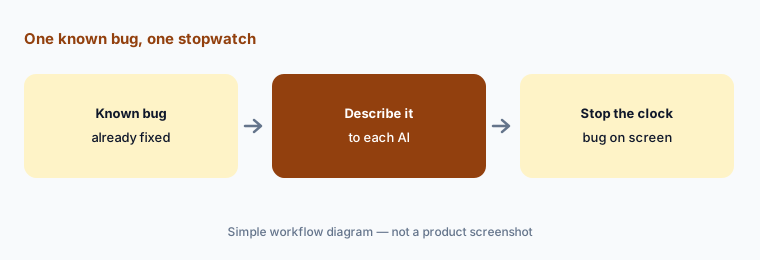
Primary workflow:
Pick one known bug. Time how long each tool’s AI takes to find a session that shows it. Stop the clock only when you are watching the bug happen, and note what each tool showed next to the replay.
2. Main user: product and UX vs engineering
What it is: Fullstory is built so product, UX, support, and engineering share the same evidence, with most of its AI aimed at the first three: Opportunities surfaces friction and ranks it by estimated revenue impact, Conversion Optimizer looks at why users drop out of a key flow, and the VIP Frustration monitoring agent sends a high-value user’s frustrating session to support. Plan add-ons include Guides and Surveys. LogRocket pairs replay with error monitoring and frontend performance data; its Signals are JavaScript and network errors, rage and dead clicks, error states, mobile crashes, and slow requests, and every Issue in the 2026 beta leads with a fix action — a Linear, Jira, or Azure DevOps ticket, or a coding agent.
Both serve both audiences; the difference is where the defaults point. Ask who will open the tool every morning. If it is a product manager looking at funnels, Fullstory’s framing fits; if it is an engineer looking at errors, LogRocket’s does.
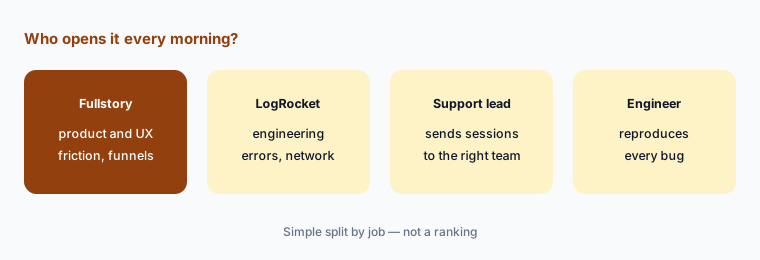
Count the real users:
List who opened your current replay or analytics tool last month and how often. Ask each vendor to demo the job of your most frequent user, not their default persona.
3. How the AI finds issues: Opportunities and StoryAI agents vs Galileo severity and Issues
What it is: Fullstory’s StoryAI, which Fullstory says runs on Google’s Gemini models, finds issues three ways: Summaries across many sessions, Ask StoryAI for plain-English questions, and Opportunities, which surfaces friction such as dead clicks and errors on key pages and ranks it by estimated revenue impact. StoryAI Agents (announced 16 June 2026, early access) add on-demand Expert agents — Issue Investigator, Conversion Optimizer, Release Analyzer, Session Finder — and always-on Monitoring agents; Fullstory says every output links back to session replays. LogRocket’s Galileo scores every Signal for severity; in the 2026 Issues beta, a Signal over Galileo’s threshold becomes a High-priority Issue with an AI analysis, affected-session count, and AI feature labels. Galileo Highlights summarizes up to 10 of one user’s sessions with jump links, and Ask Galileo (launched 6 March 2026) answers questions with charts and session playlists.
The rankings answer different questions. Fullstory’s revenue figure is its estimate from your traffic, a way to prioritize, not money you will recover. LogRocket’s severity score is owned by Galileo and can’t be set by hand, though people can change an Issue’s priority. In both, watch the attached sessions before you believe the ranking.
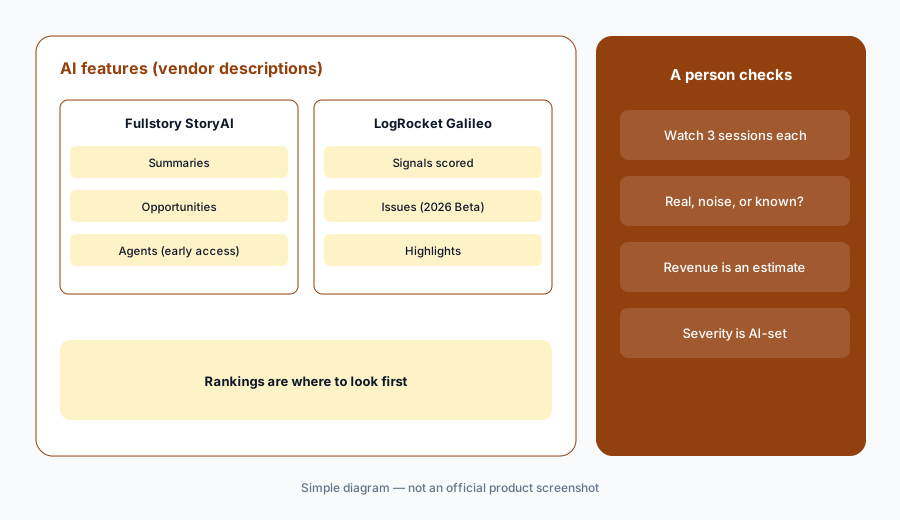
Watch before you believe:
Take the top three items each tool’s AI ranks this week. Watch at least three sessions behind each and mark which were real problems, which were noise, and which you already knew.
4. From finding to fixing: agents, tickets, and MCP
What it is: LogRocket goes furthest toward the fix. Each Issue in the 2026 beta can create or link a ticket, or dispatch a coding agent (Cursor or Claude) that gets a Galileo debug package and opens a pull request; an optional auto-dispatch setting launches an agent whenever Galileo opens an Issue from a new severe Signal. The hosted LogRocket MCP lets Cursor, Claude Code, Codex, and other clients query sessions, metrics, and issues, with toolsets you can limit; the pricing page lists 500 free API/MCP credits a month on Pro and 2,000 on Enterprise. Fullstory points its agents at follow-through rather than code: Release Analyzer checks what changed for users after a release, Release Health Monitor watches each one, and findings go to Slack or email. The Fullstory MCP — a Verified connector in Claude’s directory, with a Claude Code plugin — brings segments, funnels, and frustration data into AI tools; an org admin enables it first.
Leave LogRocket’s auto-dispatch off until your team has watched the manual path for a few weeks. An agent’s pull request is a suggestion: the engineer who owns that code reproduces the bug, reads every changed line, and a second reviewer approves. With either MCP, session data also lands in the AI tool’s chat history, so check that tool’s data settings first.
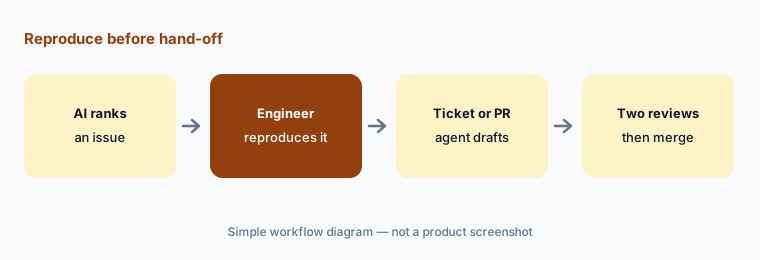
Reproduce before hand-off:
Pick one AI-ranked issue. Have an engineer reproduce it before any ticket or agent pull request is created, and write the reproduction steps into the ticket.
5. Privacy defaults: private by default vs mark-what’s-private
What it is: This is the sharpest difference. Fullstory says its capture is private by default: sensitive data is excluded by default and personal data can be masked so it never leaves the user’s browser or device. It lists sensitive data detection, configurable form privacy, a consent API, deletion and export for GDPR and CCPA requests, and IP, location, and user-agent restrictions. LogRocket says password fields are never recorded; anything else is hidden when developers add a data-private attribute or turn on SDK sanitizing for text, inputs, and images, and network request and response bodies, headers, and URLs need their own exclusions. LogRocket says hidden data is never sent to its servers, Highlights sees only what you would see, and it offers a self-hosted option on Enterprise.
Neither default replaces your own work. With LogRocket, budget developer time to mark private fields before recording real users. With Fullstory, still review free-text fields that could hold personal details. In both, your consent banner and privacy policy apply, and your privacy owner should approve the setup before the AI reads any sessions.
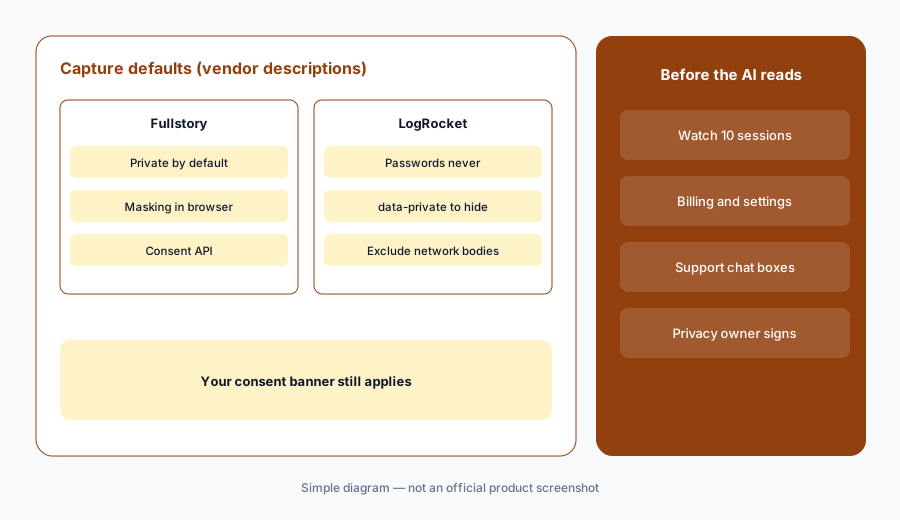
Ten-session privacy check:
With your privacy owner, watch ten recorded sessions from pages with personal data in each tool. Fix every visible field or network body before the AI is switched on.
6. Pricing transparency, where each fits, and when neither is the answer
What it is: Fullstory publishes its free plan — FullstoryFree, 30,000 sessions a month, 12 months of retention, up to 10 users (as listed 9 Oct 2026) — and says Dashboards and StoryAI need a paid plan; Business, Advanced, and Enterprise are by quote. LogRocket shows “Starting at $176 / month based on annual plan savings” at its default 25,000 sessions a month, with Galileo in the Pro plan, which it says is available below 100,000 sessions “at a higher price than Core” — so the $176 starting figure may not include Galileo. Fullstory fits product-led teams that want replay-based evidence for product, UX, and support with privacy on by default. LogRocket fits engineering-led teams that want replays tied to errors and network data, and a path from issue to ticket or pull request.
Other homes: Contentsquare for zones, journeys, and heatmaps aimed at digital teams; PostHog for analytics, replay, and flags in one developer-friendly suite; Sentry when stack traces and backend errors matter more than replays. With low traffic, watching sessions yourself on a free plan may be enough.
Price at your volume:
Set LogRocket’s pricing slider to your monthly sessions and ask which plan the number is for. Ask Fullstory for a quote at the same volume that names which StoryAI features are included.
Pricing context (October 2026)
Fullstory publishes its free plan but not paid prices (as listed 9 Oct 2026). FullstoryFree is a permanent free plan with no card: 30,000 sessions a month, 12 months of data retention, and up to 10 users, with session replay, basic analytics, and debugging tools. Fullstory says Dashboards, StoryAI, and higher session limits need a paid plan; Business, Advanced, and Enterprise show “Request pricing & demo”. See fullstory.com/plans.
LogRocket publishes a starting price (as listed 9 Oct 2026): at the pricing page’s default of 25,000 sessions a month, “Starting at $176 / month based on annual plan savings,” with unlimited analytics events, error events, and logs. Plans are Core (fewer than 100,000 sessions a month), Pro (includes Galileo AI; available below 100,000 sessions at a higher price than Core), and Enterprise (quoted). Pro lists 500 free API/MCP credits a month, Enterprise 2,000. There is a 14-day free trial with no card. See logrocket.com/pricing.
Uncertainty: We read LogRocket’s $176 figure at its default 25,000-session setting on 9 October 2026; a static read did not show whether it is the Core or Pro price, so set the slider to your volume and plan. No Fullstory paid price is public. Fullstory’s StoryAI Agents are early access and its MCP is labelled beta in its developer docs; LogRocket’s Issues experience and several signal types are labelled beta. Both may change.
When it’s useful (honest take)
Fullstory is useful when product, UX, and support teams need shared, replay-based evidence of what users experienced, traffic is too high to watch by hand, and you want capture that starts private — with someone checking the sessions behind every AI finding.
LogRocket is useful when engineers are the daily users, you want replays tied to errors, network requests, and performance, and you want a path from a ranked Issue to a ticket or coding-agent pull request — with developers marking private fields and an engineer reproducing every bug.
Less useful when (either one) traffic is low enough to review sessions directly, your questions are chart questions an analytics tool already answers, or sensitive pages make full capture hard to justify. AI rankings are a place to start looking, not a finding.
Still choosing between Fullstory and LogRocket? The $19 AI toolkit audit gives you a written plan for which tools to keep using and which to drop across your whole AI stack, including this pair.
Prefer to do it yourself? Spreadsheet — $9
Related options (educational)
| Need | Better home | Why |
|---|---|---|
| Replay-based evidence for product, UX, and support | Fullstory AI | StoryAI, Opportunities, private by default |
| Replay tied to errors and engineering triage | LogRocket AI | Galileo severity, Issues beta, coding-agent hand-off |
| Zones, journeys, and heatmaps for digital teams | Contentsquare AI | Sense AI over experience analytics |
| Analytics, replay, and flags in one suite | PostHog AI | Developer-friendly, one bill |
| Stack traces and backend errors | Sentry AI | Error monitoring first |
| Guiding users past the problem in-app | Userpilot AI or Appcues AI | Flows and checklists after you find friction |
FAQ
Is Fullstory or LogRocket better?
Neither in general, and this page is not a ranking. Fullstory leans toward product, UX, and support questions and captures privately by default. LogRocket leans toward engineering triage, with errors, network data, and coding-agent hand-off, and expects developers to mark private fields. Time both on one known bug with the people who would use the tool daily.
How much do Fullstory and LogRocket cost in October 2026?
Fullstory publishes only its free plan (30,000 sessions a month, up to 10 users); paid plans are by quote and StoryAI needs a paid plan. LogRocket shows “Starting at $176 / month” at 25,000 sessions on annual billing; Galileo is in the Pro plan, priced above Core. As listed on 9 October 2026.
What is the difference between StoryAI and Galileo?
StoryAI (Fullstory, on Google’s Gemini models) summarizes sessions, answers questions, ranks friction by estimated revenue impact, and runs early-access agents such as Issue Investigator. Galileo (LogRocket) scores Signals for severity, turns severe ones into Issues, summarizes a user’s sessions with Highlights, answers questions in Ask Galileo, and can hand Issues to a coding agent.
Which one masks personal data by default?
Fullstory says capture is private by default, with sensitive data excluded and masking in the browser. LogRocket never records password fields, but records other fields unless developers mark them data-private or turn on sanitizing, and network bodies and headers need their own exclusions. Check ten sessions with your privacy owner in either tool.
Can either tool fix bugs automatically?
LogRocket’s 2026 Issues beta can dispatch a Cursor or Claude coding agent that opens a pull request, by hand or automatically for new severe issues. Fullstory’s agents investigate and alert but do not open pull requests. Any agent pull request needs an engineer to reproduce the bug, review every line, and a second approval.
Optional next step (if seats overlap)
If product pays for one replay tool, engineering pays for another, and both overlap with your analytics and error monitoring, that overlap is worth mapping before renewal. Map the overlap with the $19 AI toolkit audit or the $9 AI toolkit spreadsheet. Email Audit $19 or Toolkit spreadsheet $9.
Checkout is live via Stripe. After you pay, we email delivery (spreadsheet) or intake next steps (audit).