How-to · Finance ops · Microsoft 365 Copilot · Oct 10, 2026
Draft a variance note inside Excel with Microsoft 365 Copilot
“Variance note” here means a short explanation of a gap that is already in your workbook (actual against budget, or against last period). It is not inventing amounts, causes, or board-ready claims from empty cells.
Who this is for
Finance and ops leads whose workbooks already live in Microsoft 365 (OneDrive or SharePoint) and who have, or are weighing, Microsoft 365 Copilot for drafting inside Excel. If Google Sheets is the file home, start with Gemini vs Copilot for ops instead of forcing a Copilot seat. If you are about to buy Copilot only for one variance memo while another chat assistant already drafts it, read Three checks before you add another AI seat first.
How to do it
This page is a how-to. It is not a ranking of office AI products. The Microsoft 365 Copilot review covers the features and licensing; this page is the narrower month-end routine: one workbook, one selected table, three bullets, and a named person who locks the numbers. Confirm Copilot is turned on for Excel in your organization’s Microsoft 365 setup before you treat this as a workflow.

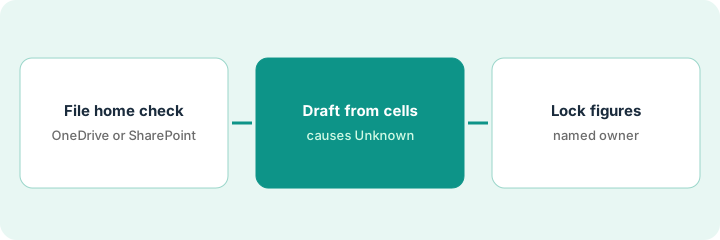
1. Step 1 — Confirm the file lives in Microsoft 365
What it is: Make sure the workbook that holds actual against budget (or against last period) opens from OneDrive or SharePoint with Copilot available, not a local copy on someone’s desktop.
- Open the file from the company library.
- Name the two columns or sheets that define the variance (Actual, Budget or Prior).
- Note the period and currency. Leave blank fields as Unknown.
- If the real home is Google Sheets, stop and read Gemini vs Copilot for ops instead.
Copilot in Excel works best on a clean table with headers. If the variance lives in a pile of merged cells, format it as a table first. That is ten minutes, not a project.
Workbook: FY26 Q3 Opex vs Budget.xlsx in the Finance SharePoint library (opex means day-to-day running costs). Columns: Cost center, Actual, Budget, Variance $. Period: Jul–Sep 2026. Two cost centers with a blank Actual stay Unknown; the AI does not fill them with zero.
Add a header comment to the sheet: “File home: Microsoft 365 · Period: ___ · Variance columns: ___.” Confirm the Copilot button appears in Excel. If it is missing, sort out the license before drafting.
2. Step 2 — Draft the variance note in Excel
What it is: Ask Copilot in Excel for a short variance summary grounded only in the selected cells or table. It does not get to invent causes.
- Select the table or named range with Actual, Budget, and Variance.
- Prompt: summarize the three largest gaps; quote the cost-center labels; do not invent causes; write Unknown where the sheet has no cause.
- Keep the draft on a Notes sheet or in a comment for a person to edit.
- Do not post it to email or Teams until a person has locked the numbers.
If a Teams meeting is where the causes get explained, Draft a Teams meeting recap that marks Unknown owners keeps owners Unknown in the recap the same way.
Copilot lists Travel +42k, Software −18k, Contractors +11k (USD), with labels taken from the sheet. Every cause line says Unknown. Later a person adds “Travel: three conferences in one month” from the booking export, not from Copilot.
Select the variance table. Ask for three bullets: label, dollar gap from the sheet, and cause Unknown unless a Cause column exists. Paste the result into Notes!A1. Delete any cause Copilot made up.
3. Step 3 — Lock the figures and keep unknown causes Unknown
What it is: A named finance owner checks every figure against the ledger or the month-end close pack before the note leaves Excel.
- Re-add the Variance column by hand or with a check formula.
- Replace Unknown causes only with sourced explanations (a link or a ticket).
- Paste into the board deck or close pack only after a person signs off.
- If Google Workspace is becoming the real home, reread Gemini vs Copilot for ops before paying for both.
For the rest of month-end, Get a close checklist that answers from your books applies the same “answer from your books, not from a chatbot” rule to the checklist itself.
The controller confirms Travel +42k matches the profit-and-loss export. The Software −18k cause stays Unknown until the accounts-payable owner replies. The note ships with one Unknown listed openly instead of a guess.
Add a footer: “Figures locked by ___ on ___ · Unknown causes: ___.” Do not send until the name is real. If Microsoft 365 stays the home, cancel any parallel “variance AI” pilot in Sheets.
Pricing context (October 2026)
This how-to is not a price sheet. Plan detail for Microsoft 365 Copilot and Gemini vs Copilot for ops lives on those reviews. Recheck each vendor’s site before you budget. Dated October 2026.
Checked Oct 10, 2026 on the vendor’s own pricing page: Microsoft’s Copilot for business page lists the Microsoft 365 Copilot Business add-on at $21 per user per month paid yearly, shown at $18 as a first-year promotional price on annual subscriptions bought between Jul 1 and Dec 31, 2026, or $25.20 paid monthly. It needs an eligible Microsoft 365 Business plan (up to 300 users). Bundles with Copilot built in are listed at $23.50 (Business Standard with Copilot) and $32 (Business Premium with Copilot) per user per month paid yearly. The enterprise page lists Microsoft 365 Copilot at $30 per user per month paid yearly, or $31.50 paid monthly on an annual commitment, on top of a qualifying Microsoft 365 plan. Copilot Chat (web-grounded chat with file uploads) is listed at no extra cost with an eligible subscription; the paid license is what connects it to your work data. Google’s pricing was not rechecked.
Uncertainty: Business and enterprise Copilot plans, which base plans qualify, promotional prices, and which Excel features are switched on change. If an invoice and a review disagree, trust the invoice. Do not paste a marketing list price you did not pay. The only prices this site sells here are the optional $9 AI toolkit spreadsheet and $19 AI toolkit audit.
When this helps (honest take)
Useful when Excel in Microsoft 365 is already the finance file home, Copilot is licensed, and a person locks the figures.
Not useful when Sheets is the system of record, you want AI to invent causes, or there is no controller or finance owner. Buying Copilot and Gemini “just in case” for the same variance job usually doubles the bill.
Related options (educational)
| Need | Where to look | Why |
|---|---|---|
| Copilot in Excel and Office | Microsoft 365 Copilot | When Microsoft 365 is the file home |
| Google or Microsoft home | Gemini vs Copilot for ops | Educational compare |
| The rest of month-end | Get a close checklist that answers from your books | Live how-to |
| Meeting where causes come up | Draft a Teams meeting recap that marks Unknown owners | Live how-to for the recap |
| Before another seat | Three checks before you add another AI seat · See which AI tools you pay for and never open | Live how-tos |
Related reviews: Microsoft 365 Copilot · Gemini vs Copilot for ops · Claude for finance. Related how-tos: Get a close checklist that answers from your books · Use Ramp’s AI to cut one close chore · Draft a Teams meeting recap that marks Unknown owners. Free: seat-waste calculator if Copilot and another office AI cover the same variance job.
FAQ
Can Copilot make up a variance cause with this routine?
No. Causes stay Unknown unless a sourced column or a person’s note exists.
Do I need anything extra for Teams to write this Excel note?
No. This routine is Excel in Microsoft 365. For meeting recaps, see Draft a Teams meeting recap that marks Unknown owners. Do not buy two seats for one job.
Which Copilot license covers Excel?
On Oct 10, 2026, Microsoft listed Copilot in Word, Excel, PowerPoint, Outlook, and Teams in both the Copilot Business add-on ($21 per user per month paid yearly, $18 first-year promotion) and the enterprise Microsoft 365 Copilot ($30 paid yearly). Both sit on top of a qualifying Microsoft 365 plan. Copilot Chat is included at no extra cost, but the paid license is what connects it to your work files, so check what your Excel actually shows.
Where do dated prices live?
On the Microsoft 365 Copilot review plus Microsoft’s Copilot pricing pages. This October 2026 how-to only repeats prices we checked on the vendor’s own pricing page on Oct 10, 2026.
Optional next step
Free reviews stay free. Neither offer is required to use this page. If Microsoft 365 Copilot and another office AI seat already draft the same variance notes, optional help: $9 AI toolkit spreadsheet (seats, spend, owner, cancel-by, overlap) or $19 AI toolkit audit when you want a written memo.