Alternatives · Meetings & notes · Nov 2026
Descript alternatives (Nov 2026): Kapwing Pro $16, Riverside Pro $288/yr, CapCut Pro $19.99, Opus Clip Starter $15 — when Hobbyist at $16–$24 stops fitting
Descript lists Free (60 media minutes a month), Hobbyist at $16 a person a month billed annually ($24 monthly), Creator at $24 ($35 monthly), and Business at $50 ($65 monthly). Teams look at Kapwing, Riverside, CapCut, Opus Clip, or VEED when recording, short clips, or a simpler editor fit better. Match the tool to last month’s real editing, and name who owns each published video. This page is not a ranking.
What this alternatives page covers
This page is for marketers, podcasters, enablement leads, and small teams who edit video or audio in Descript or are pricing it against other editors. A named person owns each published video or episode.
Facts come from the Descript pricing page, Kapwing pricing, Riverside pricing, CapCut pricing, Opus Clip pricing, and VEED pricing, all read on 7 November 2026. VEED’s page loaded, but plan prices were not in the HTML we fetched, so we do not quote VEED dollar figures. We did not edit your footage, so test one real project in any tool you shortlist.
Descript edits video by editing the transcript, and prices around media hours and AI credits per editor. Alternatives shift the focus: Riverside around remote recording, Opus Clip around turning long videos into short clips, Kapwing and CapCut around browser or app editing with credits, VEED around quick social edits. The useful question is which job you do most each month.
Ground rules: every published video has an owner; captions, names, and product claims get a human check before publish. This page is not a ranking.
| Tool | Entry paid plan | What the pricing is built around |
|---|---|---|
| Descript | Hobbyist $16 a person a month billed annually ($24 monthly) | Media hours and AI credits per editor; Free has 60 minutes a month |
| Kapwing | Pro $16 a month (page offers annual billing at 33% off) | Credits for subtitles, dubbing, and AI; Free 10 credits with watermark |
| Riverside | Pro billed $288 a year | Recording studios and separate-track download hours; Free with watermark |
| CapCut | Pro USD 19.99 a month (USD 179.99 a year) | Monthly AI credits; page says displayed prices are for reference only |
| Opus Clip | Starter $15 a month (monthly only) | Credits for AI clipping; Pro $29 monthly or $14.50 a month billed annually |
| VEED | Not in the page HTML we fetched | Check the live page; plan cards load in the browser |

Major features (with how someone uses them)
Examples at a glance: each feature has a concrete example from a real job plus a short Try this you can run this week.
1. List price at the entry paid plan
What it is: Descript lists Hobbyist at $16 a person a month billed annually ($24 monthly) with 10 media hours and 400 AI credits; Creator $24 ($35 monthly) with 30 hours and 800 credits; Business $50 ($65 monthly) with 40 hours and 1,500 credits (Descript pricing). Kapwing lists Pro at $16 and Business at $50 (Kapwing pricing). Riverside Pro is billed $288 a year (Riverside pricing). CapCut Pro is USD 19.99 a month or USD 179.99 a year (CapCut pricing). Opus Clip Starter is $15 a month, monthly only (Opus Clip pricing).
Annual billing changes the sticker on most of these. Compare the same billing period on each tool before you decide.
Price your real editing:
Write last month’s real numbers: hours of recordings you edited, finished videos or episodes you exported, and how many people edit. Price Descript Hobbyist or Creator and two alternatives on those numbers, and only start a trial that would let you cancel a current editing bill.
2. Media hours vs credits
What it is: Descript meters media hours and AI credits per editor; Free has 60 minutes a month and 100 one-time AI credits (Descript pricing). Kapwing Pro includes 1,000 credits a month used for subtitles and dubbing (Kapwing pricing). CapCut Pro lists 1,200 monthly AI credits (CapCut pricing). Opus Clip Starter lists 150 credits a month (Opus Clip pricing).
A plan that looks cheap can run out mid-month if your recordings are long. Check what each credit or hour buys before you compare stickers.
Count hours and credits:
Write last month’s total recorded or imported hours. Check each shortlisted plan’s monthly allowance and note where you would need a top-up.
3. Free plans and watermarks
What it is: Descript Free includes 60 media minutes a month (Descript pricing). Kapwing Free has 10 credits, a watermark, 720p, and exports up to 4 minutes (Kapwing pricing). Riverside Free includes 2 hours of multi-track recording, up to 720p, and a watermark (Riverside pricing). Opus Clip Free has 60 credits a month with a watermark (Opus Clip pricing). CapCut lists a Free plan at USD 0 (CapCut pricing).
Free plans prove a workflow; watermarks and export limits usually rule them out for client or brand work.
Test the export:
Edit one real clip on two free plans. Write whether the export has a watermark, the resolution, and the length limit before you pay.
4. Pick the job: record, edit, or clip
What it is: Riverside centers remote recording with separate audio and video tracks (Riverside pricing). Opus Clip centers AI clipping of long videos into shorts (Opus Clip pricing). Descript, Kapwing, and CapCut center editing (Descript pricing; Kapwing pricing; CapCut pricing). See the Descript review and the Opus Clip review.
Many teams pay for two tools that overlap. If you record in one and edit in another, check whether one plan already covers both jobs.
Name the main job:
Write the one job you do most: recording, long-form editing, or short clips. Shortlist only tools built for that job.
5. When switching is worth it
What it is: Moving editors means re-exporting projects, rebuilding templates and brand kits, and retraining anyone who edits (Descript pricing; Kapwing pricing).
Switch only when hour limits, export rules, or a missing feature block this quarter’s videos and someone owns the move. Finish open projects in the old tool first.
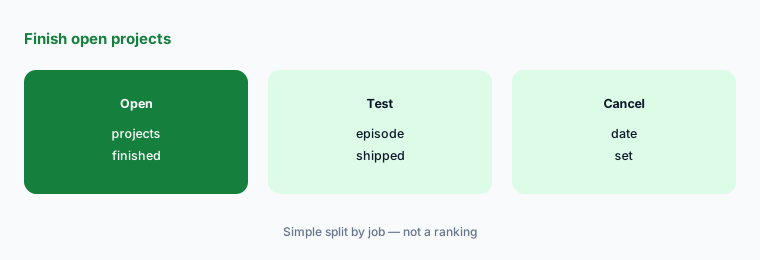
Write the blocking limit:
Name the one hour, credit, or export limit that will block videos this quarter. If you cannot name it, stay and cancel unused trials.
6. One owner per published video
What it is: Every one of these tools keeps projects, shared links, and scheduled posts after the person who made them has moved on (Descript pricing; Opus Clip pricing).
A named owner matters more than the editor. A published clip with a wrong name or outdated price still reaches viewers.
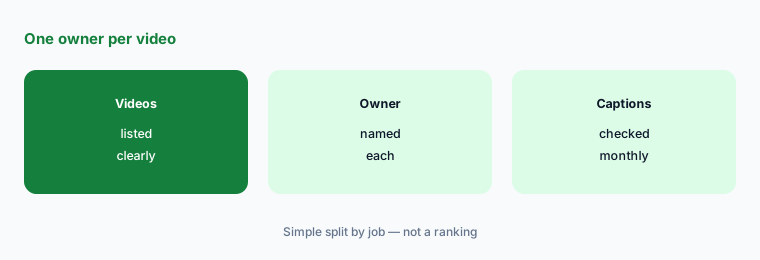
List owners:
Write every live video or episode, its owner, and the last date captions and claims were checked. Review it monthly.
Pricing context (November 2026)
Descript (pricing page, read 7 Nov 2026): Free $0 (60 media minutes a month, 100 one-time AI credits); Hobbyist $16 a person a month billed annually ($24 monthly); Creator $24 ($35 monthly); Business $50 ($65 monthly); Enterprise custom. Annual saves up to 35%.
Kapwing (pricing page, read 7 Nov 2026): Free $0 with 10 credits; Pro $16 with 1,000 credits a month; Business $50 with 4,000 credits; Enterprise custom. The page offers annual billing at 33% off; confirm whether the sticker shown is monthly or annual when you buy.
Riverside (pricing page, read 7 Nov 2026): Free $0; Pro billed $288 a year; Grow and Webinar each billed $408 a year; Business contact sales. Yearly plans are listed at up to 20% off monthly.
CapCut (pricing page, read 7 Nov 2026): Free USD 0; Pro USD 19.99 a month or USD 179.99 a year; Teams USD 12.49 a seat a month; Ultra USD 79 a month or USD 900 a year. The page says displayed prices are for reference only and final prices show after sign-in.
Opus Clip (pricing page, read 7 Nov 2026): Free 60 credits a month; Starter $15 a month (monthly only, 150 credits); Pro $29 monthly or $14.50 a month billed annually ($174 a year); Business custom.
VEED (pricing page, read 7 Nov 2026): the page loaded but plan prices were not in the HTML we fetched. Check the live page.
Uncertainty: Video editors change hour limits, credit rules, and promos often. Kapwing’s page showed one sticker per plan without saying in the HTML whether it was monthly or annual; CapCut says its prices are for reference only; Riverside showed yearly totals; VEED prices were not in the page we fetched. Confirm the live cards on the day you buy.
When it’s useful (honest take)
Stay on Descript when transcript-based editing fits your work and its media hours cover your month. Look at Riverside if recording quality is the main job, Opus Clip if you mostly cut shorts from long videos, or Kapwing, CapCut, or VEED for simpler browser or app editing.
None of these help if nobody owns publishing. Cancel unused editing trials before you add another tool.
Still choosing between Descript and another video editor? The $19 AI toolkit audit gives you a written plan for which tools to keep using and which to drop across your whole AI stack, including this pair.
Prefer to do it yourself? Spreadsheet — $9
Related options (educational)
| Need | Better home | Why |
|---|---|---|
| Descript alone | Descript review | See that review for current plans |
| Short clips from long video | Opus Clip review | See that review for current plans |
| AI avatar video | HeyGen vs Synthesia | See that page |
| AI video from a prompt | invideo AI review | See that review |
| Design and quick edits | Canva Magic Studio | See that review for current plans |
FAQ
What are the main Descript alternatives in 2026?
Common options are Kapwing (Pro $16), Riverside (Pro billed $288 a year), CapCut (Pro USD 19.99 a month), Opus Clip (Starter $15), and VEED, alongside Descript Hobbyist at $16 billed annually or $24 monthly, as listed on 7 November 2026. Match the tool to your main job — this page is not a ranking.
Is there a free Descript alternative?
Yes. Kapwing, Riverside, CapCut, and Opus Clip all list free plans, and Descript has its own Free plan with 60 media minutes a month. Most free plans add a watermark or limit export quality.
Is Riverside a Descript alternative?
For recording, yes. Riverside focuses on remote recording with separate tracks and includes text-based editing on Pro. If you mostly edit existing footage, an editor like Descript or Kapwing may fit better.
When should I leave Descript?
Leave when hour limits, export rules, or a missing feature cost you time or money this quarter and someone owns the move. Finish open projects first and test one real episode in the new tool.
Who should own videos after a switch?
One named person per published video or episode, with a monthly check that captions, names, and claims are still right.
Optional next step (if seats overlap)
If you pay for Descript plus another recording or clipping tool, map which one an alternative would replace before you start another trial. Map the overlap with the $19 AI toolkit audit or the $9 AI toolkit spreadsheet. Email Audit $19 or Toolkit spreadsheet $9.
Checkout is live via Stripe. After you pay, we email delivery (spreadsheet) or intake next steps (audit).