How-to · Support · Zendesk AI · Oct 11, 2026
Design a QA sample for Zendesk AI drafts before enablement
A “QA sample before enablement” means fixing the macro set, sample size, and pass/fail bar before Zendesk AI drafts go broad — humans still own the gate. This is Zendesk-native, not an Intercom Fin content-pointing guide. Terms: QA means a quality check done by a person.
Who this is for
Support ops whose ticket system of record is already Zendesk and who want a written QA gate before AI drafts or macro assists go wide. If Freshdesk/Freddy is system of record, see Freshdesk Freddy. If Front is the shared inbox, see Front AI.
How to do it
This page is a how-to. It is not a ranking of support AI. Product detail and dated packaging notes live on Zendesk AI. Confirm AI and macro features on your Zendesk plan before you pilot.

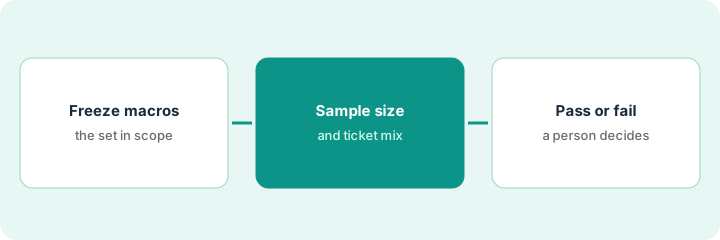
1. Step 1 — Freeze the macro set in scope
What it is: List the macros (and intents) AI may draft against — exclude stale and sensitive macros.
- Inventory macros used ≥N times last 30 days.
- Mark: Current | Stale | Sensitive (legal, security, refunds over policy).
- AI draft pilot = Current only.
- Freeze the list for the QA window so nobody adds macros mid-test.
80 macros → 25 Current high-volume, 40 rarely used, 15 Sensitive. Pilot macros: 12 Current how-tos (password, export, billing portal link). Sensitive refund macros excluded from AI draft.
Export macro list. Tag Status. Pilot ≤15 Current macros. Lock the sheet with a date.
2. Step 2 — Set sample size and mix
What it is: Pre-commit how many tickets and which mix before scoring.
- Example bar: 40 tickets — 30 from pilot macros’ intents, 10 from Sensitive (must refuse / hand off).
- Stratify by language or brand if you are multi-brand.
- Blind score where possible (hide AI vs human draft labels until after scoring).
- Write severity definitions: Critical (wrong money/security promise), Major (wrong how-to), Minor (tone).
40 tickets pulled from last week. 30 how-to intents mapped to the 12 macros. 10 Sensitive intentionally included to verify refusal/hand-off. QA sheet columns ready before any enable toggle.
Write Sample size | Mix | Severity defs on one page. No QA starts until that page exists.
3. Step 3 — Pass/fail with a human gate
What it is: Humans score; enablement requires a dated pass.
- Two reviewers preferred on Critical category.
- Pass example: 0 Critical, ≤2 Major, Sensitive hand-off 10/10.
- Fail → fix macros/prompts; re-sample — do not “enable anyway.”
- Keep Freshdesk Freddy off the same Zendesk ticket system of record during the pilot.
Results: 0 Critical, 1 Major (outdated export path — macro updated), Sensitive 10/10 hand-off. Pass signed by support ops lead Oct 11, 2026. AI drafts enabled only for the 12 macros.
Gate form: Scores | Failures | Fixes | Initials | Enable scope. Empty Initials → AI stays off.
Pricing context (October 2026)
This how-to is not a price sheet. Plan notes live on Zendesk AI. Recheck zendesk.com/pricing and your Zendesk admin before you budget. Related paths: Freshdesk Freddy, Front AI. Dated October 2026.
Checked Oct 11, 2026 on the vendor’s own pricing page: Zendesk’s pricing page lists Support Team at $19, Suite Team at $55 and Suite Professional at $115 per agent per month on an annual subscription, or $25, $69 and $149 on a monthly subscription. The Copilot add-on (AI help for agents) is listed at $50 per agent per month paid yearly.
Uncertainty: Zendesk AI add-ons and macro/AI behavior vary by suite. If an invoice and a review disagree, trust the invoice. Do not paste a marketing list price you did not pay. The only prices this site sells here are the optional $9 AI toolkit spreadsheet and $19 AI toolkit audit.
When this helps (honest take)
Useful when Zendesk is system of record, macros are inventoried, and you will honor a fail.
Not useful when you enable AI drafts first and “QA later,” or Freshdesk is the real ticket home.
Related options (educational)
| Need | Where to look | Why |
|---|---|---|
| Zendesk AI | Zendesk AI | Primary path |
| Freshdesk Freddy scope | Freshdesk Freddy | When Freshdesk is system of record |
| Front Autopilot gates | Front AI | Shared-inbox gates |
| Support stack map | Stack map for support ops | Job | Tool | Owner |
| Before another seat | Three checks before an AI seat · Find unused AI seats | Live how-tos |
Related reviews: Zendesk AI · Freshdesk Freddy · Front AI. Free: seat-waste calculator if multiple support AI seats draft the same macros.
FAQ
Can we skip Sensitive tickets in the sample to go faster?
No. Sensitive tickets prove hand-off. Skipping them hides the failure mode you care about.
Is this the same as Intercom Fin QA?
No. This gate is macro-set + Zendesk ticket sample specific. Fin uses different content controls.
Where do dated prices live?
On the Zendesk AI review plus the vendor site. This October 2026 how-to does not invent list prices. Our Oct 11, 2026 check of the vendor’s own pricing page is summarized in the pricing section above.
Do I need the Copilot add-on to run this sample?
Not to design it. The sample is a spreadsheet and a reviewer. You only need the AI features your plan includes when you test drafts; on Oct 11, 2026 Zendesk listed Copilot as a separate add-on.
Optional next step
Free reviews stay free. Neither offer is required to use this page. If Zendesk and another support AI seat already draft the same macros, optional help: $9 AI toolkit spreadsheet or $19 AI toolkit audit when you want a written memo.