How-to · IT / Knowledge · Atlassian Intelligence · Oct 11, 2026
Map six jobs to Jira AI, Confluence AI, or both — one home each
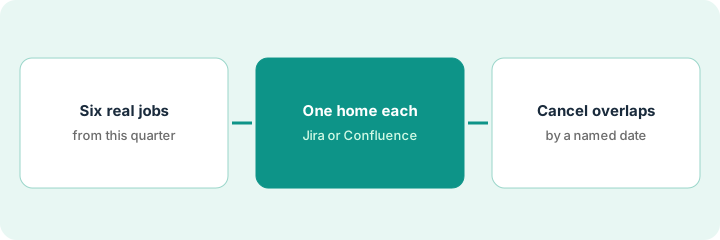
“One home each” means six real jobs get a single primary AI home — Jira AI, Confluence AI, or a deliberately shared Atlassian Intelligence pattern — with an overlap cancel-by date. Stop paying two AI surfaces for the same draft job. Terms: ITSM means IT service management, the IT help desk for incidents and requests.
Who this is for
Ops, IT, and knowledge leads already on Jira + Confluence who see the same summaries drafted in both places. If ServiceNow is ITSM system of record for triage, see ServiceNow AI — do not dual-home the same incident triage job. If you are about to buy another knowledge AI for the same runbooks, read three checks before an AI seat first.
How to do it
This page is a how-to. It is not a ranking of Atlassian products. Product detail and dated packaging notes live on Atlassian Intelligence, Jira AI, and Confluence AI. Confirm which AI features your Atlassian edition includes before you pilot.
1. Step 1 — List six real jobs
What it is: Name six jobs people already ask AI to do across Jira and Confluence this month.
- Examples: sprint issue summary, acceptance-criteria draft, incident ticket cleanup, runbook rewrite, meeting notes → Confluence page, FAQ from a Confluence space, backlog triage labels, release-notes draft.
- Only jobs with real volume — not brochure features.
- Note today’s messy home (Jira, Confluence, or both).
- Owner per job (eng manager, ITSM, tech writer).
Six jobs: (1) sprint summary, (2) acceptance-criteria draft on stories, (3) incident ticket cleanup, (4) runbook rewrite, (5) FAQ from support Confluence space, (6) release notes. Today (1)(2)(3) often duplicated in Confluence pages; (4)(5) sometimes pasted into Jira comments.
Sticky storm with leads: six jobs max. If a job has no owner, drop it from the map.
2. Step 2 — Assign one home each
What it is: Pick a primary AI home per job — Jira AI, Confluence AI, or “both only if handoff is explicit.”
- Work-item native jobs → Jira AI (sprint summary, acceptance-criteria draft, ticket cleanup).
- Knowledge native jobs → Confluence AI (runbook rewrite, space FAQ).
- Release notes: pick one (usually Confluence publish home, Jira as source data — not two AI drafts).
- Write the rule: “Do not AI-draft this job in the non-home tool.”
Jira AI home: sprint summary, acceptance-criteria draft, incident cleanup. Confluence AI home: runbook rewrite, support FAQ. Release notes: Confluence AI publishes; Jira provides issue list export — no second AI rewrite in Jira comments. Map posted in the team space.
Table: Job | Primary home | Secondary allowed? (default No) | Owner. Secondary Yes only with a written handoff.
3. Step 3 — Cancel overlaps by a date
What it is: When two AI surfaces still draft the same job, set a cancel-by for the non-home.
- List overlapping seats/features (same job, two homes).
- Cancel-by date within 30 days; name who turns the non-home off.
- Re-check after a sprint that drafts only land in the primary home.
- Do not add ServiceNow AI for Confluence runbook rewrites if Confluence remains knowledge system of record.
Overlap: sprint summaries in Jira AI and Confluence AI. Decision: Jira AI primary; Confluence sprint-summary template AI disabled by Oct 25, 2026 (owner: eng manager). Seat-waste note updated. ServiceNow not introduced for the FAQ job.
Overlap rows get Cancel-by | Owner | Done Y/N. No date → map is incomplete.
Pricing context (October 2026)
This how-to is not a price sheet. Plan notes live on Atlassian Intelligence, Jira AI, and Confluence AI. Recheck atlassian.com/software/pricing / your admin for AI entitlements before you budget. Related ITSM path: ServiceNow AI. Dated October 2026.
Checked Oct 18, 2026 on the vendor’s own pricing page: Jira’s pricing page (Monthly billing selected, at the page’s default team size) lists Free for up to 10 users at $0, Standard at $8.48 and Premium at $15.56 per user per month (up from $7.91 and $14.54 on Oct 11); Confluence’s pricing page lists Free at $0, Standard at $5.78 and Premium at $11.16 per user per month (up from $5.42 and $10.44). Per-user prices change with user count and billing cycle, and annual billing saves up to 17%. Jira lists Rovo search, chat and agents (Atlassian’s AI) among plan features.
Uncertainty: Atlassian Intelligence availability depends on cloud edition and AI entitlements. If an invoice and a review disagree, trust the invoice. Do not paste a marketing list price you did not pay. The only prices this site sells here are the optional $9 AI toolkit spreadsheet and $19 AI toolkit audit.
When this helps (honest take)
Useful when Jira+Confluence are already homes and the same drafts appear twice.
Not useful when you want both AIs “just in case,” or ServiceNow owns ITSM and you are mapping the wrong system of record.
Related options (educational)
| Need | Where to look | Why |
|---|---|---|
| Atlassian Intelligence overview | Atlassian Intelligence | Cross-product AI framing |
| Jira AI | Jira AI | Work-item native jobs |
| Confluence AI | Confluence AI | Knowledge native jobs |
| ServiceNow ITSM triage | ServiceNow AI | When ServiceNow is ITSM system of record |
| Knowledge stack map | Stack map for knowledge ops | Job | Tool | Owner |
| Before another seat | Three checks before an AI seat · Find unused AI seats | Live how-tos |
Related reviews: Atlassian Intelligence · Jira AI · Confluence AI. Free: seat-waste calculator if Jira AI and Confluence AI draft the same job.
FAQ
Can a job really need both Jira AI and Confluence AI?
Only with an explicit handoff (e.g. Jira export → Confluence publish). Two unsupervised drafts of the same narrative is overlap.
Should we turn off Atlassian Intelligence entirely?
Not the point. Pick one home per job so Intelligence is used where the object lives.
Where do dated prices live?
On the Atlassian Intelligence / Jira AI / Confluence AI reviews plus Atlassian commercial terms. This October 2026 how-to does not invent list prices. Our Oct 18, 2026 check of the vendor’s own pricing page is summarized in the pricing section above.
Do I pay twice if a job lives in both Jira and Confluence?
Each product is priced per user on its own page, so people in both pay for both seats. That is a reason to give each AI job one home in Step 2.
Optional next step
Free reviews stay free. Neither offer is required to use this page. If Jira AI and Confluence AI already draft the same jobs, optional help: $9 AI toolkit spreadsheet or $19 AI toolkit audit when you want a written memo.