How-to · Sales ops · Apollo.io · Oct 12, 2026
Clean the list before an Apollo sequence, not after the bounces
Most bad sequences fail before the first email goes out. The list had duplicates, people who already said no, role inboxes, and job titles that were a year out of date. This page shows a sales or revenue operations team how to clean an Apollo list in three steps before anyone writes a single subject line.
Who this is for
Sales ops, revenue operations, and sales development rep managers who build prospect lists in Apollo.io and send sequences from Apollo or another tool. If your enrichment work happens in a table outside the CRM, the Apollo review and the Clay review explain when each fits. If you're deciding whether you need a second data tool at all, start with HubSpot native before Clay.
How to do it
This is a how-to, not a ranking of prospecting tools. Feature and credit detail lives on the Apollo.io review. The rule on this page is simple: enrichment is draft data, and nobody enrolls a list a human hasn't sampled.

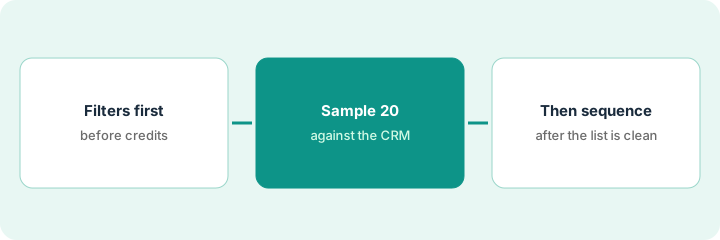
1. Step 1 — Set the filters before you pull
What it is: Decide who belongs on the list, and who doesn't, before you spend credits revealing anyone.
- Write the audience in one sentence: role, company size, region, and the reason they'd care.
- Add exclusion filters up front: current customers, open opportunities, past opt-outs, competitors, and anyone contacted in the last 90 days.
- Pick only the fields the sequence will actually use, usually first name, company, title, and work email. Leave phone reveals off unless a rep will really call.
- Cap the first pull. A list of 200 you trust beats 2,000 you don't.
The sales development rep manager asks for "operations leaders at logistics companies." Revenue operations turns that into: VP or Director of Operations, 200–2,000 employees, US and Canada, not a customer, not in an open deal, not emailed this quarter. Phone reveals stay off. The first pull is 180 contacts.
Write a one-line list brief: Audience | Exclusions | Fields used in the sequence | Max contacts | Phone reveals Y/N.
2. Step 2 — Hand-check 20 contacts against the CRM
What it is: Before the list goes anywhere, one person opens 20 contacts and checks them by hand. Twenty is small enough to finish in half an hour and big enough to catch a bad filter.
- Pick the 20 at random, not the first 20 rows.
- For each one, check four things: Is the title current? Is the email a work address and not a role inbox like info@? Is the person or company already in the CRM? Did they ever opt out?
- Mark anything you can't confirm as Unknown. Don't fill it in from a guess.
- If more than a few of the 20 fail, fix the filter and pull again instead of patching rows one by one.
Of 20 sampled contacts, 3 are already CRM contacts at a customer account, 2 have personal Gmail addresses, and 1 left the company months ago. The manager adds a customer-domain exclusion and a work-email-only filter, re-pulls, and the second sample of 20 has one Unknown title and nothing else.
Sample sheet: Name | Title current? | Work email? | Already in CRM? | Past opt-out? | Notes. Count failures at the bottom.
3. Step 3 — Then build the sequence
What it is: Only a list that passed the sample gets enrolled. Personalization uses fields that were actually checked, not claims the AI writes on its own.
- Enroll the cleaned list, not the original pull.
- Use only merge fields from Step 1. If a sequence step mentions funding, tech stack, or a recent hire, that fact has to be on the row, or the line comes out.
- Send to a small first batch, about 50 contacts, and watch bounces and replies for two days before sending the rest.
- Write down who approved the list and when, so the next list starts from the same filters.
The first 50 emails go out on Tuesday. Two bounce and one person replies "remove me." The rep removes that contact everywhere and adds them to the opt-out list, then sends the remaining 130 on Thursday.
Add one line to the sequence notes: "List approved by [name] on [date]. Sample of 20: [number] failures. First batch: [size]."
Pricing context (October 2026)
This how-to isn't a price sheet. When our Apollo.io review cross-checked public pages in September 2026, paid seats were listed at about $49 (Basic), $79 (Professional), and $119 (Organization) per user per month on annual billing, with higher monthly prices and credits that get used up on reveals. Phone reveals often cost more credits than emails, which is one more reason to leave them off in Step 1. Confirm current prices and credit rules on Apollo's pricing page before budgeting. Dated October 2026.
Checked Oct 12, 2026 on the vendor’s own pricing page: Apollo’s pricing page lists Free at $0, Basic at $49, Professional at $79, and Organization at $119 per seat per month (Organization notes a 3-seat minimum), with annual credit grants by plan. Phone reveals often cost more credits than emails. An Essentials add-on style line also showed $119 and a Max line $639 per team per month billed annually on the same page — confirm which package you need before budgeting.
Uncertainty: Credit allotments and which features sit on which plan changed several times in 2025–2026. Compliance with email and calling rules in your region is your team's responsibility. The only prices this site sells here are the optional $9 AI toolkit spreadsheet and $19 AI toolkit audit.
When this helps (honest take)
Useful when Apollo is where your lists come from, sequences have bounced or annoyed customers before, and the same type of list gets built every month.
Not useful when the list is a handful of hand-picked founder intros. That's judgment work, and a person researching each one is the better path.
Related options (educational)
| Need | Where to look | Why |
|---|---|---|
| Apollo features and credits | Apollo.io | Primary path on this page |
| Table-style enrichment | Clay · HubSpot vs Clay | When enrichment lives outside the CRM |
| Sequence copy checks | Outreach AI | Subject lines and claim checks before enabling |
| Sales ops stack | Stack map for sales ops | Job, tool, and owner in one view |
| Before another seat | Three checks before an AI seat | Live how-to |
Free: seat-waste calculator if two prospecting tools are building the same lists.
FAQ
Why 20 contacts and not the whole list?
Checking every row takes too long, so nobody does it. Twenty random rows is enough to show whether a filter is wrong. If the sample fails, the fix is the filter.
Can AI write the personalization lines?
It can draft them, but every fact in a line has to be on the contact's row. If the row doesn't say it, the line comes out.
Where do current prices live?
On Apollo's pricing page. The Apollo.io review records what we saw in September 2026. This page doesn't invent prices. Our Oct 12, 2026 check of the vendor’s own pricing page is summarized in the pricing section above.
Why check 20 contacts by hand?
Filters miss CRM realities (already opted out, wrong owner, closed-lost last month). Twenty rows is a cheap sample before you spend reveal credits on the whole list.
Optional next step
Free reviews stay free. If Apollo, a second enrichment tool, and a chat seat are all building the same prospect lists, the $9 AI toolkit spreadsheet helps you lay them out side by side, or the $19 AI toolkit audit gets you a written memo.