Alternatives · Ops & automation · Nov 2026
Zapier alternatives (Nov 2026): Make Core $9, n8n Starter €20, Activepieces Plus $20, Power Automate $15 — when Professional from $19.99 stops fitting
Zapier lists Free (100 tasks a month) and Professional from $19.99 a month, with Team from $69 (25 users) and yearly billing at a 33% saving. Teams look at Make, n8n, Activepieces, or Power Automate when task math, self-hosting, or flat credits fit better. Match the tool to last month’s real runs, and name who owns each flow before you switch. This page is not a ranking.
What this alternatives page covers
This page is for founders, ops leads, and small teams who automate with Zapier or are pricing it against other workflow tools. A named person owns each live Zap or flow.
Facts come from the Zapier pricing page, n8n pricing, Activepieces pricing, and Power Automate pricing, all read on 7 November 2026. Make.com/pricing returned HTTP 403 on that day; Make figures are taken from our live Make alternatives page (vendor compare read 3 Nov 2026). We did not run your production flows, so test one real Zap in any tool you shortlist.
Zapier prices around tasks (each action step counts). Alternatives shift the meter: Make and Activepieces by credits, n8n by workflow executions (and a self-hosted Community Edition), Power Automate by per-user Premium. The useful question is which meter matches last month’s real runs, not how many integrations each lists.
Ground rules: every live flow has an owner; nothing that sends money, emails customers, or edits records goes live in a new tool without a week of side-by-side runs. This page is not a ranking.
| Tool | Entry paid plan | What the pricing is built around |
|---|---|---|
| Zapier | Professional from $19.99 a month | Tasks; Free 100 tasks/mo; Team from $69/mo with 25 users; yearly save 33% |
| Make | Core $9 a month (10,000 credits) | Credits per step; Free 1,000 credits/mo; Pro $16; Team $29 (Make page 403 today; figures from Make alternatives page, 3 Nov) |
| n8n | Starter €20 a month billed annually | Workflow executions; Pro €50; self-hosted Community Edition |
| Activepieces | Plus $20 flat a month | Credits; Free 1,000/mo; Team $200 flat; AI steps cost more unless BYO keys |
| Power Automate | Premium $15 a user a month paid yearly | Per-user Premium; Process $150 a bot/month paid yearly |
Major features (with how someone uses them)
Examples at a glance: each feature has a concrete example from a real job plus a short Try this you can run this week.
1. List price at the entry paid plan
What it is: Zapier lists Free at $0 with 100 tasks a month, Professional from $19.99 a month, and Team from $69 a month with 25 users; the page offers yearly billing at a 33% saving (Zapier pricing). Make Core is listed at $9 a month starting at 10,000 credits, with Free at 1,000 credits, Pro $16, and Team $29 (Make alternatives page, 3 Nov 2026). n8n Starter is €20 a month billed annually for 2,500 executions; Pro €50 for 10,000 (n8n pricing). Activepieces Plus is $20 flat a month with 10,000 credits; Free has 1,000; Team is $200 flat (Activepieces pricing). Power Automate Premium is $15 a user a month paid yearly (Power Automate pricing).
The sticker gap between $9 and $19.99 matters less than the unit you burn. A cheaper plan that forces an upgrade in week two costs more than it looks.
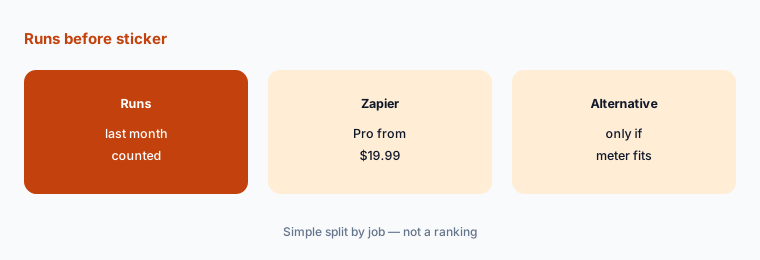
Price your real runs:
Write last month’s real numbers: Zaps that ran, approximate tasks or steps, and how many people edit flows. Price Zapier Professional and two alternatives on those numbers, and only trial a tool that would let you cancel a current automation bill.
2. Tasks vs credits vs executions
What it is: Zapier counts tasks (each action step). Make and Activepieces count credits (steps or runs, with AI steps costing more on Activepieces unless you bring your own keys). n8n counts workflow executions regardless of step count inside one run (Zapier pricing; n8n pricing; Activepieces pricing).
If your Zaps are many shallow two-step jobs, task and credit meters look similar. If one workflow has dozens of steps, execution-based pricing can look cheaper — or the opposite if you run it thousands of times. See n8n vs Make and Activepieces vs n8n.
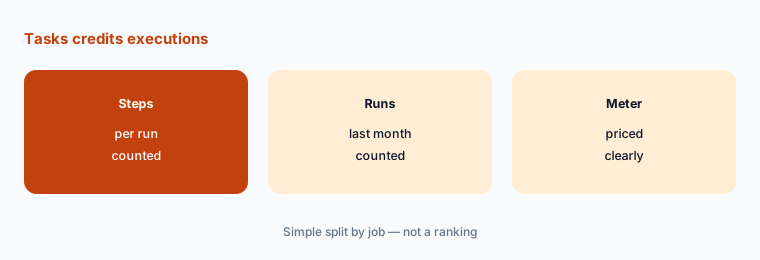
Count steps and runs:
Pick your heaviest Zap. Write steps per run and runs last month. Price that as Zapier tasks, Make credits, and n8n executions.
3. Free tiers and self-hosting
What it is: Zapier Free includes 100 tasks a month and two-step Zaps (Zapier pricing). Activepieces Free includes 1,000 credits and up to 5 users (Activepieces pricing). n8n offers a self-hosted Community Edition on GitHub plus cloud Starter at €20 (n8n pricing). Make’s free plan lists 1,000 credits a month (Make alternatives page, 3 Nov 2026).
Free tiers are for proving a flow, not for production handoffs nobody owns. Self-hosting shifts cost to a VM, backups, and someone’s pager — it is not free labor.
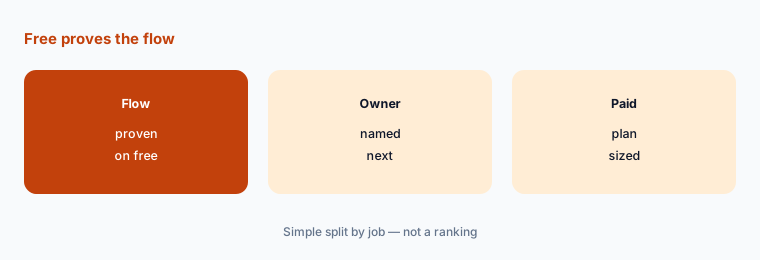
Name the production owner:
Write who will own the flow in production and who gets the pager. If nobody, stay on Free or cancel the idea.
4. Connectors vs owning the runtime
What it is: Zapier’s pricing page emphasizes a large app catalog and multi-step Zaps on Professional (Zapier pricing). n8n and Activepieces emphasize owning workflows and, for n8n, self-hosting (n8n pricing; Activepieces pricing). Power Automate fits Microsoft 365-heavy stacks (Power Automate pricing). Also see Make vs Power Automate.
Pick the constraint you hit: missing connector, task overages, or need to keep data on your own servers. Switching for a nicer canvas alone rarely pays back.
List the blocking apps:
Write the three apps your flows must touch. Shortlist only tools that connect to all three without a custom engineering project.
5. When switching is worth it
What it is: Moving automation means reconnecting apps, rebuilding multi-step logic, retesting error paths, and reassigning owners (Zapier pricing; n8n pricing).
Switch only when task overages, missing connectors, or self-host needs cost you money this quarter and someone owns the move. Rebuild one critical flow first.
Write the blocking limit:
Name the one Zapier limit or cost that will hurt this quarter. If you cannot name it, stay and cancel unused trials.
6. One owner per live flow
What it is: Zapier, Make, n8n, Activepieces, and Power Automate all keep running after the person who built a flow leaves (Zapier pricing; n8n pricing; Activepieces pricing; Power Automate pricing).
A named owner matters more than the tool. An unattended flow that emails customers or edits CRM records is a risk on every logo.
List owners:
Write every live automation, its owner, and who checks failures each day. Pause any flow without both names.
Pricing context (November 2026)
Zapier (pricing page, read 7 Nov 2026): Free $0 with 100 tasks a month; Professional from $19.99 a month; Team from $69 a month with 25 users; yearly billing listed at a 33% saving.
Make (figures from Make alternatives / vendor compare read 3 Nov 2026; make.com/pricing returned 403 on 7 Nov): Free 1,000 credits; Core $9, Pro $16, Team $29 a month starting at 10,000 credits.
n8n (pricing page, read 7 Nov 2026): Starter €20 a month billed annually (2,500 executions); Pro €50 (10,000); self-hosted Community Edition; Business from €667 a month on the page we read.
Activepieces (pricing page, read 7 Nov 2026): Free 1,000 credits; Plus $20 flat; Team $200 flat; overage $0.007 a credit on Plus/Team.
Power Automate (pricing page, read 7 Nov 2026): Premium $15 a user a month paid yearly; Process $150 a bot/month paid yearly.
Uncertainty: Automation vendors change task tiers, credit definitions, and yearly toggles often. Make.com/pricing was blocked (HTTP 403) on 7 Nov 2026 from this fetch path — re-check Make live before you buy. Confirm task, credit, and execution math on each live page on the day you decide.
When it’s useful (honest take)
Stay on Zapier when Professional or Team task tiers cover your runs and every flow has an owner. Look at Make or Activepieces for credit/flat pricing, n8n for execution math or self-hosting, or Power Automate when Microsoft 365 seats already dominate.
None of these help if nobody owns error alerts. Cancel unused automation trials before you add another platform.
Still choosing between Zapier and another automation tool? The $19 AI toolkit audit gives you a written plan for which tools to keep using and which to drop across your whole AI stack, including this pair.
Prefer to do it yourself? Spreadsheet — $9
Related options (educational)
| Need | Better home | Why |
|---|---|---|
| Zapier alone | Zapier review | See that review for current plans |
| Make alternatives | Make alternatives | See that page |
| n8n vs Make | n8n vs Make | See that page |
| Activepieces vs n8n | Activepieces vs n8n | See that page |
| Zapier Central | Zapier Central | See that how-to |
FAQ
What are the main Zapier alternatives in 2026?
Common options are Make (Core $9), n8n (Starter €20 billed annually), Activepieces (Plus $20 flat), and Power Automate (Premium $15 a user yearly), alongside Zapier Professional from $19.99, as listed or cross-checked on 7 November 2026. Match the tool to the meter you burn — this page is not a ranking.
Is there a free Zapier alternative?
Yes. Activepieces Free has 1,000 credits a month; n8n has a self-hosted Community Edition; Make lists a free plan with 1,000 credits; Zapier itself has Free with 100 tasks. Free is for proving a flow with a named owner.
Is n8n cheaper than Zapier?
Sometimes on dense multi-step workflows, because n8n prices by execution while Zapier prices by task. Count your real steps and runs before switching. n8n Starter is €20 a month billed annually; Zapier Professional starts from $19.99.
When should I leave Zapier?
Leave when task overages, a missing connector, or a self-host need costs you money this quarter and someone owns the rebuild. Move a few critical flows first and run them side by side for a week.
Who should own automations after a switch?
One named person per live flow, plus a named person who checks failures every business day.
Optional next step (if seats overlap)
If you pay for Zapier plus another automation tool, map which one an alternative would replace before you start another trial. Map the overlap with the $19 AI toolkit audit or the $9 AI toolkit spreadsheet. Email Audit $19 or Toolkit spreadsheet $9.
Checkout is live via Stripe. After you pay, we email delivery (spreadsheet) or intake next steps (audit).