What’s new · Recruiting · Workable · Sep 2026
What’s new in Workable (Sep 2026): AI and hiring workflow changes for small teams
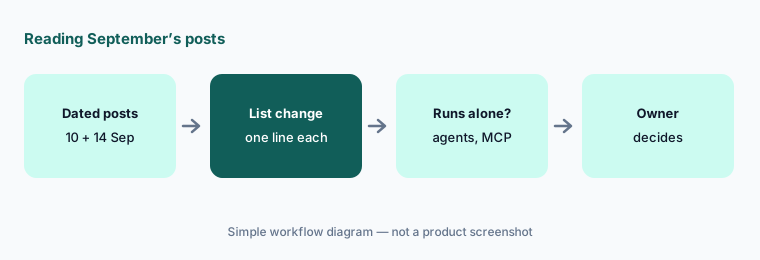
Workable published two dated product posts in September 2026: the AI credits report on 10 September and the general availability of its Recruiting Agents and MCP Server on 14 September. This page pulls out what a small hiring team should act on — what the agents do on their own, what they cost in credits, and where a person still decides — with the date and link for each. It isn’t a review; for that, see our Workable AI review. Every item comes from a public Workable page we opened on 6 October 2026.
What this page covers
This page is for the founder, office manager, or one-person recruiting team on Workable who wants September’s changes without reading every post — especially anything that changes what happens to candidates without a person looking, what it costs, and which AI tools can reach candidate data.
We list only what Workable’s two September posts and its pricing page say. Customer results quoted by Workable are Workable’s claims, not ours. We don’t restate features from August or earlier.
Hiring guardrails apply however much the agents do: the hiring team decides who is interviewed and hired, candidates should know when they are chatting with an automated assistant, and nothing here should be used to infer protected traits.
Major features (with how someone uses them)
Examples at a glance: each feature has a concrete example from a real job plus a short Try this you can run this week.
1. Five changes a small hiring team should act on (primary)
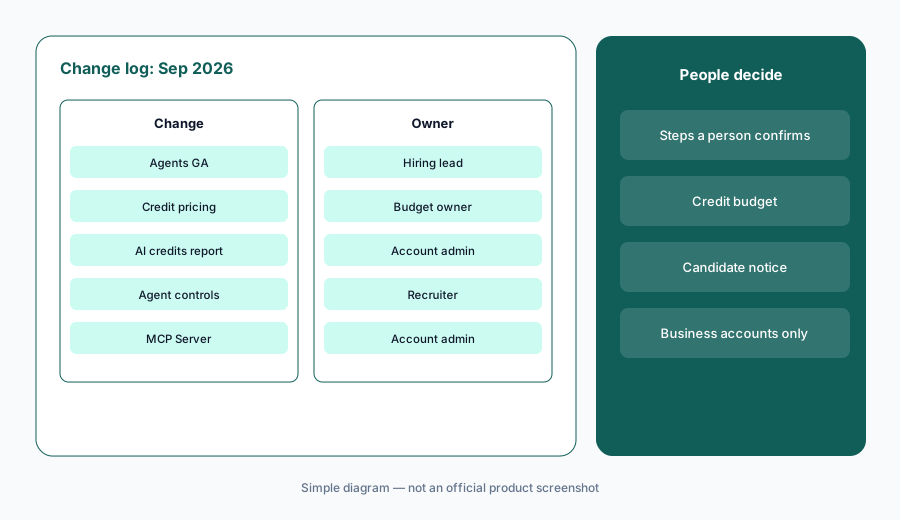
What it is: From the two posts, these five need a decision: (1) four Recruiting Agents — Job Brief, Sourcing, Screening, and Engagement — are generally available as a paid add-on to any Workable Recruiting plan; (2) they run on credits, with 3,000 free credits on every plan and per-action costs; (3) a new AI credits report in Recruiting reports shows purchases, usage, and expirations by job and action; (4) new controls let you change the ideal candidate profile while a job is active (applied retroactively to recently processed candidates), attach agents to jobs already in progress, see each candidate’s agent status and next steps, and get warnings before you interrupt an agent; and (5) the Workable MCP Server connects Workable to Claude, ChatGPT, and other MCP-compatible assistants, included on all plans. Sources: 10 Sep, 14 Sep.
Primary workflow:
From Workable’s public Sep 2026 updates, list 5 changes a small hiring team should act on — cite sources.
2. 14 Sep: four Recruiting Agents generally available
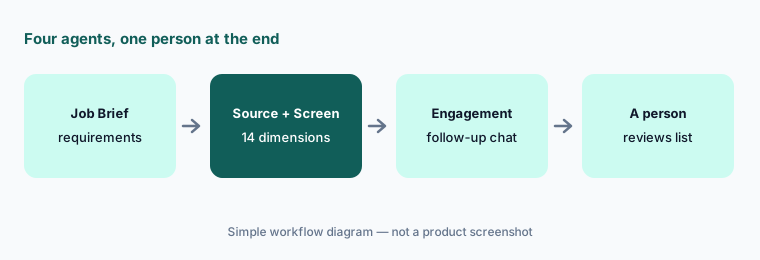
What it is: Per Workable’s September 14 post, the Job Brief Agent structures hiring requirements, the Sourcing Agent reaches passive candidates continuously, the Screening Agent evaluates every applicant against a structured ideal candidate profile across 14 dimensions, and the Engagement Agent opens a chat with a candidate when information is missing and then re-scores them. Workable describes the result as a shortlist sorted by score, and says you can drill into each candidate record to see what the agents learned, what they asked, and why they scored the candidate as they did. That is a lot happening before a person looks — so decide in writing which steps a person must confirm, and read the reasoning on the first shortlists.
Read the reasoning:
On the first job you run with the agents, open 20 candidate records and read why each was scored as it was. Remove any criterion in the ideal candidate profile that isn’t tied to the work.
3. 14 Sep: credit-based pricing
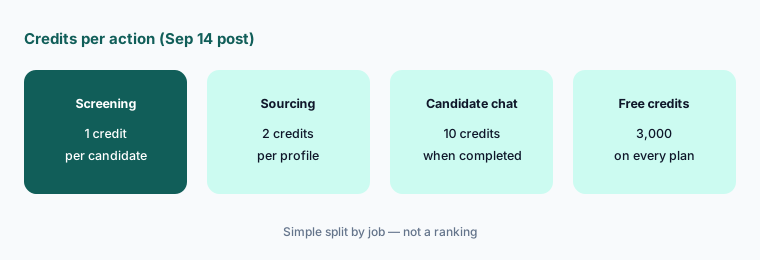
What it is: Workable’s September 14 post says every plan now includes 3,000 free AI credits; screening costs 1 credit per candidate, sourcing 2 credits, and a completed candidate chat 10 credits. Extra credits come in bundles: 5,000 at $0.12 per credit, 10,000 at $0.10, or 50,000 at $0.095 (checked Oct 6, 2026). The pricing page lists the Workable Agent as an add-on to any plan that runs on AI credits. Estimate a role before turning it on.
Estimate before you start:
For one open role, estimate applicants to screen, profiles to source, and candidate chats. Multiply by 1, 2, and 10 credits and compare the total with your remaining credits before turning on the agents.
4. 10 Sep: the AI credits report
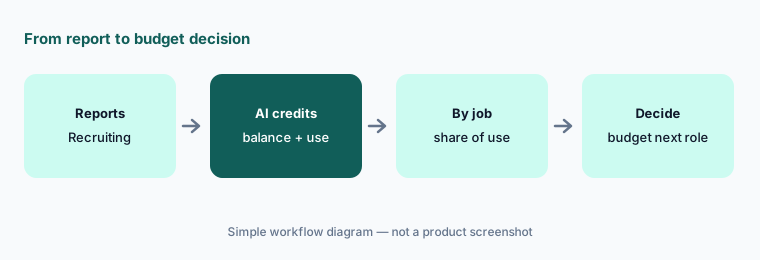
What it is: Per Workable’s September 10 post, account admins get an AI credits report in Recruiting reports, under a new Workable Agent & AI credits section, on every plan with no setup. It shows the starting balance, purchases, free credits, usage, expirations, and closing balance; a breakdown by action (candidate chat, evaluation, re-evaluation, sourcing); usage over time by day through year; and a by-job table with each job’s share. All plans can filter by date, department, location, status, title, and job members; Premier and Enterprise get the full set of job filters. Workable says agent productivity reporting is planned next.
Compare estimate and actual:
Open the AI credits report at month end. Compare credits used per job with your estimate, and note which action (chat, evaluation, re-evaluation, sourcing) used the most.
5. 14 Sep: agent controls and candidate notice
What it is: The GA release adds four controls: change the agents’ ideal candidate profile while a job is active, with changes applied retroactively to recently processed candidates; attach agents to jobs already in progress instead of creating a new posting; see each candidate’s agent processing status and planned next steps on the record; and get an interruption warning before an action would disrupt the agent’s workflow. Because the Engagement Agent chats with candidates, tell candidates in the job post or first message that an automated assistant may ask follow-up questions, and how to reach a person instead. Check your local rules on notice for automated hiring tools.
Add the notice first:
Before attaching agents to a live job, add a line to the job post or first candidate message saying an automated assistant may ask follow-up questions and how to reach a person. Then check the agent status on five candidate records.
6. 14 Sep: Workable MCP Server for Claude and ChatGPT
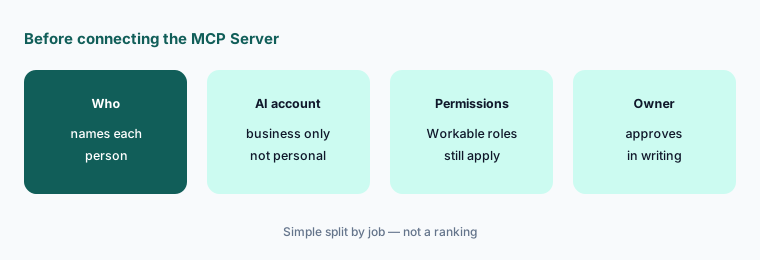
What it is: Per the September 14 post, the Workable MCP Server connects Workable’s recruiting and HR capabilities to Claude, ChatGPT, and other MCP-compatible assistants with no developer setup. Teams can source candidates, update pipelines, manage employee records, and run reports from the chat window. Workable says it respects existing Workable user permissions and is included at no extra cost on every plan. That also means candidate and employee data now flows into whichever AI account someone connects — so it should be a company business account, never a personal one.
Business accounts only:
List who wants to connect the Workable MCP Server and which AI account they would use. Allow only company business accounts, and check each person’s Workable permissions first.
Pricing context (October 2026)
On Workable’s pricing page (checked Oct 6, 2026, USD): Standard $299 per month billed annually ($3,588 per year) for 1–20 employees; Premier $599 per month billed annually ($7,188 per year) for 1–20 employees. Prices rise with employee count, the default view is annual billing, and Workable says annual billing saves 20% versus monthly. Add-ons listed include Texting ($89/mo), Video interviews ($109/mo), and Assessments ($59/mo).
AI credits (from the Sep 14 post, checked Oct 6, 2026): 3,000 free credits on every plan; screening 1 credit per candidate, sourcing 2, completed candidate chat 10; bundles of 5,000 at $0.12 per credit, 10,000 at $0.10, and 50,000 at $0.095. The MCP Server is included on all plans. Earlier dated notes are on the Workable AI review.
Uncertainty: We read only Workable’s two September 2026 posts and its pricing page. Plan prices depend on employee count and billing period, and the page also shows bundled Recruiting + HR pricing. Customer results quoted by Workable are vendor claims. Hiring and notice rules for automated tools differ by location; this is product education, not legal advice.
When it’s useful (honest take)
Useful when you hire on Workable with a small team and want September’s changes with costs, sources, and one action each.
Useful when you are deciding whether to turn on the agents and want to estimate credits before you start.
Less useful when you want a full review of Workable — read Workable AI — or you aren’t on Workable.
Paying for Workable and a few other AI tools? The $9 AI toolkit spreadsheet lists every AI subscription you have, what each one costs, and how fast it pays for itself, so you can see which ones are worth the money.
Want someone to do it for you? AI toolkit audit — $19
Related options (educational)
| Need | Better home | Why |
|---|---|---|
| Full review of Workable AI | Workable AI | Not a changelog |
| Another ATS’s September changes | What’s new in Greenhouse (Sep 2026) | Same format |
| Sourcing outside the ATS | Juicebox PeopleGPT | Separate sourcing seat |
| Drafting in an assistant you already pay for | Claude for recruiting · ChatGPT for recruiting | Role guides |
| Inventory recruiting AI seats | Stack map for recruiting ops | Jobs, tools, overlaps |
FAQ
What did Workable change in September 2026?
Per Workable’s posts of Sep 10 and Sep 14, 2026: an AI credits report in Recruiting reports; four Recruiting Agents (Job Brief, Sourcing, Screening, Engagement) generally available as a paid add-on; credit-based pricing with 3,000 free credits; new agent controls; and the Workable MCP Server for Claude, ChatGPT, and other assistants.
What do Workable’s AI credits cost?
On Oct 6, 2026, Workable’s Sep 14 post listed screening at 1 credit per candidate, sourcing at 2, and a completed candidate chat at 10, with 3,000 free credits per plan and bundles from $0.12 per credit (5,000) down to $0.095 (50,000).
Do the agents decide who gets hired?
Workable says the agents produce a scored shortlist for your team to interview. The hiring team decides who is interviewed and hired. Read the reasoning on candidate records and decide which steps a person must confirm.
Should candidates know they are chatting with an agent?
Yes. Tell candidates in the job post or first message that an automated assistant may ask follow-up questions and how to reach a person. Check local notice rules for automated hiring tools.
Is the Workable MCP Server safe to connect?
Workable says it respects existing user permissions and is included on all plans. Connect it only from company business AI accounts, never personal ones, and check each person’s Workable permissions first.
Optional next step (if seats overlap)
If a small team pays for Workable agents, a separate sourcing seat, and two chat assistants that all draft the same outreach, fix that overlap before adding another tool. Map the overlap with the $19 AI toolkit audit or the $9 AI toolkit spreadsheet. Email Audit $19 or Toolkit spreadsheet $9.
Checkout is live via Stripe. After you pay, we email delivery (spreadsheet) or intake next steps (audit).