What’s new · Recruiting · Greenhouse · Sep 2026
What’s new in Greenhouse (Sep 2026): scheduling, application caps, MCP, and Notetaker data
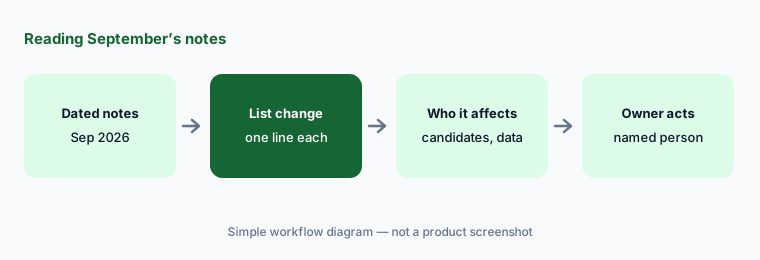
Greenhouse published one monthly release-notes article for September 2026 (last updated 30 September). This page pulls out the changes a recruiting ops lead should act on — scheduling, application caps, AI-tool access through MCP, and interview recordings — and what each means for who can see candidate data and who decides. It isn’t a review; for that, see our Greenhouse AI review. Every item below comes from the public Greenhouse release notes we opened on 6 October 2026.
What this page covers
This page is for the recruiting ops lead or Greenhouse Site Admin who wants September’s changes without reading the whole article — especially anything that changes what candidates see, who gets rejected automatically, or which AI tools can read interview data.
We list only what Greenhouse’s September 2026 release notes say. We don’t speculate about roadmap items or restate features from earlier months. The bug-fix list and the list of partners migrated to Harvest v3 are summarized, not repeated line by line.
Hiring guardrails stay the same whatever the tool does: the hiring team decides who advances, candidates should get notice before interviews are recorded, and nothing here should be used to infer protected traits.
Major features (with how someone uses them)
Examples at a glance: each feature has a concrete example from a real job plus a short Try this you can run this week.
1. Five changes a recruiting ops lead should act on (primary)
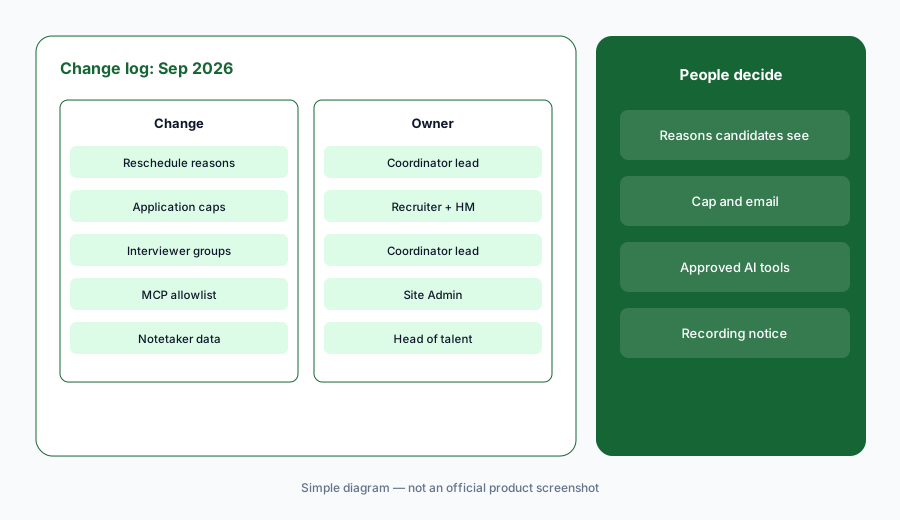
What it is: From the September notes, these five need a decision from someone, not just awareness: (1) customizable interview cancellation and reschedule reasons, including which reasons candidates see; (2) application caps on a job post, with optional automatic rejection after the cap; (3) interviewer groups and hiring team roles in self-schedule requests, with auto-replace when someone declines; (4) an org-managed MCP redirect URI allowlist in Dev Center (open beta); and (5) Notetaker transcripts and recording links through a new Harvest v3 interview_media endpoint, also reachable through Greenhouse MCP. Each is linked to the same dated source: Greenhouse release notes, September 2026.
Primary workflow:
From Greenhouse’s Sep 2026 release notes, list 5 changes a recruiting ops lead should act on — cite sources.
2. Scheduling: reasons, interviewer groups, multi-interview stages
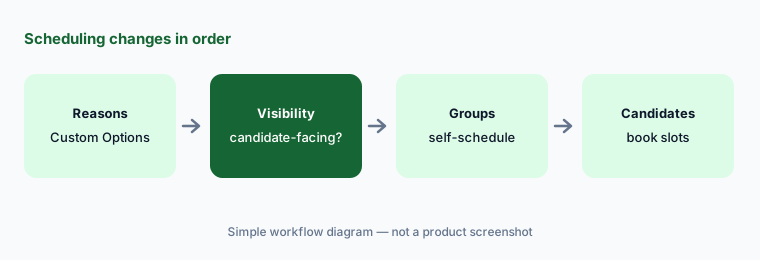
What it is: Coordinators and interviewers now pick a reason when they cancel or reschedule an interview, with an optional note, and candidates see the same review step when they self-reschedule. Site Admins (and Job Admins with the manage company metadata permission) configure the list in Custom Options, including whether a reason is required and whether it’s visible to candidates. Self-schedule requests can now include interviewer groups or hiring team roles, and Greenhouse only offers times where every slot can be filled by a distinct, available person; auto-replace can fill a slot if an interviewer declines. Coordinators can also send separate self-schedule requests for each interview on a multi-interview stage such as an onsite — sent manually, because automated stage transitions still only send them on single-interview stages.
Decide what candidates see:
In Custom Options, write your cancellation and reschedule reasons. Mark which ones candidates will see, and read each visible reason as if you were the candidate before saving.
3. Application caps and automatic rejection
What it is: Recruiters can set a maximum number of applications a job post accepts; at the cap, the post moves to draft. Turning on automatic rejection rejects post-cap applicants on arrival with a rejection reason you configure up front. Separately, Site Admins can make the reject window always pre-select the organization’s default rejection email template instead of each user’s last choice (off by default, under Configure > Permissions). Automatic rejection here is about timing, not qualifications — so the candidate email should say plainly that the post reached its application limit. The hiring manager and recruiter decide whether a cap fits the role at all.
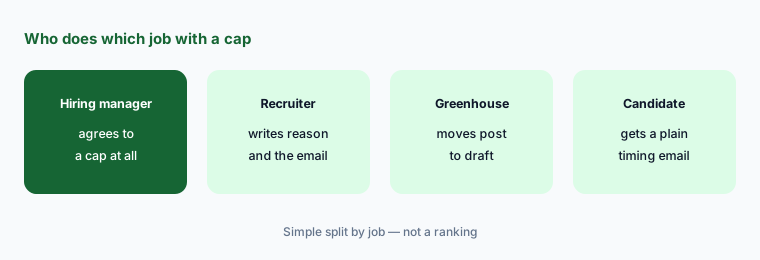
Write the email before the cap:
Before turning on a cap with automatic rejection, write the rejection reason and the exact email post-cap applicants receive. Have the hiring manager approve both, then set the default rejection template.
4. AI-tool access: MCP redirect allowlist and service accounts
What it is: Site Admins can now add, edit, and remove their organization’s own approved redirect URIs for Greenhouse MCP in Dev Center (Dev Center > MCP Access > Clients), instead of asking Greenhouse to add one; the global allowlist still applies as a fallback. This is in open beta. Separately, a Harvest v3 service account can now be authorized to read and update confidential jobs; access is granted per integration at authorization, and existing service accounts keep their current restrictions unless explicitly opted in. Both changes make it easier to connect tools — which means someone should own the list of what is connected.
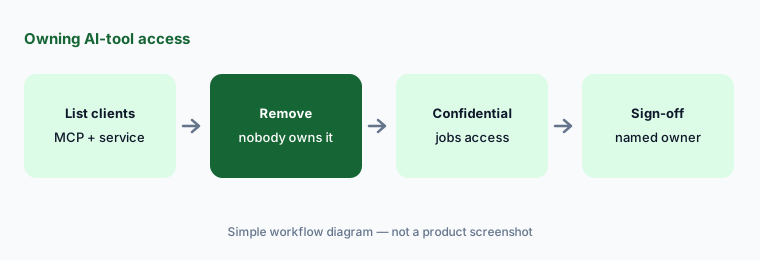
Own the connection list:
In Dev Center, list every MCP client and Harvest v3 service account your org has approved. Remove any nobody owns, and write down who must approve confidential-job access before it is granted.
5. Notetaker transcripts through Harvest v3 and MCP
What it is: A new interview_media endpoint in Harvest v3 returns a Greenhouse Notetaker interview’s transcript and a link to its recording, filterable by interview or application. Greenhouse says the same data is reachable through Greenhouse MCP, so approved AI tools can retrieve transcripts and recordings directly. That widens who — and what — can read what candidates said in interviews. Candidates should already have been told in advance that the interview is recorded and been able to opt out; this change is a reason to re-check which tools can now read those recordings and whether your notice covers them.
Re-check recordings access:
List every integration and AI tool that can now read Notetaker transcripts through Harvest v3 or MCP. Remove any that don’t need them, and check your candidate recording notice still describes how recordings are used.
6. Also in September: transfers, Analytics beta, partners
What it is: Stage transitions now fire when a candidate is transferred to another job; before, transfers never triggered configured stage transitions, with no warning. If your transitions send emails or self-schedule requests, transfers can now send them too. Greenhouse Analytics (open beta for Core, Plus, and Pro) loads dashboards faster, shows when data was last refreshed, warns before removing a field used elsewhere, and lets admins set a default chart palette. New hiring-cloud partners include Poetry HR (job advert content) and Recruit41 (AI voice and video interviews); if you consider AI interview tools, the same consent and who-decides questions apply. One bug fix: job application forms no longer fail when a question is linked to a multi-select custom field.
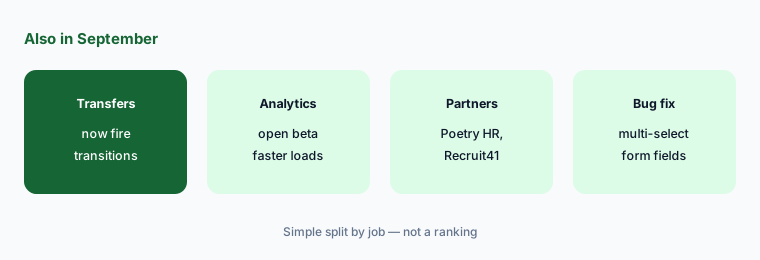
Test a transfer:
List your stage transitions that send emails or self-schedule requests. Transfer one test candidate between two test jobs and confirm what fires now that transfers trigger transitions.
Pricing context (October 2026)
September’s release notes didn’t mention plan price changes. Greenhouse doesn’t publish prices: its pricing page (checked Oct 6, 2026) lists the Core, Plus, and Pro plans without dollar amounts and asks you to contact sales. Analytics is in open beta for Core, Plus, and Pro per the September notes.
For plan-by-plan AI features and our dated notes, see the Greenhouse AI review and Ashby vs Greenhouse.
Uncertainty: We read only Greenhouse’s September 2026 release-notes article. Some features are in open beta (MCP redirect allowlist, Analytics) and may depend on plan or permissions. Check the live article and your account settings. Hiring and recording-notice rules differ by location; this is product education, not legal advice.
When it’s useful (honest take)
Useful when you administer Greenhouse and want September’s changes with an owner and an action for each, especially the ones that touch candidate emails and interview recordings.
Useful when you connect AI tools to Greenhouse and need to know what they can read after the Harvest v3 and MCP changes.
Less useful when you want a review of Greenhouse as a whole — read Greenhouse AI — or you don’t use Notetaker, MCP, or self-schedule.
Paying for Greenhouse and a few other AI tools? The $9 AI toolkit spreadsheet lists every AI subscription you have, what each one costs, and how fast it pays for itself, so you can see which ones are worth the money.
Want someone to do it for you? AI toolkit audit — $19
Related options (educational)
| Need | Better home | Why |
|---|---|---|
| Full review of Greenhouse AI features | Greenhouse AI | Not a changelog |
| Choosing between two ATSs | Ashby vs Greenhouse | Split by job |
| Interview notetakers | Metaview vs BrightHire | Consent and summaries |
| Another ATS’s September changes | What’s new in Workable (Sep 2026) | Same format |
| Inventory recruiting AI seats | Stack map for recruiting ops | Jobs, tools, overlaps |
FAQ
What did Greenhouse change in September 2026?
Per Greenhouse’s September 2026 release notes: cancellation and reschedule reasons, application caps with optional automatic rejection, interviewer groups and multi-interview stages in self-schedule, a default rejection template setting, an org-managed MCP redirect allowlist (open beta), Analytics beta updates, Notetaker transcripts via Harvest v3 and MCP, service-account access to confidential jobs, stage transitions on transfers, and new partners.
Does an application cap reject people based on their application?
No. Per the notes, once the cap is reached the post moves to draft, and with automatic rejection turned on, post-cap applicants are rejected on arrival with the reason you configure. It is about timing, so say that plainly in the email. The hiring team decides whether to use a cap.
Can AI tools read interview recordings now?
Greenhouse says Notetaker transcripts and recording links are available through the Harvest v3 interview_media endpoint and through Greenhouse MCP for approved AI tools. Check which tools are approved, and make sure candidates were told in advance about recording and could opt out.
Who manages the MCP redirect allowlist?
Site Admins, under Dev Center > MCP Access > Clients, in open beta. Greenhouse’s global allowlist still applies as a fallback.
Did Greenhouse publish prices in September 2026?
No. The release notes don’t mention prices, and on Oct 6, 2026 the Greenhouse pricing page listed Core, Plus, and Pro without public prices.
Optional next step (if seats overlap)
If recruiting pays for an ATS AI add-on, a separate notetaker, and assistants that all summarize the same interviews, fix that overlap before adding another tool. Map the overlap with the $19 AI toolkit audit or the $9 AI toolkit spreadsheet. Email Audit $19 or Toolkit spreadsheet $9.
Checkout is live via Stripe. After you pay, we email delivery (spreadsheet) or intake next steps (audit).