Compare · Ops & automation · Nov 2026
Make vs Zapier (Nov 2026): Core $9, Pro $16, Teams $29 vs Professional from $19.99 and Team from $69 — credits vs tasks, and when each fits
Make lists Free at $0 with 1,000 credits a month, then Core at $9, Pro at $16, and Teams at $29 a month on yearly billing at the 10,000-credits selector. Zapier lists Free at $0 with 100 tasks a month, Professional starting from $19.99 a month, and Team starting from $69 a month. Price both on last month’s real runs, and name who owns every live scenario or Zap. This page is not a ranking.
What this comparison covers
This page is for ops leads, founders, and small teams choosing between Make and Zapier to connect the apps they already pay for. A named person owns each live scenario or Zap and checks it after an app change.
Facts come from the Make pricing page and the Zapier pricing page, both read on 8 November 2026. Make’s /en/pricing URL did not load for us (challenge page); https://www.make.com/pricing did. We did not run your workflows, so test one real scenario or Zap in whichever tool you shortlist.
The core difference is how usage is counted and how you build. Make charges by credits (each module action is one credit) and shows a visual scenario canvas. Zapier charges by tasks, with Professional unlocking multi-step Zaps beyond the two-step Free plan. Which bill is smaller depends on how many steps actually run, not on the sticker alone.
Ground rules: every live automation has an owner; a change to a connected app gets a human check before the next run. This page is not a ranking. For more options see Make alternatives, Zapier alternatives, and n8n vs Make.
| Make | Zapier | |
|---|---|---|
| Free plan | $0 a month with 1,000 credits a month and a 15-minute minimum interval between scheduled runs | $0 a month with 100 tasks a month and two-step Zaps |
| Entry paid plan (as displayed) | Core $9 a month with yearly billing at the 10,000-credits-a-month selector ($0.90 per 1,000 credits) | Professional starting from $19.99 a month |
| Next paid plan | Pro $16 a month with yearly billing at 10,000 credits ($1.60 per 1,000 credits) | Team starting from $69 a month |
| Team plan | Teams $29 a month with yearly billing at 10,000 credits ($2.90 per 1,000 credits) | Team starting from $69 a month (page lists 25 users, shared Zaps and folders, SAML SSO) |
| How usage is counted | Credits: each module action in a scenario counts as one credit | Tasks, with tiers from 100 a month upward (750, 1.5K, 2K, 5K, and higher) |
| Enterprise | Custom (talk to sales) | Contact for pricing |
Major features (with how someone uses them)
Examples at a glance: each feature has a concrete example from a real job plus a short Try this you can run this week.
1. List price and how usage is counted
What it is: Make shows Free at $0 a month (1,000 credits), Core at $9, Pro at $16, and Teams at $29 a month with yearly billing and a 15% save, displayed at a 10,000 credits a month selector; extra credits are listed at $0.90, $1.60, and $2.90 per 1,000 credits on those paid plans (Make pricing). Zapier shows Free at $0 with 100 tasks a month, Professional starting from $19.99 a month, Team starting from $69 a month, and Enterprise as contact for pricing (Zapier pricing).
The $9 vs $19.99 gap only holds if your volume fits those starting tiers. Make’s paid prices on the page we read are tied to a credit selector; Zapier’s Professional and Team prices start from a floor and rise with task tiers (100, 750, 1.5K, 2K, 5K, and higher).
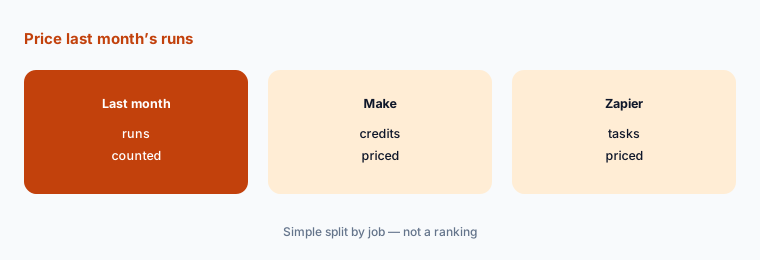
Price your real volume:
Write last month’s real volume: how many module actions or Zap steps ran, how many scenarios or Zaps are live, and whether more than one person edits them. Price Make at that credit count (the page we read showed 10,000 credits a month) and Zapier at the task tier you would actually need, then pick the cheaper fit only if someone owns every live run.
2. What each free plan actually includes
What it is: Make Free includes 1,000 credits a month, the visual workflow builder, 3,500+ apps, routers and filters, and a 15-minute minimum interval between scheduled runs (Make pricing). Zapier Free includes 100 tasks a month, unlimited Zaps, Tables, and Forms, and two-step Zaps (Zapier pricing).
Free is enough to prove one workflow. It is not enough if you need multi-step Zaps (Zapier Professional), a one-minute schedule (Make paid), or more than 1,000 Make credits or 100 Zapier tasks a month.
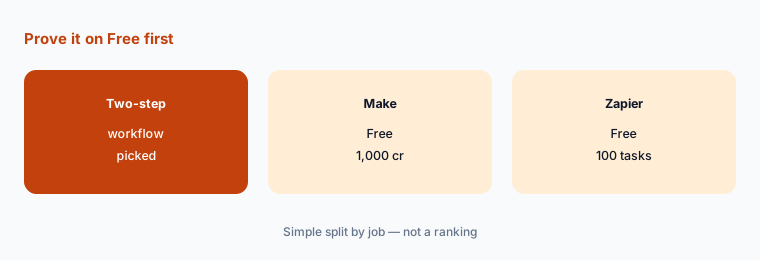
Run one free workflow:
Build the same two-step workflow on Make Free and Zapier Free. After a week, write which limit you hit first: Make’s 1,000 credits, Zapier’s 100 tasks, Zapier’s two-step cap, or Make’s 15-minute schedule.
3. Visual scenarios vs multi-step Zaps
What it is: Make’s paid Core plan adds unlimited active scenarios, schedules down to the minute, higher data-transfer limits, and API access (Make pricing). Zapier Professional unlocks multi-step Zaps, unlimited premium apps, webhooks, email and live chat support, and AI fields (Zapier pricing). See the Make review and Zapier review for how each product is used day to day.
If your workflow has many branches, filters, and routers, a canvas can be easier to reread six months later. If your workflow is a short chain you already know, a Zap is often faster to stand up. Pick the shape you will still understand next quarter.
Sketch before you build:
Draw the steps, filters, and apps for one real workflow. Build that same drawing in Make and in Zapier, and keep the version a teammate can walk through without you.
4. When more than one person edits automations
What it is: Make Teams is listed at $29 a month with yearly billing at 10,000 credits and adds teams, team roles, and shared scenario templates (Make pricing). Zapier Team starts from $69 a month and lists 25 users, shared Zaps and folders, shared app connections, SAML SSO, and priority support (Zapier pricing).
A shared folder without an owner still creates surprise runs. Pay for a team plan only if more than one person will edit, and write who may publish a change.
Name who may publish:
Write every person who edits a scenario or Zap, and who is allowed to publish a change. Choose a team plan only if that list is longer than one.
5. When Make fits and when Zapier fits
What it is: Make Pro adds priority scenario execution, custom variables, and full-text execution log search (Make pricing). Zapier positions Professional around the full platform (Zaps, Tables, and Forms) and Team around collaboration (Zapier pricing).
Make tends to fit when you want a visual canvas, routers, and credit-priced volume you can see on a slider. Zapier tends to fit when you want a short Zap, a large app list you already use, and a task-based bill you can match to last month’s runs. Neither is “the right pick” for every team — this page is not a ranking.
Write the fit in one line:
Complete this sentence with last month’s numbers: “We would pick Make because ___ / Zapier because ___.” If you cannot name a reason tied to volume or how you build, stay on the free plans another month.
6. One owner per live scenario or Zap
What it is: Both tools keep running after the person who built the workflow has moved on (Make pricing; Zapier pricing).
A named owner matters more than the logo. A forgotten scenario that writes the wrong row, or a Zap that emails an old price, still hits customers.
List the owners:
Write every live Make scenario and Zapier Zap, its owner, a backup, and the last date someone checked the connected apps. Review the list monthly.
Pricing context (November 2026)
Make (pricing page, read 8 Nov 2026): Free $0 a month with 1,000 credits a month and a 15-minute minimum interval; Core $9, Pro $16, and Teams $29 a month with yearly billing (page shows a 15% save) at the 10,000-credits-a-month selector; extra credits listed at $0.90 / $1.60 / $2.90 per 1,000 credits on those plans; Enterprise custom.
Zapier (pricing page, read 8 Nov 2026): Free $0 a month with 100 tasks and two-step Zaps; Professional starting from $19.99 a month (multi-step Zaps, unlimited premium apps, webhooks); Team starting from $69 a month (25 users, shared Zaps and folders, SAML SSO); Enterprise contact for pricing. Task tiers listed include 100, 750, 1.5K, 2K, 5K a month and higher.
For the single-tool view see the Make review and Zapier review. For other automation options see Make alternatives, Zapier alternatives, and n8n vs Make.
Uncertainty: Make’s paid prices on the page we read were shown with yearly billing and a 10,000-credits-a-month selector; monthly billing costs more, and moving the credit slider changes the total. Make’s /en/pricing URL returned a challenge page for us; we used https://www.make.com/pricing. Zapier’s Professional and Team prices are “starting from” floors that rise with the task tier you pick. Confirm both live pages with your real volume on the day you buy.
When it’s useful (honest take)
Make tends to fit when you want a visual scenario canvas, credit-priced volume you can see on a slider, and schedules down to the minute on a paid plan. Zapier tends to fit when you want a short Zap, two-step testing on Free, and a task bill matched to last month’s runs.
Neither helps if nobody owns the live workflows. Cancel any automation tool the winner replaces, and keep a written owner for every scenario or Zap you leave on.
Still choosing between Make and Zapier? The $19 AI toolkit audit gives you a written plan for which tools to keep using and which to drop across your whole AI stack, including this pair.
Prefer to do it yourself? Spreadsheet — $9
Related options (educational)
| Need | Better home | Why |
|---|---|---|
| Make alone | Make review | See that review for current plans |
| Zapier alone | Zapier review | See that review for current plans |
| Make compared with n8n | n8n vs Make | See that page |
| Other automation tools | Zapier alternatives | See that page |
FAQ
Is Make cheaper than Zapier?
It depends on volume. On 8 November 2026 Make listed Core at $9, Pro at $16, and Teams at $29 a month with yearly billing at 10,000 credits, while Zapier listed Professional from $19.99 a month and Team from $69 a month. Price both on last month’s runs. This page is not a ranking.
How does Make count usage compared with Zapier?
Make counts credits: each module action in a scenario is one credit. Zapier counts tasks and lists tiers from 100 a month upward. A five-step run can cost more than a two-step run in both tools.
What do the free plans include?
Make Free is $0 with 1,000 credits a month and a 15-minute minimum interval. Zapier Free is $0 with 100 tasks a month and two-step Zaps.
When do I need a team plan?
When more than one person will edit and publish automations. Make Teams was listed at $29 a month with yearly billing at 10,000 credits; Zapier Team starts from $69 a month. Write who may publish a change before you pay.
Who should own each scenario or Zap?
One named person per live workflow, with a backup and a monthly check after any connected app changes.
Optional next step (if seats overlap)
If you already pay for Make or Zapier plus another automation tool, map which workflows overlap before you add a seat. Map the overlap with the $19 AI toolkit audit or the $9 AI toolkit spreadsheet. Email Audit $19 or Toolkit spreadsheet $9.
Checkout is live via Stripe. After you pay, we email delivery (spreadsheet) or intake next steps (audit).