Alternatives · Sales & marketing · Nov 2026
Calendly alternatives (Nov 2026): Cal.com Teams $12, SavvyCal Basic $10, TidyCal $29 lifetime, Acuity from $16 — when Standard at $10 a seat stops fitting
Calendly lists Standard at $10 a seat a month and Teams at $16 a seat a month on yearly billing, with a Free plan that includes one event type. Teams look at Cal.com, SavvyCal, TidyCal, or Acuity Scheduling when they want a different free-plan limit, a lifetime price, or their own branding — and at Chili Piper only when inbound sales routing is the job. Match the tool to how people actually book you, and name who owns every live booking page.
What this alternatives page covers
This page is for founders, sales leads, coaches, and small teams who use Calendly or are pricing it against other booking tools. A named person owns each live booking page and the calendar it reads.
Facts come from the Calendly pricing page, Cal.com pricing, SavvyCal pricing, TidyCal pricing, Acuity Scheduling pricing, and Chili Piper pricing, all read on 8 November 2026. We did not book on your calendar, so test one real event type in each tool you shortlist.
Calendly prices per seat for people who host meetings (invitees do not need a seat). Alternatives shift the deal: Cal.com keeps an unlimited-link free plan for one person and prices Teams per user; SavvyCal lets you build links for free but requires a paid plan before guests can book; TidyCal lists a true free plan plus a one-time lifetime price; Acuity prices by calendar count without a free plan; Chili Piper is a sales routing platform that starts at $15,000 a year. The useful question is which limit you actually hit.
Ground rules: every live booking page has an owner; offers, durations, and buffer times get a human check when your availability changes. This page is not a ranking. If what you need is a personal calendar assistant rather than a public booking page, see Reclaim.ai and Sunsama.
| Tool | Entry paid plan (as displayed) | What the pricing is built around |
|---|---|---|
| Calendly | Standard $10 a seat a month (yearly billing; page also says save up to 20%) | Free always free (one event type, one calendar); Teams $16 a seat a month on yearly billing; Enterprise from $15k a year starting at 50 seats |
| Cal.com | Teams $12 per user a month on yearly billing (page says save 25%) | Individuals free forever (one user, unlimited links and calendars); Organizations $28 per user a month on yearly billing; Enterprise custom |
| SavvyCal | Basic $10 a user a month billed annually ($120 a year), or $12 billed monthly | Premium $17 a user a month billed annually ($200 a year), or $20 billed monthly; you can set up links for free, but guests need a paid plan to book |
| TidyCal | Individual Lifetime $29 one-time (AppSumo) | Free $0 with unlimited bookings; Agency Lifetime $79 one-time; Pro $12 a month or $99 a year ($8.25 a month billed annually) |
| Acuity Scheduling | Starter $16 a month (page also shows $20 monthly) | No free plan listed; Standard $27 a month ($34 monthly); Premium $55 a month ($69 monthly) |
| Chili Piper | Growth from $15,000 a year ($1,250 a month) with 15 seats included | A sales routing and inbound booking platform, not a personal booking page; Scale and Enterprise listed above that; all plans billed annually |

Major features (with how someone uses them)
Examples at a glance: each feature has a concrete example from a real job plus a short Try this you can run this week.
1. List price at the entry plan
What it is: Calendly Standard is $10 a seat a month and Teams is $16 a seat a month on the yearly billing toggle (the page says save up to 20%; Standard also shows save 17%, Teams save 20%). Free is always free. Enterprise starts at $15k a year with a 50-seat minimum (Calendly pricing). Cal.com lists Teams at $12 per user a month and Organizations at $28 per user a month on yearly billing, with Individuals free forever (Cal.com pricing). SavvyCal Basic is $10 a user a month billed annually ($120 a year) or $12 billed monthly; Premium is $17 annually ($200 a year) or $20 monthly (SavvyCal pricing). TidyCal lists Individual Lifetime at $29 one-time and Pro at $12 a month or $99 a year (TidyCal pricing). Acuity Starter is $16 a month on the lower (yearly) figure, or $20 billed monthly (Acuity pricing).
The sticker gap between $10 and $16 a seat matters less than how many hosts you pay for and whether a free or lifetime plan would cover you. A cheaper logo that cannot accept bookings until you upgrade is not cheaper in month one.
Price your real hosts:
Write how many people on your team need to offer booking pages, how many event types you actually use, and whether guests book you today from a free link. Price Calendly and two alternatives on those numbers, and only trial a tool that would let you cancel a current bill.
2. What each free plan actually allows
What it is: Calendly Free includes one event type, one calendar connection, one-on-one scheduling, a customizable booking page, and a browser extension (Calendly pricing). Cal.com’s individual plan is free forever with one user, unlimited links and calendars, email and SMS notifications, and 100+ app integrations (Cal.com pricing). TidyCal Free is $0 forever with unlimited bookings and booking types (TidyCal pricing). SavvyCal lets you sign up, connect calendars, set up links, and use meeting polls for free, but its FAQ says guests need Basic or Premium before they can book (SavvyCal pricing). Acuity does not list a free plan; it offers a 7-day trial (Acuity pricing).
“Free” is not the same product in each tool. If you need more than one Calendly event type, Free ends. If you only need one booking page, Calendly Free, Cal.com’s individual plan, or TidyCal Free may already cover you.
Count your event types:
Write every kind of meeting people book with you today. Mark which free plan would cover that list (Calendly allows one event type on Free; Cal.com and TidyCal list unlimited links or booking types on free). Pay only if a free plan cannot cover you.
3. Seats, hosts, and who does not need a bill
What it is: Calendly says seats are required for users who connect calendars and host meetings; invitees do not need a seat (Calendly pricing). Cal.com and SavvyCal price Teams or paid plans per user (Cal.com pricing; SavvyCal pricing). TidyCal’s lifetime and Pro plans are not listed per seat in the same way; Agency Lifetime is aimed at teams (TidyCal pricing). Acuity prices by how many calendars you connect (Starter 1, Standard up to 6, Premium up to 36) (Acuity pricing).
Pay for hosts, not for guests. If three people offer times, you are buying three seats or three calendars in most of these tools. If one person offers times and five people only book, you are still buying one host.
Count the hosts, not the guests:
List every person whose calendar must accept bookings. Multiply each tool’s per-person or per-calendar price by that number. Invitees who only pick a time do not go on that list.
4. Open source and self-hosted Cal.com
What it is: Cal.com lists an individual free-forever plan and paid Teams and Organizations plans, and the company points to a public GitHub project on its site (Cal.com pricing). That is a different deal from Calendly, SavvyCal, TidyCal, and Acuity, which are hosted products with no self-hosted plan listed on the pages we read.
Self-hosting is extra work. Pick it only if someone on your team will keep the install updated and you have a reason (data location, custom code) that a hosted plan does not cover. Most teams can stay on a hosted plan and still compare list prices fairly.
Name the maintainer:
If you are considering self-hosted Cal.com, write who will update it and what happens when that person is away. If you cannot name someone, price the hosted plans only.
5. When the job is sales routing, not a booking page
What it is: Chili Piper lists Growth from $15,000 a year ($1,250 a month) with 15 seats included and extra seats at $45 a seat a month, Scale from a higher floor, and Enterprise from 250 seats. All plans are billed annually. It also lists a ChiliCal add-on at $12 a user a month with a 200-seat minimum (Chili Piper pricing). Calendly, Cal.com, SavvyCal, TidyCal, and Acuity are booking pages first.
If you need a form to turn into a routed meeting on rules you control, Chili Piper is a different category, not a cheaper Calendly. Do not price a $15k sales platform against a $10 seat unless inbound routing is the job you are buying.
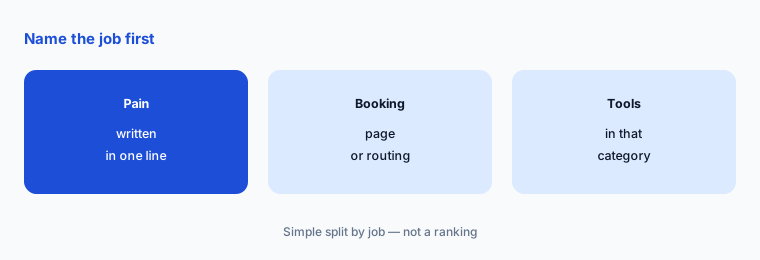
Name the job in one line:
Write whether you need a public booking page, a personal calendar assistant, or inbound form-to-rep routing. Price tools in that one category, not across all three.
6. One owner per live booking page
What it is: Every tool on this page keeps offering times after the person who set the page up has moved on (Calendly pricing).
A named owner matters more than the logo. An outdated duration, an old conference link, or a buffer that no longer matches your day still reaches guests.
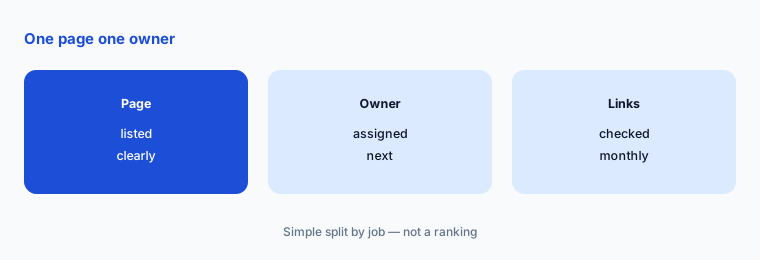
List the owners:
Write every live booking page, its owner, the calendar it reads, and the last date durations, buffers, and conference links were checked. Review the list monthly.
Pricing context (November 2026)
Calendly (pricing page, read 8 Nov 2026): Free always free (one event type, one calendar connection); Standard $10 a seat a month and Teams $16 a seat a month on yearly billing (page says save up to 20%); Enterprise from $15k a year starting at 50 seats. Notetaker and Callie are offered as add-ons on Standard or Teams.
Cal.com (pricing page, read 8 Nov 2026): Individuals free forever (one user, unlimited links and calendars); Teams $12 per user a month on yearly billing (page says save 25%); Organizations $28 per user a month on yearly billing; Enterprise custom.
SavvyCal (pricing page, read 8 Nov 2026): Basic $10 a user a month billed annually ($120 a year) or $12 billed monthly; Premium $17 a user a month billed annually ($200 a year) or $20 billed monthly. The FAQ says you can set up links for free, but guests need a paid plan to book. 30-day money-back guarantee; no self-serve trial listed.
TidyCal (pricing page, read 8 Nov 2026): Free $0 forever with unlimited bookings; Individual Lifetime $29 one-time; Agency Lifetime $79 one-time (both sold on AppSumo); Pro $12 a month or $99 a year.
Acuity Scheduling (pricing page, read 8 Nov 2026): no free plan; Starter $16 a month ($20 monthly) with 1 calendar; Standard $27 ($34 monthly) up to 6 calendars; Premium $55 ($69 monthly) up to 36 calendars; 7-day trial.
Chili Piper (pricing page, read 8 Nov 2026): Growth from $15,000 a year ($1,250 a month) with 15 seats included; extra seats $45 a seat a month; billed annually. A different job (sales routing) than a personal booking page.
If you need a personal calendar assistant rather than a public booking page, see Reclaim.ai and Sunsama.
Uncertainty: Calendly and Cal.com paid prices on the pages we read were shown with yearly billing selected; monthly billing costs more (Calendly says save up to 20%; Cal.com says save 25%). We did not treat those save percentages as a full monthly price list. SavvyCal’s schema and page both list Basic at $12 monthly / $120 yearly and Premium at $20 monthly / $200 yearly ($17 a month when paying yearly). TidyCal lifetime plans are sold on AppSumo. Chili Piper is billed annually. Confirm the live page and the monthly/yearly toggle on the day you buy.
When it’s useful (honest take)
A Calendly alternative helps when you have hit Free’s one-event-type limit, you want a different free or lifetime deal, you need more hosts priced clearly, or the job is inbound sales routing (a different category). Stay on Calendly Free if one event type and one calendar already cover you.
None of these tools help if nobody owns the live booking page. Cancel any scheduler the winner replaces, and keep a written owner for every page you leave on.
Still choosing between Calendly and another scheduling tool? The $19 AI toolkit audit gives you a written plan for which tools to keep using and which to drop across your whole AI stack, including this pair.
Prefer to do it yourself? Spreadsheet — $9
Related options (educational)
| Need | Better home | Why |
|---|---|---|
| Personal calendar assistant | Reclaim.ai review | Defends focus time on your own calendar |
| Daily planning | Sunsama review | A planned workday, not a public booking page |
| Automation around bookings | Make vs Zapier | Connect the booking tool to the rest of your stack |
| Email follow-up after a call | Kit (ConvertKit) review | See that review for current plans |
FAQ
What are the best Calendly alternatives in 2026?
It depends on the job. On 8 November 2026, Cal.com listed a free individual plan and Teams at $12 per user a month on yearly billing; SavvyCal Basic was $10 a user a month billed annually; TidyCal listed Free plus a $29 lifetime plan; Acuity started at $16 a month; Chili Piper started at $15,000 a year for sales routing. This page is not a ranking.
Is there a free Calendly alternative?
Yes, several tools list a free plan. Calendly Free covers one event type. Cal.com lists a free-forever individual plan with unlimited links. TidyCal lists Free with unlimited bookings. SavvyCal lets you build links for free but requires a paid plan before guests can book, per its FAQ read on 8 November 2026.
How much does Calendly cost per seat?
On the yearly billing toggle we read on 8 November 2026, Standard was $10 a seat a month and Teams was $16 a seat a month. Invitees do not need a seat. Enterprise starts at $15k a year with a 50-seat minimum.
Is Chili Piper a Calendly alternative?
Only if the job is inbound sales routing (forms to the right rep). Chili Piper’s Growth plan starts at $15,000 a year. For a personal or team booking page, compare Calendly with Cal.com, SavvyCal, TidyCal, or Acuity instead.
Who should own each booking page?
One named person per live page, with the calendar it reads written down and a monthly check of durations, buffers, and conference links.
Optional next step (if seats overlap)
If you pay for Calendly plus another scheduler or calendar assistant, map which pages overlap before you add a seat. Map the overlap with the $19 AI toolkit audit or the $9 AI toolkit spreadsheet. Email Audit $19 or Toolkit spreadsheet $9.
Checkout is live via Stripe. After you pay, we email delivery (spreadsheet) or intake next steps (audit).