Ops · Eng · Issue triage
Linear AI review (Sep 2026): issue triage for eng+ops glue work
When Linear AI helps triage and summarize if Linear is already the issue tracker — theme groups, blockers, sprint cut lines — and when it is not a reason to buy Linear alone. Sep 2026 pricing and AI credits honesty included.
Who this page helps
Eng and ops people on teams that already use Linear as the issue tracker, deciding whether built-in Linear AI speeds Monday triage and sprint cut lines — or whether Asana / ClickUp / monday AI covers the job without a Linear seat. If you do not live in Linear today, stay on your current tracker instead of buying Linear only for AI.
What Linear AI is
Linear AI is Linear’s built-in AI layer inside the issue tracker: helpers for triage and summaries, Triage Intelligence on Business+, Linear Agent across plans, plus usage-priced AI credits for coding sessions and Loops (Business+). Public packaging in 2026 folds seats into Free / Basic / Business / Enterprise, with optional prepaid credits for heavier agent work. This review focuses on the eng+ops glue triage job — not a full Linear product catalog.

Major features (with how someone uses them)
Examples at a glance: each feature has a concrete eng/ops example plus a Try this mini-workflow.
1. Issue triage: themes + blockers
What it is: Feed a real slice of the backlog and ask Linear AI to group issues by theme and flag likely blockers. Best when the issues already live in Linear — AI drafts structure; humans own priority.
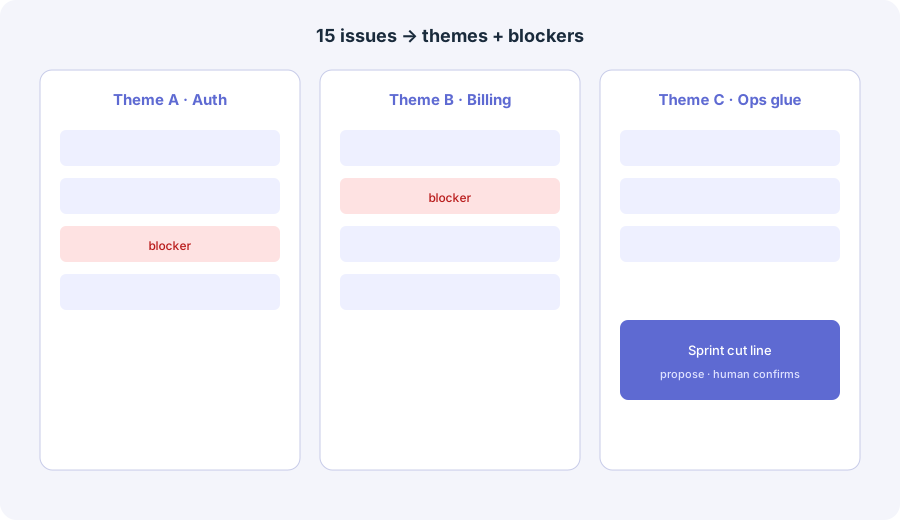
Paste 15 issues. Group by theme, flag blockers, propose a sprint cut line. Do not invent issues.
Paste 15 issues. Group by theme, flag blockers, propose a sprint cut line. Do not invent issues.
2. Sprint cut line proposals
What it is: Turn theme groups into a proposed “in / out” cut for the next cycle. AI suggests; a human confirms capacity and rejects speculative work.
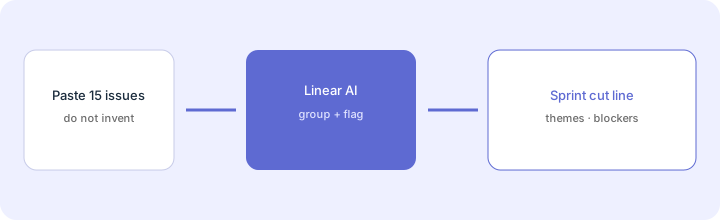
After themes and blockers:
From only these grouped issues, propose a sprint cut line: In (must ship), Stretch, Out. List blockers above the line. Mark Unknown for capacity. Do not invent issues or estimate hours you were not given.
3. Already-on-Linear vs buy-for-AI
What it is: The buying rule for this page: Linear AI helps when eng and ops already track work in Linear. Buying seats solely to try triage AI for one Monday is rarely cheaper than using Asana AI / ClickUp Brain / monday AI on the tracker you already trust.
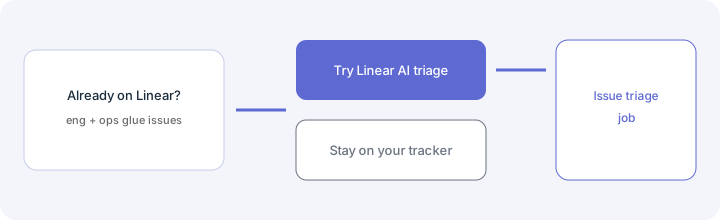
Before adding Linear seats for AI:
List last month’s eng+ops issues by tool (Linear / Asana / ClickUp / monday / other). If Linear already owns the issue cadence, pilot Linear AI on one 15-issue paste. If another tracker is the truth, use that tracker’s AI first — do not buy Linear solely for AI.
4. Plans, Triage Intelligence & AI credits
What it is: Seat plans unlock different AI surfaces. Triage Intelligence and Loops sit on Business+; Linear Agent appears across plans; coding sessions and Loops can draw prepaid AI credits (model tokens + sandbox runtime). Heavy agent work can burn credits faster than a quiet triage pass.
In your Linear billing / AI credits view:
Write: plan ____, seats ____, Triage Intelligence available? Y/N, AI credits enabled? Y/N, spend limit ____. If Unknown, do not assume unlimited agent runs — confirm linear.app/pricing and the AI credits docs before budgeting.
Public pricing (September 2026)
From linear.app/pricing and Linear’s AI credits docs we cross-checked in September 2026 (per seat where listed; confirm live):
- Free: $0 — 2 teams, 250 issues, Linear Agent included. Confirm live caps.
- Basic: about $10/user/month on annual public cards (about $12 monthly) — more teams, unlimited issues/uploads, admin roles; coding sessions available with AI credits.
- Business: about $16/user/month annual (about $18 monthly) — Triage Intelligence, Loops, Code Intelligence, Insights, Asks, private teams/guests.
- Enterprise: custom (annual) — SAML/SCIM, advanced admin, security extras.
- AI credits: prepaid workspace balance for coding sessions and Loops; sandbox runtime often cited at about $0.25 per 20-minute block plus model tokens at provider rates. Other Linear AI features may be included in the plan without drawing credits — confirm the docs.
Uncertainty flags: Seat names, included AI surfaces, credit ranges, and which features draw credits moved through 2025–2026 (including mid-2026 coding-session pricing updates). Regional pricing and legacy plan migrations vary. Never budget from this page alone — check linear.app/pricing and your admin console.
When Linear AI is useful (honest take)
- Useful when: Eng and ops already track work in Linear; you need fast theme groups and blocker flags before planning; someone will confirm the cut line and reject invented issues.
- Less useful when: You do not use Linear today and only need Asana/ClickUp/monday boards; you expect AI to invent a backlog; you buy Business seats solely to burn credits on one experiment.
If AI seats across chat + trackers + notetakers overlap on the same weekly jobs, a light trim pass may help — see the AI stack trim playbook. This Linear review stands alone.
Paying for Linear AI and a few other AI tools? The $9 AI toolkit spreadsheet lists every AI subscription you have, what each one costs, and how fast it pays for itself, so you can see which ones are worth the money.
Want someone to do it for you? AI toolkit audit — $19
Alternatives compared
| Axis | Linear AI | Asana AI | ClickUp Brain |
|---|---|---|---|
| Best when… | Eng issue cadence already in Linear. | Ops work requests already in Asana. | Docs + tasks already live in ClickUp. |
| Less useful when… | You would buy Linear only for AI. | Eng lives in Linear, not Asana. | You need Linear-native eng triage. |
See Asana AI, ClickUp Brain, monday.com AI, stack trim playbook, and the ops & automation hub.
Same job, two products: Linear AI vs Jira AI.
FAQ
What is Linear AI?
Linear’s built-in AI layer for issue triage and related assists inside Linear, with plan-gated features and optional AI credits for coding sessions and Loops. Strongest when the team already uses Linear as the issue tracker.
How much does Linear AI cost in September 2026?
Seats are the floor (Free / Basic ~$10 annual / Business ~$16 annual per user on public cards). Triage Intelligence sits on Business+. Coding sessions and Loops draw prepaid AI credits. Confirm linear.app/pricing — meters change.
Should we buy Linear just for AI?
Usually no. Prefer Linear AI when eng and ops already track work in Linear. Otherwise use the AI inside your current tracker.
How do eng+ops teams use Linear AI for triage?
Paste a real backlog slice, ask for theme groups and blockers, propose a sprint cut line, then have a human confirm priority and reject invented issues.