Compare · Finance · Close AI · Oct 2026
FloQast vs Numeric (Oct 2026): AI close tools for small and mid-size accounting teams
FloQast is a close management platform built by former accountants, with AI matching, AI-drafted flux explanations, and agents that accountants approve before they run. Numeric started as a close tool for NetSuite, QuickBooks Online, Xero, and Sage Intacct customers and now pitches itself as a finance data platform where “AI writes the rules” and rules do the accounting. Both put a person on every sign-off. This page compares them by how mature your close process is and which ERP you run — not as a ranking — with a Try this for each step.
What this comparison covers
This page is for the controller or accounting manager at a small or mid-size company who is moving the close off a shared spreadsheet checklist, or replacing a first close tool, and wants to know which tasks each product’s AI actually takes on — and which still need a named reviewer.
The short version: both run a close checklist with owners and dependencies, reconcile accounts against materiality thresholds, and draft flux explanations with AI for you to edit. FloQast adds AI transaction matching (including 3-way), agents built from a close you already finished, anomaly detection on the GL, and a separate risk and compliance package. Numeric puts AI into drafting rules — matching, monitors, treatments — that you approve once, and says its models never compute a number or draft a journal entry; it also offers billing, revenue, and an ERP replacement. FloQast says nothing hits your books without human approval; Numeric’s instruction for flux drafts is “edit, then approve.”
Facts come from floqast.com and numeric.io (home pages, pricing pages and FAQs, integrations, and product pages), read on 6 October 2026. Neither vendor publishes prices. This is product education, not accounting or audit advice.
Major features (with how someone uses them)
Examples at a glance: each feature has a concrete example from a real job plus a short Try this you can run this week.
1. Start from your three slowest close tasks (primary)
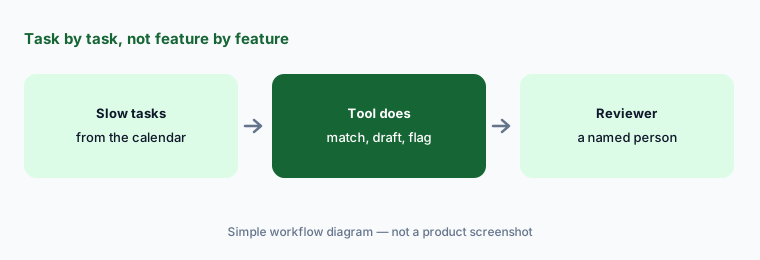
What it is: Feature lists look alike, so compare task by task. Open your close calendar and write down the three tasks that take the longest or slip most often — for many small teams that is bank and card reconciliations, accruals, and flux commentary. For each, mark which product automates it (match, draft, monitor, or post) and what a reviewer still has to check. A task where the tool only drafts still needs the same reviewer it has today.
Primary workflow:
Write your close calendar’s three slowest tasks. Mark which tool automates each and what still needs a reviewer.
2. Reconciliations and matching
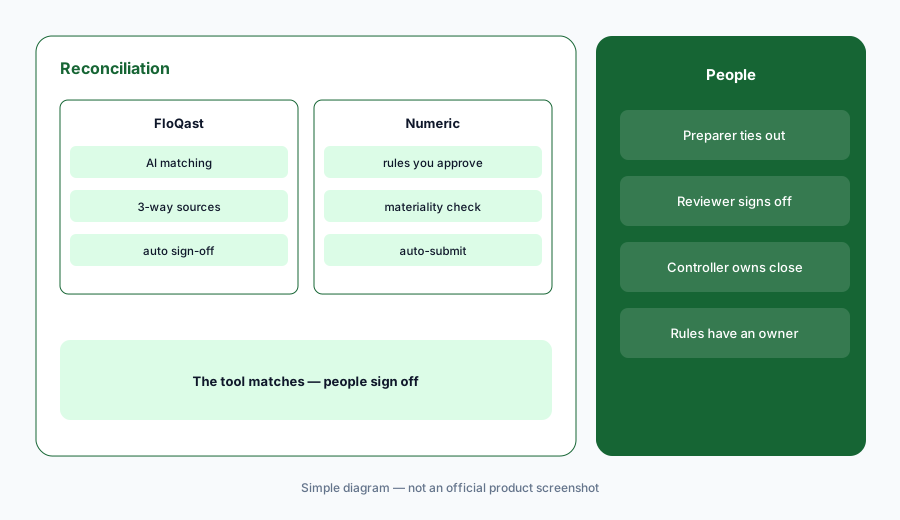
What it is: FloQast pulls account balances from your ERP, stores the support, and gives each reconciliation a preparer, reviewer, and due date; if the GL shifts after sign-off, it sends an alert. Its AI Transaction Matching handles high-volume matching — bank and credit card reconciliations are FloQast’s examples — including 3-way matching across three data sources, with an audit trail of every matching action. Numeric reads your reconciliation sources and evaluates them against the GL with materiality thresholds you set, can auto-submit recs that tie, and points you to the GL transactions that broke an account you already reconciled. Its Cash Management matches bank lines with rules on any field, and AI agents suggest new rules; Numeric’s pricing page says this covers “up to 95%” of bank transactions — Numeric’s figure.
Auto sign-off (FloQast) and auto-submit (Numeric) both save time on quiet accounts. Decide as a team which accounts qualify, and write it down.
Same account, both tools:
Run one bank or card reconciliation from last month in each pilot. Tie out every unmatched item by hand, and list any match you would have rejected.
3. Flux explanations drafted by AI
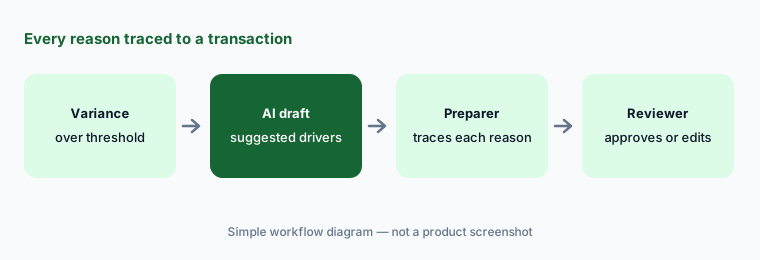
What it is: FloQast Variance Analysis builds flux reports from your thresholds and assignments once reconciliations are complete, notifies preparers when a fluctuation needs an explanation, and uses AI to help find variance drivers and draft explanations; budget variance compares final balances to budget. Numeric builds flux reports that mirror how your business groups the numbers, and in one click its AI goes through the transactions behind a variance — plus context you add, such as a payroll CSV or a NetSuite SavedSearch — to suggest drivers; you choose the format and, in Numeric’s words, “simply edit, then approve.” In both, an AI explanation is a starting point. Keep only the reasons you can trace to a transaction.
Trace every reason:
Generate AI flux commentary for the same three P&L lines in each pilot. For every stated reason, open the transaction behind it, and delete any reason you cannot trace.
4. How each one designs its AI and agents
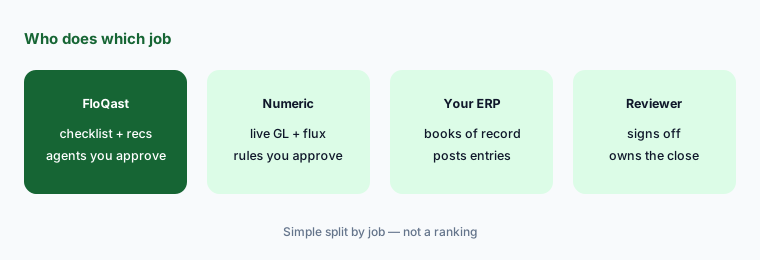
What it is: FloQast Transform builds AI agents for close work: hand it a close you already finished, or describe inputs and outputs, and it rebuilds the process as an agent; FloQast says each agent is verified against your own close before it runs and that nothing hits your books without human approval. It also lists an AI Governance product for wrapping agents in COSO-style controls, announced as coming soon in September 2026 — confirm it is live in your account. Numeric takes a rules-first approach: “AI writes the rules. Rules do the accounting.” Agents read a record, propose a treatment, and bring it for review; approve once and every similar record follows. Numeric says its models never compute a number or draft a journal entry.
The trade-off is where review happens. With an agent, you review its output each run. With an approved rule, you review the rule once — so a bad rule spreads until someone catches it. Both need a named owner.
Test on a closed month:
Before anything touches the current period, run one FloQast agent or one Numeric suggested rule on a month you already closed. Compare every output line with the approved workpaper and record each difference.
5. ERP fit and process maturity
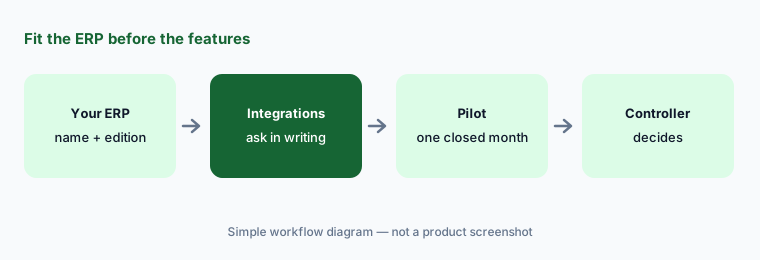
What it is: FloQast lists solutions by ERP for NetSuite, SAP, Workday, Microsoft, Sage Intacct, and Xero, says it offers direct integrations with leading ERPs, and says more than 3,500 companies use it. Its packages — Close Management, Close AI, and Risk & Compliance — let a team start with the checklist and reconciliations and add AI later. Numeric says it was founded helping NetSuite, QBO, Xero, and Sage Intacct customers with the month-end close, works with NetSuite and other ERPs, and pulls transaction-level data as it hits the GL; its integrations page also lists banks, spend tools, payroll, CRMs, and data warehouses. Numeric’s FAQ says most teams start on Close Management or Billing & Revenue before considering its ERP replacement, and some features (agentic subledgers, App Studio) are limited to the ERP replacement.
Ask in writing:
Send both vendors one email naming your ERP, your bank, and your three slowest tasks. Ask which tasks connect natively, which need a file upload, and which features require a different ERP.
6. Audit evidence and controls
What it is: FloQast says every decision is traceable and exportable, that it is ISO 42001 certified and SOC 2 Type II compliant, and it sells a Risk & Compliance package (financial controls, audit readiness, enterprise risk, operational audits) on its own or with a close package. Numeric’s close checklist keeps a full audit log for every step, and its MCP is described as syncing changes back to Numeric where your auditor expects them; we did not find security certifications on the Numeric pages we read, so ask. In both, the preparer prepares, the reviewer reviews, and the controller owns the close.
Ask the auditor first:
Request a sample export of one AI-assisted reconciliation from each vendor. Ask your auditor which export shows who prepared it, who reviewed it, and what the AI changed.
Pricing context (October 2026)
FloQast does not publish prices. Its pricing page (checked Oct 6, 2026) says there are no per-user fees and that packages are tailored to your business outcomes, not seat count. It lists three packages without figures — Close Management, Close AI, and Risk & Compliance — each with “Contact Sales.”
Numeric does not publish prices. Its pricing page (checked Oct 6, 2026) says you can start with one module or run the whole platform and lists four offerings without figures — ERP Replacement, Close Management & Analytics, Cash Management, and Billing & Revenue — each leading to “Schedule Demo.” Its FAQ says onboarding and data migration are scoped upfront.
Uncertainty: Both are quote-only, so compare written quotes that name the package or modules, which AI features are included (matching, flux drafts, agents or rule suggestions, MCP), and any onboarding fees. Numeric is expanding into an ERP replacement and FloQast announced new AI features in September 2026; confirm what is generally available on your plan.
When it’s useful (honest take)
FloQast is useful when your team wants a structured checklist-and-reconciliation close first, you run one of its listed ERPs, you want AI matching and agents with an accountant approving each one, and controls or audit readiness may join the same platform later.
Numeric is useful when you are on NetSuite, QuickBooks Online, Xero, or Sage Intacct, you want live transaction-level data, monitors, and flux drafts during the month, and you like approving rules once rather than reviewing agent output every run.
Less useful when (either one) there is no written close calendar yet, no one owns reviewing AI drafts and rules, or the team hopes the tool will sign off. In both, preparers prepare, reviewers review, and the controller owns the close.
Still choosing between FloQast and Numeric? The $19 AI toolkit audit gives you a written plan for which tools to keep using and which to drop across your whole AI stack, including this pair.
Prefer to do it yourself? Spreadsheet — $9
Related options (educational)
| Need | Better home | Why |
|---|---|---|
| Checklist, recs, AI matching, and agents | FloQast AI | Close Management, Close AI, Risk & Compliance |
| Close, flux, monitors, and AI-drafted rules | Numeric | Close Management & Analytics, Cash Management |
| Larger teams with intercompany and high volume | BlackLine AI | Matching, journal entry, intercompany |
| AI inside the ERP you already run | NetSuite AI, Sage Intacct AI, QuickBooks AI, or Xero AI | Check before adding a close tool |
| Inventory of finance tools | Stack map for finance ops | Find overlap before renewal |
Related comparisons
- Datarails vs Cube
- Fieldguide vs DataSnipper
- Claude vs Gemini for finance
- Zip vs Coupa for procurement AI
FAQ
Is FloQast or Numeric better for a small accounting team?
Neither in general, and this page is not a ranking. FloQast leads with a structured checklist and reconciliations plus AI matching and agents; Numeric leads with live GL data, monitors, flux drafts, and AI-drafted rules. List your three slowest close tasks and see which tool touches each.
Does either tool post entries without a person approving?
Both say a person approves. FloQast says nothing hits your books without human approval and agents are approved by an accountant before they run. Numeric says agents propose a treatment and bring it for review, and its models never compute a number or draft a journal entry. Your reviewer and controller sign off.
How much do FloQast and Numeric cost in October 2026?
Neither publishes prices. On Oct 6, 2026, FloQast’s pricing page listed three packages with no per-user fees and “Contact Sales”; Numeric’s listed four offerings with “Schedule Demo.” Check FloQast and Numeric and compare written quotes.
Which ERPs do they work with?
FloQast lists NetSuite, SAP, Workday, Microsoft, Sage Intacct, and Xero on its ERP pages. Numeric says it was founded helping NetSuite, QBO, Xero, and Sage Intacct customers and works with NetSuite and other ERPs. Confirm your exact ERP and edition in writing.
Do AI flux explanations replace the reviewer?
No. Both draft explanations for a person to edit; Numeric’s own instruction is to edit, then approve. Keep only reasons you can trace to a transaction, and keep the same reviewer on the flux you have today.
Optional next step (if seats overlap)
If finance pays for a close tool, an ERP AI add-on, and a separate reconciliation or flux tool that all touch the same accounts, that overlap is worth mapping before renewal. Map the overlap with the $19 AI toolkit audit or the $9 AI toolkit spreadsheet. Email Audit $19 or Toolkit spreadsheet $9.
Checkout is live via Stripe. After you pay, we email delivery (spreadsheet) or intake next steps (audit).