How-to · Short-term rentals · Hostaway · Oct 14, 2026
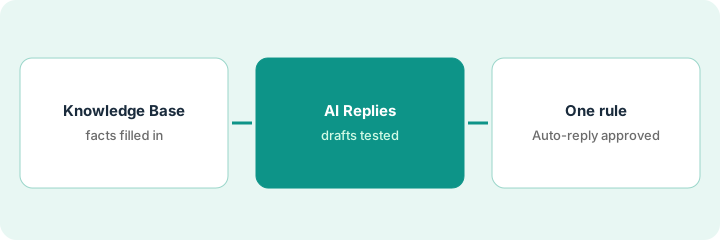
Fill Hostaway's listing Knowledge Base before you turn on Auto-reply for a single rule
Hostaway's AI Replies drafts guest responses from your rules, reservation details, and each listing's Knowledge Base. You choose Delivery per rule: Draft to review first, or Auto-reply to send without manual approval. This page shows why the Knowledge Base comes first and how to turn on Auto-reply for one rule only, after a named person approves it.
Who this is for
Vacation rental managers and guest-experience leads on Hostaway who want fewer manual replies without guests getting wrong answers. The job here is the Knowledge Base and one Auto-reply rule. For choosing which questions to cover first, see a different job: Set Guesty ReplyAI rules for three questions.
How to do it
This is a how-to, not a ranking of rental platforms. Per the Hostaway AI review, AI Replies analyzes your custom rules, reservation details, and listing information, and if information is missing it tells you which data it lacks and suggests adding it to the Knowledge Base. Hostaway notes the feature changes frequently.

1. Step 1 — Fill the Knowledge Base
What it is: The Knowledge Base holds listing facts the AI answers from. Fill it before testing replies, for one listing first.
- Pick one listing with steady bookings.
- Add the facts guests ask about: check-in and check-out, parking, Wi-Fi, hot tub or pool hours, trash, quiet hours.
- Add fees and what they cover.
- Leave door codes and lockbox codes out.
The guest-experience lead fills the cabin's Knowledge Base: check-in 4 p.m., check-out 10 a.m., two parking spaces, hot tub hours, and the firewood fee. She leaves the door code to the scheduled check-in message.
List the ten questions guests asked about this listing last month. Make sure each has an answer in the Knowledge Base before you test.
2. Step 2 — Test AI Replies as drafts
What it is: Keep Delivery on Draft and edit every reply for at least a week. Watch for guesses and for the AI's own notes about missing data.
- Read every draft before sending.
- Note any answer the Knowledge Base doesn't support.
- Add missing facts when the AI says it lacks data.
- Count drafts that needed no edits.
Three drafts guess the hot-tub hours (she'd entered them under the wrong heading), one invents a late check-out fee, and two answer correctly. She fixes the entry and adds "no late check-out" to the Knowledge Base.
For a week, mark each draft "sent as is," "edited," or "rewritten." Move to Step 3 only when one question's drafts are almost all "sent as is."
3. Step 3 — Turn on Auto-reply for one approved rule
What it is: Pick the one rule whose drafts were consistently right. The guest-experience lead approves it in writing, then switches only that rule to Auto-reply. Everything else stays Draft.
- Choose the most reliable rule (often Wi-Fi or parking).
- The lead reads the rule and its recent drafts.
- The lead approves; you set that rule to Auto-reply.
- Read every automatic reply daily for the first week.
- Switch it back to Draft the moment one is wrong.
After two weeks, parking drafts have needed no edits. The lead approves the parking rule for Auto-reply on the cabin only and reads each automatic reply daily.
Write: "Auto-reply rule: [one question]. Listings: [list]. Approved by [lead], [date]." Keep every other rule on Draft.
Pricing context (October 2026)
This how-to isn't a price sheet. Per the Hostaway AI review, Hostaway doesn't publish prices; quotes typically depend on listing count. Confirm whether any AI feature carries a separate fee. Dated October 2026.
Checked Oct 14, 2026 on the vendor’s own pricing page: Hostaway shows no public list price. Hostaway’s pricing page offers a quote that depends on your listings, with no dollar figures. This page quotes no Hostaway dollar figure; confirm what your contract includes with Hostaway or your admin.
Uncertainty: Hostaway says AI Replies is continuously developed and its guide changes frequently; re-check Delivery options before relying on them. The only prices this site sells here are the optional $9 AI toolkit spreadsheet and $19 AI toolkit audit.
When this helps (honest take)
Useful when many guest questions have fixed answers per listing and someone keeps listing facts current.
Not useful when listings change often or answers depend on the booking. Keep those rules on Draft.
Related options (educational)
| Need | Where to look | Why |
|---|---|---|
| Hostaway AI features | Hostaway AI | Primary path on this page |
| A close alternative | Guesty vs Hostaway | Side-by-side |
| Choosing the first three questions | Guesty ReplyAI rules | A different job |
| Price floors before dynamic pricing | PriceLabs guardrails | Same day's how-to |
| A whole map of property tools | Stack map: property ops | Where Hostaway fits |
FAQ
Can Auto-reply be turned on for all listings at once?
Hostaway's guide lets rules apply to one, several, or all listings. This routine starts with one listing and one rule.
Should door codes go in the Knowledge Base?
Not in this routine. Send codes through your scheduled check-in message after the booking is verified.
Where do current prices live?
With Hostaway's sales team, as a quote. Our Oct 14, 2026 check of the vendor’s own pricing page is summarized in the pricing section above.
How do we turn Auto-reply off if something goes wrong?
Per our review, Delivery is set per rule, so switch that rule back to Draft. Note what went wrong and fix the Knowledge Base before trying again.
Optional next step
Free reviews stay free. If you pay for a rental platform, a messaging add-on, and a general AI chat tool, the $9 AI toolkit spreadsheet helps you lay them out, or the $19 AI toolkit audit gets you a written memo.