How-to · Support · Freshdesk Freddy · Oct 11, 2026
Scope Freddy to macros and FAQs that are current
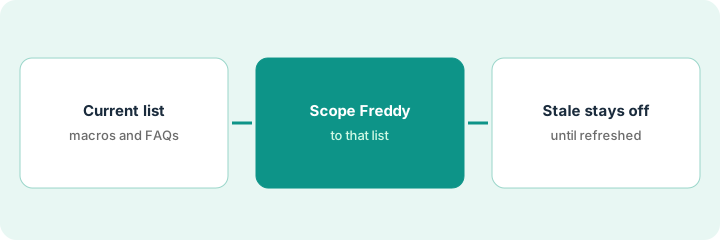
“Scope Freddy” means turning Freshdesk Freddy on only for macros and FAQs marked Current — stale content stays off. This is Freshdesk-native scoping, not an Intercom Fin “point at help center” guide. Terms: QA means a quality check done by a person.
Who this is for
Support leads whose ticket/helpdesk system of record is already Freshdesk and who want Freddy limited to content you still stand behind. If Zendesk is system of record, see Zendesk AI. If Gorgias+Shopify is system of record, see Gorgias AI.
How to do it
This page is a how-to. It is not a ranking of support bots. Product detail and dated packaging notes live on Freshdesk Freddy. Confirm Freddy features on your Freshdesk plan before you pilot.

1. Step 1 — Build the current macros/FAQs list
What it is: Inventory macros and solution articles; mark Current vs Stale with an owner and date.
- Current = reviewed in last N days (pick N, e.g. 90) and still true.
- Stale = outdated product screen, old pricing mentions, retired features.
- Sensitive = always human (security, legal, high-value refunds) even if Current.
- Owners named per article/macro.
120 solutions: 50 Current, 60 Stale, 10 Sensitive. Macros: 18 Current how-tos. Holiday 2024 shipping FAQ → Stale. Refunds over policy → Sensitive.
Sheet: Title | Type (macro/FAQ) | Status | Owner | Last reviewed. Filter Current for Step 2.
2. Step 2 — Scope Freddy to that list
What it is: Configure Freddy / AI answers to use only Current sources — confirm controls in your Freshdesk admin + review.
- Enable for Current how-to intents only.
- Point at Current FAQs/macros; exclude Stale folders.
- Route Sensitive to human groups regardless of Freddy confidence.
- Sample 20 conversations before widening brands/portals.
Freddy answers from “Getting started” and “Account settings” Current folders. Stale “Classic screen” folder excluded. Sensitive refunds → human group. 20-conversation sample logged.
Enable one portal / brand first. Screenshot source scope. Run 20 samples before a second brand.
3. Step 3 — Keep stale = off
What it is: Operational rule — stale content cannot silently re-enter Freddy’s scope.
- Monthly review: any Current older than N days → re-review or demote to Stale (off).
- New articles default to Draft until marked Current.
- Track invented answers in QA; treat as scope or content failure.
- Do not run Zendesk AI against the same Freshdesk ticket system of record in parallel.
Monthly: 4 articles demoted to Stale after screen change; Freddy scope updated same day. New “Billing portal v2” stays Draft until owner reviews. QA finds 0 answers citing Classic screen.
Calendar a monthly stale audit. Rule: Stale folder never in Freddy sources. Break glass only with ops lead initials.
Pricing context (October 2026)
This how-to is not a price sheet. Plan notes live on Freshdesk Freddy. Recheck freshdesk.com/pricing and your Freshworks admin before you budget. Related paths: Zendesk AI, Gorgias AI. Dated October 2026.
Checked Oct 11, 2026 on the vendor’s own pricing page: Freshdesk’s pricing page (Annually selected, “Save 20%”) lists Growth at $19, Pro at $55 and Enterprise at $89 per agent per month billed annually. Growth lists the Freddy AI Agent with the first 500 sessions included; additional AI Agent sessions are $49 per 100. Freddy AI Copilot is a $29 per agent per month add-on on Pro and Enterprise. These match the session-pack and Copilot figures in our Freshdesk Freddy review.
Uncertainty: Freddy packaging varies by Freshdesk tier and add-ons. If an invoice and a review disagree, trust the invoice. Do not paste a marketing list price you did not pay. The only prices this site sells here are the optional $9 AI toolkit spreadsheet and $19 AI toolkit audit.
When this helps (honest take)
Useful when Freshdesk is system of record, Current vs Stale is honest, and Sensitive stays human.
Not useful when everything is marked Current without review, or Zendesk already owns the same tickets.
Related options (educational)
| Need | Where to look | Why |
|---|---|---|
| Freshdesk Freddy | Freshdesk Freddy | Primary path |
| Zendesk macro QA | Zendesk AI | When Zendesk is system of record |
| Gorgias Shopify Unknowns | Gorgias AI | Commerce support |
| Support stack map | Stack map for support ops | Job | Tool | Owner |
| Before another seat | Three checks before an AI seat · Find unused AI seats | Live how-tos |
Related reviews: Freshdesk Freddy · Zendesk AI · Gorgias AI. Free: seat-waste calculator if multiple bot seats answer from overlapping FAQs.
FAQ
Can Freddy use Stale FAQs if confidence is high?
No. High confidence on stale content is how wrong shipping dates ship. Stale stays off.
Is this the same as Intercom Fin setup?
No. This page is Freshdesk Current/Stale scoping and Freddy controls — different product.
Where do dated prices live?
On the Freshdesk Freddy review plus the vendor site. This October 2026 how-to does not invent list prices. Our Oct 11, 2026 check of the vendor’s own pricing page is summarized in the pricing section above.
Do stale FAQs cost money with Freddy?
They can. Freddy AI Agent sessions beyond the included 500 were listed at $49 per 100 on Oct 11, 2026, so answers drawn from stale content are wasted sessions as well as wrong answers.
Optional next step
Free reviews stay free. Neither offer is required to use this page. If Freddy and another support bot seat already answer from overlapping FAQs, optional help: $9 AI toolkit spreadsheet or $19 AI toolkit audit when you want a written memo.