How-to · FP&A / planning · Drivetrain · Oct 13, 2026
Approve Drive AI model changes one at a time, then rebuild the number yourself
Drivetrain says its AI writes the logic and formulas while its calculation engine computes every number, and that the AI asks before it changes anything. That moves the risk from made-up numbers to wrong logic. This page shows a finance lead how to request one change at a time, read it properly before approving, and rebuild one number by hand before it goes anywhere near a board deck.
Who this is for
Founders, first finance hires, and small FP&A teams at startups and mid-market companies who have moved their model into Drivetrain and now get AI-proposed changes from the Scenario, Modeling, and Formula agents, or from Claude through Drivetrain's MCP server. If you're still choosing a planning tool, the Abacum review covers a similar approve-before-apply pattern for budget owners.
How to do it
This is a how-to, not a ranking of FP&A tools. Feature detail lives on the Drivetrain review. Drivetrain's trust page says the AI "never changes anything on its own. It asks for your approval before modifying any model, report, or dataset." Its FAQ says every action is logged with timestamps and user attribution, plus an impact log showing how model changes moved key metrics. Drivetrain's product docs sit behind its customer login, so check the approval screens in your own workspace.

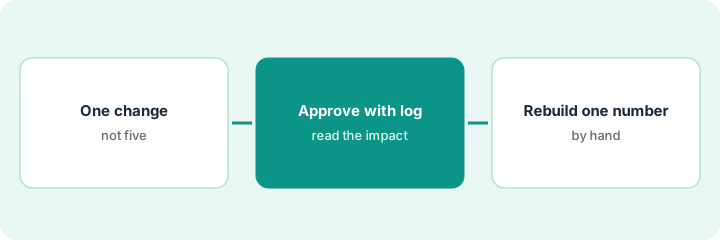
1. Step 1 — Ask for one change, not five
What it is: One request that changes one thing, so the approval in Step 2 is about one decision.
- Write the change in one sentence: what moves, by how much, from when.
- Say which version it should land in. Drivetrain's homepage lists versioning and locked versions; save what-ifs as a separate version, not in the live plan.
- Name the one metric you expect it to move, and roughly by how much. That's your yardstick for Step 2.
- If the request comes from Claude through MCP, Drivetrain says it still passes through your access controls and approval steps.
The CEO asks about delaying two engineering hires and raising prices 5% in January. The VP finance splits it: first request, "Move two senior engineer start dates from October to January, in a new version called Hiring delay." Expected effect: runway up about a month. The price change waits for a second request.
Before any AI request, write three lines: Change (one sentence) | Version it lands in | Metric I expect to move, and by roughly how much. If you need two lines for "Change," split it into two requests.
2. Step 2 — Read the change and the impact log, then approve
What it is: The approval prompt is only a control if the approver reads it. Treat each AI-proposed change like a pull request.
- Read the proposed change itself: which drivers, formulas, or inputs it touches.
- Open the impact log and note every key metric that moved, not just the one you expected.
- If a metric moved that you didn't expect, ask the Formula agent to explain the formula behind it before you decide.
- Approve only what you can explain to the CEO in one sentence. Edit or reject the rest.
The Scenario agent proposes changing the two start dates. The impact log shows runway up, as expected, and also a drop in a recruiting-fee line she hadn't linked to start dates. She asks the Formula agent; it shows recruiting fees are booked on start date, which is correct. She approves and saves the version.
Ask the Scenario agent one what-if about hiring or pricing. Before you approve, open the impact log and write one sentence for each metric that moved. Approve only the changes you can explain, and save the result as a separate version.
3. Step 3 — Rebuild one number by hand
What it is: The engine computes the number from the logic. Rebuilding one affected number from source data shows whether the logic and the definitions match yours, which the approval screen can't tell you.
- Pick the number most likely to be quoted: usually runway, ending cash, or a headcount cost.
- Rebuild it from the source: bank statement, general ledger, payroll file, or the hiring plan.
- Write down which definitions you used (net or gross burn, which cash accounts) and compare with what the model used.
- If they differ, fix the definition in the model with its own request and approval.
The model shows 21 months of runway in the new version. She rebuilds it from the bank balance and the general ledger: the model used gross burn and counted a deposit the company can't use. On net burn, excluding the restricted deposit, it's 23 months. She requests a definition change, approves it after reading the impact log, and puts 23 months in the deck with a footnote.
After each approved change, rebuild one affected number from source data. Record: "Model: [value]. Rebuilt: [value]. Definitions used: [list]. Match: [yes/no]." Nothing goes in the board deck until "Match" says yes.
Pricing context (October 2026)
This how-to isn't a price sheet. Drivetrain doesn't publish prices. When the Drivetrain review checked on 7 October 2026, drivetrain.ai/pricing returned a "page not found" error, and its FAQ said pricing depends on the systems you integrate, the features you need, model complexity, and the implementation model, with a custom proposal. The same FAQ says implementation is included, there's no additional fee for AI features, and there's no self-serve free trial (Drivetrain offers guided demos and proof-of-concept engagements instead). Ask for those three points in writing. Dated October 2026.
Checked Oct 13, 2026 on the vendor’s own pricing page: Drivetrain shows no public list price. Drivetrain’s pricing address returned a page-not-found response on our check. This page quotes no Drivetrain dollar figure; confirm what your contract includes with Drivetrain or your admin.
Uncertainty: Drivetrain's product docs are behind a login and we found no public changelog, so individual agents can't be dated. If your contract and our review disagree, trust your contract. The only prices this site sells here are the optional $9 AI toolkit spreadsheet and $19 AI toolkit audit.
When this helps (honest take)
Useful when your model lives in Drivetrain, one or two people answer every "what if," and AI-proposed changes are starting to arrive faster than anyone reads them.
Not useful when nobody owns definitions like burn, ARR, or headcount. The AI will pick one, and the rebuild will keep disagreeing until someone decides.
Related options (educational)
| Need | Where to look | Why |
|---|---|---|
| Drive AI features | Drivetrain | Primary path on this page |
| Approve-before-apply for budget owners | Abacum | AI Data Entry saves the request next to the number |
| Approving AI model builds in larger platforms | Pigment vs Anaplan | Modeler Agent waypoints vs CoModeler build plans |
| Keeping Excel as the front end | Vena AI | Planning Agent builds plans in Excel |
| Finance AI seats in one view | Stack map for finance ops | Job, tool, and owner in one view |
| Checking a seat before you buy | Three checks before you add another AI seat to the card | Live how-to |
FAQ
Can Drive AI change my model without approval?
Drivetrain says no: it asks for approval before modifying any model, report, or dataset, and changes requested through Claude still pass through your access controls and approval steps.
Why rebuild a number if the engine calculates it?
Because the engine calculates from the logic and definitions in the model. A rebuild from source shows whether those match the ones your board uses.
Where do current prices live?
With Drivetrain's sales team. Drivetrain published no prices when we checked on 7 October 2026, and this page doesn't invent any. Our Oct 13, 2026 check of the vendor’s own pricing page is summarized in the pricing section above.
Why rebuild a number by hand after approving?
Because an approval says the change looked right. Rebuilding one output yourself shows the model actually does what you approved.
Optional next step
Free reviews stay free. If finance pays for Drivetrain, a spreadsheet add-in, and several chat assistants the team uses to rebuild the same runway numbers, the $9 AI toolkit spreadsheet helps you lay them out, or the $19 AI toolkit audit gets you a written memo.