How-to · FP&A / planning · Datarails · Oct 13, 2026
Read the Datarails flux agent's notes before anyone drafts a journal entry
When the flux explanation and the fix arrive in the same conversation, it's easy to go straight from "prepaids dropped" to a correcting entry without asking whether the explanation was right. This page shows a controller or senior accountant on Datarails how to keep two things apart: the flux notes, which say what moved and why, and the journal drafts, which only start once a person agrees something needs fixing. Datarails already says a person posts, not the agent; this adds the step before the draft.
Who this is for
Controllers, senior accountants, and small finance teams at small or mid-size companies who keep their models in Excel, consolidate in Datarails, and have the Month-End Close module. If you're still choosing a spreadsheet-first tool, Datarails vs Cube covers how each packages close.
How to do it
This is a how-to, not a ranking of close tools. Feature detail lives on the Datarails review. If you have Datarails Month-End Close (listed under the Expert plan and also sold as an add-on), its AI tools menu holds Flux analysis, a report of what moved and why plus an Excel file, and Generate journal entry. Datarails says agents are switched on per account, so check both are active for yours.

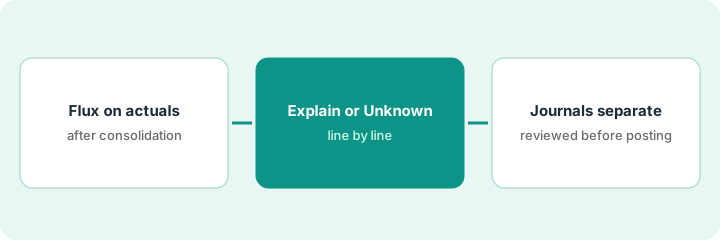
1. Step 1 — Run Flux analysis on the month's consolidated actuals
What it is: Run flux on the numbers leadership will see, after entities are combined, currencies translated, and eliminations in. Datarails lists multi-entity, multi-currency consolidation with intercompany eliminations on every plan.
- Finish consolidation first. A flux run on half-consolidated numbers explains movements that disappear an hour later.
- Ask in your setup whether flux runs at the consolidated level, the entity level, or both, and pick one for the first month.
- Save the flux report and its Excel file in a folder for this month's flux notes, not in the journal folder.
- Pick a threshold your team already reports on, so the list stays readable.
The controller closes the US parent and the UK subsidiary, posts eliminations, then runs Flux analysis on September's consolidated balance sheet. The report lists eleven accounts above the team's threshold. She saves it as "Sep flux notes" in the close folder.
Before you run flux, write one line in the close tracker: "Consolidation complete: [date, time]. Flux scope: [consolidated / entity]. Threshold: [amount or %]." Don't run until all three are filled in.
2. Step 2 — Explain each line or mark it Unknown
What it is: The flux report says what moved and offers a reason. A person checks each reason against the invoice, schedule, or journal behind it, and writes one of three outcomes. No journal draft yet.
- Agreed: the reason matches the source document. Note which document.
- Different reason: the movement is real but the explanation is wrong. Write the right one.
- Unknown: you can't find the source yet. Write who's looking and by when.
- Only lines marked "different reason" might need a correcting entry, and only after the reviewer agrees. "Agreed" lines are explained; "Unknown" lines aren't ready for any entry.
Accrued liabilities jumped; the report says a large unpaid vendor invoice. She finds the invoice: agreed. Prepaids dropped; the report says normal amortization, but the schedule shows a prepaid was written off early: different reason. A small rise in other receivables has no clear source: Unknown, accounts payable lead checking by Thursday. Eight more are agreed.
Run Flux analysis on one month. For each explanation, find the invoice, schedule, or journal behind it, and write "agreed," "different reason," or "Unknown" with the source next to it in the flux notes file. Count how many lines were Unknown.
3. Step 3 — Draft journals separately, and review before posting
What it is: Only now does anyone ask for a draft entry, and only for a line the reviewer agreed needs fixing. Datarails' help center is explicit: "Nothing is posted to your books: a journal entry arrives in the conversation as a draft for you to check, and a person posts it, not the agent."
- The reviewer reads the "different reason" lines and agrees which need an entry.
- The preparer asks Generate journal entry for one line at a time.
- The preparer edits the draft (account, amount, memo) and links it to the flux note it came from.
- The reviewer checks the draft against the flux note and the source document, then posts it. Preparer and poster are different people.
The controller agrees the prepaid needs correcting. The senior accountant asks for one draft entry, fixes the memo to reference the write-off schedule, and saves it with "From Sep flux notes, line 4." The controller reviews and posts it. The Unknown receivables line gets no entry until the accounts payable lead reports back.
Use one memo format for every flux-driven draft: "From [month] flux notes, line [#]. Reason: [one line]. Preparer: [name]. Reviewed and posted by: [name], [date]." A draft without a flux line number isn't reviewed.
Pricing context (October 2026)
This how-to isn't a price sheet. Datarails doesn't publish prices. When the Datarails review checked on 7 October 2026, its pricing page showed Professional, Premium, and Expert plans, each with a "Request Quote" button. Month-End Close is listed under Expert and also sold as an add-on; the same page says Expert comes with one of Cash Management, Month-End Close, or Spend Control at no extra cost. Ask exactly which modules and AI agents your quote covers. Dated October 2026.
Checked Oct 13, 2026 on the vendor’s own pricing page: Datarails shows no public list price. Datarails’ pricing page lists Professional, Premium, and Expert plans, each with a “Request Quote” button, and no dollar figures. This page quotes no Datarails dollar figure; confirm what your contract includes with Datarails or your admin.
Uncertainty: Datarails' AI Assistant is labeled Beta and agents are enabled per account, as of 7 October 2026. If your contract and our review disagree, trust your contract. The only prices this site sells here are the optional $9 AI toolkit spreadsheet and $19 AI toolkit audit.
When this helps (honest take)
Useful when you consolidate in Datarails, have Month-End Close, and the same person reads the flux and drafts the fix. Splitting the two adds one short step and catches the entry built on a wrong explanation.
Not useful when you don't have the Month-End Close module, or your close checklists and reconciliations already live in a dedicated close tool. Then flux belongs there, and the Datarails vs Cube comparison is the better read.
Related options (educational)
| Need | Where to look | Why |
|---|---|---|
| Datarails AI features | Datarails | Primary path on this page |
| Comparing spreadsheet-first tools | Datarails vs Cube | How each packages consolidation and close |
| Excel or Sheets with AI in the sidebar | Cube | Scenarios with AI Write Protection |
| Dedicated close tools | FloQast vs Numeric | Close checklists and flux at volume |
| Writing the flux commentary itself | Draft flux commentary in Numeric that a controller signs off | Live how-to (a different job: commentary) |
| Finance AI seats in one view | Stack map for finance ops | Job, tool, and owner in one view |
FAQ
Can Datarails' AI post a journal entry?
No. Datarails says a journal entry arrives as a draft in the conversation, and a person posts it, not the agent.
Why not draft the entry in the same step as the flux?
Because the draft inherits the explanation. If the reason is wrong, the entry is wrong. Checking the reason first means only agreed fixes become drafts.
Where do current prices live?
With Datarails' sales team. Datarails published no prices when we checked on 7 October 2026, and this page doesn't invent any. Our Oct 13, 2026 check of the vendor’s own pricing page is summarized in the pricing section above.
Why keep flux notes and journal drafts apart?
So an explanation of a variance never turns into a posting by accident. The controller reviews journal drafts on their own before anything posts.
Optional next step
Free reviews stay free. If finance pays for Datarails, a separate close tool, and chat seats that all explain the same flux lines, the $9 AI toolkit spreadsheet helps you lay them out, or the $19 AI toolkit audit gets you a written memo.