How-to · Experience analytics · Contentsquare · Oct 18, 2026
Use Contentsquare Sense to summarize session replays, and have the UX lead check the replays before acting
Contentsquare's Sense Chat gives reasons for a drop, and Sense summaries can condense up to 100 session replays at once. A summary tells you where to look, not what is true. This page shows how to check privacy settings, ask about one funnel step, and have the UX lead watch the replays before anyone files a fix.
Who this is for
UX researchers, digital managers, and product managers who need to know why visitors struggle on a page — including former Heap and Hotjar users, since both are now part of Contentsquare. The job here is checking replay summaries before acting. For turning heatmap insights into a test with VWO's Wingz and having the conversion lead approve the hypothesis — a different job — see VWO Wingz hypothesis approval.
How to do it
This is a how-to, not a ranking of analytics tools. Per the Contentsquare AI review, Sense Chat and AI summaries appear in plan features, Sense Analyst is a paid add-on on Pro and Enterprise (not used here), web projects start with full masking, and automatic personal data redaction is always on. The ground rule: a named UX lead watches the replays behind a summary before any change is filed.

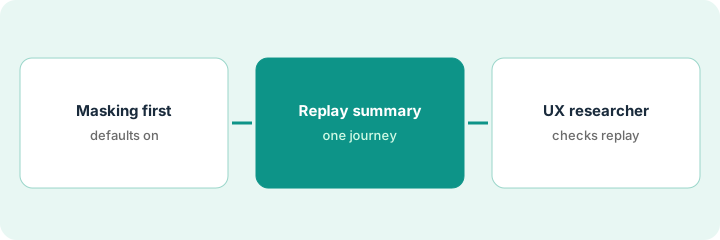
1. Check masking defaults first
What it is: Before anyone reads replays, confirm the project's masking level and get a privacy owner to approve any exception.
- Confirm the web project is on full masking (text, numbers, and media masked).
- Unmask by element, page by page, never by switching the whole site to no masking.
- Leave account and checkout pages fully masked.
- Remember masking changes are not retroactive.
- Keep replay data out of general chat tools.
Designers ask to unmask the whole site. The analytics lead unmasks only navigation, product titles, and prices with element rules, and gets the privacy lead's written approval.
Write down the masking level and every element exception, with the privacy owner's approval, before step 2.
2. Ask Sense Chat about one step, then summarize its replays
What it is: Ask Sense Chat why one funnel step got worse, then run a Sense summary on a representative batch of that step's sessions.
- Ask one question about one page or step, such as why signups dipped this week.
- Note each reason Sense gives and the zone it refers to.
- Pick a representative batch — not 100 sessions from the first hour after a launch, which may be your own team.
- Summarize up to 100 sessions and list the friction points it reports.
- Check boring causes too: a campaign that ended, a tracking change, a slow release.
A UX researcher summarizes 80 sessions from the first two days of a redesigned signup page. The summary reports hesitation at the password rules.
Mark each reason seen, partly seen, or not seen as you go — nothing is seen yet.
3. UX lead watches the replays before ticketing
What it is: The UX lead watches at least five sessions behind each friction point and files a fix only for what they saw happen.
- Watch five or more sessions behind the top friction point.
- Drop reasons you could not see in the replays.
- Attach the session links to the ticket.
- Send design ideas to your normal test or design review, not straight to production.
- Record which sessions you watched.
She watches six sessions: four show visitors retyping passwords after an error. She files one ticket with the six links and suggests showing the rules before typing.
Watch five sessions behind the top friction point and attach their links to any ticket you open.
Pricing context (October 2026)
This how-to isn't a price sheet. Per the Contentsquare AI review and Contentsquare's pricing page (checked Oct 18, 2026), there is a Free plan at $0, Growth for Experience Analytics starts at $49 a month on monthly billing and rises with sessions (paying yearly takes 20% off), and Pro and Enterprise show no price. Sense Analyst is a paid add-on on Pro and Enterprise with no published price. Dated October 2026.
Checked Oct 18, 2026 on the vendor’s own pricing page: Contentsquare’s pricing page lists a Free plan at $0 and Growth Experience Analytics at $49 per month on monthly billing, with a discount for yearly billing; Pro and Enterprise are custom. Sense Analyst is a paid add-on on Pro and Enterprise.
Uncertainty: The only prices this site sells here are the optional $9 AI toolkit spreadsheet and $19 AI toolkit audit.
When this helps (honest take)
Useful when your team needs to know why visitors struggle on specific pages and will watch the sessions behind each reason.
Not useful when traffic is small, nobody will watch replays, or your main need is server-side experiments and flags.
Related options (educational)
| Need | Where to look | Why |
|---|---|---|
| Contentsquare AI features | Contentsquare AI | Primary path |
| Heatmap insight to a test | VWO Wingz hypothesis approval | A different job |
| Website testing with Wingz | VWO AI | Where tests run |
| Replay-first issue finding | Fullstory AI | Another replay tool |
| Product ops stack map | Stack map: product ops | Where Contentsquare fits |
FAQ
Is Contentsquare the same as Heap and Hotjar now?
Per our review, Heap is now Contentsquare Product Analytics, and you can no longer sign up for Hotjar; its heatmaps, recordings, surveys, and feedback tools live inside Contentsquare.
Do we need Sense Analyst for this?
No. This routine uses Sense Chat and replay summaries. Per our review, Sense Analyst is a paid add-on on Pro and Enterprise.
How much does Contentsquare cost?
Free at $0 and Growth from $49 a month on monthly billing on the page we checked; Pro and Enterprise are custom. See the pricing section.
Are Heap and Hotjar part of Contentsquare?
Per our review, yes: Heap and Hotjar are now under Contentsquare.
Optional next step
If you want a one-page toolkit map for the tools you already pay for, use the optional $9 AI toolkit spreadsheet. If you want a short review of seat waste and unused tools, use the optional $19 AI toolkit audit. Neither is required to follow this how-to.