How-to · FP&A / planning · Abacum · Oct 13, 2026
Let budget owners enter numbers with Abacum's AI Data Entry, and approve every change
Budget season usually means a dozen department heads emailing numbers, and finance re-keying them into the plan with no record of why anything changed. This page shows a head of FP&A how to let two department heads enter their own numbers through Abacum's AI Data Entry, where the request sits next to the number and nothing moves until someone approves it.
Who this is for
Heads of FP&A and finance leads at scale-ups and mid-market companies who already plan in Abacum, run budget season with several department heads, and chase inputs in Slack and email. If you're still choosing a planning platform, the Abacum review and the Pigment AI review cover how each one handles budget-owner input.
How to do it
This is a how-to, not a ranking of planning tools. Feature detail lives on the Abacum review. Abacum announced AI Data Entry on 5 October 2026 and says it's enabled in every Abacum org: hover over an Input Table to find it. Abacum's detailed docs sit inside the app, so check limits there before rollout.

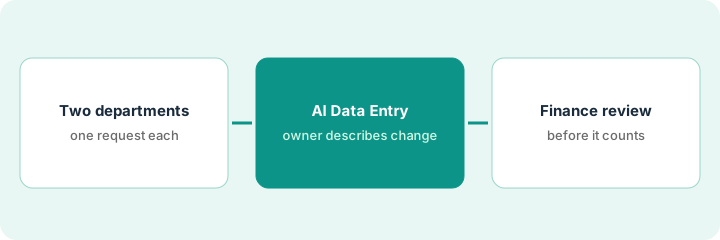
1. Step 1 — Pick two departments and one budget request each
What it is: A small first round, with two budget owners who already submit numbers and one request each, so you can see how the AI reads plain language before the whole company uses it.
- Pick one department with a simple budget and one with more moving parts, such as a mid-year contract.
- Ask each owner for one request they'd normally send you by email, written as a sentence or two.
- Check that each request touches lines that already exist in the Input Table. Abacum's 5 October post says a proposal can include new rows, but it also lists "creating new lines" as coming next, so keep brand-new lines out of the first round.
She picks Marketing and Customer Support. Marketing's request: "Same tools as this year, HubSpot up 10%, drop the second webinar tool, add the events platform from April." Support's request: "Flat headcount, the help desk tool renews 8% higher in July."
Make a short table: Department | Budget owner | Finance reviewer | Request text | Touches new lines? (yes/no). Only requests marked "no" go into the first round.
2. Step 2 — The budget owner describes the change in AI Data Entry
What it is: The budget owner opens the Input Table, invokes Abacum Intelligence, and describes the change in plain language. Per Abacum, AI Data Entry reads the request alongside prior inputs, actuals, and history, then proposes which values change and where. Abacum says nothing changes until the owner approves, one click applies it, and the original request is saved in the change history next to the number.
- Before applying, the owner compares each proposed value with what they asked for and marks it "matches," "differs," or "missing."
- Watch timing in particular: a cost that starts in April should not be spread across all twelve months.
- If the proposal differs, the owner fixes it or rewrites the request before clicking apply.
The proposal raises HubSpot by 10% and removes the second webinar tool correctly, but spreads the events platform across January to December. The marketing lead marks that line "differs," corrects the spread to start in April, and only then applies the change. The request text now sits in the change history beside the events line.
Send one department budget request through Abacum. Compare the AI draft to what the department head actually asked for. Mark each proposed value "matches," "differs," or "missing" before anyone clicks apply, and check that the request text shows up in the change history.
3. Step 3 — Approve before it hits the plan
What it is: Abacum's built-in approval is the budget owner's: the proposal doesn't change anything until they apply it. Finance adds its own check before the numbers count, using the change history, where the request text sits next to each number.
- After the owner applies the change, the finance reviewer opens the change history for that Input Table.
- For each changed value, the reviewer reads the request text and the new number side by side.
- Anything that doesn't match goes back to the owner with one line explaining why, and the owner corrects it.
- Only after the reviewer signs off does the department count as "submitted" in your budget tracker.
Abacum lists routing and approvals under Workflow Intelligence. Ask in a demo how to route a department's input to a named finance reviewer.
Support's change history shows the help desk tool rising 8%, but from January instead of July. The finance reviewer sends it back: "Renewal is July; please move the increase." The support director fixes it, the reviewer checks the history again, and Support moves to submitted.
Add one line to your budget tracker for each department: "Applied by: [owner], [date]. Reviewed by: [finance], [date]. Sent back: [yes/no, reason]." Don't roll a department into the plan until both names are filled in.
Pricing context (October 2026)
This how-to isn't a price sheet. Abacum doesn't publish prices. When the Abacum review checked on 7 October 2026, abacum.ai/pricing redirected to the home page, and the site offered "Book a demo" and an interactive demo instead. Abacum presents Abacum Intelligence as part of the platform and says AI Data Entry is enabled in every org, but its public pages don't say whether AI features carry usage limits or extra fees. Ask for that in writing with your quote. Dated October 2026.
Checked Oct 13, 2026 on the vendor’s own pricing page: Abacum shows no public list price. Its /pricing address redirected to Abacum’s home page on our check, which offers “Book a demo.” This page quotes no Abacum dollar figure; confirm what your contract includes with Abacum or your admin.
Uncertainty: New-line support in AI Data Entry is listed as coming, and Abacum's detailed docs aren't public, so limits may differ in your org. If your contract and our review disagree, trust your contract. The only prices this site sells here are the optional $9 AI toolkit spreadsheet and $19 AI toolkit audit.
When this helps (honest take)
Useful when you run budget season with many department heads, numbers arrive by email or Slack, and you want each owner's reason saved next to their number. Two departments show you quickly where the AI misreads plain language (timing is the usual one).
Not useful when finance owns every number anyway. If two people in finance enter the whole budget, owner input isn't the problem to solve. It's also less useful if your requests mostly need brand-new lines, since Abacum lists that as coming.
Related options (educational)
| Need | Where to look | Why |
|---|---|---|
| Abacum AI features | Abacum | Primary path on this page |
| One planning model with AI agents | Pigment AI | Analyst and Modeler Agents; Frames (open beta) can build data-entry forms on live data |
| Comparing large planning platforms | Pigment vs Anaplan | Who approves AI-built model changes |
| Approval before AI model changes | Drivetrain | AI asks before changing a model, with an impact log |
| Finance AI seats in one view | Stack map for finance ops | Job, tool, and owner in one view |
| Checking a seat before you buy | Three checks before another AI seat | Live how-to |
FAQ
Can Abacum's AI change a budget without approval?
Abacum says no for AI Data Entry: it proposes values in the Input Table, nothing changes until the budget owner approves, and the original request is saved in the change history. The finance review in Step 3 is a second check you add on top.
Where do current prices live?
With Abacum's sales team. Abacum published no prices when we checked on 7 October 2026, and this page doesn't invent any. Our Oct 13, 2026 check of the vendor’s own pricing page is summarized in the pricing section above.
What if the AI spreads a cost across the wrong months?
The budget owner marks that value “differs” and fixes it before applying. Timing is the most common miss, so check it on every request.
Optional next step
Free reviews stay free. If finance pays for a planning platform, a BI tool, and chat assistants that budget owners use to draft the same requests, the $9 AI toolkit spreadsheet helps you lay them out, or the $19 AI toolkit audit gets you a written memo.