What’s new · Data & BI · Power BI · Sep 2026
What’s new in Power BI (Sep 2026): Copilot and modeling changes ops should notice
Microsoft’s Power BI September 2026 Feature Summary is long. This page pulls out the changes an ops or BI lead should act on — especially a new control over who can use Copilot on a semantic model, and a file-picker cutoff that can break saving to OneDrive. Every item comes from the Feature Summary we opened on 5 October 2026. For the full Copilot review, see Power BI Copilot.
What this page covers
This page is for the Power BI admin, report owner, or ops lead who wants the September changes that affect access, Copilot behavior, and day-to-day work — without reading the whole Feature Summary.
We list only what the Feature Summary says, grouped by what you might do about it. Items marked preview may change; items marked generally available (GA) are ready for production per Microsoft.

Major features (with how someone uses them)
Examples at a glance: each feature has a concrete example from a real job plus a short Try this you can run this week.
1. Five ops-relevant changes (primary)
What it is: From the September 2026 Feature Summary: (1) a new semantic-model setting, “Allow any person with read-only access to use AI (i.e. Copilot, Microsoft’s MCP tools) on the model and its related reports” — enabled by default; when disabled, read-only users can’t reach that model through Copilot, Microsoft 365 Copilot Chat and Cowork, data agents, or MCP servers. (2) Old file picker cutoff: starting in October, Power BI Desktop versions from March 2026 or earlier can no longer save and share files to OneDrive and SharePoint. (3) Export to Excel from table visuals (“Data with current layout”) rises from 150,000 to 500,000 rows. (4) DirectQuery semantic models can be created and edited in the Power BI service, without Desktop. (5) Power BI Projects (PBIP) are GA, and PBIR is now the default report format for PBIX and PBIP files; legacy reports convert when edited.
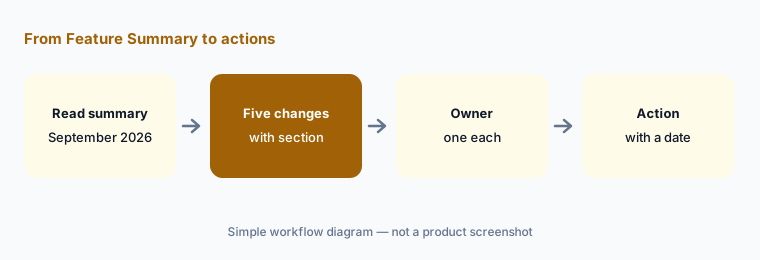
Primary workflow:
From the Power BI Sep 2026 Feature Summary, list 5 ops-relevant changes — cite sources (the Feature Summary link above, with the section name).
2. Copilot and agent changes
What it is: Power BI agentic experiences are GA, including a remote Power BI Authoring MCP server in preview alongside the local server (GA since November 2025). Microsoft 365 Copilot is coming to Power BI in preview. Power BI data answers in Microsoft 365 Copilot Chat are GA, with Purview Data Loss Prevention support. The Fabric IQ plugin in Microsoft 365 Copilot Cowork is GA, with responses that cite the Power BI content behind an answer and show its sensitivity label. In reports, you can enable Fabric IQ from the Copilot pane to answer more complex questions.
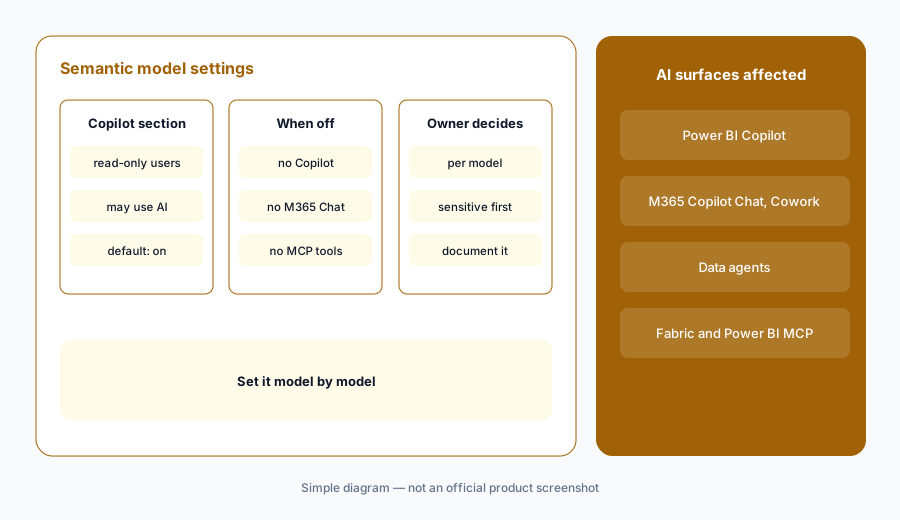
Model by model:
List your three most sensitive semantic models. For each, decide with the owner whether read-only users should use AI on it, and set the new Copilot setting accordingly.
3. Reporting and modeling changes
What it is: Beyond DirectQuery modeling in the service and PBIP GA: the Narrative visual replaces its Q&A-based dynamic values with a deterministic UI, citing the ongoing deprecation of the Q&A tool; a new report ribbon on the web and live visual sharing in Outlook on the web are in preview; Approximate Distinct Count comes to Import and Direct Lake (preview); and string indexing for text searches is in preview. Microsoft also notes changes to the platform that delivers subscription emails.
Find Q&A dependencies:
Search your key reports for Q&A visuals or Narrative values built on Q&A. List them, and plan replacements before the Q&A deprecation reaches you.
4. What this page doesn’t cover
What it is: The Feature Summary also covers connectors, mobile, visuals from partners, and developer APIs (such as a new Purge Data option for Fabric APIs). We left those out unless they change access or daily work. It doesn’t change Power BI prices, and Copilot still needs paid Fabric (F2+) or Premium (P1+) capacity per Microsoft Learn.
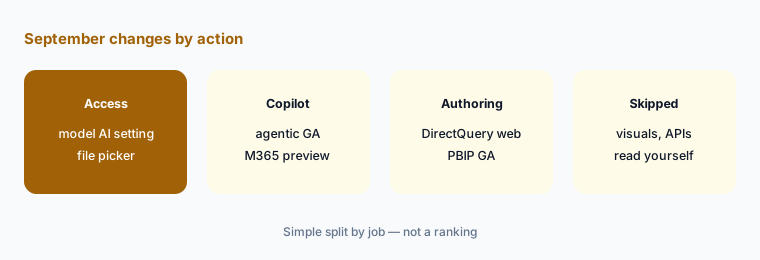
Assign owners:
Give each item on your five-change list one owner and one date. Anything without an owner goes back to the BI team’s backlog.
Pricing context (October 2026)
The September Feature Summary didn’t change Power BI prices. For reference, Microsoft’s pricing page on 5 October 2026 listed Power BI Pro at $14.00 and Premium Per User at $24.00 per user per month paid yearly. Copilot requires paid Fabric capacity (F2 or higher) or Power BI Premium (P1 or higher); Pro or PPU alone isn’t sufficient. Microsoft 365 Copilot in Power BI also depends on Microsoft 365 Copilot licensing.
Uncertainty: Preview features can change or roll out by region; we didn’t test them. Check the live Feature Summary, Microsoft Learn, and your admin portal before acting.
When it’s useful (honest take)
Useful when you run Power BI for a team and want the September changes that affect access, Copilot, and Desktop versions, with the source link.
Less useful as a buying guide; see Power BI Copilot and Power BI Copilot vs Tableau Pulse.
Paying for Power BI and a few other AI tools? The $9 AI toolkit spreadsheet lists every AI subscription you have, what each one costs, and how fast it pays for itself, so you can see which ones are worth the money.
Want someone to do it for you? AI toolkit audit — $19
Related options (educational)
| Need | Better home | Why |
|---|---|---|
| Full review of Power BI Copilot | Power BI Copilot | Summaries, DAX, capacity |
| Copilot vs metric digests | Power BI Copilot vs Tableau Pulse | By job |
| September changes in Hex | What’s new in Hex (Sep 2026) | If analysts use Hex |
| September changes in dbt | What’s new in dbt (Sep 2026) | Upstream models |
| Inventory of data AI seats | Stack map for data ops | Who owns which job |
FAQ
What changed in Power BI in September 2026?
The September 2026 Feature Summary lists agentic experiences GA, Microsoft 365 Copilot in Power BI (preview), Power BI answers in Microsoft 365 Copilot Chat GA, a new semantic-model control for AI access, DirectQuery modeling in the service, PBIP GA, a higher Export to Excel limit, and the old file picker cutoff, among others.
Can I stop read-only users from using Copilot on a model?
Yes. The Feature Summary describes a semantic-model setting, enabled by default, that when disabled blocks read-only users from using AI experiences such as Copilot and Microsoft’s MCP tools on that model and its reports.
Why can’t Power BI Desktop save to OneDrive anymore?
The Feature Summary says that starting in October, Desktop versions from March 2026 or earlier can no longer save and share files to OneDrive and SharePoint because the old file picker is deprecated. Update Desktop.
How many rows can I export to Excel from Power BI now?
The Feature Summary says exports from table visuals using Data with current layout rise from 150,000 to 500,000 rows.
Did Power BI prices change in September 2026?
No price change was in the Feature Summary. Copilot still needs Fabric F2+ or Premium P1+ capacity.
Optional next step (if seats overlap)
If your company pays for Power BI capacity, Microsoft 365 Copilot, and other chat seats that summarize the same reports, that overlap is worth mapping. Map the overlap with the $19 AI toolkit audit or the $9 AI toolkit spreadsheet.
Both pages explain what you get and how delivery works before you decide.