Alternatives · Sales & marketing · Nov 2026
Teachable alternatives (Nov 2026): Thinkific $109, Kajabi $179, Podia $42, LearnWorlds $49, and Systeme.io’s free plan — fees, limits, and trials compared with Teachable’s $39 Starter
Teachable lists Starter at $39 a month with a 7.5% transaction fee, Builder at $89, and Growth at $189. Common alternatives: Thinkific (Start $109), Kajabi (Basic $179, no revenue share), Podia (Mover $42 a month billed annually), LearnWorlds (Starter $49 plus $5 per enrollment), and Systeme.io (a free plan). Name the one thing Teachable is not doing for you before you move a single course. This page is not a ranking.
What this guide covers
This page is for course creators, coaches, and small training businesses already on Teachable, or about to choose it, who want to see the other options. A named person owns the catalog, the checkout, and student emails on whichever platform you pick.
Facts come from the vendor pricing pages, read on 8 November 2026: Teachable, Thinkific, Kajabi, Podia, LearnWorlds, and Systeme.io. Podia showed yearly prices in our read, and Systeme.io’s plan prices did not load, so we say so where it matters.
Most people look past Teachable for one of four reasons: the 7.5% fee on Starter, the product limits per plan, wanting email and a website in the same tool, or wanting a free plan to start. Each alternative below answers a different one of those, so start with your reason.
Ground rules: every live course and checkout has an owner; prices and refund terms get a human check before launch. This page is not a ranking. See Kajabi vs Teachable for a closer look at one pair and the Thinkific review.
| Tool | Entry paid plan (as displayed) | Fees and what pricing is built around |
|---|---|---|
| Teachable | Starter $39 a month, or $29 billed annually | 7.5% transaction fee on Starter, 0% on Builder ($89) and Growth ($189); priced by number of products; 7-day trial, no free plan |
| Thinkific | Start $109 a month, or $82 billed annually | Unlimited courses; Grow $219, Expand $499; Thinkific Payments 2.9%; 30-day trial, no free plan |
| Kajabi | Basic $179 a month, or $143 billed annually | No revenue share; email, website, and community bundled; priced by contacts; 14-day trial |
| Podia | Mover $42 a month billed annually ($504 a year) | 5% fee on Mover, none on Shaker ($84) or Earthquaker ($150, both billed annually); email included up to 100, 500, or 1,000 subscribers; 14-day trial |
| LearnWorlds | Starter $49 a month, or $44 billed annually | $5 per course enrollment on Starter; Pro Trainer $99 ($79 annually) and Learning Center $299 ($249 annually) with no enrollment fees |
| Systeme.io | Free plan; paid plan prices did not load in our read | Page lists no transaction fees, unlimited emailing, and unlimited students on all plans; 2 months free on annual billing |
Major features (with how someone uses them)
Examples at a glance: each feature has a concrete example from a real job plus a short Try this you can run this week.
1. Start with why you are leaving
What it is: Teachable lists Starter at $39 a month ($29 billed annually) with 5 products and a 7.5% transaction fee, Builder at $89 ($69 annually) with 10 products and 0%, and Growth at $189 ($139 annually) with 50 products and 0% (Teachable pricing).
If your only problem is the 7.5% fee, moving to Builder may cost less than moving platforms. Compare that upgrade first.
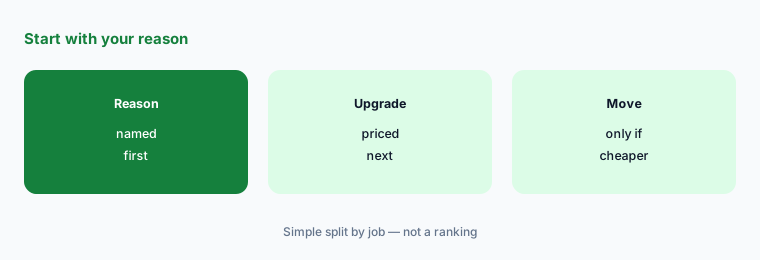
Name your reason:
Write why you are looking past Teachable in one line (price, the 7.5% Starter fee, product limits, email, or community). Then write your monthly course sales, product count, and list size, and price two alternatives at those numbers next to your current Teachable plan.
2. Transaction fees across the options
What it is: Podia lists a 5% fee on Mover and none on Shaker or Earthquaker, with Stripe or PayPal charging 2.9% + 30¢ on top (Podia pricing). LearnWorlds lists $5 per course enrollment on Starter and none on Pro Trainer or Learning Center (LearnWorlds pricing). Kajabi lists no revenue share (Kajabi pricing), Thinkific lists 2.9% on Thinkific Payments (Thinkific pricing), and Systeme.io lists no transaction fees on all plans (Systeme.io pricing).
A percentage fee hurts most on high-priced courses; a flat per-enrollment fee hurts most on cheap ones. Run your own average price through both.
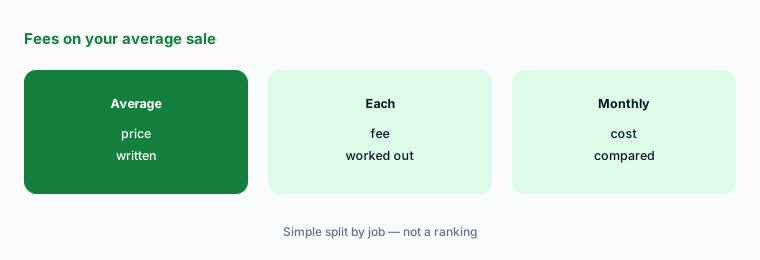
Run your average sale:
Write your average course price and monthly sales count. Work out Teachable Starter’s 7.5%, Podia Mover’s 5%, and LearnWorlds Starter’s $5 per enrollment on those numbers, and add each plan’s monthly price.
3. All-in-one vs course-first
What it is: Kajabi bundles website, email, community, and funnels on every plan (Kajabi pricing). Podia includes email up to 100, 500, or 1,000 subscribers plus community, coaching, events, and a website on every plan (Podia pricing). Systeme.io lists unlimited emailing and unlimited students on all plans (Systeme.io pricing). Thinkific and LearnWorlds focus on courses, communities, and training (Thinkific pricing; LearnWorlds pricing).
An all-in-one only saves money if you cancel the email tool, website builder, or community app it replaces.
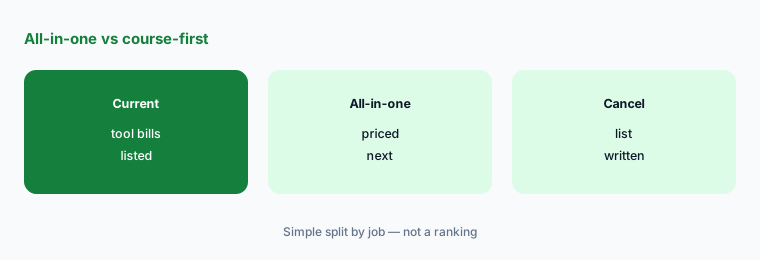
List what you would cancel:
Write every tool you pay for that an all-in-one would replace and its monthly price. If the total is smaller than the price gap to the all-in-one, stay course-first.
4. Free plans and trials
What it is: Teachable lists a 7-day trial and no free plan (Teachable pricing). Thinkific lists a 30-day trial (Thinkific pricing), Kajabi and Podia 14-day trials (Kajabi pricing; Podia pricing), and LearnWorlds a free start on each plan (LearnWorlds pricing). Systeme.io lists a free plan with no credit card (Systeme.io pricing).
If you have not sold a course yet, a free plan or a long trial lets you build one real lesson before paying anything.
Plan one real test:
Pick one finished lesson. Build it in two alternatives during their free plan or trial, run a test purchase and a refund in each, and write which checkout a buyer would find clearer.
5. Moving courses without losing students
What it is: Podia says it migrates up to 50 products on Mover and 150 on Shaker and Earthquaker, including course content and customer emails (Podia pricing). Systeme.io lists free migration (Systeme.io pricing).
Student access, payment plans, and active subscriptions are the hard part. Ask each vendor how they move active subscribers before you commit.
Write the migration list:
List every course, its active student count, and any active payment plans or subscriptions. Send that list to each shortlisted vendor and ask in writing how they move active subscribers.
6. One owner per course and checkout
What it is: Every platform here keeps selling and emailing after the person who set up a course has moved on (Teachable pricing; Thinkific pricing).
During a move it is easy to leave an old checkout live on the platform you are leaving. A named owner per course prevents double billing and lost students.
List course owners:
Write every live course, its checkout link on each platform, and its owner. Turn off each old checkout the day the new one is live, and cancel the old plan once the last one is off.
Pricing context (November 2026)
Teachable (pricing page, read 8 Nov 2026): Starter $39 a month or $29 billed annually (7.5% fee); Builder $89 or $69; Growth $189 or $139; 7-day trial, no free plan.
Thinkific (pricing page): Start $109 or $82 billed annually; Grow $219 or $164; Expand $499 or $374; 30-day trial. Kajabi (pricing page): Basic $179 or $143 billed annually; Growth $249 or $199; Pro $499 or $399; no revenue share.
Podia (pricing page): Mover $42 a month billed annually ($504 a year, 5% fee); Shaker $84 ($1,008 a year); Earthquaker $150 ($1,800 a year); 14-day trial. LearnWorlds (pricing page): Starter $49 a month or $44 billed annually plus $5 per enrollment; Pro Trainer $99 or $79; Learning Center $299 or $249.
Systeme.io (pricing page): free plan with no card; paid plan prices render by script and did not load in our read, so check the live page or our Systeme.io review.
Uncertainty: All prices were read on 8 November 2026. Podia’s page showed yearly billing in our read; monthly prices are behind a toggle we did not capture. Systeme.io’s plan prices did not load without scripts, so we list only what the page text stated. Payment processor fees (often 2.9% plus a fixed amount) apply on most platforms in addition to any platform fee. Recheck each page on the day you buy.
When it’s useful (honest take)
Thinkific tends to fit a course business that wants unlimited courses and a long trial; Kajabi one that wants email, website, and community in one place; Podia a creator selling several small products with email built in; LearnWorlds a training business that needs SCORM or client groups; Systeme.io someone starting on a free plan.
None of them helps if nobody owns the courses, checkouts, and student emails. Cancel the old platform only after every checkout and active subscription has moved.
Still choosing between Teachable and another course platform? The $19 AI toolkit audit gives you a written plan for which tools to keep using and which to drop across your whole AI stack, including this pair.
Prefer to do it yourself? Spreadsheet — $9
Related options (educational)
| Need | Better home | Why |
|---|---|---|
| Two course platforms side by side | Kajabi vs Teachable | See that page |
| Course platform with a 30-day trial | Thinkific review | See that review for current plans |
| All-in-one with a free plan | Systeme.io review | See that review for current plans |
| Other all-in-one options | Kajabi alternatives | See that page |
FAQ
What is a good free alternative to Teachable?
Teachable has no free plan. On 8 November 2026 Systeme.io listed a free plan with no credit card and no transaction fees. Thinkific listed a 30-day trial, and Kajabi and Podia 14-day trials. This page is not a ranking.
Which Teachable alternative has no transaction fees?
Kajabi lists no revenue share, Systeme.io lists no transaction fees on all plans, Podia charges none on Shaker and Earthquaker, and LearnWorlds charges no enrollment fees on Pro Trainer and up. Payment processor fees still apply.
Is Thinkific better than Teachable?
They price differently. Thinkific Start is $109 a month with unlimited courses and a 30-day trial; Teachable Starter is $39 with 5 products and a 7.5% fee. Price both on your real product count and sales.
Can I move my courses off Teachable?
Yes, but plan for active students. Podia lists migration help for up to 50 or 150 products depending on plan, and Systeme.io lists free migration. Ask each vendor in writing how active payment plans and subscriptions move.
Who should own courses during a move?
One named person per course who tracks the old and new checkout links and turns off the old checkout the day the new one goes live.
Optional next step (if seats overlap)
If you pay for a course platform plus separate email, website, and community tools, list which bills overlap before you move. Map the overlap with the $19 AI toolkit audit or the $9 AI toolkit spreadsheet. Email Audit $19 or Toolkit spreadsheet $9.
Checkout is live via Stripe. After you pay, we email delivery (spreadsheet) or intake next steps (audit).