Tool · Sales & marketing · Thinkific · Nov 2026
Thinkific review (Nov 2026): Start $109, Grow $219, Expand $499 a month (25% less billed annually) — a 30-day trial, no free plan, and what each tier unlocks
Thinkific is a course and learning platform: courses, communities, live cohorts and coaching, memberships, and built-in checkout. Plans are Start at $109 a month ($82 billed annually), Grow at $219 ($164 annually), and Expand at $499 ($374 annually), with a 30-day free trial and no free plan. Name who owns every course and checkout before launch, and cancel any tool Thinkific replaces.
What this Thinkific page covers
This page is for coaches, trainers, academies, and small companies that want to sell courses, run a community, or train customers and teams. It covers Start, Grow, and Expand as listed on thinkific.com/pricing, plus what to test in the trial before you pay.
Facts come from the Thinkific pricing page, read on 8 November 2026, plus Teachable pricing and Kajabi pricing for comparison. A plain curl of the Thinkific page was blocked for us (403); we read the same URL through a page fetch. We did not build your course, so use the trial on real content.
Thinkific helps when courses or training are a real product line and someone owns the catalog, the checkout, and student support. It does not help if courses sit unfinished or nobody answers student questions.
Ground rules: every live course and checkout has a named owner; prices, refund terms, and outcome claims get a human check before publish.

Major features (with how someone uses them)
Examples at a glance: each feature has a concrete example from a real job plus a short Try this you can run this week.
1. Start at $109 a month
What it is: Start is listed at $109 a month, or $82 a month billed annually (the page says save $330). It includes unlimited courses, live cohorts and coaching with unlimited Zoom sessions, quizzes, assignments and certificates, bundles, upsells and payment plans, memberships and subscriptions, a custom domain, 1 community, 2 administrators, and 200 GB a month of course video bandwidth (Thinkific pricing).
Start covers selling and delivering courses. It does not remove Thinkific branding, include bulk email to students, bulk enrollment, B2B invoicing, PayPal, or API and webhooks; those start on Grow.
Check Start against your needs:
Write how many courses you sell, how many students currently have access, how many admins need logins, and whether you need to remove Thinkific branding or sell seats to companies. Check those needs against Start before you look at Grow or Expand.
2. Grow at $219 a month
What it is: Grow is listed at $219 a month, or $164 billed annually (save $660). It adds removal of Thinkific branding, 3 communities, bulk enrollment and imports, B2B sales and invoicing, phone and priority chat support, API access and webhooks, student engagement reports, PayPal, bulk email to students, 6 administrators, and 400 GB a month of bandwidth (Thinkific pricing).
Pay for Grow when you can name the Grow-only feature you need this quarter, such as selling seats to a company by invoice or removing branding for a client. Otherwise Start covers you.
Name the Grow feature:
Write the one Grow feature you need, the date you need it, and the revenue it supports. If you cannot name one, stay on Start.
3. Expand at $499 a month
What it is: Expand is listed at $499 a month, or $374 billed annually (save $1,500). It adds 10 communities with 200 spaces, 1,000 GB a month of bandwidth, unlimited group sizes, email white-labeling and custom SSL, 15 administrators, revenue sharing with up to 10 partners, and dedicated launch support (Thinkific pricing). An Enterprise Plus tier adds SSO, SCORM, exams, and learning paths through sales.
Expand is for an established team with many admins, partners, or large groups. Most solo creators will not use what it adds.
Count admins and partners:
Write how many people need admin access and how many partners share revenue. Grow allows 6 admins and 3 partners; pick Expand only if you exceed those.
4. Use the 30-day trial on real content
What it is: Thinkific’s FAQ says there is no free plan and every account starts with a 30-day free trial, and you can upgrade, downgrade, or cancel Start, Grow, or Expand at any time, including during the trial (Thinkific pricing). Teachable lists a 7-day trial and Kajabi a 14-day trial (Teachable pricing; Kajabi pricing).
Thirty days is long enough to build one real course, run a test purchase, and enroll a few real students. Set a calendar reminder before the trial ends.
Plan the trial:
Write the module you will build in the trial, the date of your test purchase, and the date you will decide. Put the decision date in your calendar before day 25.
5. Payments, fees, and the mobile app add-on
What it is: Thinkific lists its own processor, Thinkific Payments, at 2.9%, in line with other processors. Using Stripe or PayPal instead adds a third-party gateway fee that varies by plan. A branded iOS and Android app is a $199 a month add-on (Thinkific pricing).
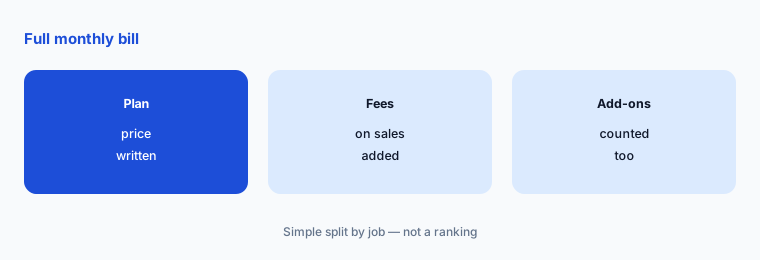
The plan price is not the whole bill. Add processing fees on your expected sales, and the app add-on if you want one, before comparing with Kajabi or Teachable.
Add up the full bill:
Write your plan price, 2.9% of expected monthly sales, and any add-on such as the $199 a month app. Compare that total, not the sticker, with the tool you would replace.
6. One owner per course and checkout
What it is: Courses, payment plans, and memberships keep billing and enrolling after the person who set them up has moved on (Thinkific pricing).
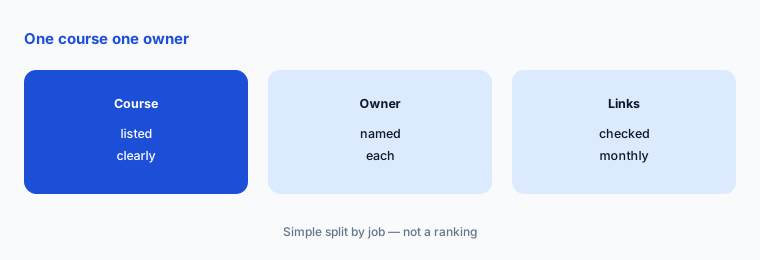
An outdated price, a dead Zoom link, or an unanswered student question costs more than the plan. A named owner per course matters more than the tier.
List course owners:
Write every live course or membership, its price, its owner, and the last date links and prices were checked. Review it monthly.
Pricing context (November 2026)
Start $109 a month, or $82 a month billed annually (save $330): unlimited courses, live cohorts and coaching, memberships, custom domain, 1 community, 2 administrators, 200 GB a month of video bandwidth (pricing page, read 8 Nov 2026).
Grow $219 a month, or $164 billed annually (save $660): adds branding removal, 3 communities, bulk enrollment, B2B invoicing, API and webhooks, PayPal, bulk student email, phone and priority chat support, 6 administrators, 400 GB a month.
Expand $499 a month, or $374 billed annually (save $1,500): adds 10 communities, 1,000 GB a month, unlimited group sizes, email white-labeling, custom SSL, 15 administrators, revenue sharing with up to 10 partners. Enterprise Plus (SSO, SCORM, exams) is through sales.
No free plan; 30-day free trial. Thinkific Payments listed at 2.9%; third-party gateways add a fee that varies by plan. Branded mobile app add-on $199 a month.
For comparison, Teachable lists Starter at $39 a month with a 7.5% transaction fee and Builder at $89 (Teachable pricing), and Kajabi lists Basic at $179 a month (Kajabi pricing). See Kajabi vs Teachable.
Uncertainty: Prices were read with both monthly and annual toggles on 8 November 2026; the annual figures are per month billed yearly (the page says save 25%). A plain curl of the pricing page returned 403 for us, so we read the same URL through a page fetch. Third-party gateway fees vary by plan and country and are on a separate help page we did not price. Confirm current limits on the live page before you buy.
When it’s useful (honest take)
Useful when courses or training are a real product line, you want a 30-day trial to build on real content, and you can name which tier’s features you will actually use.
A poor fit when nobody owns the courses and student support, or when a lower-priced course tool already covers you. Cancel the tool Thinkific replaces before the trial ends.
Paying for Thinkific and a few other AI tools? The $9 AI toolkit spreadsheet lists every AI subscription you have, what each one costs, and how fast it pays for itself, so you can see which ones are worth the money.
Want someone to do it for you? AI toolkit audit — $19
Related options (educational)
| Need | Better home | Why |
|---|---|---|
| Two course platforms side by side | Kajabi vs Teachable | See that page |
| Other all-in-one options | Kajabi alternatives | See that page |
| Lower-priced all-in-one | Systeme.io review | See that review for current plans |
| Email for course creators | Kit (ConvertKit) review | See that review for current plans |
FAQ
How much does Thinkific cost?
As listed on 8 November 2026: Start $109 a month ($82 billed annually), Grow $219 ($164 annually), and Expand $499 ($374 annually). Enterprise Plus is through sales, and a branded mobile app is a $199 a month add-on.
Does Thinkific have a free plan?
No. Thinkific’s FAQ says there is no free plan; every account starts with a 30-day free trial instead.
What does Grow add over Start?
Grow adds removal of Thinkific branding, 3 communities, bulk enrollment, B2B sales and invoicing, API and webhooks, PayPal, bulk email to students, phone and priority chat support, and 6 administrators.
What fees does Thinkific charge on sales?
Thinkific Payments is listed at 2.9%. Using Stripe or PayPal instead adds a third-party gateway fee that varies by plan, and their own processing fees apply.
Who should own Thinkific courses?
One named person per live course or membership, with a monthly check that prices, checkout links, and live-session links still match the website.
Optional next step (if seats overlap)
If courses are already selling somewhere, try Thinkific on one real module during the trial before you move the whole catalog. Map the overlap with the $19 AI toolkit audit or the $9 AI toolkit spreadsheet. Email Audit $19 or Toolkit spreadsheet $9.
Checkout is live via Stripe. After you pay, we email delivery (spreadsheet) or intake next steps (audit).