Tool · Sales & marketing · Reply.io · Nov 2026
Reply.io review (Nov 2026): Email Volume from $59, Multichannel from $99, AI SDR from $500 — sequences, LinkedIn add-ons, and who owns replies
Reply.io is a sales engagement platform for email sequences with multichannel and AI SDR options. Plan cards start at Email Volume from $59, Multichannel from $99, AI SDR from $500, and Agency from $166 a month, with annual billing advertised as saving up to 17%. Name who owns every sequence and every reply, and cancel any sender Reply would replace.
What this Reply.io page covers
This page is for founders, SDR leads, and agencies running cold email with optional LinkedIn or calling steps. It covers plan floors, add-ons, and what to test before you pay.
Facts come from the Reply.io pricing page, read on 6 November 2026. Plan cards show starting prices, not always a full feature matrix. We did not connect your mailboxes, so run your own trial on a small verified list.
Reply helps when multichannel sequences or an AI SDR workflow would replace hours you already spend. It does not help if lists are unverified or nobody owns replies.
Ground rules: every sequence has a named owner; every prospect list has a source and an opt-out path before the first send.

Major features (with how someone uses them)
Examples at a glance: each feature has a concrete example from a real job plus a short Try this you can run this week.
1. Use the free trial on one verified list
What it is: Reply’s plan cards show Start Free Trial on Email Volume and Multichannel (Reply.io pricing).
A free trial is enough for one small sequence and its first replies, not for proving a whole outbound program. Decide plan or cancel while the trial is still honest.
Scope the trial:
Before you start the free trial, write down one verified list size, how many mailboxes you will connect, whether you need LinkedIn or calls in the same sequence, and who answers replies. Run one small sequence on that list only and pick Email Volume or Multichannel before the trial habit fades.
2. Email Volume, Multichannel, AI SDR, or Agency
What it is: The pricing page shows Email Volume starting from $59 a month for high-volume email without limits on users or mailboxes (subject to fair usage), Multichannel from $99, AI SDR from $500, and Agency from $166 for multiple client workspaces (Reply.io pricing).
Those are starting floors. Volume, seats, and add-ons can push you higher. Price the plan that matches the channels you will actually use in month one.
Match channels to plan:
List whether month one is email-only, email plus LinkedIn, AI SDR, or multi-client agency work. Price only that floor first.
3. Monthly vs annual (save up to 17%)
What it is: Reply’s pricing UI lists a period toggle with “Annually save up to 17%” (Reply.io pricing). A nearby line on the page we read also showed annual pricing starting around $39 a month for the entry email plan — confirm the live toggle before you prepay.
Annual billing locks the seat for a year. Stay monthly until one month of replies proves the habit.
Start monthly first:
Write a 60-day review date. Stay on monthly billing until that date, then decide annual only if meetings held up.
4. LinkedIn, calls, and mailbox add-ons
What it is: The pricing page lists LinkedIn Automation at $69 a month per account and Calls & SMS automation at $29 a month per user. Sending-domain lines showed about +$5 or +$15 per mailbox per month depending on the domain option (Reply.io pricing).
Add-ons stack under the plan floor. A Multichannel seat plus one LinkedIn account and two mailboxes is a different bill than the $99 sticker.
Add the add-ons:
Write LinkedIn accounts, calling users, and mailboxes you need. Add $69, $29, and mailbox fees to the plan floor before you buy.
5. Replace a sender, don’t stack them
What it is: Reply only earns its keep when it replaces a sales engagement tool or hours you already spend (Reply.io pricing). For email-only sending compares, see Smartlead vs Instantly. For email plus LinkedIn steps, see Lemlist. For LinkedIn-first outreach, see Waalaxy.
Running Reply plus Instantly or Smartlead on the same audience doubles warm-up work and reply chaos. Pick one primary sender and set a cancel date on the other.
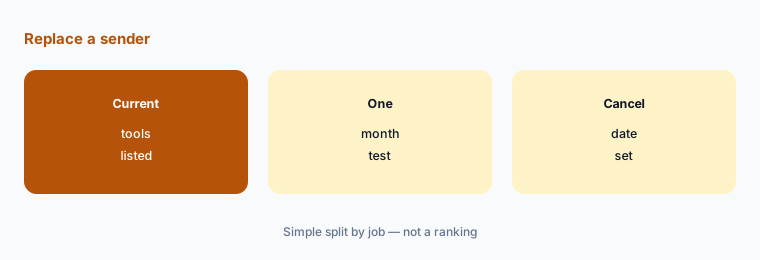
Set a cancel date:
List what Reply would replace (email sender, LinkedIn steps, AI SDR) and a cancel date. If you would not cancel anything, keep your current setup.
6. One owner per sequence
What it is: Email Volume, Multichannel, AI SDR, and Agency plans all keep sequences running after an offer changes or a rep leaves (Reply.io pricing).
A named owner for each sequence and its replies matters more than the plan. An unanswered positive reply is lost pipeline.
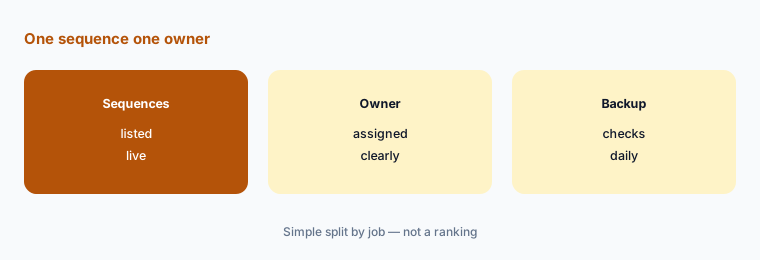
List sequences and owners:
Write every live sequence, its owner, a backup for replies, and the date the offer in it was last checked. Review it weekly.
Pricing context (November 2026)
Email Volume from $59 a month: high-volume email outreach; unlimited users and mailboxes subject to fair usage. Multichannel from $99 a month. AI SDR from $500 a month. Agency from $166 a month for multiple client workspaces (pricing page, read 6 Nov 2026).
Period toggle: annually save up to 17%. Confirm discounted monthly-equivalent figures on the live toggle before you prepay.
Add-ons on the same page: LinkedIn Automation $69 a month per account; Calls & SMS automation $29 a month per user; sending-domain / mailbox lines about +$5 or +$15 per mailbox per month. Free Trial buttons appear on plan cards — confirm length on the signup screen.
Uncertainty: Reply shows starting-from prices on plan cards; exact inclusions, credit pools, and fair-usage caps sit behind signup or sales. The annual $39/mo-style figure we saw near the entry plan should be confirmed on the live annually-period toggle. AI SDR and Agency often need a sales conversation. Check the live pricing page on the day you buy.
When it’s useful (honest take)
Useful when you need multichannel sequences or an AI SDR workflow, someone answers replies the same day, and you would cancel another engagement tool.
A poor fit when nobody owns the inbox, lists are unverified, or you only need a simple email sender. Cancel unused senders before you add another tool.
Paying for Reply.io and a few other AI tools? The $9 AI toolkit spreadsheet lists every AI subscription you have, what each one costs, and how fast it pays for itself, so you can see which ones are worth the money.
Want someone to do it for you? AI toolkit audit — $19
Related options (educational)
| Need | Better home | Why |
|---|---|---|
| Smartlead vs Instantly | Smartlead vs Instantly | See that comparison |
| Email plus LinkedIn steps | Lemlist review | See that review for current plans |
| LinkedIn outreach | Waalaxy review | See that review for current plans |
| Prospect data | Apollo.io review | See that review for current plans |
FAQ
How much does Reply.io cost?
As listed on 6 November 2026: Email Volume from $59 a month, Multichannel from $99, AI SDR from $500, and Agency from $166. Annual billing is advertised as saving up to 17%. LinkedIn Automation is $69 per account; Calls & SMS $29 per user.
Does Reply.io have a free trial?
Plan cards show Start Free Trial. Confirm the trial length and card requirements on the signup screen.
Reply vs Instantly or Smartlead — which do I need?
Instantly and Smartlead are strong email-sending options with clear send and contact caps — see Smartlead vs Instantly. Reply leans multichannel sequences and AI SDR at higher floors. Pick based on channels and reply ownership, not brand names.
Do I pay extra for LinkedIn and mailboxes?
Yes on the page we read: LinkedIn Automation $69 a month per account, Calls & SMS $29 a month per user, and mailbox or sending-domain add-ons around +$5 or +$15 per mailbox per month.
Who should own Reply.io sequences?
One named person per sequence, with a backup who checks replies daily, and a weekly check that the offer in each sequence still matches the website.
Optional next step (if seats overlap)
If multichannel or AI SDR would replace a tool you already pay for, try Reply on one small verified list with a named reply owner before you add seats. Map the overlap with the $19 AI toolkit audit or the $9 AI toolkit spreadsheet. Email Audit $19 or Toolkit spreadsheet $9.
Checkout is live via Stripe. After you pay, we email delivery (spreadsheet) or intake next steps (audit).