Tool · Ops & automation · Raycast · Oct 2026
Raycast AI review (Oct 2026): launcher assists for ops makers on Mac
Raycast AI for quick drafts and extensions when launcher workflows beat heavier seats. Complements ChatGPT for ops, Claude for ops, and in-SoR peers.
What Raycast AI covers here
This page is for ops makers on Mac who already live in a launcher and want Raycast AI for quick drafts and extension-powered jobs — without treating the launcher as a helpdesk or tracker SoR. We focus on mapping recurring ops jobs to Raycast AI vs stay-in-app, draft/extension patterns, paste hygiene, and when heavier chat or in-SoR AI is the better home. Feature names and packaging change — verify live on Raycast’s site.
Major features (with how someone uses them)
Examples at a glance: each feature has a concrete ops example plus a short Try this.
1. Raycast AI vs stay-in-app for recurring ops jobs (primary)
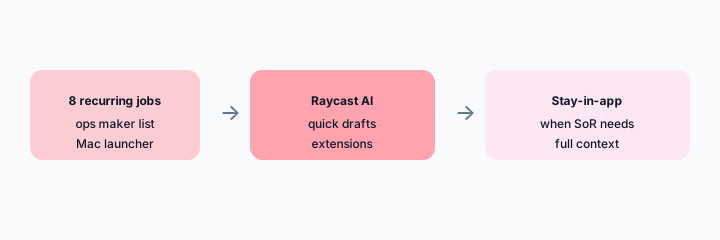
What it is: List recurring ops jobs and decide which belong in the launcher (quick rewrite, snip summary, status draft) versus which must stay in-app (full ticket context, CRM truth, board ownership). One sentence why each.
Primary SoT workflow:
List 8 recurring ops jobs. Propose Raycast AI vs stay-in-app for each — one sentence why.
2. Quick drafts + extensions
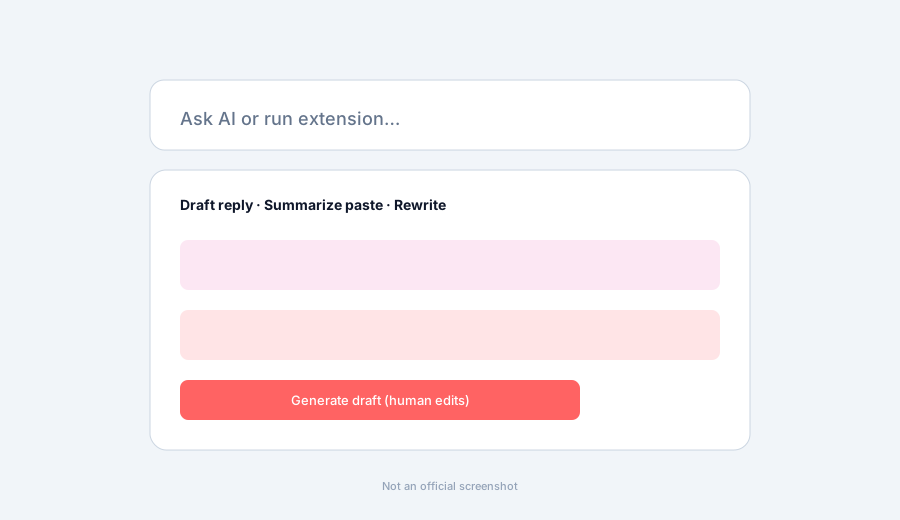
What it is: Use Raycast AI commands for rewrite, summarize, and draft-from-snippet, plus extensions that pipe clipboard or selection into AI. Treat outputs as drafts — a human edits before customer or exec send.
Draft honesty:
Paste a sanitized ops update (5 lines). Draft a Raycast-style rewrite + list 2 lines that must stay human-owned before send.
3. Paste hygiene + Unknowns
What it is: Strip PII, secrets, and customer identifiers before launcher AI pastes. Mark Unknown when the snippet lacks SoR truth (order status, SLA, access). Prefer stay-in-app when the system of record must be queried live.
Hygiene checklist:
Take 1 real paste you would send to a launcher AI. Redact PII/secrets. List 3 Unknowns that still need SoR truth before anyone acts on the draft.
4. Vs ChatGPT / Notion / ClickUp
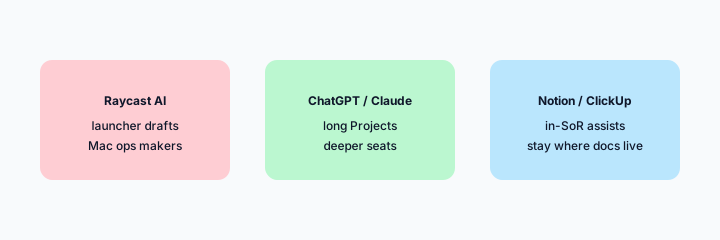
What it is: Stay in the tool you already pay for. Raycast AI for Mac launcher speed; ChatGPT for ops / Claude for ops for deeper Projects; Notion AI / ClickUp Brain when docs/tasks already live there. Soft $19/$9 below only if Raycast AI and other seats overlap on the same drafting jobs.
Home-for-the-job:
List 6 recurring drafting jobs this quarter. Assign each to Raycast AI, ChatGPT/Claude, or Notion/ClickUp — one sentence why. Do not invent a tool you do not use.
Pricing context (October 2026)
Raycast publishes Pro / AI packaging on its public site (start from raycast.com/pricing). This page is dated October 2026 and is not a price sheet — we do not invent exact per-seat or AI credit prices.
Uncertainty: Which tiers include Raycast AI, model choices, team features, and regional availability change. Always verify on live Raycast pages and your admin before budgeting.
When Raycast AI is useful (honest take)
Useful when Mac launcher workflows already beat opening a heavy chat seat for short drafts, and humans still edit before send. Less useful when every job needs full SoR context, or when you hoped the launcher alone would replace helpdesk/tracker AI.
Paying for Raycast AI and a few other AI tools? The $9 AI toolkit spreadsheet lists every AI subscription you have, what each one costs, and how fast it pays for itself, so you can see which ones are worth the money.
Want someone to do it for you? AI toolkit audit — $19
Related options (educational)
| Need | Better home | Why |
|---|---|---|
| Mac launcher quick drafts | Raycast AI (this page) | Clipboard/extensions speed |
| Deep Projects / long-form | Claude for ops / ChatGPT for ops | Heavier context seats |
| Wiki / docs in-place | Notion AI | When Notion is the wiki SoR |
| Task/project Brain | ClickUp Brain | When ClickUp holds the work |
| Personal task hygiene | Todoist AI | Light personal SoR |
FAQ
What is Raycast AI?
Launcher assists for quick drafts and extensions on Mac. Verify live feature names on Raycast’s site.
How much does it cost?
Confirm on Raycast’s public pricing — this Oct 2026 page does not invent exact prices.
Should Raycast AI replace the helpdesk?
No. Quick drafts only. Stay-in-app when SoR context is required.
Raycast vs ChatGPT / Notion / ClickUp?
Stay in the tool you already pay for. See related reviews linked above.
Optional next step (if seats overlap)
If several AI seats would cover the same drafting and ops jobs, optional help mapping overlap: $19 AI toolkit audit or $9 AI toolkit spreadsheet. Email Audit $19 or Toolkit spreadsheet $9.
Checkout is live via Stripe. After you pay, we email delivery (spreadsheet) or intake next steps (audit).