How-to · Insurance underwriting · Sixfold · Oct 20, 2026
Read Sixfold’s AI Underwriter recommendation and citations, and have a senior underwriter approve every decline, referral and broker email
Sixfold’s AI Underwriter gives each submission a recommendation, the rationale behind it, and cited sources, then suggests a next step with a broker email drafted and ready to send. A cited recommendation looks finished. This page shows how to check what the citations actually say and keep declines, referrals, and broker emails behind a senior underwriter.
Who this is for
Underwriting leaders, senior underwriters, and underwriting operations teams at commercial P&C carriers and MGAs. The job here is checking recommendation rationale and citations, then approving the actions that follow. For intake, clearance, and the bind or decline call on Kalepa — a different job — see Kalepa submission clearance underwriter approval. For portfolio guardrails before drafted quotes, see Federato Control Tower guardrails.
How to do it
This is a how-to, not a ranking of underwriting tools. Per the Sixfold AI review, the AI Underwriter launched 16 June 2026; Sixfold says underwriters remain accountable and that carriers set what it may do on its own by line, risk size, and action type. Sixfold also offers a Life & Health AI Underwriter (announced 2 September 2026 as available now) for life, disability, long-term care, and critical illness; this how-to covers P&C submissions only. The ground rule: draft-only first, and a senior underwriter approves every decline, referral, and broker email.

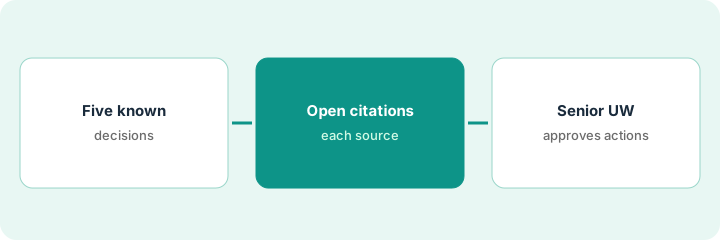
1. Pick five recent submissions with known decisions
What it is: Use submissions your team already decided, so you can compare the AI’s recommendation with what your best underwriters actually did.
- Pick five from last month: a mix of quoted, declined, and referred.
- Set Sixfold to draft declines, referrals, and broker emails without sending.
- Have the underwriting manager list every guideline and playbook loaded, with its date.
- Remove any outdated appetite bulletin before the test.
- Write the team’s real decision next to each submission before running it.
A senior underwriter picks five property submissions from last month: two quoted, two declined for roof age, one referred for a high value. The underwriting manager confirms the loaded appetite guide is the July version.
List five submissions with the team’s real decision and the date of every loaded guideline before running anything.
2. Open each citation behind the recommendation
What it is: Sixfold says every fact is cited to its source. Open each one and check that the source says what the rationale claims.
- Open every cited guideline section and read it in full.
- Check cited online research against the application.
- Mark any rationale that cites a guideline section that does not support it.
- Compare the recommendation with the team’s real decision.
- Send every miss to the underwriting manager before anyone uses recommendations on new business.
Three recommendations agree with the team. One recommends quoting a risk the team declined for roof age, and the cited guideline section does not mention roofs. One suggests a decline where the team quoted with a higher deductible. Both go to the underwriting manager.
For each recommendation, open every citation and write yes or no next to it: does the source say what the rationale says?
3. Senior underwriter approves every decline, referral, and broker email
What it is: A decline or broker email is the carrier speaking. While Sixfold is draft-only, a senior underwriter reads and approves every one, editing the broker follow-up drafts before anything sends.
- Approve every drafted decline by hand.
- Approve every referral package before it reaches higher authority.
- Edit broker emails for tone and accuracy; ask for a missing loss run instead of declining where the guide allows.
- Track how many drafts needed edits each week.
- Give authority over an action type only after a month of clean drafts, starting with missing-document requests.
Over a month a senior underwriter edits about one in five drafted broker emails, mostly to soften tone or ask for a missing loss run instead of declining. The team keeps declines manual and lets only missing-document requests go out after one-click approval.
Keep every Sixfold action draft-only for a month and have a senior underwriter approve each decline, referral, and broker email.
Pricing context (October 2026)
This how-to isn’t a price sheet. Per the Sixfold AI review, Sixfold does not publish prices and has no pricing page. When we checked on Oct 20, 2026, sixfold.ai/pricing returned not found. Treat it as quote-only and ask whether Distribution Intelligence and the Life & Health product are priced separately. Dated October 2026.
Checked Oct 20, 2026 on the vendor’s own site: Sixfold publishes no prices and has no pricing page; sixfold.ai/pricing returned not found (Sixfold’s site). This page quotes no Sixfold dollar figure; ask Sixfold for a written quote and see our review for what is known.
Uncertainty: The only prices this site sells here are the optional $9 AI toolkit spreadsheet and $19 AI toolkit audit.
When this helps (honest take)
Useful when you are a carrier or MGA with written appetite guides kept current, past decisions to test against, and senior underwriters who will read drafts before giving the tool any authority.
Not useful when your appetite lives mostly in people’s heads, you are an agency, or you want declines to send without a person.
Related options (educational)
| Need | Where to look | Why |
|---|---|---|
| Recommendations with rationale and citations | Sixfold AI | Primary path; quote only |
| Intake, clearance, and bind or decline | Kalepa submission clearance underwriter approval | A different job |
| Portfolio guardrails and drafted quotes | Federato Control Tower guardrails | A different job |
| Choosing between the two | Sixfold vs Federato | Side-by-side explainer |
FAQ
Can Sixfold decline submissions on its own?
Only if a carrier gives it that authority. Per our review, carriers set what it may do by line, risk size, and action type. Start draft-only.
Does this work for life and health cases?
Sixfold has a separate Life & Health AI Underwriter. Per our review, a life underwriter should review every recommendation there; this page covers P&C.
How much does Sixfold cost?
Sixfold does not publish prices. Treat it as quote-only (checked Oct 20, 2026).
Optional next step
If you want a one-page toolkit map for the tools you already pay for, use the optional $9 AI toolkit spreadsheet. If you want a short review of seat waste and unused tools, use the optional $19 AI toolkit audit. Neither is required to follow this how-to.