How-to · Field service · ServiceTitan · Oct 14, 2026
Let ServiceTitan's Virtual Agent recover missed calls, and have a person approve every AI-booked job
After-hours and overflow calls are lost revenue for trade contractors. ServiceTitan's Virtual Agent can answer, follow up, and book within the limits you set. An AI-booked job isn't a sold job until a person confirms the time, price, and scope. This page shows how to start small and put a daily approval between the agent and the schedule.
Who this is for
Owners, general managers, and customer service managers at HVAC, plumbing, and electrical companies running ServiceTitan, who lose calls after hours or at peak times. The job here is booking recovery with a human approval. For pricing and dispatch predictions, see the ServiceTitan AI review.
How to do it
This is a how-to, not a ranking of field-service platforms. Per the ServiceTitan AI review, the Virtual Agent handles inbound conversations and follow-ups, and September 2026 release notes added configurable escalation rules, separate reschedule and cancel permissions by job type, and custom opening messages for inbound SMS. The review's ground rule: an AI-booked job isn't sold until a person confirms time, price, and scope.

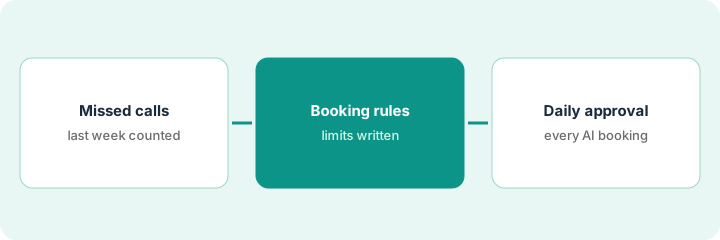
1. Step 1 — Count last week's missed calls
What it is: Before turning anything on, know the size of the problem. Pull last week's missed and abandoned calls by hour and by job type, so you can pick where the agent starts.
- Export missed and abandoned calls for the last seven days.
- Group them by hour (business hours, evenings, weekends).
- Group them by job type where the caller left a message.
- Pick the one window and one job type with the most misses.
Last week the company missed 41 calls, 26 of them between 6 p.m. and 8 a.m. Most messages were drain-cleaning requests. That's where the agent starts.
Make a two-row table: "Missed calls by window" and "Missed calls by job type." Circle the biggest number in each row.
2. Step 2 — Write the Virtual Agent booking rules
What it is: Per the review, Virtual Agent permissions can be set by job type, with escalation rules for what it hands to a person. Write your rules in plain language first, then configure them.
- Allow booking for one job type in one time window.
- List what always escalates to a person (gas smell, no heat with vulnerable occupants, commercial accounts).
- Decide whether it may reschedule or cancel; start with no.
- Read the opening message and script yourself before turning it on.
The rules: book residential drain cleaning from 6 p.m. to 8 a.m. into next-day slots; escalate anything mentioning flooding or sewage; no reschedules or cancellations. The customer service manager reads the script and removes a line that promised a same-day arrival.
Write three lines: "May book: [job type, window]. Always escalates: [list]. May not: [reschedule, cancel, discount]." Configure only what those lines say.
3. Step 3 — Approve every AI-booked job each day
What it is: One named person reviews every job the agent booked, every morning, before technicians are dispatched. They confirm time, scope, and price, and they read the conversation.
- Filter the schedule to AI-booked jobs.
- Read each conversation in full.
- Confirm the job type, address, time, and what the customer was told.
- Call or text the customer where anything is unclear.
- Log what you changed and why.
The dispatch lead finds eight AI-booked jobs. One customer described water coming through a ceiling, which should have escalated. She calls him, books an emergency visit, and tightens the escalation rule.
For the first two weeks, have one person read every AI-booked conversation each morning before dispatch. Count how many needed changes; widen the rules only when that number is near zero.
Pricing context (October 2026)
This how-to isn't a price sheet. Per the ServiceTitan AI review, ServiceTitan publishes no prices; packages are custom per technician, and Virtual Agent and other AI features are part of the quote. Dated October 2026.
Checked Oct 14, 2026 on the vendor’s own pricing page: ServiceTitan shows no public list price. ServiceTitan’s pricing page asks you to choose a package and book a demo, with no dollar figures. This page quotes no ServiceTitan dollar figure; confirm what your contract includes with ServiceTitan or your admin.
Uncertainty: Several ServiceTitan AI features are in early access or private preview for select accounts. Ask the quote to name Virtual Agent and its permissions, and confirm what your account has enabled. The only prices this site sells here are the optional $9 AI toolkit spreadsheet and $19 AI toolkit audit.
When this helps (honest take)
Useful when you miss a meaningful number of calls in a predictable window and have someone to review bookings each morning. Starting with one job type keeps mistakes small.
Not useful when nobody can do the morning review, or most missed calls are emergencies that need a human on the phone. An on-call person is the better answer there.
Related options (educational)
| Need | Where to look | Why |
|---|---|---|
| ServiceTitan AI features | ServiceTitan AI | Primary path on this page |
| A smaller-business alternative | ServiceTitan vs Jobber | Side-by-side |
| An AI receptionist for small service businesses | Jobber AI Receptionist | Same day's how-to |
| A weekly number checked by hand | Housecall Pro Analyst | Same day's how-to |
| A whole map of field-service tools | Stack map: field service ops | Where ServiceTitan fits |
FAQ
Should Virtual Agent offer discounts?
Not unless a manager wrote the exact offer into the script. Per our review, the release notes describe recovering unsold estimates; any discount should be one you approved in advance.
Who reviews on weekends?
Name a backup before you turn it on. If nobody can review, limit booking to weekdays.
Where do current prices live?
With ServiceTitan's sales team, through a package quote. Our Oct 14, 2026 check of the vendor’s own pricing page is summarized in the pricing section above.
Who should approve AI-booked jobs?
One named person per day, usually the dispatch lead or customer service manager, with a named backup for days off.
Optional next step
Free reviews stay free. If you pay for a field-service platform, a separate answering service, and an AI phone agent that overlap, the $9 AI toolkit spreadsheet helps you lay them out, or the $19 AI toolkit audit gets you a written memo.