How-to · Field service · Jobber · Oct 14, 2026
Turn on Jobber's AI Receptionist and review every request and quote it drafts before it goes out
Jobber's AI Receptionist answers calls and texts, captures leads, takes messages, and can book within limits you set. Rewrite helps polish client messages. Neither knows your real prices or your crew's week. This page shows a small service business how to set narrow limits and have the owner check every request and quote before it reaches a customer.
Who this is for
Owners and office managers at small home-service businesses (cleaning, lawn care, handyman) on Jobber who miss calls while on jobs. The job here is after-hours or overflow answering with an owner's review. For larger trade contractors, see ServiceTitan Virtual Agent.
How to do it
This is a how-to, not a ranking of field-service tools. Per the Jobber AI review, AI Receptionist answers calls and texts, captures leads, takes messages, and can book jobs inside limits you configure, and you can pause it. Rewrite polishes client messages. The review's ground rules: an AI-booked request isn't a sold job until someone confirms time, scope, and price, and an AI-drafted quote isn't accurate until a person checks it against your price list.

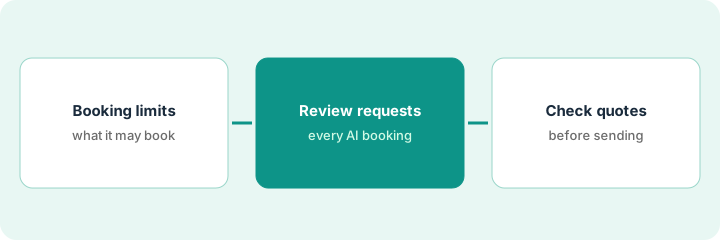
1. Step 1 — Decide what the receptionist may book
What it is: Set the hours and the services the receptionist may book, and what it should only take a message for. Start narrow.
- Choose the hours: after hours only, at first.
- Allow booking for one standard service with a fixed duration.
- Everything else gets a message and a callback.
- Write what it must never promise: prices, arrival windows, discounts.
The owner turns the receptionist on from 6 p.m. to 8 a.m., allows booking only for standard home cleans, and requires a message for move-out cleans, which vary a lot in price.
Write: "Hours: [ ]. May book: [one service]. Message only: [everything else]. Never promise: [prices, times, discounts]." Configure exactly that.
2. Step 2 — Review every request it captures
What it is: Each morning, read every conversation and booked request. Confirm the service, address, duration, and access details with the customer if anything is unclear.
- Read each conversation, not just the request summary.
- Check the booked duration matches the service.
- Confirm access details (gate codes, pets) by your usual process, not over AI chat.
- Note any pattern of mistakes and adjust the script.
After ten conversations, the owner finds two bookings with the wrong duration (the caller had a larger home). She adds a question about home size to the script and keeps the after-hours window.
Review the first ten conversations and every booked request before you widen the hours or add a second service.
3. Step 3 — Check quote drafts before sending
What it is: When a request turns into a quote, the owner checks every line against the real price list and the job details. Rewrite can tidy the message wording; the numbers and scope are the owner's.
- Open the quote draft.
- Check each line item against your price list.
- Check quantities and scope against what the customer described.
- Use Rewrite for wording only, then reread it.
- Send it yourself.
A move-out request becomes a quote draft with a standard clean price. The owner adds the inside-oven and fridge items the customer asked for, corrects the hours, and sends it after a quick Rewrite of the cover note.
For your next five quotes from receptionist requests, check every line against your price list before sending. Count how many you changed.
Pricing context (October 2026)
This how-to isn't a price sheet. Per the Jobber AI review, Jobber publishes plan prices that rise with team size and billing choice; Receptionist is included on Plus and sold as an add-on on other plans, billed by conversations. Dated October 2026.
Checked Oct 14, 2026 on the vendor’s own pricing page: Jobber’s pricing page says plans start at $29/month and lists the AI-powered Receptionist with the Plus plan; extra users are $29/month each. Plan prices rise with team size and billing choice.
Uncertainty: Receptionist conversation counting and add-on terms should be checked on your own dashboard and Jobber's help center. Jobber Teammate was announced 23 September 2026; this routine doesn't rely on it. The only prices this site sells here are the optional $9 AI toolkit spreadsheet and $19 AI toolkit audit.
When this helps (honest take)
Useful when you miss calls while on jobs, your standard services have predictable durations, and you can spend 15 minutes each morning reviewing.
Not useful when most jobs need a site visit to price, or you can't review daily. A voicemail and a quick callback may serve customers better.
Related options (educational)
| Need | Where to look | Why |
|---|---|---|
| Jobber AI features | Jobber AI | Primary path on this page |
| A close alternative | Jobber vs Housecall Pro | Side-by-side |
| A bigger contractor's booking agent | ServiceTitan Virtual Agent | Same day's how-to |
| A weekly number checked by hand | Housecall Pro Analyst | Same day's how-to |
| A whole map of field-service tools | Stack map: field service ops | Where Jobber fits |
FAQ
Can the receptionist take payment details?
Not in this routine. Keep card details and access codes out of AI conversations; collect them through your normal payment process.
What if a customer asks for a price?
The script should say someone will send a quote. Only the owner sets prices. Our Oct 14, 2026 check of the vendor’s own pricing page is summarized in the pricing section above.
Where do current prices live?
On Jobber's pricing page and help center. Our Oct 14, 2026 check of the vendor’s own pricing page is summarized in the pricing section above.
Can Receptionist send a quote on its own?
Not in this routine. It captures requests within the limits you set; a person checks every quote draft against the price list before it goes out.
Optional next step
Free reviews stay free. If you pay for job software, an answering service, and an AI receptionist that overlap, the $9 AI toolkit spreadsheet helps you lay them out, or the $19 AI toolkit audit gets you a written memo.