How-to · Multifamily · Rentvine · Oct 15, 2026
Let Rentvine's Fixie agent triage maintenance requests, and keep a person on every vendor dispatch
Rentvine's Fixie maintenance agent and AI Assistant can triage maintenance requests. Vendor dispatch still needs a person. This page covers triage and dispatch approval only — not vendor bill processing (that is a different job on the Buildium bill-scan how-to).
Who this is for
Residential property managers on Rentvine who want Fixie to triage maintenance without unsupervised vendor dispatch. The job here is dispatch approval. Bill processing is intentionally out of scope.
How to do it
This is a how-to, not a ranking of residential platforms. Per the Rentvine AI review, Fixie is the maintenance agent alongside an AI Assistant. This routine keeps a person on every vendor dispatch and does not cover bill processing.

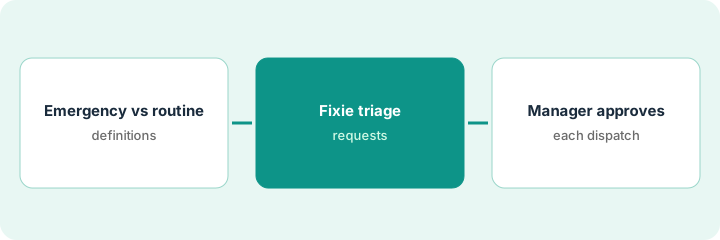
1. Step 1 — Define emergency vs routine
What it is: Write clear emergency vs routine definitions your team and Fixie will use.
- List emergencies (active leak, no heat in winter, electrical hazard, lock-out at night — adjust for your climate and policy).
- List routine items (non-urgent appliances, cosmetic issues).
- Name the manager who approves dispatches.
- Publish the definitions to staff and residents' portal FAQ.
Emergency: active water leak, no HVAC in extreme weather, sparking outlet. Routine: dripping faucet, slow disposal, screen repair.
Put the two lists in Fixie's guidance and on a one-page desk sheet.
2. Step 2 — Fixie triage
What it is: Let Fixie classify and gather details on new requests; dispatch stays queued for a person.
- Turn on Fixie triage for new maintenance requests.
- Require photos or details where your policy needs them.
- Review misclassified emergencies daily in week one.
- Do not auto-dispatch vendors yet.
Fixie marks a “small drip under sink” routine and an “ceiling stain growing after rain” for urgent review. Manager agrees with both.
Keep a misclassification log for seven days.
3. Step 3 — Manager approves each dispatch
What it is: The manager (or named on-call) approves every vendor dispatch Fixie proposes.
- Open the dispatch queue.
- Confirm priority, vendor, and access instructions.
- Approve or reassign.
- Only then notify the vendor.
- Leave bill processing to your bookkeeper process — not this page.
Manager approves a plumber for the growing ceiling stain, rejects an overnight dispatch for a screen repair. Bills are handled later in the normal accounts-payable path — not by Fixie in this routine.
If you need AI-assisted bill capture with a bookkeeper gate, use the Buildium bill-scan how-to — a different job.
Pricing context (October 2026)
This how-to isn't a price sheet. Per the Rentvine AI review and our Oct 15, 2026 check, pricing starts as low as $1.50 per unit with a custom quote. Dated October 2026.
Checked Oct 15, 2026 on the vendor’s own pricing page: Rentvine’s pricing page says pricing starts as low as $1.50 per unit, with a custom quote for your portfolio.
Uncertainty: This page intentionally omits vendor bill processing so it does not guide the Buildium bill-scan how-to. The only prices this site sells here are the optional $9 AI toolkit spreadsheet and $19 AI toolkit audit.
When this helps (honest take)
Useful when you can staff dispatch approvals and have clear emergency definitions.
Not useful when Fixie can dispatch vendors with no person, or you expected this page to process bills.
Related options (educational)
| Need | Where to look | Why |
|---|---|---|
| Rentvine AI | Rentvine AI | Primary path |
| DoorLoop AI | DoorLoop AI | Related residential path |
| DoorLoop renewal notices | DoorLoop renewal notices | Same day's how-to |
| Buildium bill scan (different job) | Buildium bill scan | Bill processing — not this page |
| Property ops stack map | Stack map: property ops | Where Rentvine fits |
FAQ
Does this cover bill processing?
No. See Buildium bill scan for that different job.
Can Fixie auto-dispatch emergencies?
Not in this routine — a person approves every dispatch.
Where do Rentvine prices live?
See the pricing section; we re-checked Rentvine pricing on Oct 15, 2026. Our Oct 15, 2026 check of the vendor’s own pricing page is summarized in the pricing section above.
Does this cover vendor bill processing?
No. A different job: for scanning bills with a named bookkeeper on Buildium, see that how-to. This page is maintenance triage and dispatch only.
Optional next step
If you want a one-page toolkit map for the tools you already pay for, use the optional $9 AI toolkit spreadsheet. If you want a short review of seat waste and unused tools, use the optional $19 AI toolkit audit. Neither is required to follow this how-to.