How-to · Clinical notes · NextGen Healthcare · Oct 21, 2026
Use NextGen Ambient Assist on NextGen Mobile, and have the provider sign every SOAP note and suggestion
NextGen’s Ambient Assist, now marketed as NextGen Clinical AI, listens on the NextGen Mobile app and drafts a structured SOAP note into the chart for provider review, with suggested ICD-10 codes, medications, and orders the provider can accept with a tap. A one-tap suggestion is easy to accept without reading. This page shows how to pilot it so the provider reviews every suggestion and signs every note.
Who this is for
Physicians, medical directors, and practice administrators at ambulatory practices on NextGen Enterprise (or NextGen Office). The job here is ambient SOAP notes on mobile and the tier decision that comes with them, plus a first, narrow use of Navigator call automation. This is an operations how-to, not medical, coding, or billing advice.
How to do it
This is a how-to, not a ranking of EHRs. Per the NextGen Healthcare AI review, Ambient Assist drafts a SOAP note that is placed in the NextGen Enterprise chart for provider review, and NextGen says notes transfer “once reviewed by a physician.” Its Mobile tiers brochure lists unlimited NextGen Clinical AI and the AI coding, order, medication, and patient-summary features only in Mobile Pro. NextGen Navigator handles calls and texts for rescheduling, confirmations, and cancellations. NextGen’s own FAQ says “clinical validation and oversight are essential.” Time-saved figures are NextGen’s. The ground rule: the provider reviews every SOAP note and every suggestion and signs the note; nothing a suggestion proposes is accepted without that provider reading it.
1. Confirm which providers need the Mobile Pro tier
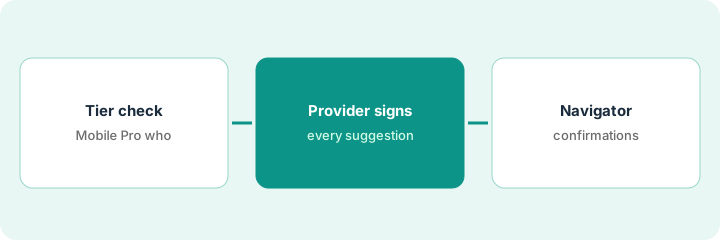
What it is: Not every provider charts ambiently. The practice administrator matches the tier to actual habits before asking NextGen for a quote.
- List each provider’s charting habits: ambient, dictation, typing.
- Note that base NextGen Mobile caps orders at 25 a month and speech-to-text at 30 minutes a month, per the brochure.
- Ask for Mobile Pro only for providers who will use ambient notes and AI suggestions.
- Set a usage review after three months.
- Confirm whether you run Enterprise or Office, since the ambient features differ.
The administrator finds five providers want ambient notes, four dictate, and three type. She asks NextGen to quote Mobile Pro for the five and schedules a usage review in three months.
List every provider’s charting habit and request Mobile Pro only for those who will use ambient notes, with a three-month usage review on the calendar.
2. Pilot SOAP notes; the provider reviews every suggestion and signs
What it is: In the pilot, each provider reads every SOAP note and opens every ICD-10, medication, and order suggestion before tapping to accept anything, then signs the note.
- Name the providers in the pilot.
- Read the Assessment first; it is where drafts most often say more or less than meant.
- Open each ICD-10 suggestion and check specificity against the visit.
- Check each medication and order suggestion against the conversation and allergies.
- Sign only after every suggestion is accepted or rejected on purpose.
An internist sends ten Ambient Assist notes to the chart. Eight need light edits. One Assessment records a diagnosis she only raised as a possibility, and one suggests a lab order she decided against. She corrects both before signing and rejects the lab.
On ten visits, have the provider open every ICD-10, medication, and order suggestion and accept or reject each on purpose before signing the note.
3. Scope Navigator call types, confirmations first
What it is: Navigator can confirm, reschedule, and cancel appointments. Start with confirmations only, and let the front-office lead own the call workflows.
- Turn on Navigator for appointment confirmations only.
- Have the front-office lead listen to thirty calls.
- Route any clinical question to staff.
- Fix every mishandled request before adding rescheduling.
- Add cancellations last.
The front-office lead listens to thirty confirmation calls. Twenty-seven are fine. Two callers asked to reschedule and were told to call back, and one asked about a symptom and was routed correctly. She asks NextGen to add a hand-off for reschedule requests before turning on rescheduling.
Turn on Navigator for confirmations only and have the front-office lead listen to thirty calls before adding any other call type.
Pricing context (October 2026)
This how-to isn’t a price sheet. Per the NextGen Healthcare AI review, NextGen does not publish prices, and its Mobile tiers brochure lists features with no prices. When we checked on Oct 21, 2026, nextgen.com/pricing still sent us to a contact form. Treat Mobile Pro, Navigator, and Financial AI as quote-only. Dated October 2026.
Checked Oct 21, 2026 on the vendor’s own site: NextGen publishes no prices; nextgen.com/pricing sent us to a contact form and NextGen’s site lists no prices. This page quotes no NextGen dollar figure; ask NextGen for a written quote and see our review for what is known.
Uncertainty: The only prices this site sells here are the optional $9 AI toolkit spreadsheet and $19 AI toolkit audit.
When this helps (honest take)
Useful when your practice runs NextGen, some providers chart on mobile, and each will open every suggestion before signing.
Not useful when providers tap to accept suggestions without reading, nobody will listen to Navigator calls, or you have not checked which tier each provider needs.
Related options (educational)
| Need | Where to look | Why |
|---|---|---|
| Ambient SOAP notes and suggestions on NextGen | NextGen Healthcare AI | Primary path; quote only |
| Actions for Rx, labs, referrals on Elation | Elation Actions physician approval | A different job |
| One AI note format on AdvancedMD | AdvancedMD one-format trial | A different job |
| Where clinical notes fit | Stack map: healthcare ops | Broader map |
FAQ
What is NextGen Ambient Assist?
Per our review, NextGen’s ambient scribe, now marketed as NextGen Clinical AI. It listens on the NextGen Mobile app and drafts a SOAP note into the chart for provider review, with suggested codes, medications, and orders.
Which tier includes Clinical AI?
Per NextGen’s brochure as summarized in our review, Mobile Pro includes unlimited NextGen Clinical AI and the AI suggestion features.
How much does NextGen cost?
NextGen publishes no prices. Treat every product and tier as quote-only (checked Oct 21, 2026).
Optional next step
If you want a one-page toolkit map for the tools you already pay for, use the optional $9 AI toolkit spreadsheet. If you want a short review of seat waste and unused tools, use the optional $19 AI toolkit audit. Neither is required to follow this how-to.