How-to · Async · Loom · Oct 5, 2026
Replace one status meeting with a Loom and an owner list
Not every status sync needs a calendar square and a meeting bot. Some need a clip people can watch and a short list of owners.
Who this is for
Ops leads drowning in update meetings where nobody decides anything. If the meeting exists to debate, keep the meeting — async is for broadcast plus light Q&A.
How to do it
This page is a how-to. It is not a ranking of video tools. Product detail and dated pricing live on the reviews linked below.

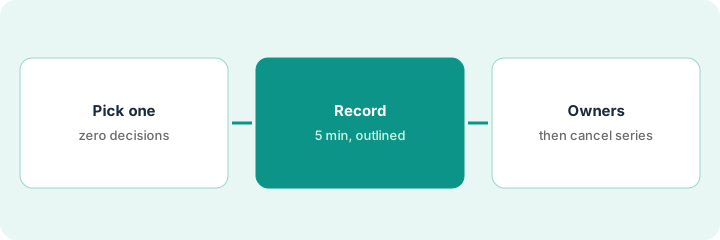
1. Step 1 — Pick a one-way status meeting
What it is: Candidates: weekly project broadcast, leadership FYI, demo of a shipped change. Not: incident response, negotiation, or anything that needs live debate.
The Monday project broadcast ended last week with a full room and zero decisions. That is the pilot. The vendor negotiation sync stays live.
Highlight one recurring event that ended last time with zero decisions. That is your pilot.
2. Step 2 — Record with a fixed outline
What it is: Use Loom AI: record ≤5 minutes. Outline on a sticky note first: what changed · what’s blocked · what you need. Let AI draft a summary; you still edit.
Changed: vendor migration finished. Blocked: SSO waiting on IT. Need: sign-off on the cutover date. Four minutes on camera, then a quick edit of the AI summary.
First line on camera: “No meeting — comment with blockers by Thursday 2pm.”
3. Step 3 — Attach owners and dates; kill the series
What it is: Under the Loom, paste Owner — task — date (or “no actions”). After two successful weeks, cancel the calendar series. Do not also keep a notetaker “recording the empty room.”
Loom is not a reason to cancel a notetaker on working sessions — different job. See the other meeting how-tos.
Under the Loom: “Sam — confirm cutover — Wed” and “IT — SSO fix — Tue.” After two weeks of blockers answered in the thread, the calendar series is canceled.
Move questions to a Slack thread with a 24-hour response SLA. If threads fail twice, restore the meeting — async needs response habits.
Pricing context (October 2026)
This how-to is not a price sheet. Public list prices for Loom AI, Descript, and Slack AI live on those reviews. Recheck each vendor’s site before you budget. Dated October 2026.
Uncertainty: AI add-ons, recording limits, and seat tiers change. If an invoice and a review disagree, trust the invoice. Do not paste a marketing list price you did not pay. The only prices this site sells here are the optional $9 AI toolkit spreadsheet and $19 AI toolkit audit.
When this helps (honest take)
Useful when attendance is high and decisions are low.
Not useful when people will not watch — then you have a culture problem a bot cannot fix.
Related options (educational)
| Need | Where to look | Why |
|---|---|---|
| One-way status broadcast | Loom AI | Short clip plus an owner list |
| Heavier video or audio editing | Descript | Editing, not quick updates |
| Questions and replies after the update | Slack AI | Thread where the team already talks |
| Working sessions that need owners and dates | Fireflies or Otter | A live meeting job, not async |
Related reviews: Loom AI · Descript · Slack AI. Related how-to: Three steps to take the best meeting notes ever.
FAQ
Which meetings can become a Loom?
One-way status updates: project broadcasts, leadership FYIs, demos of shipped changes. Keep meetings that exist to debate or negotiate.
How long should the Loom be?
Five minutes or less, recorded from a fixed outline: what changed, what is blocked, what you need.
When do we cancel the calendar series?
After two successful weeks of blockers answered in the thread. If threads fail twice, restore the meeting.
Where do dated prices live?
On the linked reviews and the vendor sites. This October 2026 how-to does not invent list prices.
Optional next step
Free reviews stay free. Neither offer is required to use this page. If you are also cleaning up meeting-bot seats, optional help: $9 AI toolkit spreadsheet (seats, spend, owner, cancel-by, overlap) or $19 AI toolkit audit when you want a written memo.