How-to · Legal · Juro · Oct 19, 2026
Run Juro’s AI Review against your playbook, and have the playbook owner check every flag before signing
Juro’s AI Review checks contracts against your playbooks, and Operator can answer questions over signed contracts. A green review that misses a playbook rule still ships risk. This page shows playbook-owner checks on every flag. Spellbook Market redlines are a different job.
Who this is for
In-house legal teams on Juro with written playbooks. The job here is owner checks on AI Review flags.
How to do it
This is a how-to, not a ranking of CLM tools. Per the Juro AI review, Juro offers AI Review against playbooks, Operator questions over signed contracts, and AI Assistant drafting. The ground rule: no signature while unchecked AI Review flags remain.
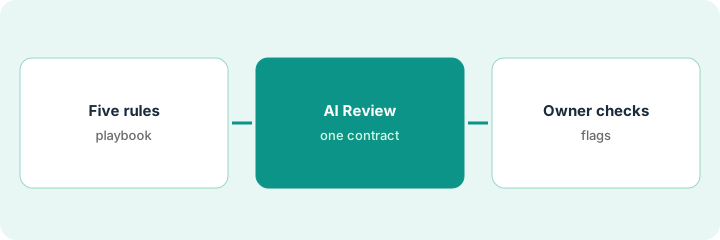
1. Write or confirm five playbook rules
What it is: Confirm five rules that matter for the next inbound contract type (for example liability, auto-renew, data protection, payment, termination).
- Use rules counsel already approved.
- Keep each rule testable.
- Name the playbook owner.
- Skip Assistant drafting until Review is trusted.
- Version the playbook.
Legal confirms five vendor-master services agreement rules including a liability floor and notice on auto-renew.
Publish five testable rules and an owner name before you run Review.
2. Run AI Review on one inbound contract
What it is: Run AI Review on one inbound contract against that playbook and export or list every flag.
- Use a real inbound draft.
- Capture every flag with clause location.
- Do not sign or send while flags are open.
- Keep Operator questions for after signature in this routine’s last optional step.
- Note false positives for playbook tuning.
AI Review flags auto-renew notice and a liability gap. Payment terms are clean.
List every flag before anyone schedules signature.
3. Playbook owner checks each flag; optional Operator question later
What it is: The playbook owner accepts, escalates, or dismisses each flag with a reason, and only then allows signature. After signature, optionally ask Operator one question over the signed set.
- Owner decides every flag.
- Escalate material gaps to counsel.
- Dismiss only with a written reason.
- Sign only when flags are closed.
- After signing, ask Operator one question (for example “which vendor MSAs auto-renew in 90 days?”) and verify against the contracts.
Owner escalates the liability gap, accepts a playbook-consistent auto-renew redline, and blocks signature until counsel returns. Later Operator lists three auto-renewing MSAs that match the repository.
Owner closes every flag before signature; verify any Operator answer against the signed files.
Pricing context (October 2026)
This how-to isn’t a price sheet. Per the Juro AI review, Juro publishes no public list seat price (checked Oct 19, 2026). Ask Juro for a quote. Dated October 2026.
Checked Oct 19, 2026 on the vendor’s own pricing page: Juro shows no public list seat price on Juro’s pricing page. This page quotes no Juro dollar figure; confirm what your contract includes with Juro or your admin.
Uncertainty: The only prices this site sells here are the optional $9 AI toolkit spreadsheet and $19 AI toolkit audit.
When this helps (honest take)
Useful when you already store contracts in Juro with a playbook and an owner who will check flags.
Not useful when playbooks are empty, or you wanted AI to approve signatures.
Related options (educational)
| Need | Where to look | Why |
|---|---|---|
| Juro AI | Juro AI | Primary path |
| Spellbook Market redlines | Spellbook Market clause redline | A different job |
| Ironclad clause quote | Ironclad clause quote | Related CLM pattern |
FAQ
What is Operator?
Per our review, Operator answers questions over signed contracts in Juro. Verify answers against the files.
How much does Juro cost?
Juro publishes no public list seat price we verified on Oct 19, 2026. Ask for a quote.
Optional next step
If you want a one-page toolkit map for the tools you already pay for, use the optional $9 AI toolkit spreadsheet. If you want a short review of seat waste and unused tools, use the optional $19 AI toolkit audit. Neither is required to follow this how-to.