How-to · Hotels · IDeaS · Oct 15, 2026
Run one group quote through IDeaS G3 Group Pricing Evaluation and have the revenue manager own the override
IDeaS G3 Group Pricing Evaluation with Wish/Walk Price and approval workflows can price a group request. Overrides still belong to the revenue manager. This page shows how to run one live group through the evaluation and record the override with a reason. For Duetto Autopilot floors — a different job — see that how-to.
Who this is for
Sales and revenue teams quoting groups on IDeaS G3. The job here is one group request with a revenue-manager-owned override.
How to do it
This is a how-to, not a ranking of revenue systems. Per the IDeaS G3 AI review, Group Pricing Evaluation includes Wish/Walk Price and approval workflows (Feb 2026 redesign). The revenue manager owns every override and decision-delivery setting.

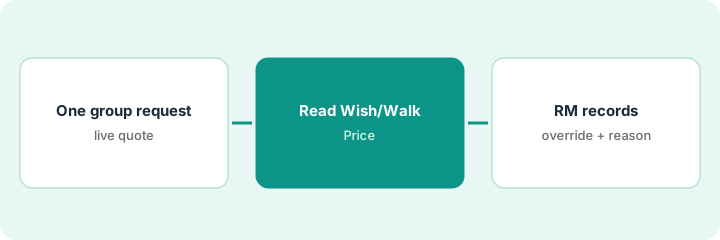
1. Step 1 — Pick one live group request
What it is: Choose one real group request with clear dates, room block, and decision deadline.
- Pick one live RFP or group inquiry.
- Confirm dates, room nights, and cutoff.
- Name the revenue manager who owns the override.
- Keep parallel manual quotes out of the first pass.
A 40-room association block for three midweek nights. Sales owns the relationship; revenue owns the price decision.
Write the group name, dates, and decision deadline on the evaluation sheet before you open Wish/Walk.
2. Step 2 — Read Wish/Walk Price
What it is: Run Group Pricing Evaluation and read Wish Price and Walk Price before anyone promises a rate.
- Run the evaluation for the block.
- Record Wish Price and Walk Price.
- Note displacement and constraints the tool surfaces.
- Do not send a rate to the client yet.
Wish Price sits above the sales target; Walk Price is closer to last year's accepted rate. Displacement flags two high-demand nights.
Paste Wish and Walk into the sheet with the date/time of the run so later overrides have a baseline.
3. Step 3 — Revenue manager records override and reason
What it is: The revenue manager decides, records any override, and only then lets sales send the quote.
- Revenue manager chooses accept Wish, Walk, or a written override.
- Write the reason in the approval workflow.
- Sales sends only the approved number.
- Store the decision with the group file.
- Review overrides weekly for pattern.
Revenue approves a rate between Wish and Walk because the association is a multi-year account, and writes that reason in the workflow.
Never let sales send a number that is not in the approval record.
Pricing context (October 2026)
This how-to isn't a price sheet. Per the IDeaS G3 AI review, IDeaS G3 is quote-only. Dated October 2026.
Checked Oct 15, 2026 on the vendor’s own pricing page: IDeaS G3 shows no public list price. IDeaS’ site did not publish plan dollar figures on our check. This page quotes no IDeaS dollar figure; confirm what your contract includes with IDeaS or your admin.
Uncertainty: No public list price on the pages we checked. The only prices this site sells here are the optional $9 AI toolkit spreadsheet and $19 AI toolkit audit.
When this helps (honest take)
Useful when sales and revenue already share an approval workflow and one person owns overrides.
Not useful when sales sends rates before revenue sees Wish/Walk, or reasons are not written down.
Related options (educational)
| Need | Where to look | Why |
|---|---|---|
| IDeaS G3 AI | IDeaS G3 AI | Primary path |
| Duetto vs IDeaS | Duetto vs IDeaS | Side-by-side |
| Duetto Autopilot floors | Duetto Autopilot floors | A different job |
| Cloudbeds Autopilot limits | Cloudbeds RMS Autopilot | Same day's how-to |
| Hospitality stack map | Stack map: hospitality ops | Where IDeaS fits |
FAQ
Who owns the override?
The revenue manager. Sales may request; revenue writes the reason.
How is this different from Duetto Autopilot?
A different job: this page is one group Wish/Walk decision. Duetto Autopilot is ongoing rate pushes with floors.
Where do IDeaS prices live?
Quote-only; see the pricing section. Our Oct 15, 2026 check of the vendor’s own pricing page is summarized in the pricing section above.
Who owns the override?
The revenue manager. Sales may request it; the revenue manager writes the reason and keeps the decision.
Optional next step
If you want a one-page toolkit map for the tools you already pay for, use the optional $9 AI toolkit spreadsheet. If you want a short review of seat waste and unused tools, use the optional $19 AI toolkit audit. Neither is required to follow this how-to.