How-to · Health benefits · Gradient AI · Oct 20, 2026
Use Gradient AI Renewal Analytics on a group renewal, and have the underwriter approve every price
Gradient AI’s Renewal Analytics projects each group’s next twelve months, isolates the conditions and drugs driving cost, and turns the projection into a renewal price with a built-in calculator. Its September 2026 release added IBNR adjustments, peer benchmarks, and a group termination model. A model flag is a reason to look, not a reason to reprice. This page shows how to work one renewal with the underwriter approving every price.
Who this is for
Underwriters, actuarial analysts, and underwriting managers at group health carriers, stop-loss carriers, and managing general underwriters. The job here is one renewal price, approved by the underwriter. It is not about workers’ comp reserves; for casualty reserve and attorney-referral checks, see CLARA DocIntel medical summary reserve check.
How to do it
This is a how-to, not a ranking of underwriting tools. Per the Gradient AI review, SAIL supports new-business underwriting on Gradient’s group health page, Renewal Analytics covers existing groups, and Total Incurred Prediction supports workers’ comp reserves (where the claims supervisor approves every reserve). Gradient says the termination model “supports underwriters’ judgments rather than replacing them”. The ground rule: the underwriter sets and approves every price, and medical and Rx data stay inside the agreed data-use terms.

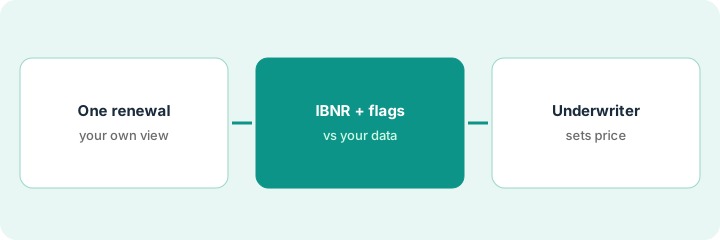
1. Pull one renewal
What it is: Pick one group renewal coming up in the next quarter and gather what the underwriter would use without Gradient: last year’s claims, the broker notes, and the current rate.
- Pick a group large enough to have real claims history.
- Pull last year’s actual claims and large-claimant notes.
- Pull broker notes on whether the group is shopping.
- Confirm your data-use terms cover the medical and Rx data the model uses.
- Write your own first view of the renewal before opening the projection.
A stop-loss underwriter picks a 250-life manufacturing group renewing next quarter. Before opening Renewal Analytics she writes her own view: one large claimant last year, broker says the group is not shopping.
Write your own one-paragraph view of the renewal, with last year’s claims and broker notes, before you open the projection.
2. Read IBNR, benchmarks, and the termination flag against your own data
What it is: Open the projection and read the IBNR-adjusted trend, peer benchmarks, and termination flag. Check each against your own reserving view and the member file.
- Compare the IBNR-adjusted loss ratio with your own reserving triangles; small groups with short history can drift.
- Read which conditions and drugs drive the projected cost.
- Check whether a flagged driver is a large claimant who has since left the plan.
- Read the termination flag against broker notes.
- Follow your written rule: the termination flag may set the order of retention calls, never the size of an increase on its own.
The projection flags higher risk, but the main driver is a large claimant who has since left the plan, which the member file confirms. The IBNR-adjusted ratio is close to the carrier’s own view. The termination model says the group is unlikely to leave; the underwriter does not use that to push a bigger increase.
For the renewal, list each driver Gradient shows and mark whether your own data agrees, disagrees, or needs Gradient to explain the inputs.
3. Underwriter sets and approves the price, and documents how AI informed it
What it is: The underwriter sets the price, approves it by name, and writes a short note on what the projection changed and what she overrode.
- Use the built-in calculator as an input, not the answer.
- Write the final price and the reason in the file.
- Note each Gradient signal you followed or overrode, with a one-line reason.
- Have the underwriting manager approve the Group Summary PDF before it goes to a broker.
- Review overrides monthly with the underwriting manager.
The underwriter sets a smaller increase than the calculator suggested, because the large claimant has left, and writes that reason in the file. The underwriting manager approves the Group Summary PDF with the carrier’s own figures before it goes to the broker.
In the file, write: final price, who approved it, which Gradient signals you followed, and which you overrode and why.
Pricing context (October 2026)
This how-to isn’t a price sheet. Per the Gradient AI review, Gradient AI does not publish prices. When we checked on Oct 20, 2026, gradientai.com/pricing returned not found and the site asks buyers to request a demo. Treat it as quote-only and ask whether it is priced by covered lives, by volume, or by module. Dated October 2026.
Checked Oct 20, 2026 on the vendor’s own site: Gradient AI publishes no prices; gradientai.com/pricing returned not found and Gradient AI’s site lists no prices. This page quotes no Gradient AI dollar figure; ask Gradient AI for a written quote and see our review for what is known.
Uncertainty: The only prices this site sells here are the optional $9 AI toolkit spreadsheet and $19 AI toolkit audit.
When this helps (honest take)
Useful when you underwrite group health or stop-loss with enough volume that a better view of hidden risk matters, and underwriters will check projections against their own data.
Not useful when your data-use terms do not cover medical and Rx data, or you want the calculator to set prices without an underwriter.
Related options (educational)
| Need | Where to look | Why |
|---|---|---|
| Renewal projections and price support | Gradient AI | Primary path; quote only |
| Casualty reserve and attorney referral checks | CLARA DocIntel medical summary reserve check | A different job |
| Commercial P&C pricing models | hyperexponential AI | Different line |
| Where health benefits AI fits | Stack map: insurance ops | Broader map |
FAQ
What did the September 2026 release add?
Per our review, IBNR adjustments, peer benchmarking, a group termination model, a blended member-level risk signal for thin data, and a Group Summary PDF.
Should the termination flag change the increase?
Not on its own. Write a rule for how it may be used, such as setting the order of retention calls.
How much does Gradient AI cost?
Gradient AI does not publish prices. Treat it as quote-only (checked Oct 20, 2026).
Optional next step
If you want a one-page toolkit map for the tools you already pay for, use the optional $9 AI toolkit spreadsheet. If you want a short review of seat waste and unused tools, use the optional $19 AI toolkit audit. Neither is required to follow this how-to.